
The best free Google Analytics plugin for WordPress. See how visitors find and use your website so you can grow your business with powerful analytics.
- Installs
- 2+ million
- Rating
- 4.5 (3.2K)
- Updated
- 45 days ago

A simple, yet powerful WordPress analytics plugin that gives you privacy-friendly stats to grow your website. A Google Analytics alternative.
| Last updated | October 22, 2026Updated in the last 3 months |
|---|---|
| Tested up to | WordPress 7.1.4Covers WordPress 7.1.4, the current release |
| Needs WordPress | 5.9 or newer |
| Needs PHP | 8.0.30 or newer |
| First published | May 31, 2022 |
| Support, last two months | 8 of 8 threads resolved (100%) |
4.8 / 5 from 167 reviews
| 5 stars | 154 |
|---|---|
| 4 stars | 6 |
| 3 stars | 0 |
| 2 stars | 2 |
| 1 star | 5 |
Google Analytics is complicated!
You shouldn’t have to spend hours on tracking scripts, variables, dimensions, and other complexities just to answer basic questions about your visitors.
That’s why we built Independent Analytics.
Independent Analytics gives you simple, common-sense stats you can use to grow your website.
It automatically tracks your visitors and adds easy-to-read reports right inside your WordPress admin dashboard.
As a Google Analytics alternative, Independent Analytics also offers superior privacy for yourself and your visitors. It does not use cookies, store personal data, or communicate with external servers. All of your data is created and stored in your WP database.
This is a free plugin and doesn’t require you to create an account on another site.
Loved by the WP Community ❤️
Independent Analytics has received praise and renown from WP Tuts, Web Squadron, WP Weekly, WP Builds, and many more publications.
Get Started in 60 Seconds
Independent Analytics starts tracking visitors immediately. No JavaScript. No code snippets. No account to create. Just install and activate, and clear your cache once if you’re using a caching plugin. Your data starts showing up right away, so you can refresh the page and check how it’s going.
Who’s it for?
The opening of the plugin's own description. The full text, installation notes and changelog are on its WordPress.org page.
Download it from this page and upload via the Plugins > Add New menu of your website. Alternatively, visit your Plugins > Add New menu and search for “Independent Analytics” by name.
No, Independent Analytics is an alternative to Google Analytics. You do not need a Google account to use it.
Yes, you can run both Independent Analytics and Google Analytics on your site at the same time without any issues or errors.
No, it is not possible to import stats from Google Analytics, Jetpack Stats, or other analytics tools at this time.
No, the tracking script makes a deferred request to your site’s REST API to record the visit. This has no impact on the loading experience, and does not impact your Core Web Vitals, allowing you to achieve a perfect 100/100 Page Speed Insights score.
Yes, the moment you install Independent Analytics it will start tracking views. If you don’t see any views right away, clear your site’s cache and then visit your site in a private browser tab to record your first view.
2.16.0 – October 15th, 2026
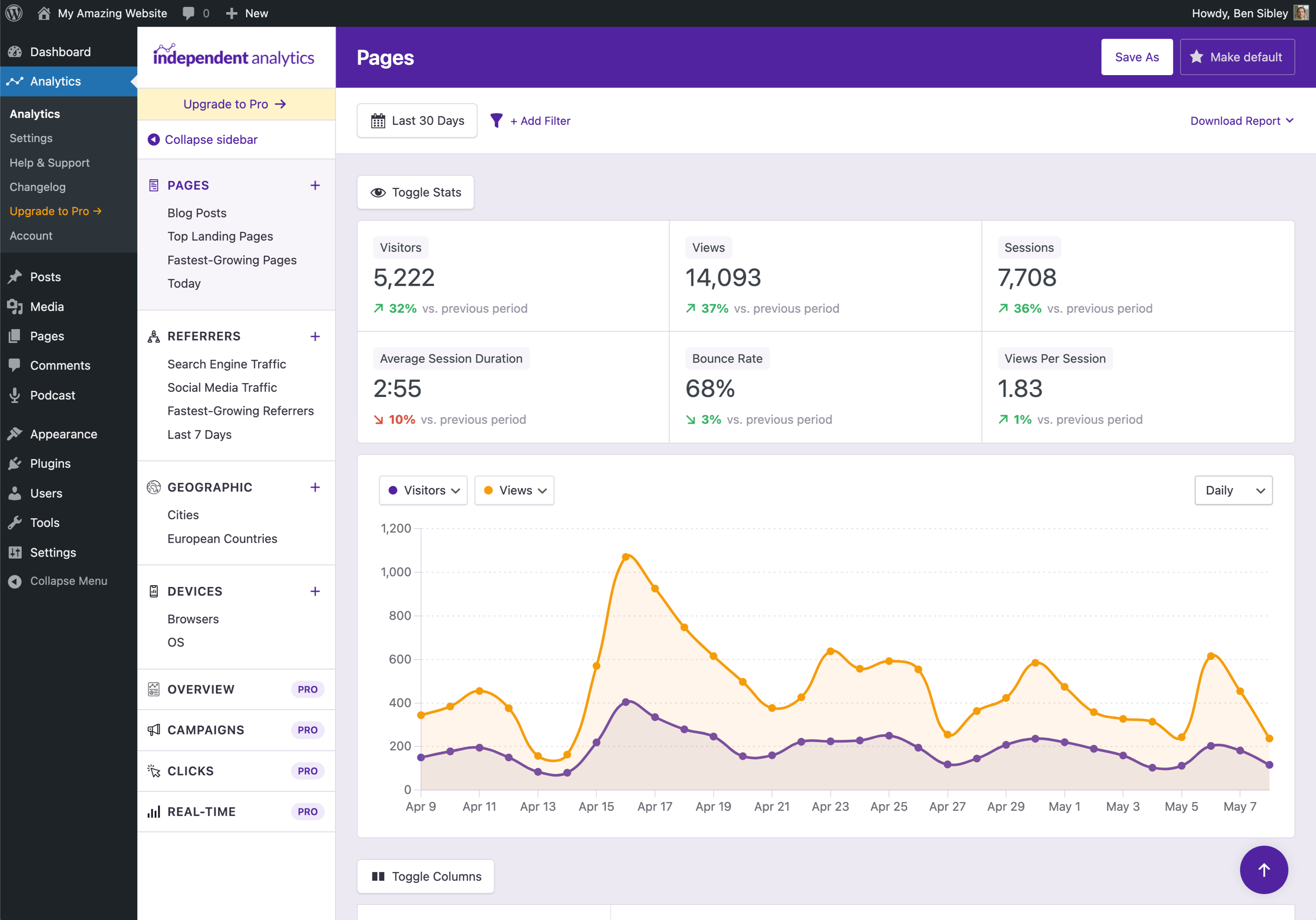
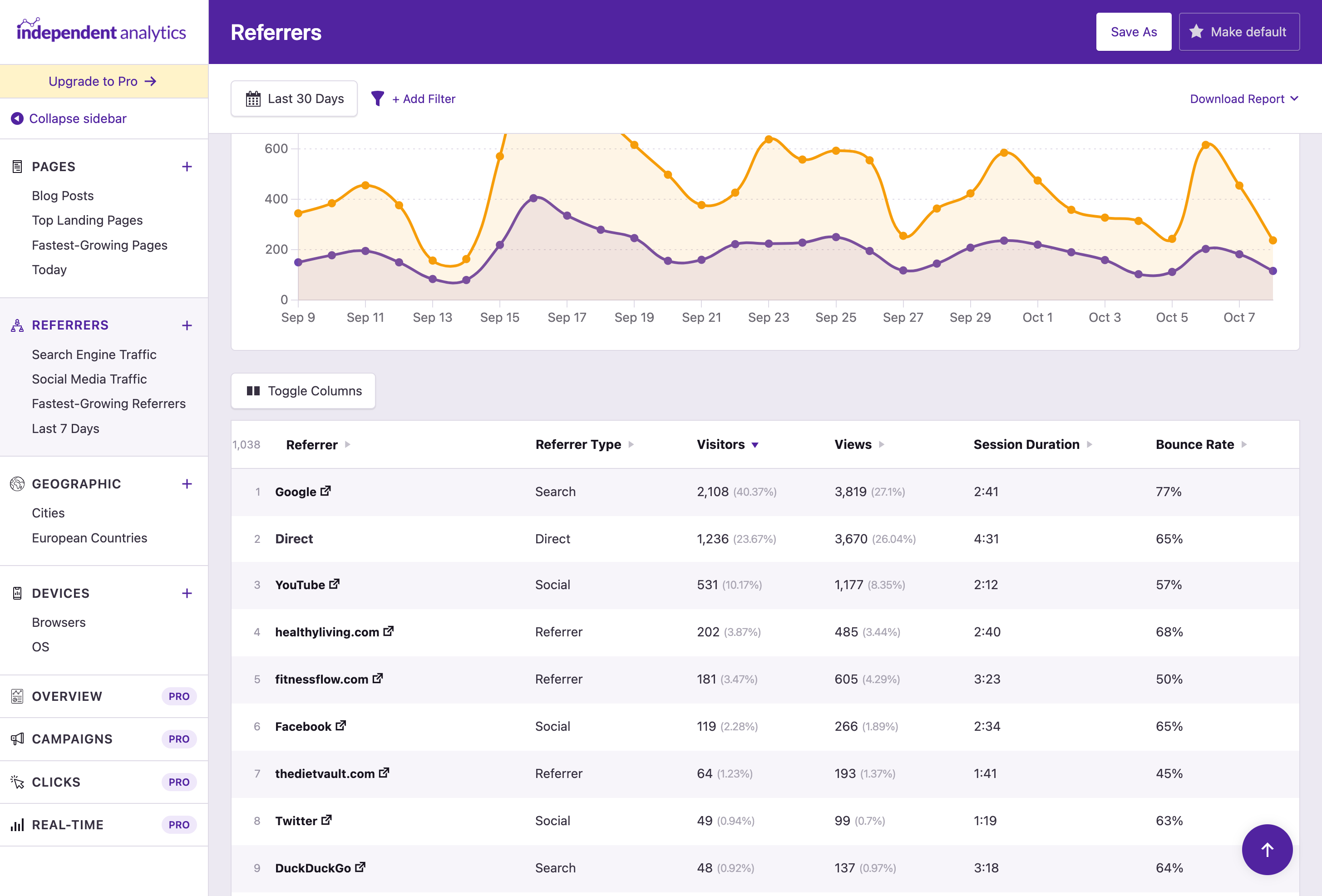
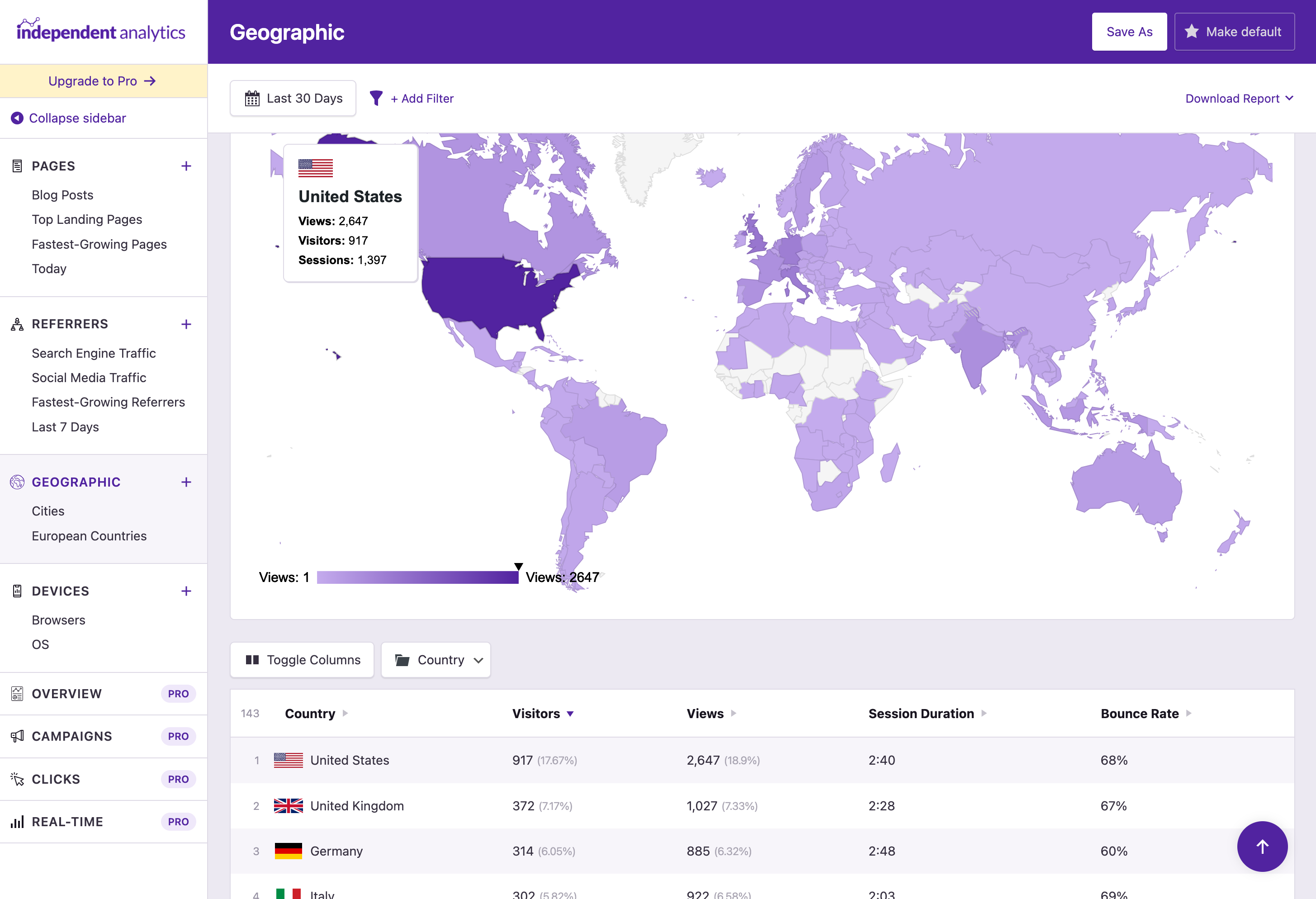
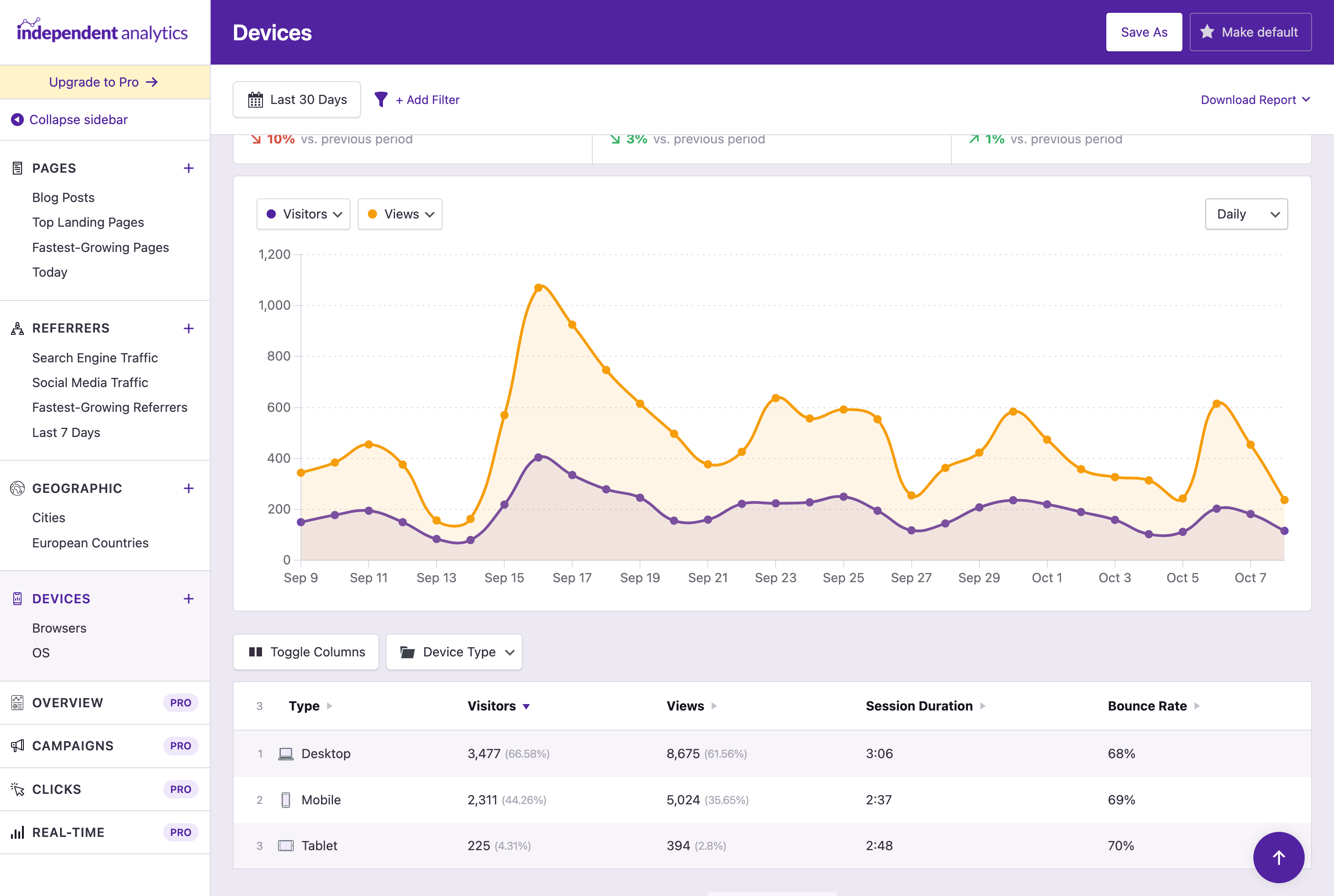
The best free Google Analytics plugin for WordPress. See how visitors find and use your website so you can grow your business with powerful analytics.

#149 by installs
Adds Google Analytics tracking code to your WordPress site. Supports many tracking features.
Simple, lightweight WordPress analytics with privacy-friendly visitor tracking. Cookieless and GDPR-ready. Setup in seconds, no cookie banner needed.

#610 by installs
Privacy-friendly and lightweight Google Analytics alternative for WordPress sites. No cookies, just insights.
Cookieless, privacy-friendly WordPress analytics. GDPR/CCPA compliant visitor data and clear graphs, with no data sharing.
Connects Google Analytics with your WordPress site. Displays stats to help you understand your users and site content on a whole new level!
Read from the WordPress.org plugin API on , when WordPress 7.1.4 was the current release. WordPress.org rounds active installs into buckets. These are the directory's figures, not my verdict, and I haven't tested this plugin. The author takes donations at their donate page.


