
Connects Google Analytics with your WordPress site. Displays stats to help you understand your users and site content on a whole new level!
- Installs
- 200,000+
- Rating
- 2.5 (1.5K)
- Updated
- 45 days ago

The best free Google Analytics plugin for WordPress. See how visitors find and use your website so you can grow your business with powerful analytics.
Read from monsterinsights.comon
| Plan | Price | Billed | Renews at | Sites |
|---|---|---|---|---|
| Elite | $299.50 | per year | Not shown | Use on 5 Sites |
| Pro | $199.50 | per year | Not shown | Use on 5 Sites |
| Plus | $99.50 | per year | Not shown | Use on 1 Site |
| Agency | $399.50 | per year | Not shown | Use on 25 Sites |
onals use MonsterInsights to Grow their Business with Confidence Elite normally 599.00 $299.50/ year Save $299.50 (50%) For sites that want insights into both WHAT and WHY.
nsterinsights.com/pricing/ pricing-table-comparison) Most Popular Pro normally 399.00 $199.50/ year Save $199.50 (50%) For eCommerce sites and businesses who want huge resu
ttps://www.monsterinsights.com/pricing/ pricing-table-comparison) Plus normally 199.00 $99.50/ year Save $99.50 (50%) For small businesses and publishers who want to do more
n der Sluijs - Business Consultant Agency Companies and Agencies normally 799.00 $399.50/ year Save $399.50 (50%) [Get Started](https://www.monsterinsights.com/checkou
Save $299.50 (50%)
For sites that want insights into both WHAT and WHY.
A script read this page, and kept only what the page's text backs up. These are the vendor's list prices and its own words, not a deal and not my review. Prices change and can differ by country, so confirm on the vendor's page before you buy.
| Last updated | September 16, 2026Updated in the last 3 months |
|---|---|
| Tested up to | WordPress 7.1.4Covers WordPress 7.1.4, the current release |
| Needs WordPress | 5.6.0 or newer |
| Needs PHP | 7.2 or newer |
| First published | September 14, 2007 |
| Support, last two months | 4 of 5 threads resolved (80%) |
4.5 / 5 from 3,156 reviews
| 5 stars | 2,685 |
|---|---|
| 4 stars | 100 |
| 3 stars | 47 |
| 2 stars | 53 |
| 1 star | 271 |
Google Analytics Plugin for WordPress
With over 3 million active installs, MonsterInsights is the most popular Google Analytics plugin for WordPress.
We believe that it’s easy to double your traffic and sales when you know exactly how people find and use your website. MonsterInsights shows you the analytics and stats that matter, so you can grow your business with confidence.
At MonsterInsights, we make it “effortless” to properly connect your WordPress site with Google Analytics, so you can start making data-driven decisions to grow your business.
Unlike other Google Analytics plugins, MonsterInsights allows you to enable all advanced Google Analytics tracking features with just a few clicks (no need to hire a developer).
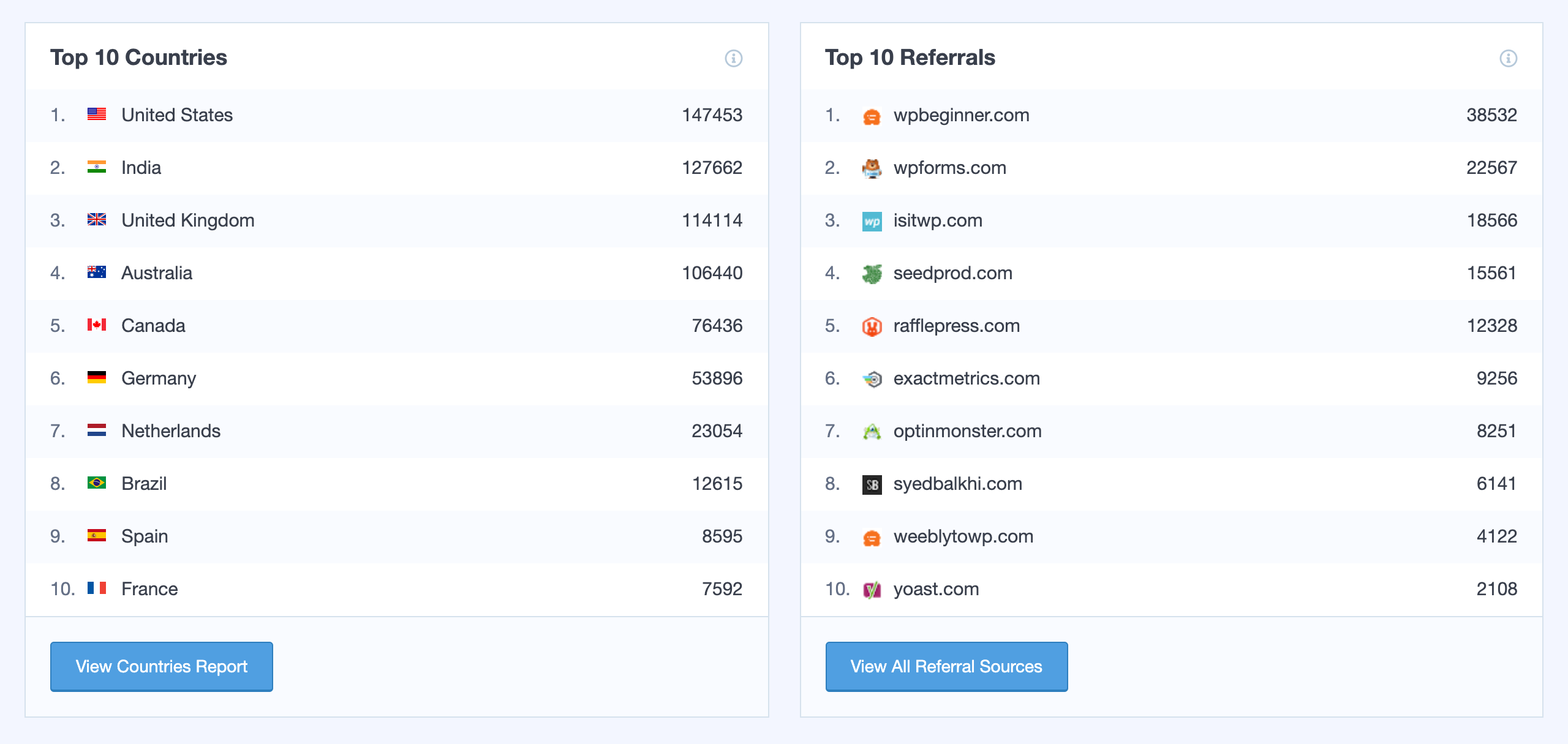
The best part is that MonsterInsights comes with an analytics dashboard for WordPress that shows you actionable analytics reports right inside your WordPress dashboard. We have created customized reports that eliminate the fluff and only show you the stats that matter, so you can see exactly what’s working and what’s not!
Simply put, MonsterInsights is the most complete Google Analytics plugin for WordPress that’s both EASY and POWERFUL.
That’s why millions of small businesses and top companies like Microsoft, Bloomberg, FedEx, Yelp, Subway, etc. use MonsterInsights to set up Google Analytics on their WordPress sites.
MonsterInsights Pro
The opening of the plugin's own description. The full text, installation notes and changelog are on its WordPress.org page.
Native WordPress stats plugins will always slow down your website because they rely on your WordPress hosting server. Most of them do not provide accurate WordPress analytics either.
Some WordPress stats plugins use third-party servers to mitigate this issue, but they all lack powerful features that Google Analytics can offer.
The MonsterInsights Google Analytics plugin is built for all types of websites, large or small, to get up and running quickly with Google Analytics and Google Analytics 4.
Beyond simply providing a Google Analytics dashboard, our plugin makes configuring advanced features as easy as point-and-click that would otherwise still require a developer to implement.
No. You should only use one Google Analytics plugin on your WordPress site. If you use multiple Google Analytics plugins, then you will compromise your data integrity.
We recommend uninstalling other Google Analytics plugins before you install MonsterInsights.
Some people believe that loading Google Analytics in WordPress header will slow down your website. That’s a myth. The Analytics code loads asynchronously which means that it does not impact your website speed at all.
MonsterInsights loads code in WordPress header because it makes sure that you have the most accurate tracking.
As of version 7.18, Pro users of MontersInsights can use a locally hosted version of Google Analytics (gtag) which helps with tracking data accuracy. This version can also improve the performance of your website, compared to hosting the script on Google Analytics servers.
Yes. By default we do not send data to Google Analytics for logged-in WordPress administrators and editors. You can add easily block additional user roles.


Connects Google Analytics with your WordPress site. Displays stats to help you understand your users and site content on a whole new level!

#378 by installs
A simple, yet powerful WordPress analytics plugin that gives you privacy-friendly stats to grow your website. A Google Analytics alternative.

#534 by installs
Use Google Analytics on your WordPress site without touching any code, and view visitor reports right in your WordPress admin dashboard!
Cookieless, privacy-friendly WordPress analytics. GDPR/CCPA compliant visitor data and clear graphs, with no data sharing.

#149 by installs
Adds Google Analytics tracking code to your WordPress site. Supports many tracking features.
Simple, lightweight WordPress analytics with privacy-friendly visitor tracking. Cookieless and GDPR-ready. Setup in seconds, no cookie banner needed.
Read from the WordPress.org plugin API on , when WordPress 7.1.4 was the current release. WordPress.org rounds active installs into buckets. These are the directory's figures, not my verdict, and I haven't tested this plugin. The author takes donations at their donate page.

