
#534 by installs
ShareThis Dashboard for Google Analytics
Use Google Analytics on your WordPress site without touching any code, and view visitor reports right in your WordPress admin dashboard!
- Installs
- 80,000+
- Rating
- 3.6 (138)
- Updated
- 37 days ago

Connects Google Analytics with your WordPress site. Displays stats to help you understand your users and site content on a whole new level!
| Last updated | September 16, 2026Updated in the last 3 months |
|---|---|
| Tested up to | WordPress 7.1.4Covers WordPress 7.1.4, the current release |
| Needs WordPress | 5.6.0 or newer |
| Needs PHP | 7.2 or newer |
| First published | March 12, 2013 |
| Support, last two months | 1 of 1 threads resolved (100%) |
2.5 / 5 from 1,546 reviews
| 5 stars | 539 |
|---|---|
| 4 stars | 43 |
| 3 stars | 14 |
| 2 stars | 24 |
| 1 star | 926 |
The ExactMetrics Google Analytics for WordPress plugin helps you properly set up all the powerful Google Analytics tracking features without writing any code or hiring a developer.
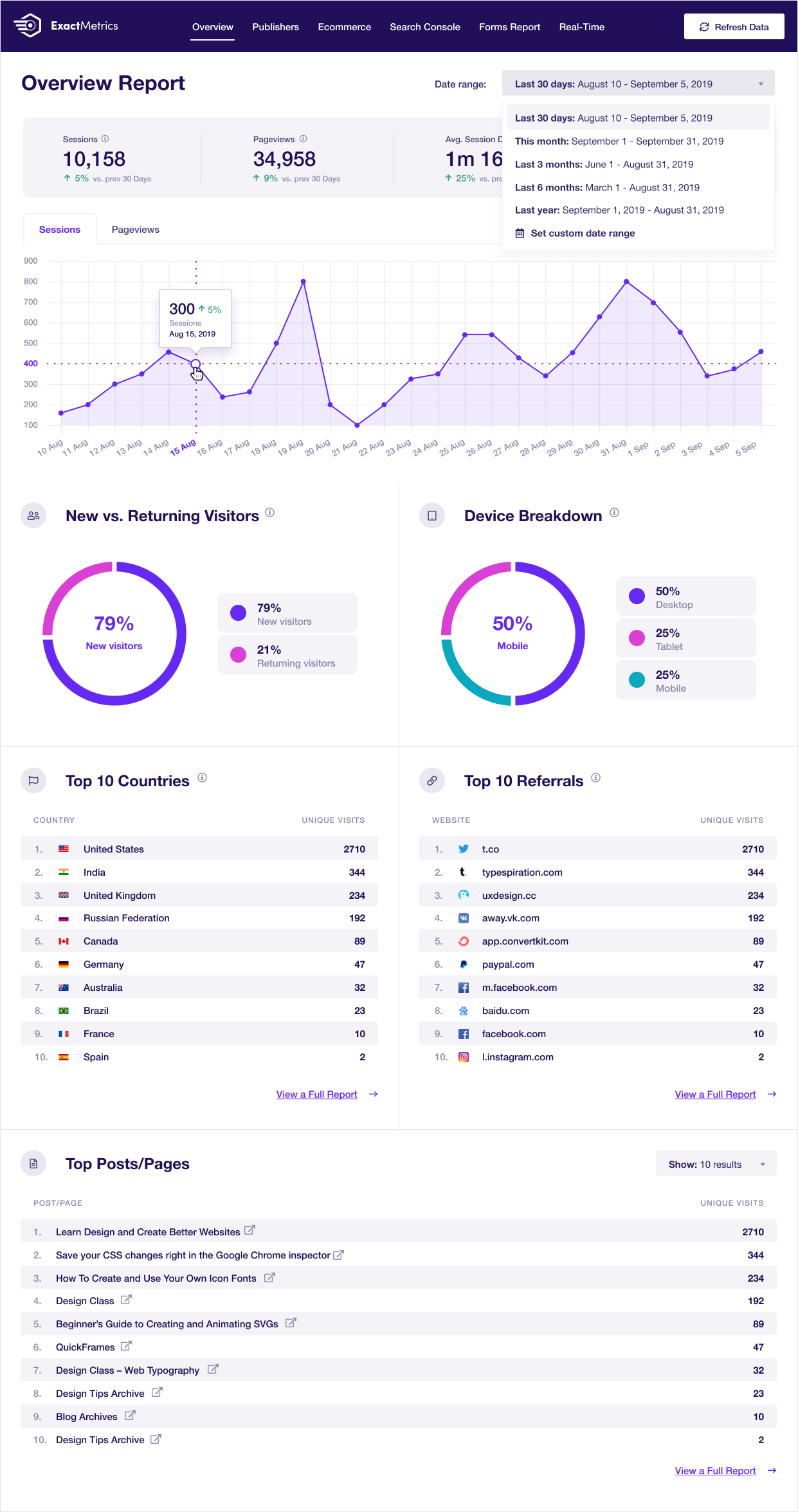
More importantly, over 1 million users love ExactMetrics because of our signature Google Analytics Dashboard that helps you view key Google Analytics stats right inside your WordPress dashboard.
Our goal at ExactMetrics is to help you grow your business faster with data-driven decisions.
This is why we built the most comprehensive Google Analytics plugin for WordPress, so you can set up all the powerful tracking features that website owners otherwise miss out on when simply pasting the analytics code in WordPress.
We go beyond the simple google analytics script and add the advanced event tracking, so you can see all important user behavior in WordPress with just a few clicks (without hiring a developer).
ExactMetrics works automatically Google Analytics 4 (GA4) so that you can your website can be prepared for the future of Google Analytics.
Basically, we made the same advanced Google analytics setup that big enterprise companies used to pay thousands of dollars for, available to every small business owner without the high costs.
The opening of the plugin's own description. The full text, installation notes and changelog are on its WordPress.org page.
Yes, we fully support Google Analytics v4 (GAv4) properties .
Lite support is provided exclusively on our website.
You can submit pull requests, feature requests and bug reports on our GitHub repository.
For documentation, tutorials, FAQ and videos check out: Google Analytics Dashboard for WP by ExactMetrics documentation.



#534 by installs
Use Google Analytics on your WordPress site without touching any code, and view visitor reports right in your WordPress admin dashboard!
The best free Google Analytics plugin for WordPress. See how visitors find and use your website so you can grow your business with powerful analytics.
Cookieless, privacy-friendly WordPress analytics. GDPR/CCPA compliant visitor data and clear graphs, with no data sharing.

#149 by installs
Adds Google Analytics tracking code to your WordPress site. Supports many tracking features.
Simple, lightweight WordPress analytics with privacy-friendly visitor tracking. Cookieless and GDPR-ready. Setup in seconds, no cookie banner needed.

#378 by installs
A simple, yet powerful WordPress analytics plugin that gives you privacy-friendly stats to grow your website. A Google Analytics alternative.
Read from the WordPress.org plugin API on , when WordPress 7.1.4 was the current release. WordPress.org rounds active installs into buckets. These are the directory's figures, not my verdict, and I haven't tested this plugin. The author takes donations at their donate page.


