
#149 by installs
GA Google Analytics – Connect Google Analytics to WordPress
Adds Google Analytics tracking code to your WordPress site. Supports many tracking features.
- Installs
- 400,000+
- Rating
- 4.9 (158)
- Updated
- 3 months ago

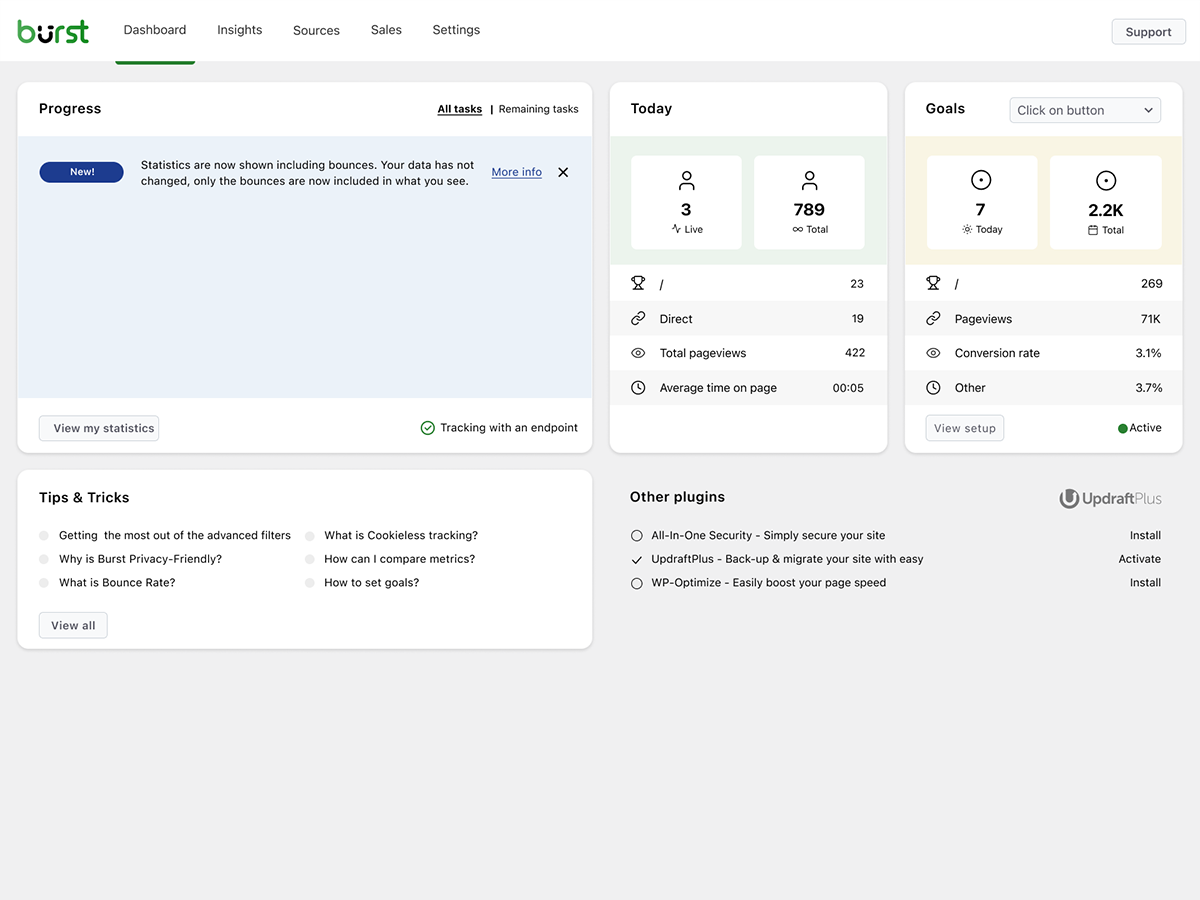
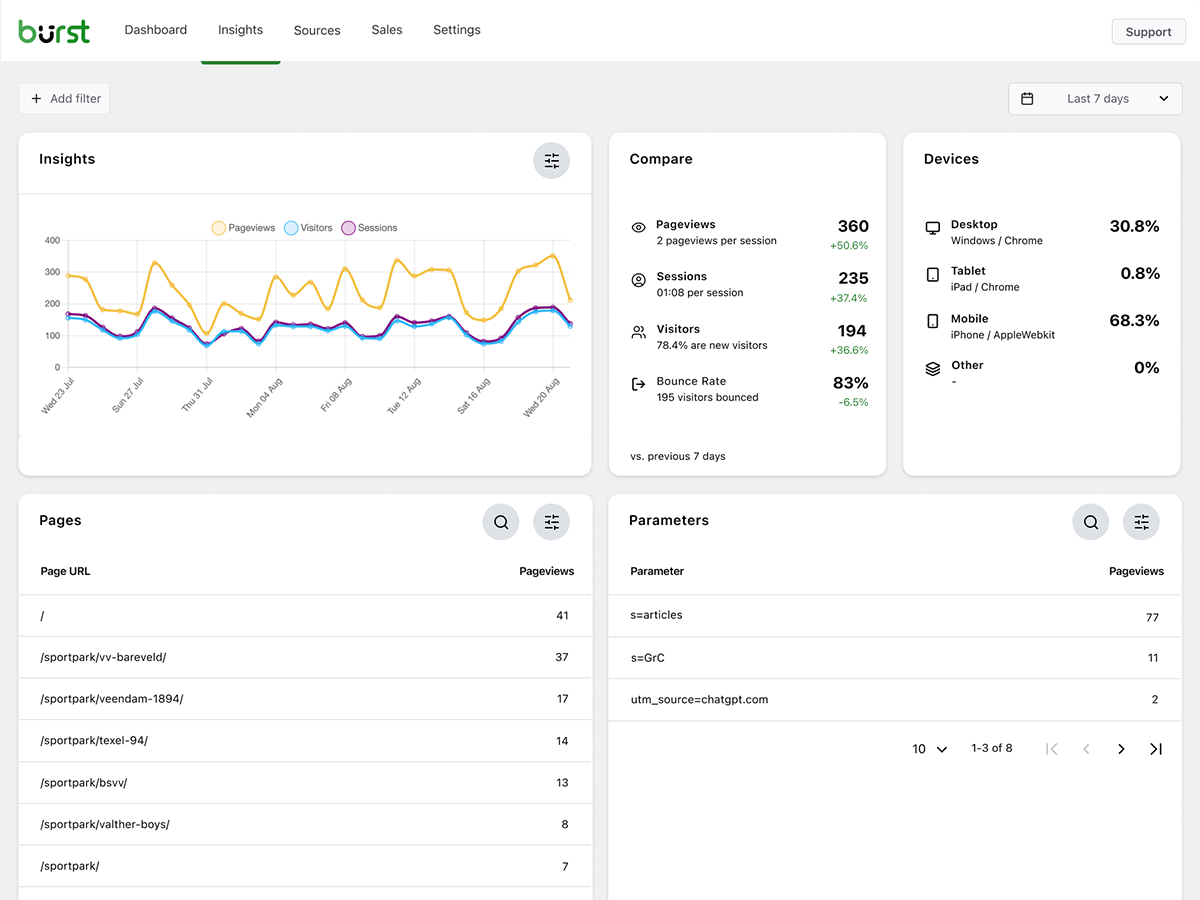
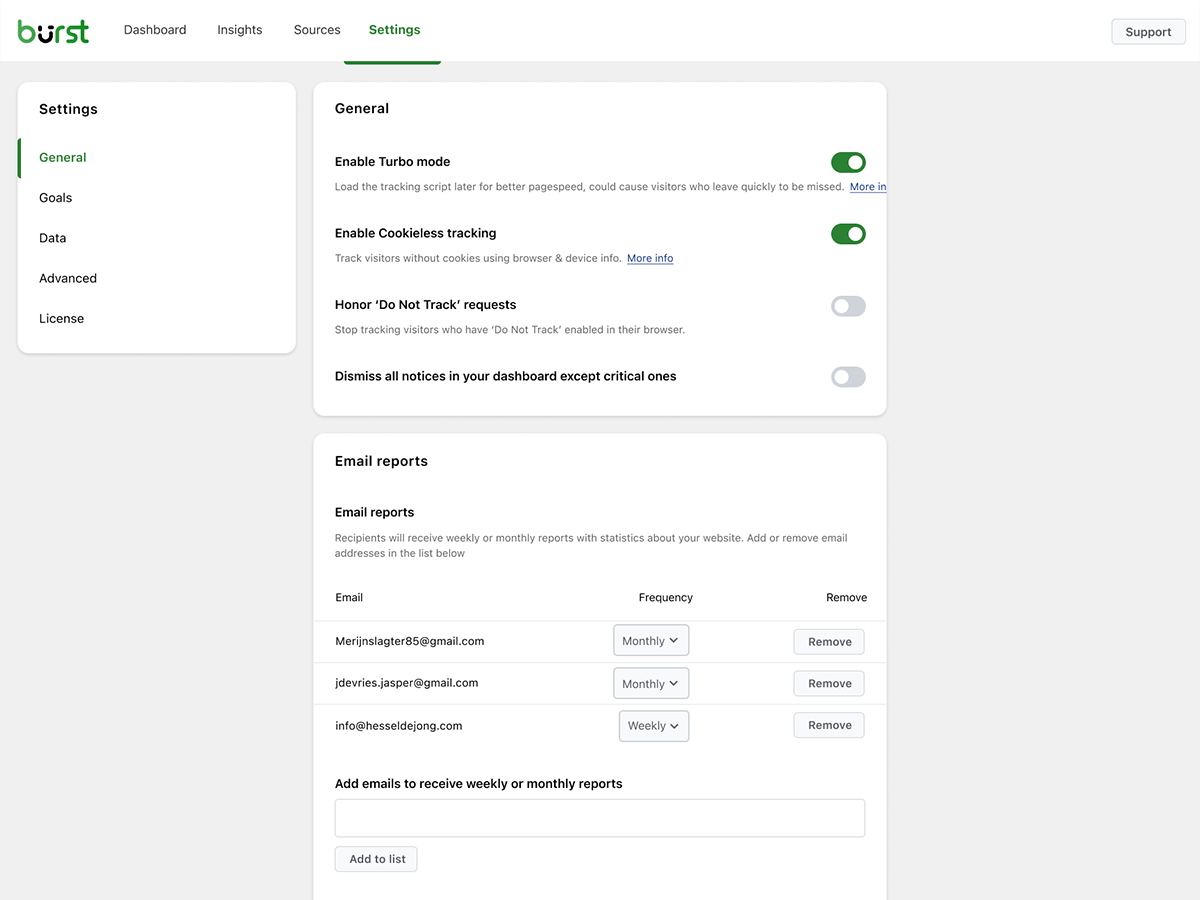
Simple, lightweight WordPress analytics with privacy-friendly visitor tracking. Cookieless and GDPR-ready. Setup in seconds, no cookie banner needed.
| Last updated | October 29, 2026Updated in the last 3 months |
|---|---|
| Tested up to | WordPress 7.1.4Covers WordPress 7.1.4, the current release |
| Needs WordPress | 6.6 or newer |
| Needs PHP | 8.0 or newer |
| First published | February 4, 2022 |
| Support, last two months | 22 of 22 threads resolved (100%) |
4.9 / 5 from 186 reviews
| 5 stars | 175 |
|---|---|
| 4 stars | 6 |
| 3 stars | 0 |
| 2 stars | 2 |
| 1 star | 3 |
Finally, WordPress analytics you’ll actually use
Google Analytics is overkill. Most other WordPress statistics plugins are cluttered and confusing. You just want to track visitors and know what’s happening on your site, without a data science degree.
Burst Statistics gives you a clean, intuitive analytics dashboard focused on the metrics that actually matter. No external analytics accounts. No complex setup. Install, activate, and understand your website traffic in seconds.
Trusted by 200,000+ WordPress sites. Built by the team behind Team Updraft, known for UpdraftPlus, WP-Optimize, and All-In-One Security (AIOS).
What our users are saying
“Finally, an analytics plugin I can actually explain to clients.”
— @anguskeystone on wordpress.org
“I tried WP Statistics and Independent Analytics, but they’re overloaded and confusing. Burst’s UI is intuitive and focused on what matters to me.”
— @vallered on wordpress.org
Why Burst Statistics?
Analytics designed to be actionable
Other analytics plugins throw everything at you. Burst shows what matters, visitors, pageviews, referrers, top pages, in a dashboard you’ll actually use. No data overload. No confusing menus. See why Burst is perfect for bloggers.
Privacy analytics by design
The opening of the plugin's own description. The full text, installation notes and changelog are on its WordPress.org page.
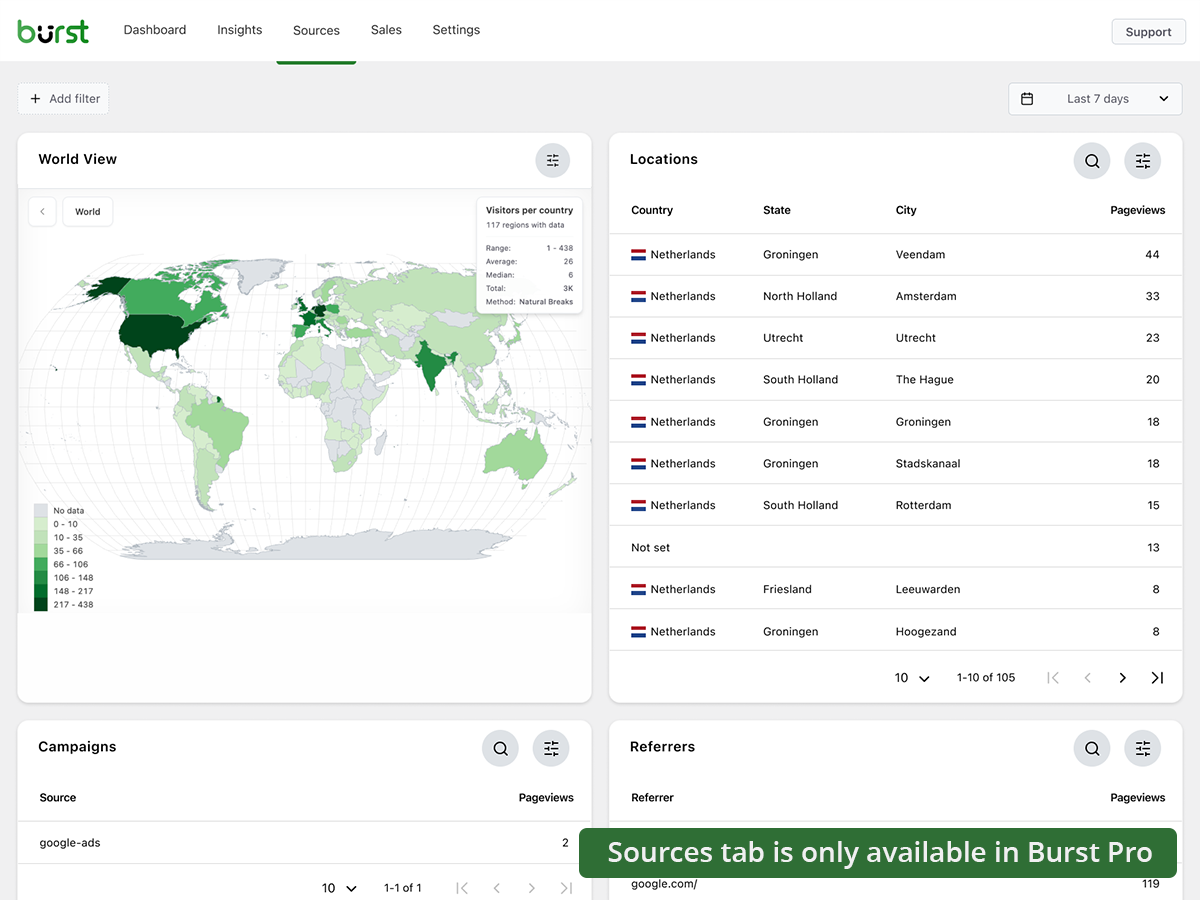
Yes. Burst Statistics is 100% free with no tracking limits. Burst Pro is optional for users who need advanced features like UTM tracking, revenue attribution, geographic data or client reporting. That’s how we keep Burst Statistics free for most users.
All statistics are stored in your own WordPress database. Unlike Google Analytics or cloud-based tools, we have zero access to your data. Your data never leaves your server, unless you manually opt in to share anonymous usage insights with us. Read more about how Burst handles your data.
Yes. If you find GA4 too complex, or you’re concerned about sending visitor data to Google, Burst is a clean replacement. You get the website traffic stats you actually need, visitors, referrers, top pages, conversions, without the overwhelm. Read our Google Analytics alternative guide for the full comparison.
Yes. Burst was built as a privacy-friendly GA4 alternative for site owners who want clarity instead of complexity. No Google account, no tag manager, no cookie banner in most cases. See why WordPress site owners are leaving Google Analytics behind.
Yes. MonsterInsights connects your WordPress site to Google Analytics, so your data still flows to Google. Burst keeps everything on your own server, with its own dashboard inside WordPress. If you want analytics that don’t depend on Google, Burst is the simpler MonsterInsights alternative.
Burst focuses on clarity over quantity. While some other WordPress analytics plugins can feel cluttered, Burst’s dashboard is designed to show you what matters without the noise. Independent Analytics is closest in spirit, with a shared privacy-first, WordPress-native approach. Burst differentiates with deeper UTM tracking, WooCommerce analytics and Agency-tier reporting.
#149 by installs
Adds Google Analytics tracking code to your WordPress site. Supports many tracking features.

#378 by installs
A simple, yet powerful WordPress analytics plugin that gives you privacy-friendly stats to grow your website. A Google Analytics alternative.

#610 by installs
Privacy-friendly and lightweight Google Analytics alternative for WordPress sites. No cookies, just insights.
The best free Google Analytics plugin for WordPress. See how visitors find and use your website so you can grow your business with powerful analytics.
Cookieless, privacy-friendly WordPress analytics. GDPR/CCPA compliant visitor data and clear graphs, with no data sharing.
Connects Google Analytics with your WordPress site. Displays stats to help you understand your users and site content on a whole new level!
Read from the WordPress.org plugin API on , when WordPress 7.1.4 was the current release. WordPress.org rounds active installs into buckets. These are the directory's figures, not my verdict, and I haven't tested this plugin. The author takes donations at their donate page.


