Type to search.

#975 by installs

XO Security

by ishitakaVersion 3.11.0

XO Security is a plugin to enhance login related security.

Active installs
30,000+
#975 of 1,000
Downloads, all time
413.4K
413,351
Downloads, 30 days
5.2K
1.4K in the last 7
Rating
5.0 / 5
11 reviews
Last updated
3 months ago
Jul 19, 2026
Version
3.11.0
84 releases

Upkeep and compatibility

Last updatedJuly 19, 2026Updated in the last year
Tested up toWordPress 7.0.8Older than WordPress 7.1.4, the current release
Needs WordPress6.0 or newer
Needs PHP7.2 or newer
First publishedJanuary 18, 2016
Support, last two monthsNo threads opened

Reviews

5.0 / 5 from 11 reviews

Reviews by star rating
5 stars11
4 stars0
3 stars0
2 stars0
1 star0

Downloads, last 30 days

Low 58 a dayHigh 686 a day

What the author says it does

XO Security is a plugin to enhance login related security.

This plugin does not write to .htaccess file. Besides Apache, LiteSpeed, Nginx and IIS also work.

Functions

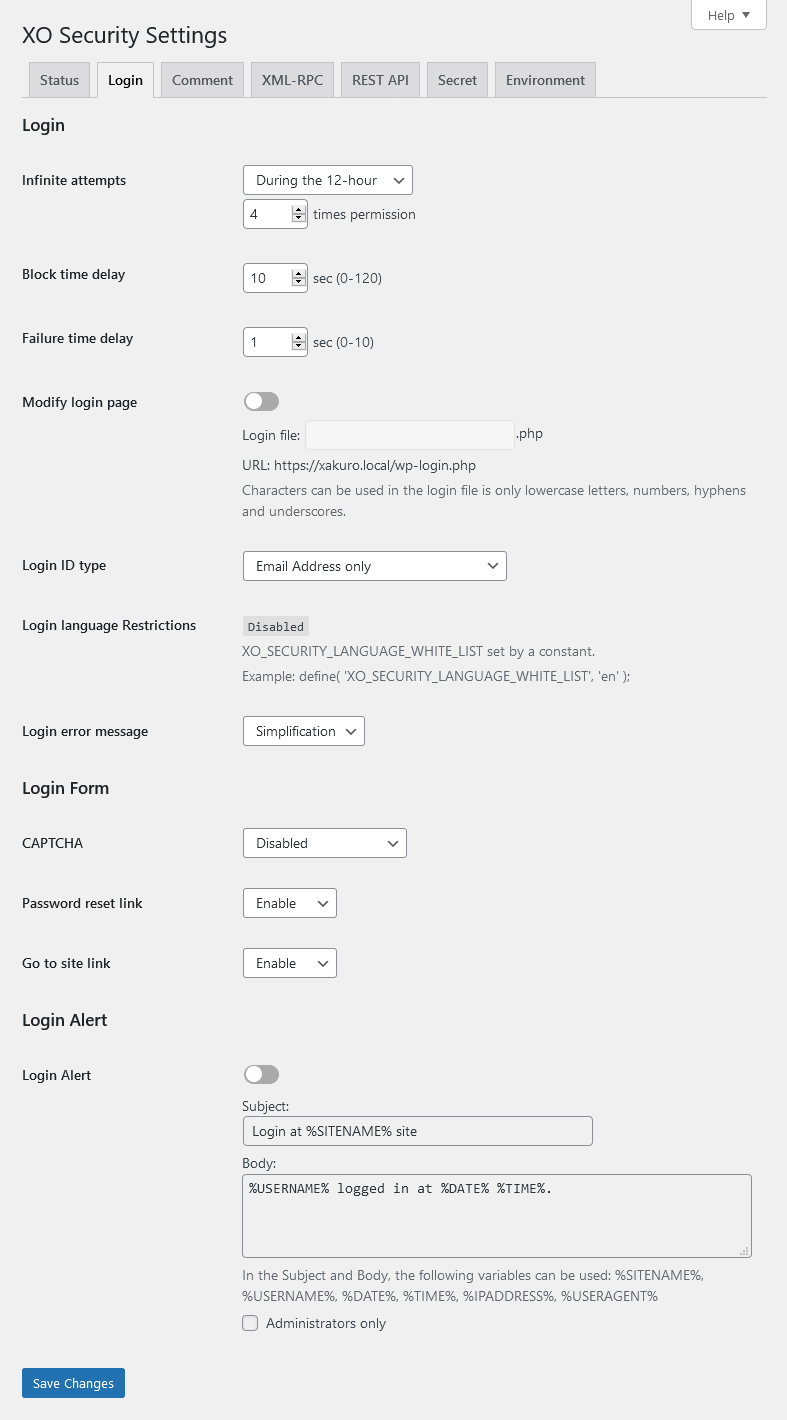
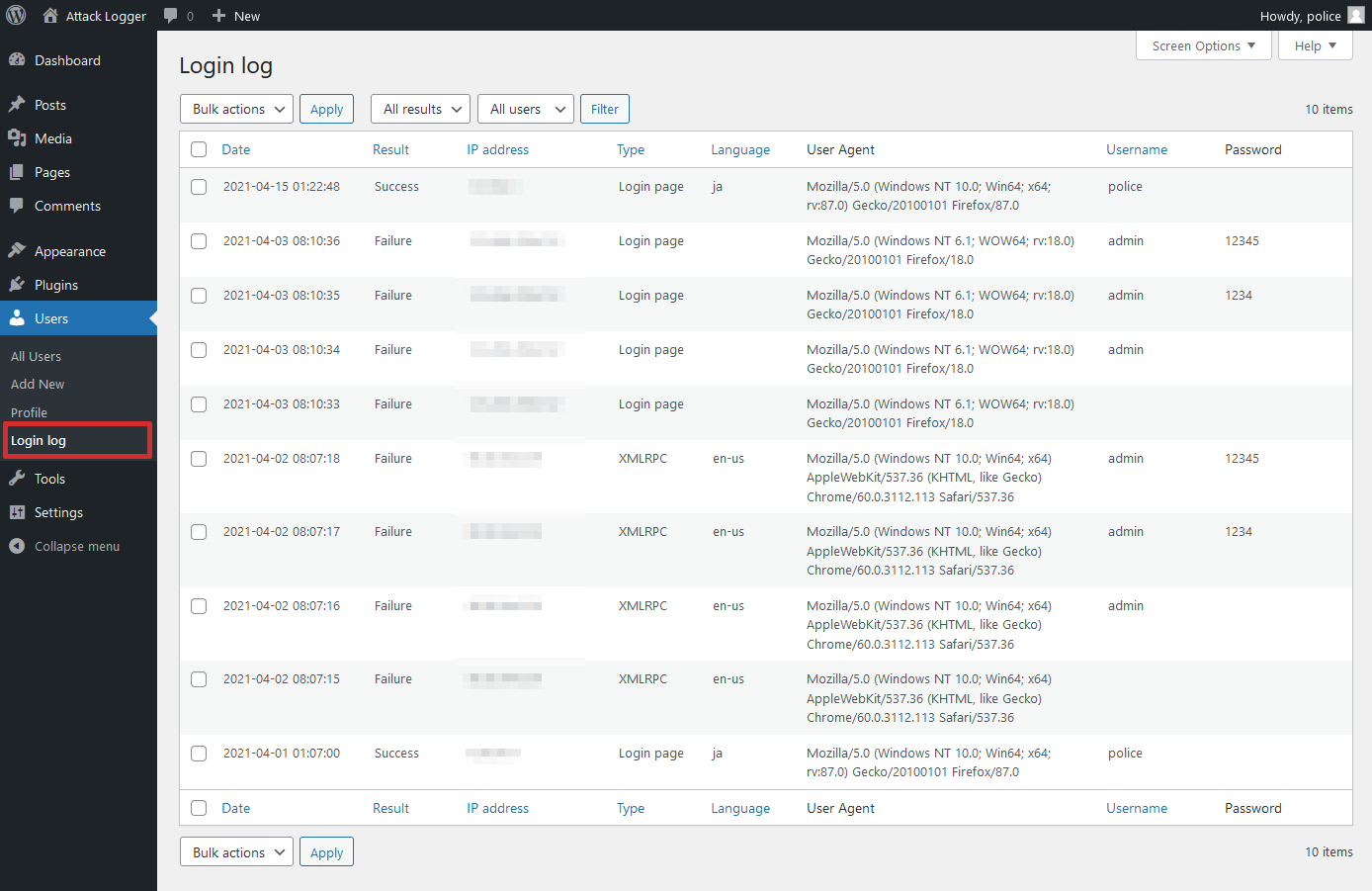
  • Record login log.
  • Limit login attempts.
  • Add Captcha to the login form and comment form.
  • Change the URL of the login page.
  • Enable two-factor authentication (2FA) for login.
  • Login Alert.
  • Disable login by mail address.
  • Disable login by user name.
  • Change login error message.
  • Disable XML-RPC and XML-RPC Pingback.
  • Disable REST API.
  • Disable author archive page.
  • Remove comment author class of comments list.
  • Remove the username from the oEmbed response data.
  • WooCommerce login page protection.
  • Anti-spam comment.
  • Hide WordPress version information.
  • Edit the author slug.
  • Disable RSS and Atom feeds.
  • Activate maintenance mode.
  • Delete the readme.html file.

WordPress multisite considerations

If you set the login page separately for the main site and the subsite, you will not be able to use the password loss function of the subsite. We recommend that you set the login page to be common to all sites.

The opening of the plugin's own description. The full text, installation notes and changelog are on its WordPress.org page.

Questions the author answers

Login page is not displayed.

Please initialize the settings.

  • In wp_options table, the value of the option_name field (column) is to remove the record of “xo_security_options”.
  • If you have set the login page, please delete the file.
The CAPTCHA is not displayed.

Please install mbstring and GD module.

Latest changelog entry

3.11.0

  • Fixed a vulnerability that allowed two-factor authentication to be bypass.
  • Update minimum WordPress version to 6.0.
  • Update minimum PHP version to 7.2.

Screenshots

From WordPress.org.

Tagged

Plugins that share its tags

#401 by installs

Hide My WP Ghost – Security & Firewall

by John Darrel

Hide My WP Ghost is a WordPress security plugin that hides WP paths and protects your site with Path Security, Firewall, Brute Force Protection, 2FA

Installs
100,000+
Rating
4.5 (373)
Updated
1 day ago

#20 by installs

Hostinger Tools

by Hostinger

Simplified WordPress management. Manage site info, maintenance, security, & redirects.

Installs
3+ million
Rating
3.5 (40)
Updated
10 days ago

#46 by installs

Loginizer

by Softaculous

Loginizer is a WordPress security plugin which helps you fight against bruteforce attacks.

Installs
1+ million
Rating
4.8 (1K)
Updated
2 days ago

Where this page's numbers come from

Read from the WordPress.org plugin API on , when WordPress 7.1.4 was the current release. WordPress.org rounds active installs into buckets. These are the directory's figures, not my verdict, and I haven't tested this plugin.