
WordPress login security with brute force protection, Two-factor authentication (2FA/MFA), firewall, IP/country blocking, and login monitoring
- Installs
- 1+ million
- Rating
- 4.8 (1.5K)
- Updated
- 38 days ago

Hide My WP Ghost is a WordPress security plugin that hides WP paths and protects your site with Path Security, Firewall, Brute Force Protection, 2FA
| Last updated | October 30, 2026Updated in the last 3 months |
|---|---|
| Tested up to | WordPress 7.1.4Covers WordPress 7.1.4, the current release |
| Needs WordPress | 5.8 or newer |
| Needs PHP | 7.4 or newer |
| First published | July 1, 2016 |
| Support, last two months | 3 of 5 threads resolved (60%) |
4.5 / 5 from 373 reviews
| 5 stars | 317 |
|---|---|
| 4 stars | 5 |
| 3 stars | 8 |
| 2 stars | 9 |
| 1 star | 34 |
WP Ghost (formerly Hide My WP Ghost) is a WordPress security plugin focused on hack prevention that changes and secures default paths, filters requests through the Firewall, and helps block automated scanners probing default WordPress URLs.
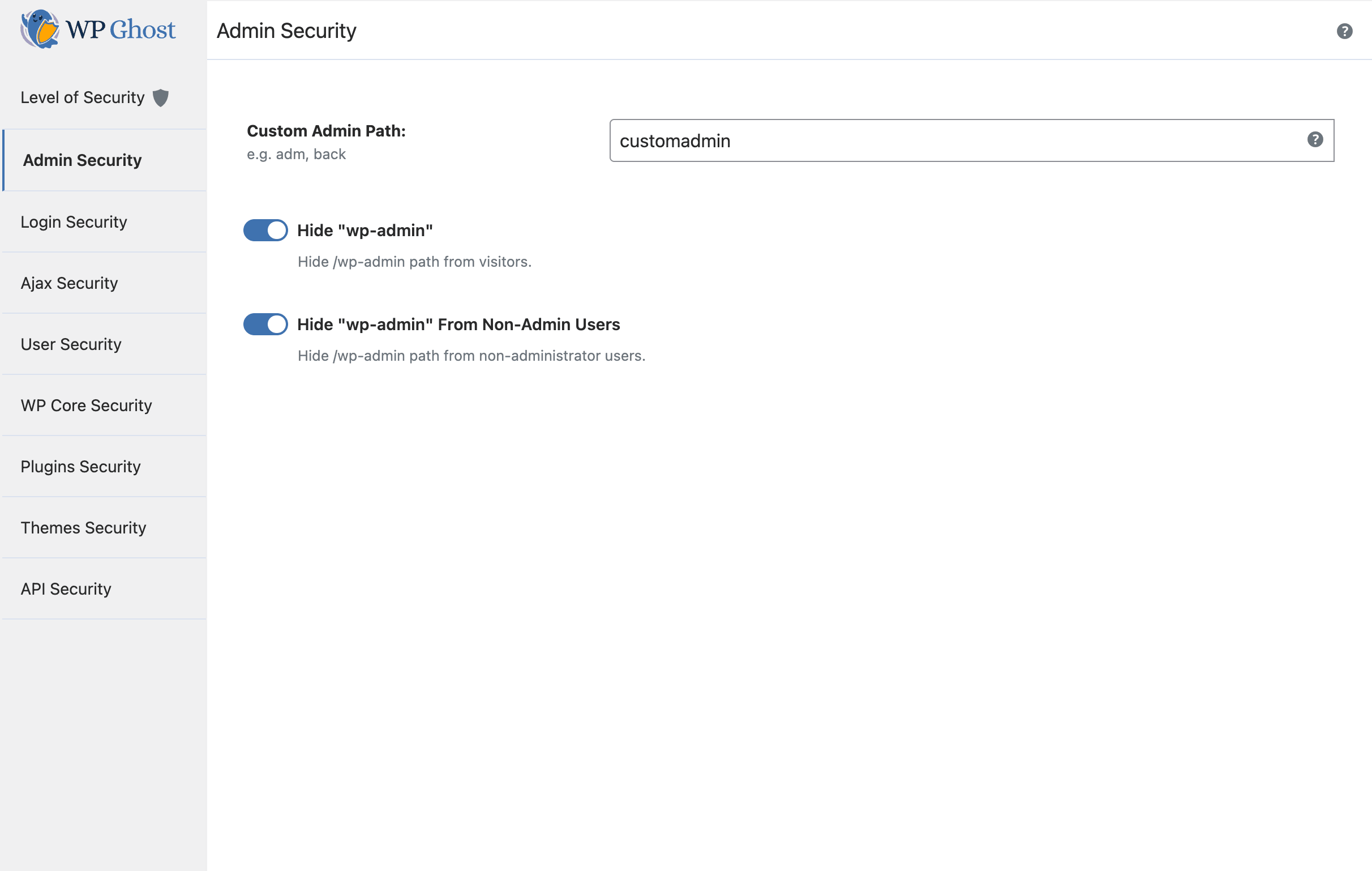
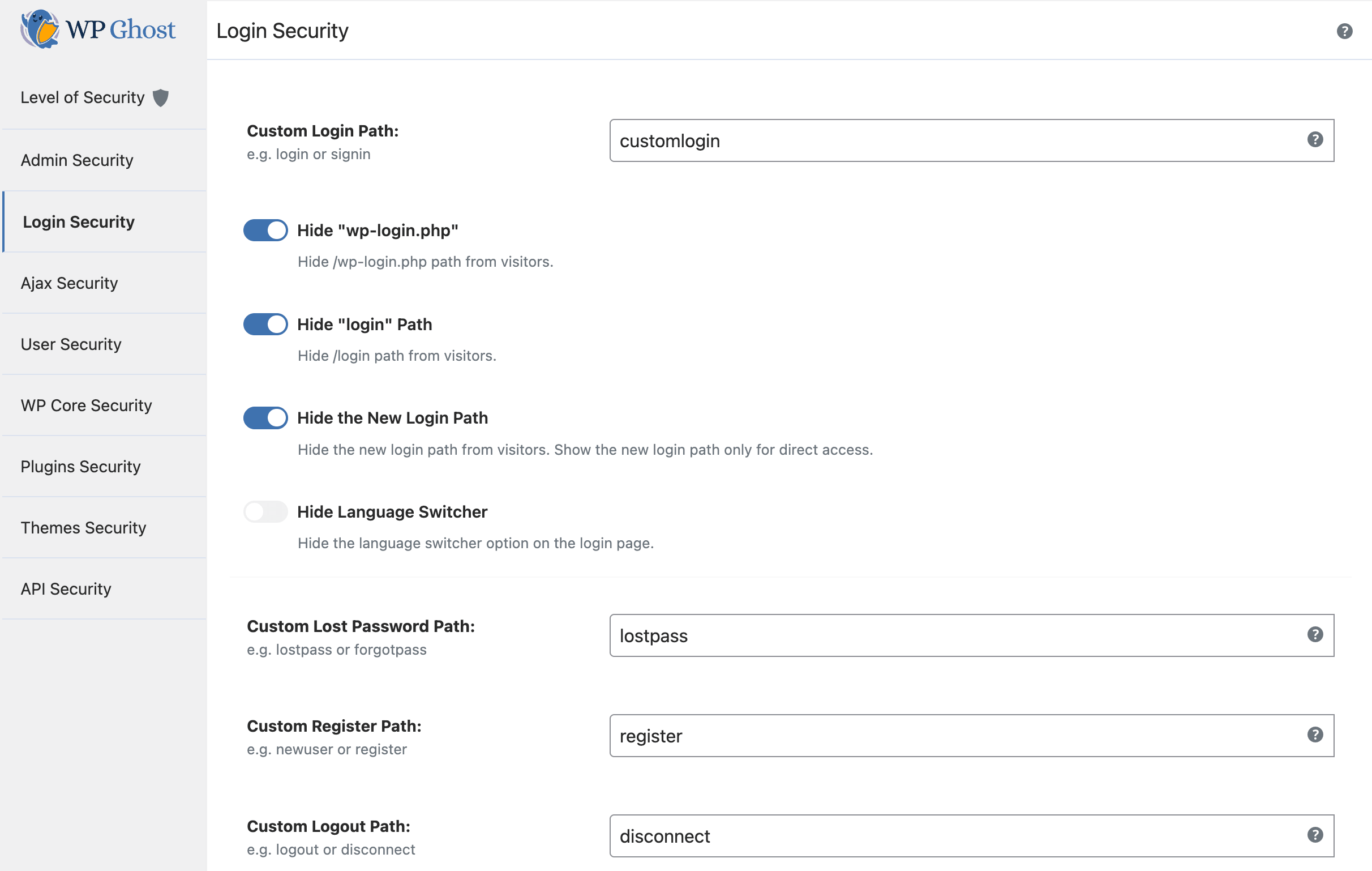
Paths Security changes public URLs such as wp-login.php and restricts access to their default addresses. WP Ghost also includes two-factor authentication (2FA) and a Security Check with tasks for your site’s settings.
WordPress security problems WP Ghost can help with
WP Ghost focuses on attack prevention and WordPress hardening. Keep WordPress and its plugins updated, maintain backups, and use malware scanning when you need to check for infected files.
Official websites: WP Ghost and Hide My WP Ghost.
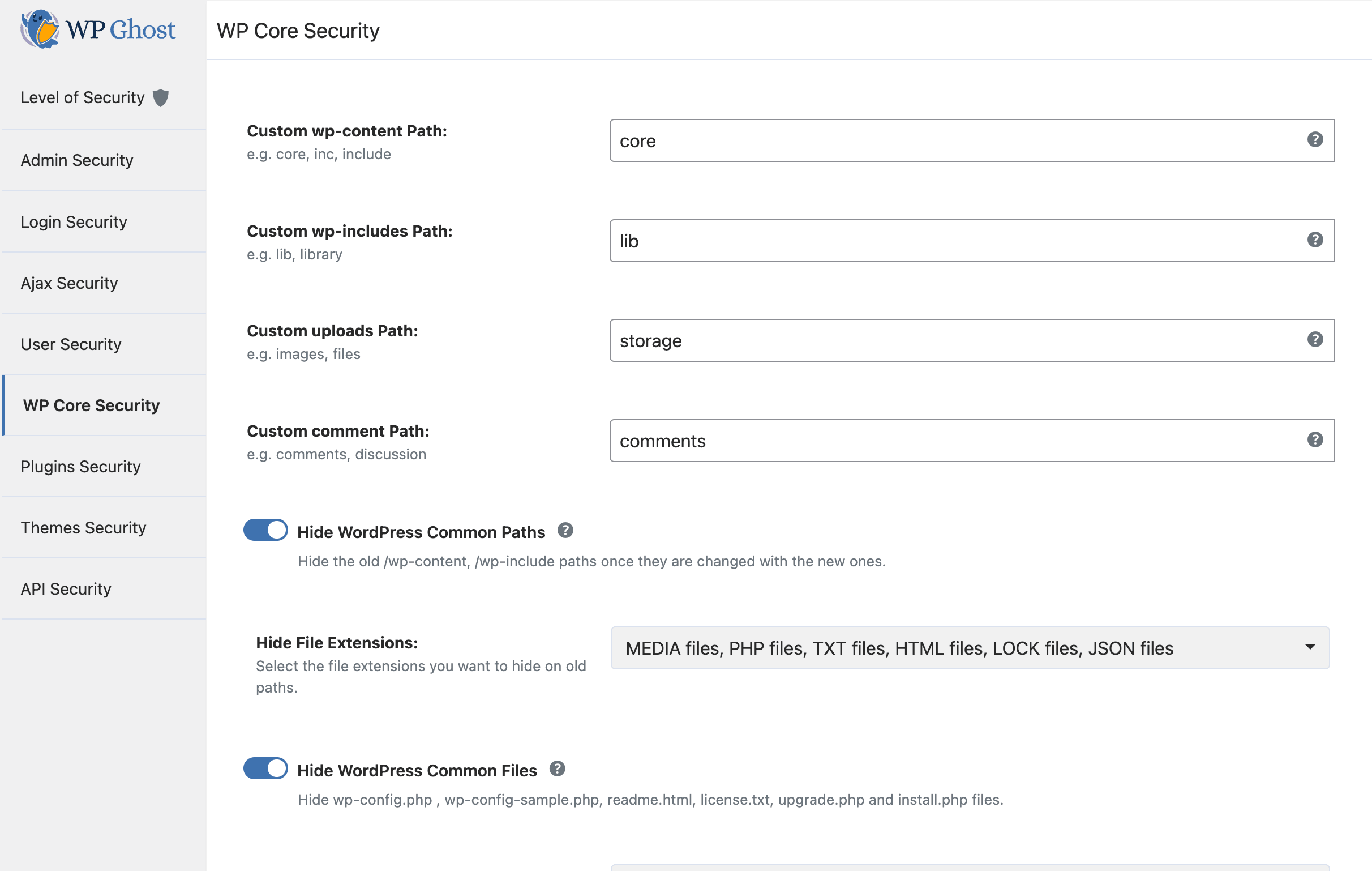
How Paths Security changes public URLs
The opening of the plugin's own description. The full text, installation notes and changelog are on its WordPress.org page.
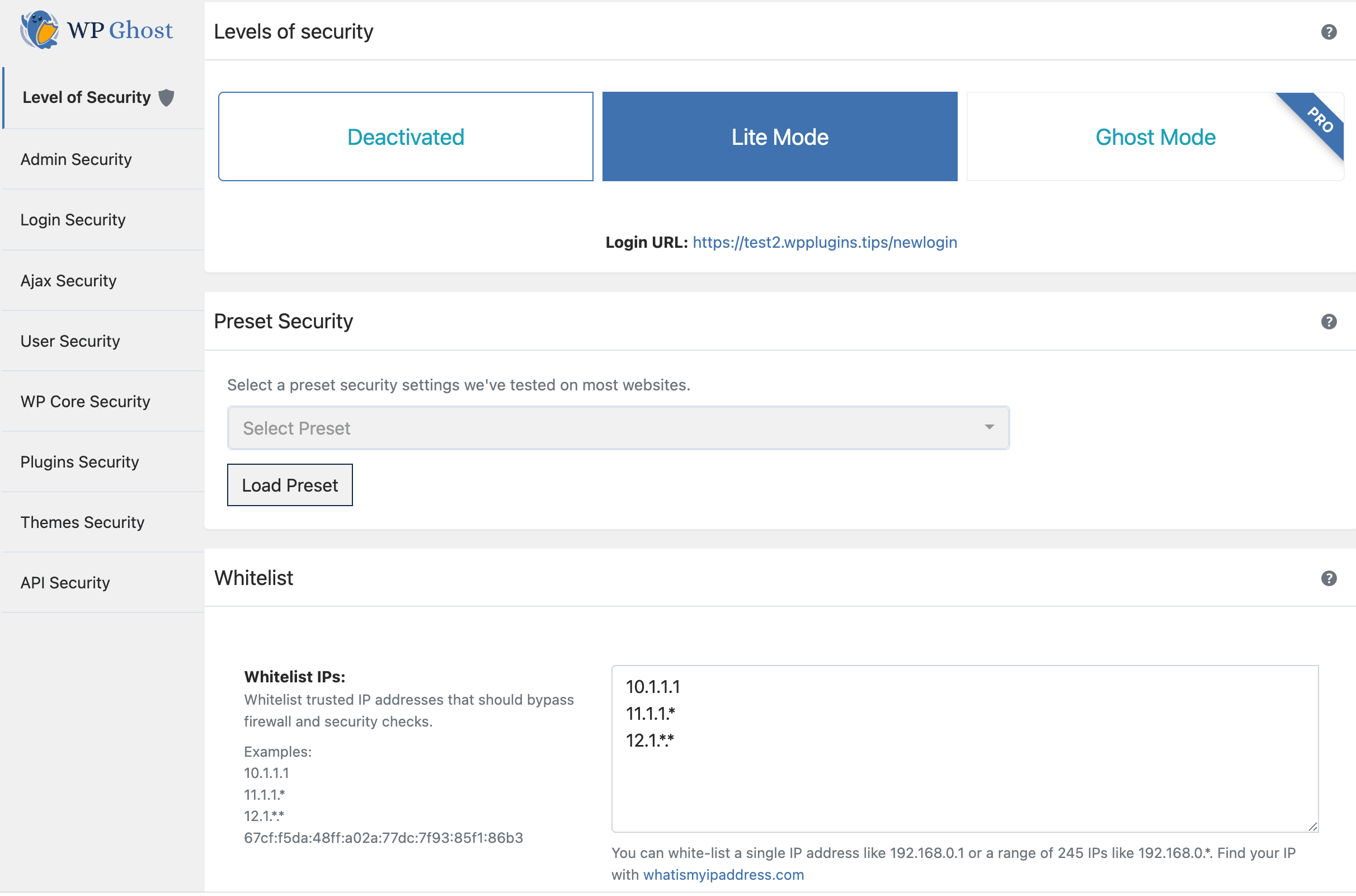
WP Ghost provides request filtering, login protection and path controls, with Security Check tasks for WordPress hardening.
The free plugin includes the 2026 Ghost Firewall, Brute Force protection, 2FA and Security Check; Premium adds features such as automated IP blocking and cloud event retention.
WP Ghost lets you set login attempt limits and lockouts, add CAPTCHA, and require 2FA for selected user roles.
WP Ghost rewrites public URLs while leaving WordPress files in their existing directories.
A custom login URL reduces exposure at the default address, but WordPress still needs updates, strong authentication and backups.
WP Ghost focuses on prevention and configuration checks; use a malware scanner and a cleanup process for an existing infection.
WordPress login security with brute force protection, Two-factor authentication (2FA/MFA), firewall, IP/country blocking, and login monitoring

#51 by installs
Secure your WordPress site from brute-force attacks, threats, malware, and bots. Free to use and easy to set up.

#308 by installs
This Anti-Malware scanner searches for Malware, Viruses, and other security threats and vulnerabilities on your server and it helps you fix them.

#628 by installs
WP fail2ban uses fail2ban to protect your WordPress site.

#882 by installs
Protect WordPress from malware, hackers, brute-force attacks & suspicious traffic. Includes firewall, login security, 2FA & vulnerability checks.

#975 by installs
XO Security is a plugin to enhance login related security.
Read from the WordPress.org plugin API on , when WordPress 7.1.4 was the current release. WordPress.org rounds active installs into buckets. These are the directory's figures, not my verdict, and I haven't tested this plugin.