
#149 by installs
GA Google Analytics – Connect Google Analytics to WordPress
Adds Google Analytics tracking code to your WordPress site. Supports many tracking features.
- Installs
- 400,000+
- Rating
- 4.9 (158)
- Updated
- 3 months ago

Self-hosted, GDPR-ready Google Analytics alternative: cookieless or server-side tracking, visitor statistics, UTM campaigns, goals and funnels.
| Last updated | October 26, 2026Updated in the last 3 months |
|---|---|
| Tested up to | WordPress 7.1.4Covers WordPress 7.1.4, the current release |
| Needs WordPress | 5.6 or newer |
| Needs PHP | 7.4 or newer |
| First published | April 12, 2010 |
| Support, last two months | 2 of 7 threads resolved (29%) |
4.8 / 5 from 816 reviews
| 5 stars | 742 |
|---|---|
| 4 stars | 30 |
| 3 stars | 7 |
| 2 stars | 8 |
| 1 star | 29 |
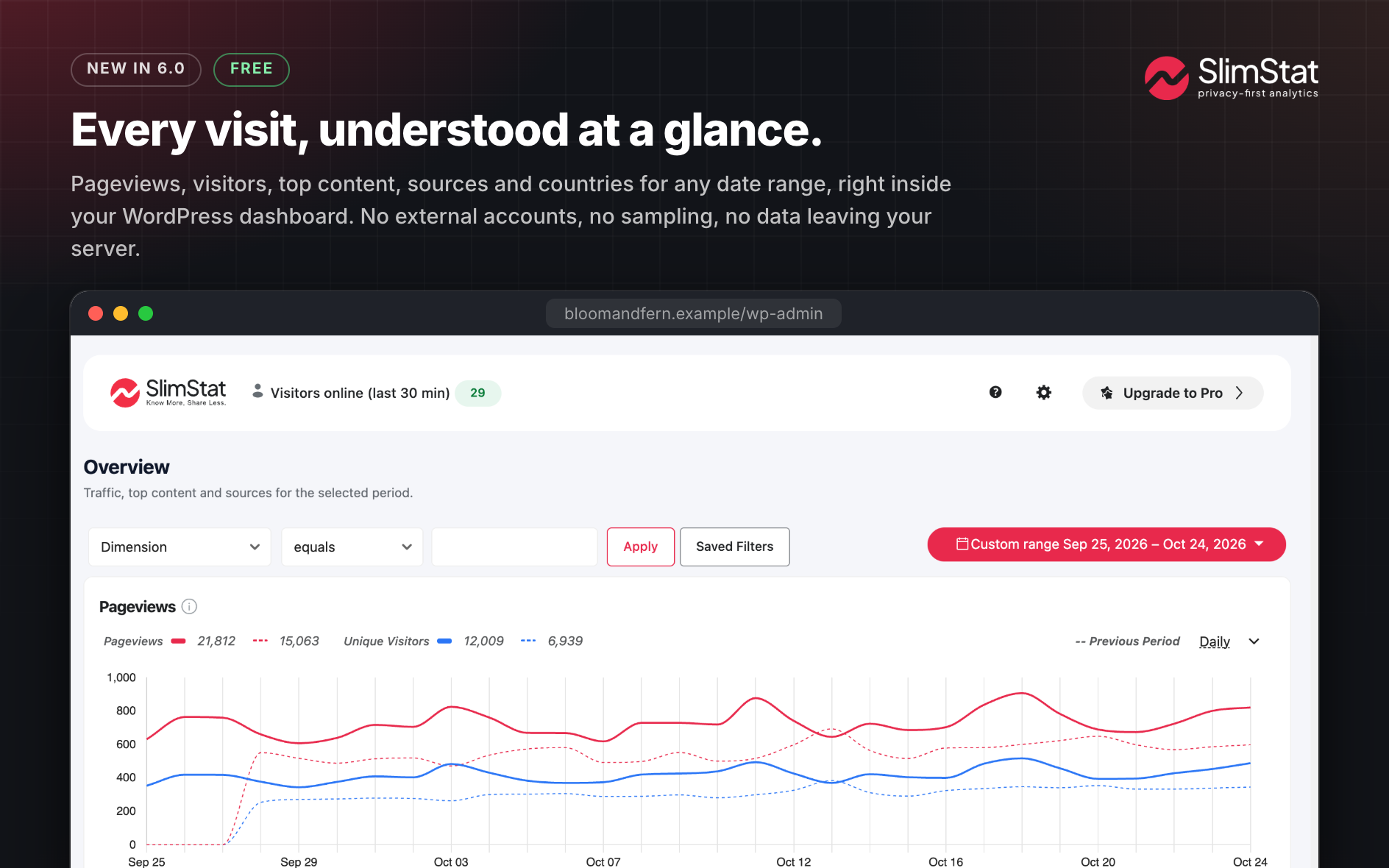
SlimStat Analytics is the real-time WordPress analytics plugin that keeps every visitor on your own server. Most analytics tools quietly hand your audience to someone else’s cloud. SlimStat doesn’t. Every pageview, click and visitor lands in your WordPress database and stays there: yours to read the moment it happens, yours to purge whenever you like, never shipped off to Google or anyone else.
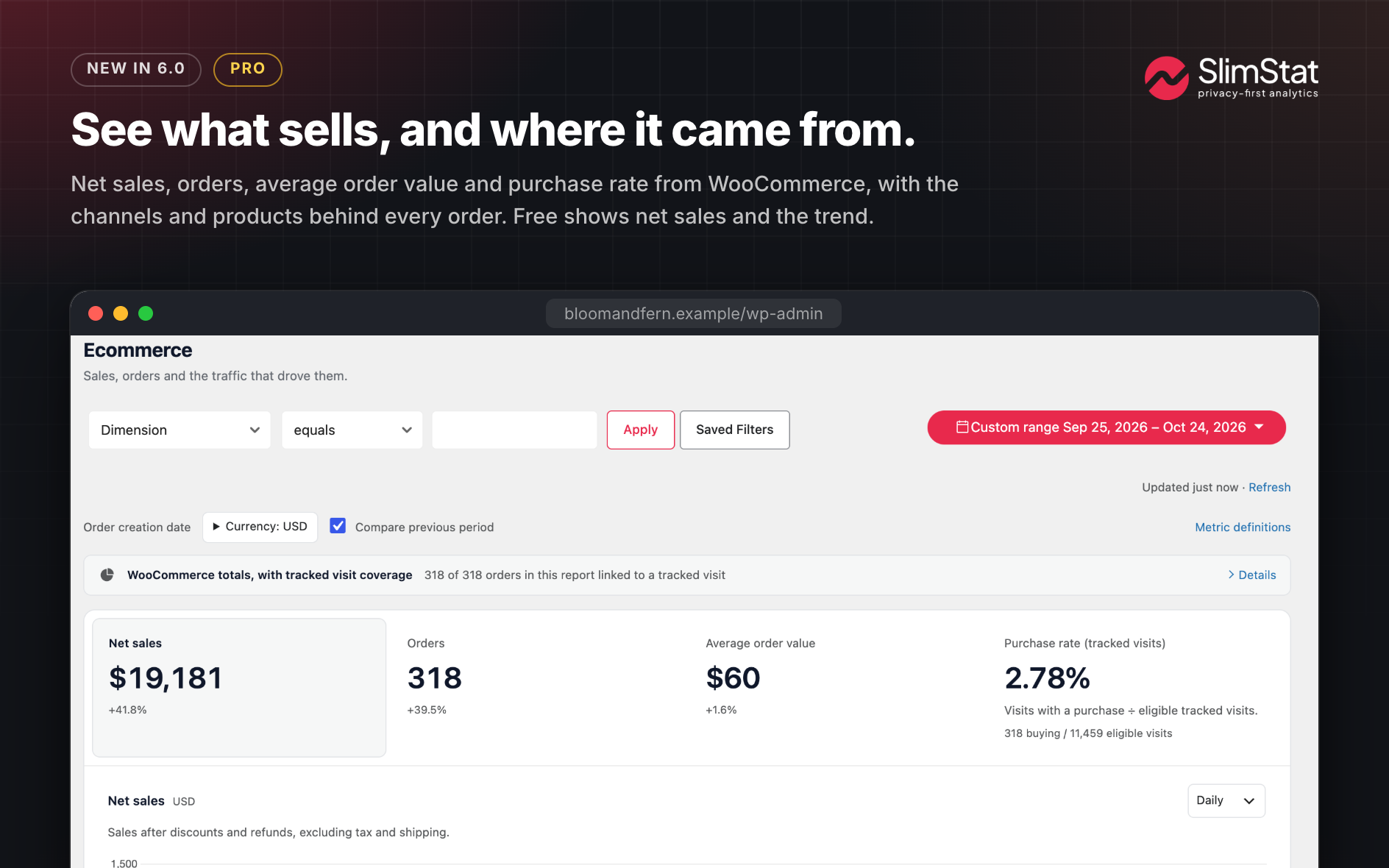
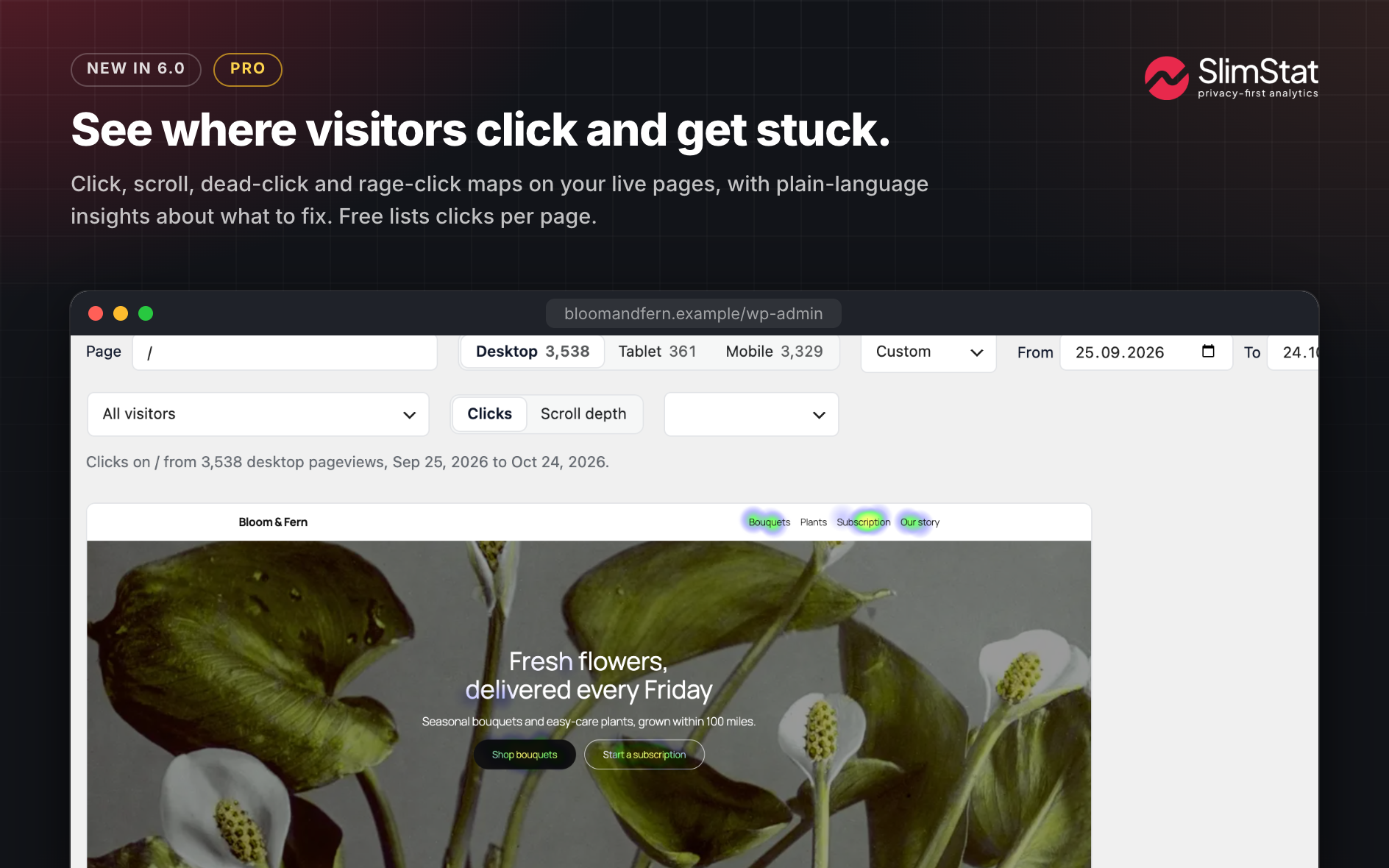
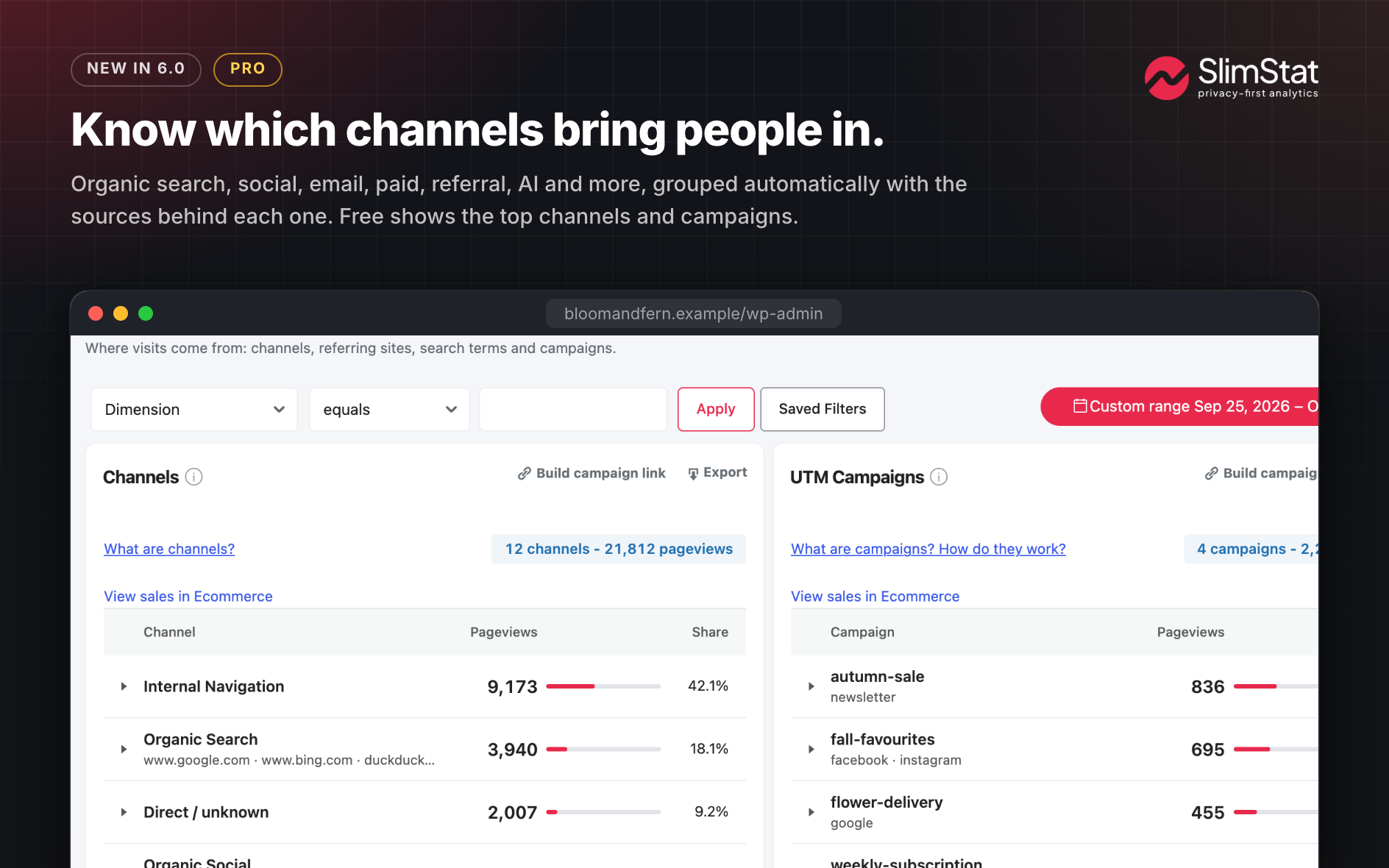
SlimStat 6 turns that data into answers. A WooCommerce revenue dashboard puts net sales, orders and top products right beside your traffic. Heatmaps show which pages and buttons people actually click. Channels and UTM Campaigns tell you whether a visit came from search, social, email, paid ads or an AI assistant, and which campaign earned it. Set a goal and watch it convert, or chain steps into a funnel and see exactly where people slip away. And it is all faster: SlimStat 6 reads half as many database rows for its charts and writes far less on every pageview, so your site stays quick while you learn more.
Best of all, privacy isn’t a setting you have to hunt for. Anonymized IPs, Do Not Track, a consent banner and scheduled data cleanup are GDPR-ready from the first activation. Thousands of WordPress sites already trust SlimStat to keep their analytics honest, fast and entirely their own.
See SlimStat 6 in action:
Main Features
The opening of the plugin's own description. The full text, installation notes and changelog are on its WordPress.org page.
In your own WordPress database, full stop. Core tracking makes no external calls, so your numbers never go to Google, to us, or to any third-party cloud.
Yes, if you care about ownership and timing. Your data never leaves your server, there is no sampling and no 24-hour delay, and you decide how long to keep it. You see visits the moment they happen, with the depth you’d expect from a hosted service.
Yes. SlimStat 6 adds a WooCommerce revenue dashboard with net sales, orders, period comparisons, top products and where your buyers came from, all next to your traffic reports. Switch it on in the Ecommerce page; order sync runs in small background jobs and supports HPOS. WooCommerce 8.3 or newer is required.
SlimStat Pro adds campaigns, landing pages, devices, coupons, refunds and CSV export.
Yes. The Heatmaps page lists every page with clicks, pageviews, clicks per pageview and device split, and shows the five most clicked links and buttons on each page.
SlimStat Pro adds full click and scroll heatmaps on phone, tablet and desktop previews, with insights on dead clicks, rage clicks and scroll drop-off.
Yes. Traffic Sources opens with Channels and UTM Campaigns side by side, and tells search, social, email, paid, AI assistants and crawlers apart. A campaign link builder sits in the report header.
Attribution starts with new pageviews after you update.
Yes. Visits referred from ChatGPT, Perplexity, Claude, Gemini, Copilot, Grok and other assistants get their own AI Assistants channel in Traffic Sources, so you can see how much traffic they send and what those visitors read. Automated requests from AI crawlers such as GPTBot and ClaudeBot are reported separately when your tracking settings collect them.
SlimStat 6: see where visitors click, which campaigns bring sales, and trust every number. Your settings and data carry over, migration steps wait for your click, and older versions keep working if you ever go back.
New
#149 by installs
Adds Google Analytics tracking code to your WordPress site. Supports many tracking features.

#651 by installs
Adds Matomo (former Piwik) statistics to your WordPress dashboard and is also able to add the Matomo Tracking Code to your blog.
Simple, lightweight WordPress analytics with privacy-friendly visitor tracking. Cookieless and GDPR-ready. Setup in seconds, no cookie banner needed.

#286 by installs
Count and display post views, track site-wide visits, and see what content works – inside WordPress. Fast, easy to use and privacy-first.

#348 by installs
Visitor statistics for WordPress with focus on data protection, transparency and clarity. Perfect as a widget in your WordPress Dashboard.

#378 by installs
A simple, yet powerful WordPress analytics plugin that gives you privacy-friendly stats to grow your website. A Google Analytics alternative.
Read from the WordPress.org plugin API on , when WordPress 7.1.4 was the current release. WordPress.org rounds active installs into buckets. These are the directory's figures, not my verdict, and I haven't tested this plugin.
