
#149 by installs
GA Google Analytics – Connect Google Analytics to WordPress
Adds Google Analytics tracking code to your WordPress site. Supports many tracking features.
- Installs
- 400,000+
- Rating
- 4.9 (158)
- Updated
- 3 months ago

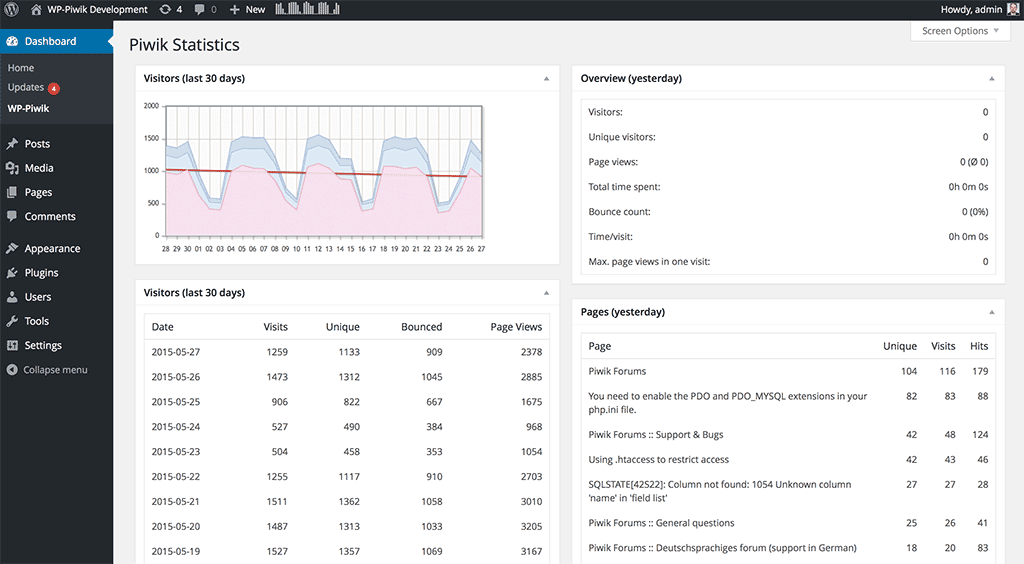
Adds Matomo (former Piwik) statistics to your WordPress dashboard and is also able to add the Matomo Tracking Code to your blog.
| Last updated | September 15, 2026Updated in the last 3 months |
|---|---|
| Tested up to | WordPress 7.0.0Older than WordPress 7.1.4, the current release |
| Needs WordPress | 5.0 or newer |
| Needs PHP | Not stated |
| First published | June 4, 2009 |
| Support, last two months | 2 of 3 threads resolved (67%) |
4.5 / 5 from 95 reviews
| 5 stars | 79 |
|---|---|
| 4 stars | 3 |
| 3 stars | 4 |
| 2 stars | 1 |
| 1 star | 8 |
Version 1.1.11 includes a security related fix, it is highly recommended to update to this or a later version.
If you are not yet using Matomo On-Premise, Matomo Cloud or hosting your own instance of Matomo, please use the Matomo for WordPress plugin.
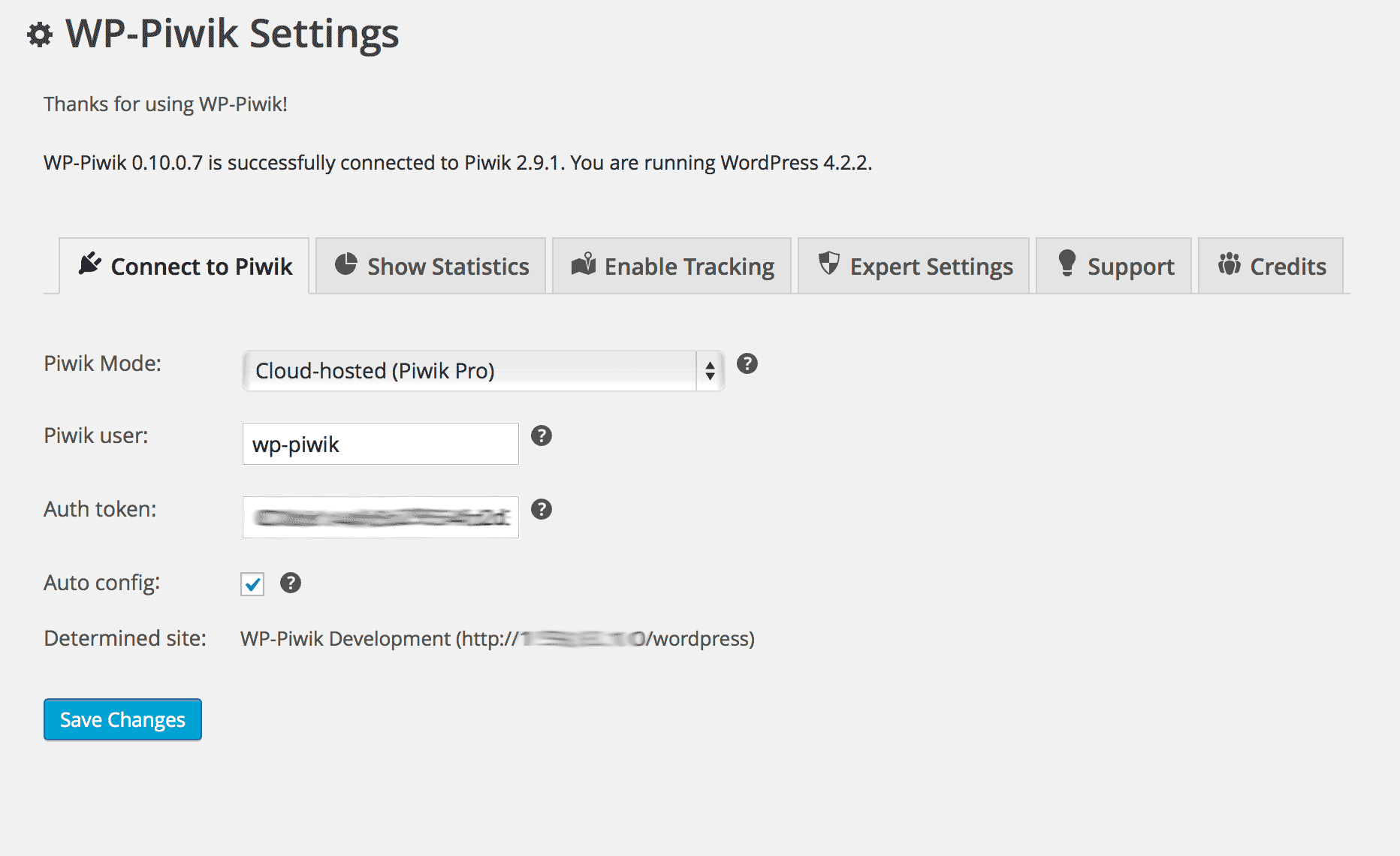
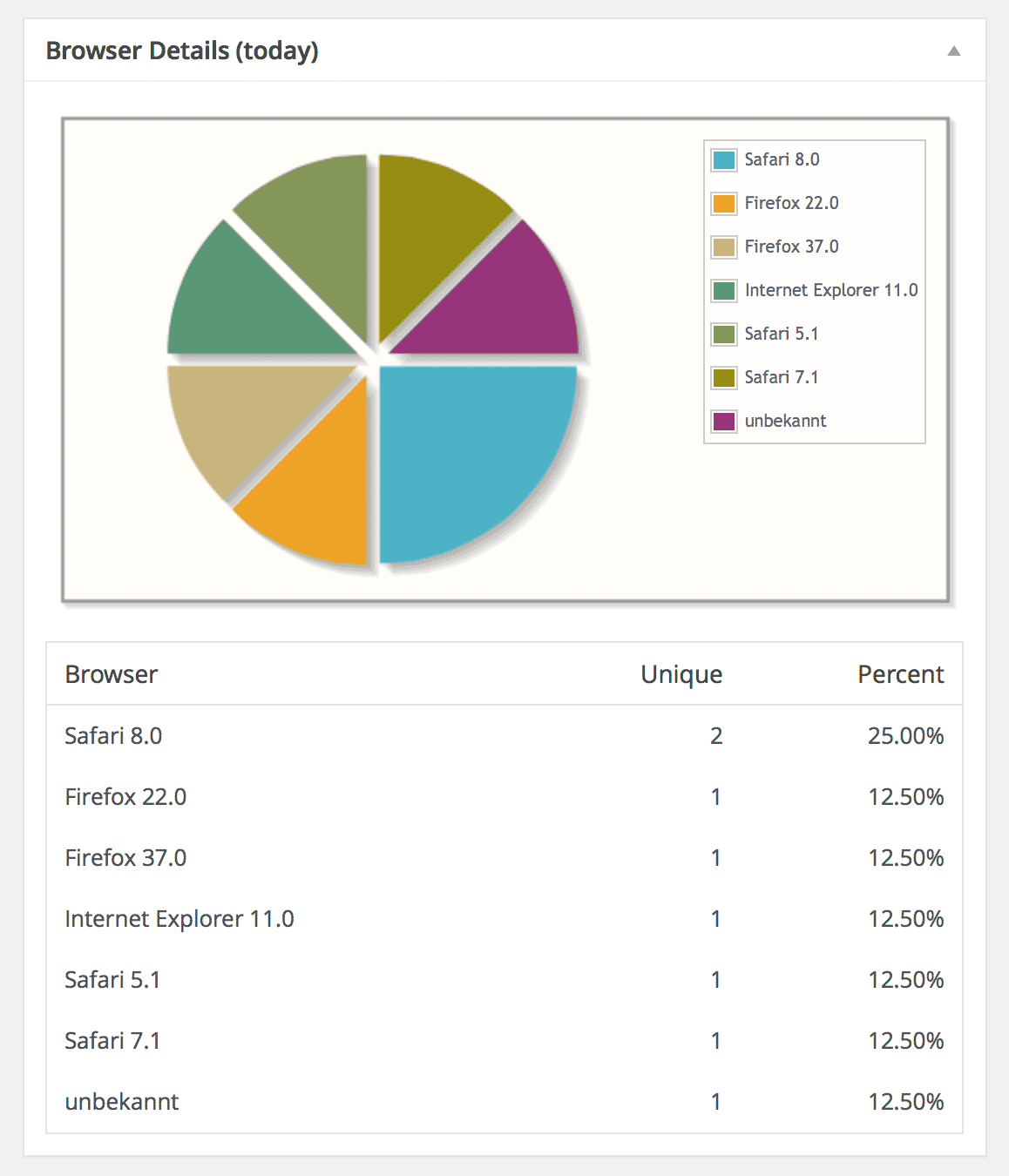
This plugin uses the Matomo API to show your Matomo statistics in your WordPress dashboard. It’s also able to add the Matomo tracking code to your blog and to do some modifications to the tracking code. Additionally, WP-Matomo supports WordPress networks and manages multiple sites and their tracking codes.
To use this plugin the Matomo web analytics application is required. If you do not already have a Matomo setup (e.g., provided by your web hosting service), you have two simple options: use either a self-hosted Matomo or a cloud-hosted Matomo by InnoCraft.
Requirements: PHP 7.0 (or higher), WordPress 5.0 (or higher), Matomo 4.0 (or higher)
Languages: English, Albanian, Chinese, Dutch, French, German, Greek, Hungarian, Italian, Polish, Portuguese (Brazil). Partially supported: Azerbaijani, Belarusian, Hindi, Lithuanian, Luxembourgish, Norwegian, Persian, Romanian, Russian, Spanish, Swedish, Turkish, Ukrainian
What is Matomo?
Learn more.
First steps
The opening of the plugin's own description. The full text, installation notes and changelog are on its WordPress.org page.
To use this plugin you will need your own Matomo instance. If you do not already have a Matomo setup, you have two simple options: use either a self-hosted Matomo or cloud-hosted Matomo by InnoCraft.
As soon as Matomo works, you’ll be able to configure WP-Matomo: The Matomo URL is the same URL you use to access your Matomo, e.g. for the demo site: http://demo.matomo.org.
First, please make sure your configuration is valid, e.g., if you are using the right Matomo URL (see description above). Then, go to the “Support” tab and run the test script. This test script will try to get some information from Matomo and shows the full response. Usually, the response output gives a clear hint what’s wrong:
The response output contains…
[wp-piwik], [wp-piwik module="overview"] and [wp-piwik module="post"] report Matomo data into a page. They are considered insecure and redundant, so they will be removed in the next major release of WP-Matomo, which will be published by November 2026 at the latest.
The PHP API loads Matomo into the WordPress process instead of requesting the reports over http(s). That gives the Matomo code full access to your WordPress installation and offers nothing the HTTP API does not, so it is deprecated and will be removed in the next major release of WP-Matomo, which will be published by November 2026 at the latest.
The Compatibility Checker shows two false positives. WP-Matomo is 100% PHP7 compatible, you can ignore the report.
See Matomo FAQ.

#149 by installs
Adds Google Analytics tracking code to your WordPress site. Supports many tracking features.

#348 by installs
Visitor statistics for WordPress with focus on data protection, transparency and clarity. Perfect as a widget in your WordPress Dashboard.

#590 by installs
Self-hosted, GDPR-ready Google Analytics alternative: cookieless or server-side tracking, visitor statistics, UTM campaigns, goals and funnels.
Cookieless, privacy-friendly WordPress analytics. GDPR/CCPA compliant visitor data and clear graphs, with no data sharing.
Simple, lightweight WordPress analytics with privacy-friendly visitor tracking. Cookieless and GDPR-ready. Setup in seconds, no cookie banner needed.

#286 by installs
Count and display post views, track site-wide visits, and see what content works – inside WordPress. Fast, easy to use and privacy-first.
Read from the WordPress.org plugin API on , when WordPress 7.1.4 was the current release. WordPress.org rounds active installs into buckets. These are the directory's figures, not my verdict, and I haven't tested this plugin.

