
WordPress map plugin for Google Maps, OpenStreetMap & Mapbox with custom markers, filters, searchable listings and store locator.
- Installs
- 60,000+
- Rating
- 4.3 (122)
- Updated
- 3 days ago

The easiest to use WordPress map plugin! Create a custom map, map block, store locator or map widget with high quality markers.
| Last updated | September 28, 2026Updated in the last 3 months |
|---|---|
| Tested up to | WordPress 7.1.4Covers WordPress 7.1.4, the current release |
| Needs WordPress | 6.0 or newer |
| Needs PHP | 7.0 or newer |
| First published | January 26, 2012 |
| Support, last two months | 1 of 2 threads resolved (50%) |
4.8 / 5 from 3,055 reviews
| 5 stars | 2,821 |
|---|---|
| 4 stars | 63 |
| 3 stars | 16 |
| 2 stars | 31 |
| 1 star | 124 |
The easiest to use Google Maps, Leaflet and Open Layers Map Plugin (including a Map Block)!
Formerly WP Google Maps.
Add a customized Google map, map block or Store Locator to your WordPress posts and/or pages quickly and easily with the supplied shortcode. No fuss. No iFrames and super easy to use! Perfect for contact page maps, routes, maps showing delivery areas and any other use you can think of!
While the free version of WP Go Maps allows you to create a Google map with as many markers as you like, the Pro version allows you to do so much more!
Create Elementor Maps, map blocks and map widgets easily with our WP Go Maps Elementor map block integration, straight out the box!
Do you use the classic editor? We still support map widgets for classic WordPress installations. No need to compromise, the map widget includes the same functionality as our map blocks!
The WP Go Maps Pro Version version allows you create custom Google maps with high quality markers containing locations, descriptions, images, categories, links and directions.
Lite Version (Free)
The opening of the plugin's own description. The full text, installation notes and changelog are on its WordPress.org page.
Simply visit https://www.wpgmaps.com and purchase the WP Go Maps Professional Edition. Free updates and support included forever.
Once installed and activated, a link should appear in your left navigation panel within your WP-ADMIN section. Click on the “WP Go Maps” link and follow the on screen instructions.
In order to show your custom Google map on your page or post, simply copy the shortcode supplied and paste it into your page or post. WP Go Maps will automatically configure the map to the settings you selected in the map edit page.
It’s super easy to add a map block to your page or post. Simply add a block in the normal page editor, then type in “Map” and you should see the map block option. For more information please review this tutorial
To add your map to your widgets area, simply go to Appearance->Widgets and drag the “WP Go Maps” Map Widget to your sidebar. You then edit the map widget to reflect the correct map.
Only if you choose Google Maps as your map engine. WP Go Maps also supports Leaflet, OpenLayers, Stadia Maps, Maptiler, LocationIQ, Microsoft Azure and a Zero Cost option, none of which require a Google API key. You can switch engines at any time from Maps > Settings.


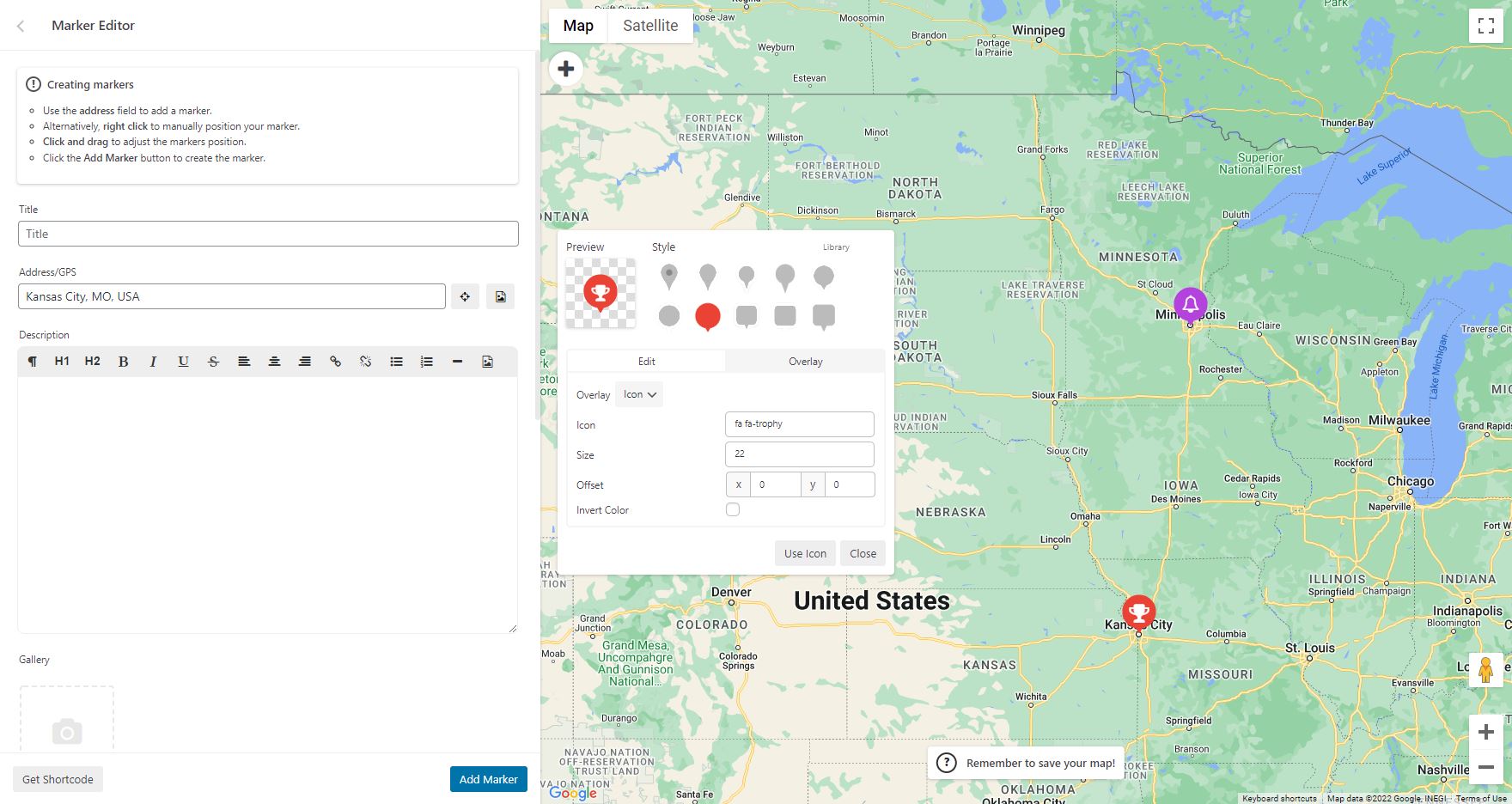
WordPress map plugin for Google Maps, OpenStreetMap & Mapbox with custom markers, filters, searchable listings and store locator.

#797 by installs
Free store locator with OpenStreetMap maps and no API key. Or use Google Maps, Mapbox or Stadia Maps. Unlimited locations, custom fields and markers.

#955 by installs
Unlimited maps and markers. Free, no API key, no setup. Google Maps, Leaflet, OpenStreetMap & Mapbox. Map editor, blocks and store locators.

#626 by installs
[iframe src="http://www.youtube.com/embed/7_nAZQt9qu0" width="100%" height="500"] shortcode

#913 by installs
Add your Google Maps API key to any theme or plugin that loads Google Maps, and fix the missing callback error, without editing code.

#919 by installs
Create interactive vector maps of the world, continents, any country in the world and specific regions, including individual US state county maps.
Read from the WordPress.org plugin API on , when WordPress 7.1.4 was the current release. WordPress.org rounds active installs into buckets. These are the directory's figures, not my verdict, and I haven't tested this plugin. The author takes donations at their donate page.