
WordPress map plugin for Google Maps, OpenStreetMap & Mapbox with custom markers, filters, searchable listings and store locator.
- Installs
- 60,000+
- Rating
- 4.3 (122)
- Updated
- 3 days ago

Unlimited maps and markers. Free, no API key, no setup. Google Maps, Leaflet, OpenStreetMap & Mapbox. Map editor, blocks and store locators.
| Last updated | October 29, 2026Updated in the last 3 months |
|---|---|
| Tested up to | WordPress 7.1.4Covers WordPress 7.1.4, the current release |
| Needs WordPress | 6.3 or newer |
| Needs PHP | 7.0 or newer |
| First published | April 1, 2009 |
| Support, last two months | 2 of 2 threads resolved (100%) |
4.7 / 5 from 147 reviews
| 5 stars | 126 |
|---|---|
| 4 stars | 11 |
| 3 stars | 2 |
| 2 stars | 0 |
| 1 star | 8 |
MapPress is the easiest way to add beautiful interactive maps to WordPress, with Gutenberg map blocks and classic editor support.
Create unlimited maps and markers in the free version, with no upgrade required. MapPress works the moment you activate it: no API key, no billing account, no configuration.
Pick the map service that fits you: Google Maps, or free keyless Leaflet maps using OpenFreeMap (OpenStreetMap data) — no API key required. Mapbox is also supported.
Perfect for contact pages, store and office locations, real estate listings, travel routes, delivery areas and directories.
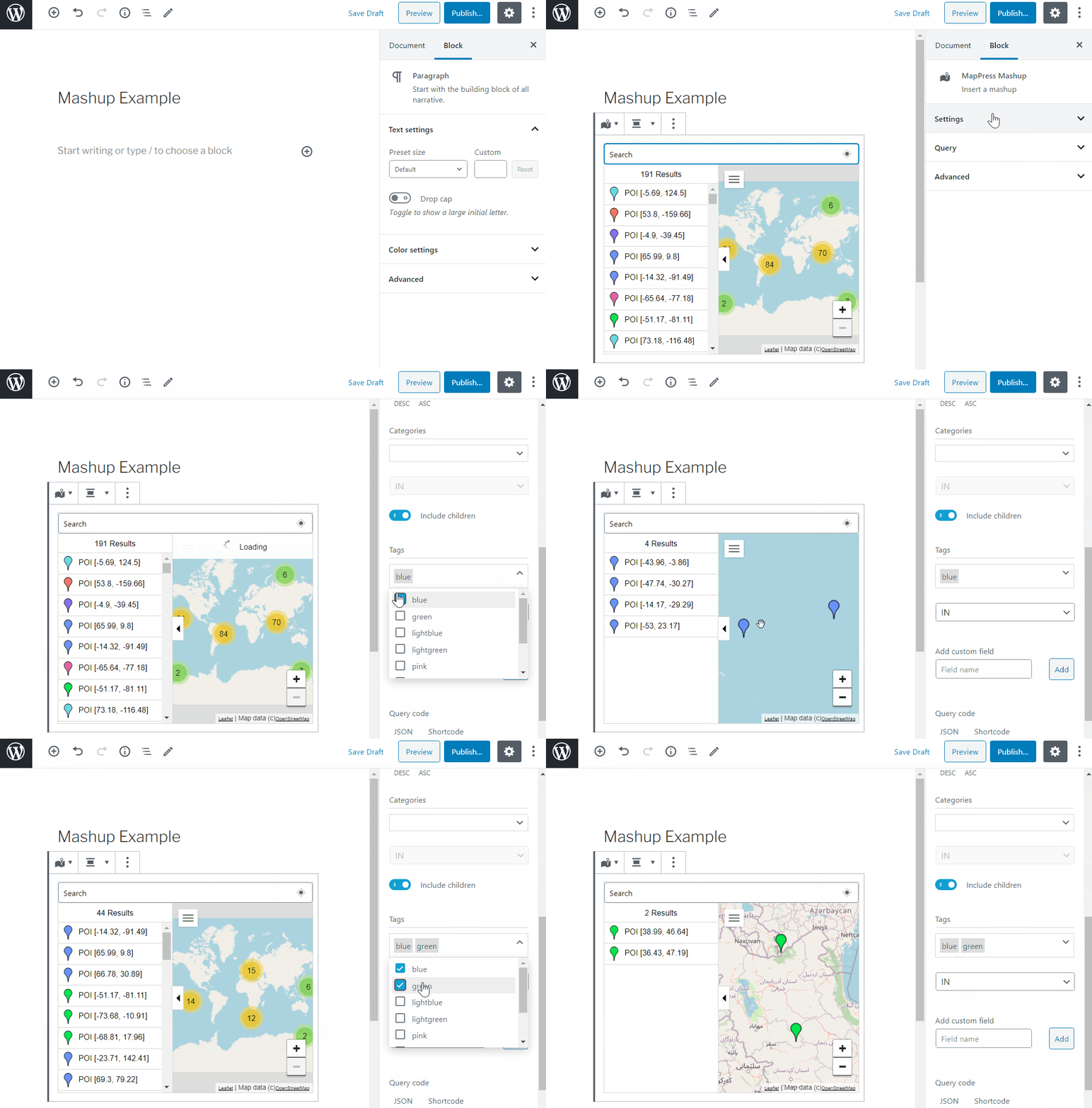
Upgrade to MapPress Pro for even more features, including custom icons (with a built-in icon editor!), search and filter, mashups, and much more. See it in action on the MapPress Home Page or test it yourself with a Free Demo Site!
Home Page
What’s New
Documentation
FAQ
Support
Key Features
The opening of the plugin's own description. The full text, installation notes and changelog are on its WordPress.org page.
No. The free version allows unlimited maps and markers — no cap, and no upgrade required. Pro adds more features, but it doesn’t raise any limit, because there isn’t one.
No. MapPress includes free Leaflet maps using OpenFreeMap, which serves OpenStreetMap data and needs no API key. A key is only required if you choose the Google Maps or Mapbox engines. You can switch engines at any time without losing your maps.
Leaflet maps using OpenFreeMap need no API key or billing setup, or choose Google Maps (which require an API key). Your maps are stored independently of the engine, so you can switch at any time without losing data.
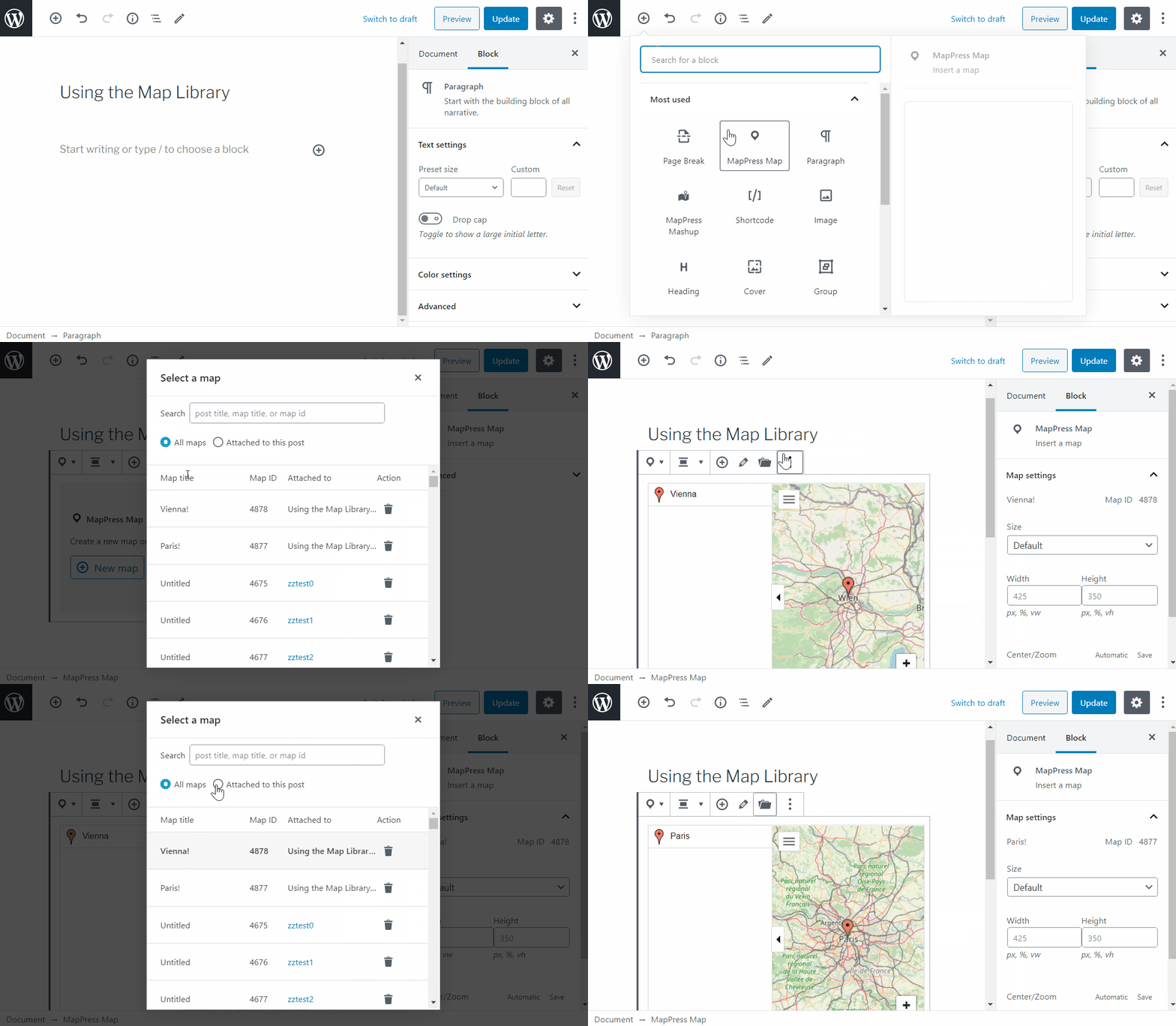
Yes. MapPress includes a Gutenberg map block and full classic editor support, and you can place maps anywhere using a shortcode or directly in PHP.
The free Leaflet maps using OpenFreeMap set no cookies and do not track your visitors, so they require no cookie consent. Google Maps and Mapbox may track users, but if you use the Complianz consent plugin, MapPress integrates with it automatically to block those services until a visitor consents.
Yes. If a map stops loading after enabling aggressive JavaScript optimization, exclude the MapPress scripts from minification or deferral.
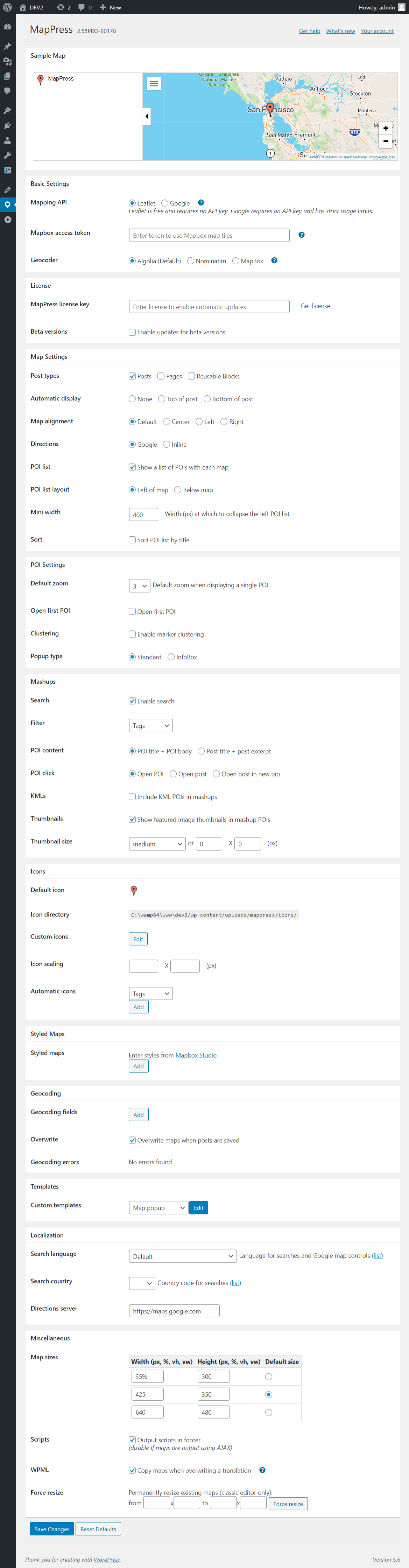

WordPress map plugin for Google Maps, OpenStreetMap & Mapbox with custom markers, filters, searchable listings and store locator.

#197 by installs
The easiest to use WordPress map plugin! Create a custom map, map block, store locator or map widget with high quality markers.

#797 by installs
Free store locator with OpenStreetMap maps and no API key. Or use Google Maps, Mapbox or Stadia Maps. Unlimited locations, custom fields and markers.

#945 by installs
Interactive maps and markers on your posts and pages with simple shortcodes.

#626 by installs
[iframe src="http://www.youtube.com/embed/7_nAZQt9qu0" width="100%" height="500"] shortcode

#913 by installs
Add your Google Maps API key to any theme or plugin that loads Google Maps, and fix the missing callback error, without editing code.
Read from the WordPress.org plugin API on , when WordPress 7.1.4 was the current release. WordPress.org rounds active installs into buckets. These are the directory's figures, not my verdict, and I haven't tested this plugin. The author takes donations at their donate page.