
WordPress map plugin for Google Maps, OpenStreetMap & Mapbox with custom markers, filters, searchable listings and store locator.
- Installs
- 60,000+
- Rating
- 4.3 (122)
- Updated
- 3 days ago

Free store locator with OpenStreetMap maps and no API key. Or use Google Maps, Mapbox or Stadia Maps. Unlimited locations, custom fields and markers.
| Last updated | October 26, 2026Updated in the last 3 months |
|---|---|
| Tested up to | WordPress 7.1.4Covers WordPress 7.1.4, the current release |
| Needs WordPress | 5.7 or newer |
| Needs PHP | 7.4 or newer |
| First published | December 31, 2013 |
| Support, last two months | 12 of 18 threads resolved (67%) |
4.8 / 5 from 312 reviews
| 5 stars | 289 |
|---|---|
| 4 stars | 9 |
| 3 stars | 3 |
| 2 stars | 3 |
| 1 star | 8 |
WP Store Locator is a free store locator that helps your customers find your nearest store, dealer, branch, clinic or office. It runs on free OpenStreetMap maps out of the box, so there is no API key, no Google account and no credit card to set up. Add unlimited locations, drop the [wpsl] shortcode or block on a page, and visitors can search by address, postcode, city or their current position, filter by category and get directions.
🆓 Free maps, no API key needed
Choose OpenStreetMap and your store locator works without Google Maps, as soon as you activate it. There is no Google Cloud project to create, no billing account to add and no API key to restrict. Address searches are geocoded on your server and cached, and the map, markers, Marker Studio, category filters, map shapes and location pages all work on OpenStreetMap.
Need Google Maps, Mapbox or Stadia Maps later? Switch with one setting. Your locations do not need to be re-entered or re-geocoded.
Why WP Store Locator
The opening of the plugin's own description. The full text, installation notes and changelog are on its WordPress.org page.
No. Choose OpenStreetMap (Leaflet) as the map service and the store locator runs without any API key. A key is only needed for Google Maps, Mapbox and Stadia Maps, or if you want routes drawn on the map with OpenStreetMap (free Openrouteservice key).
Yes. The plugin is free, with unlimited locations, and it runs on free OpenStreetMap maps without an API key. The CSV Manager, Search Widget and Statistics add-ons are optional paid extras.
Both show your locations, markers, categories, map shapes and location pages. The differences:
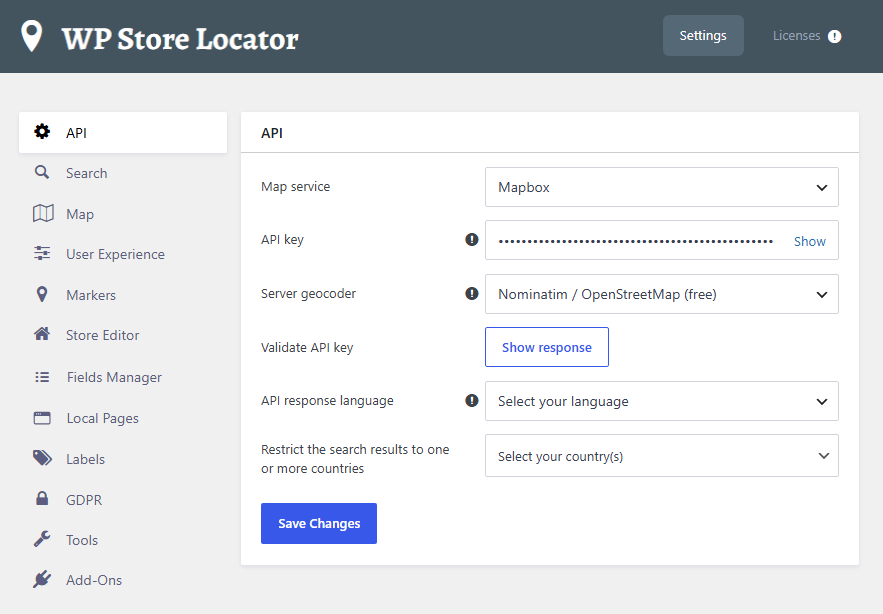
Yes. The map service is a single setting under Store Locator > Settings > API. Your locations, coordinates, categories, custom fields, markers and settings stay the same.
Add the Store Locator block, or the shortcode [wpsl], to the page where you want to display the store locator.
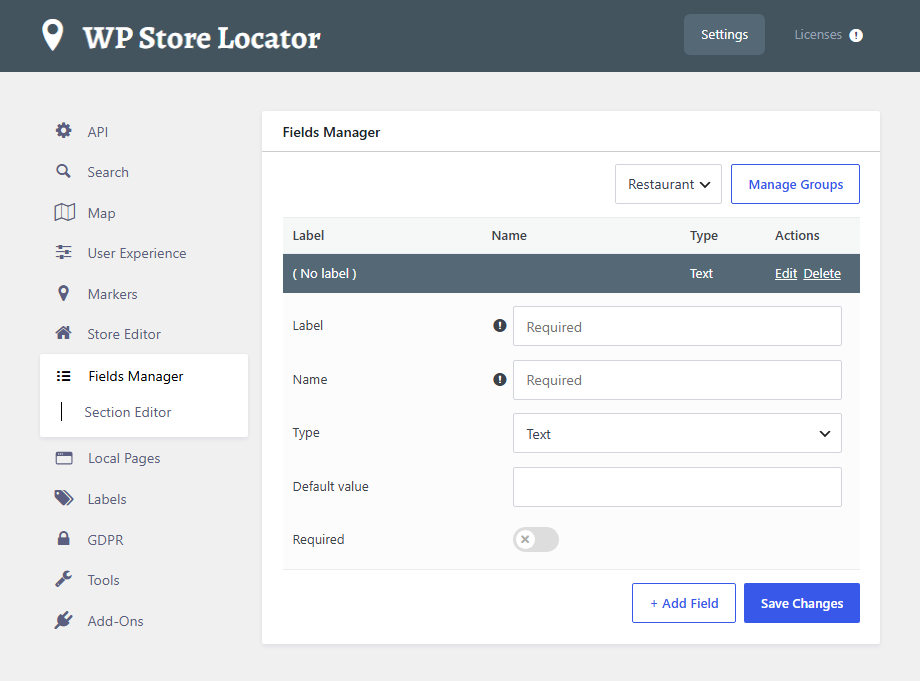
Yes. Go to Store Locator > Settings > Fields Manager, create a group and add your fields. Then use the Section Editor to place them in the results list or info window. It can generate the template code for you, so no coding is required.
New
* “Draw the search radius circle?” option ( Map settings ), with a color setting and the ‘wpslRadiusCircleStyle’ JS filter.
* “Show locations at the same address as one marker?” option ( Markers settings ). Two or more locations at the same address share one marker. Its info window shows them one at a time, or as a list when there are more than five.
* Detects outdated cached scripts after an update, with an admin notice, a check on the Home page and an “Outdated cached files” tool. See how to clear the cache.
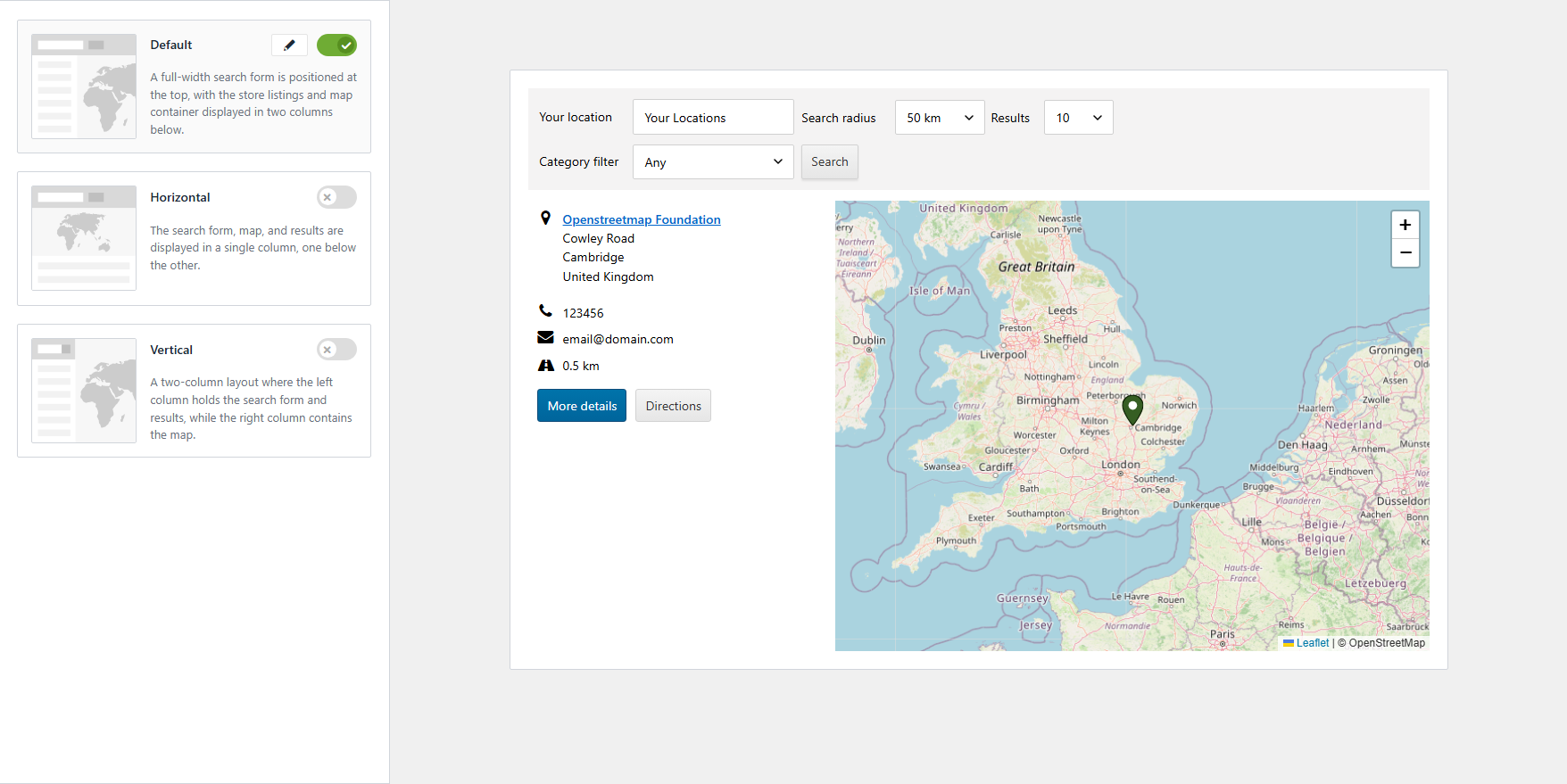
WordPress map plugin for Google Maps, OpenStreetMap & Mapbox with custom markers, filters, searchable listings and store locator.

#197 by installs
The easiest to use WordPress map plugin! Create a custom map, map block, store locator or map widget with high quality markers.

#955 by installs
Unlimited maps and markers. Free, no API key, no setup. Google Maps, Leaflet, OpenStreetMap & Mapbox. Map editor, blocks and store locators.

#626 by installs
[iframe src="http://www.youtube.com/embed/7_nAZQt9qu0" width="100%" height="500"] shortcode

#913 by installs
Add your Google Maps API key to any theme or plugin that loads Google Maps, and fix the missing callback error, without editing code.

#945 by installs
Interactive maps and markers on your posts and pages with simple shortcodes.
Read from the WordPress.org plugin API on , when WordPress 7.1.4 was the current release. WordPress.org rounds active installs into buckets. These are the directory's figures, not my verdict, and I haven't tested this plugin.