
Type to search.

#913 by installs

API KEY for Google Maps

by StiofanVersion 1.2.16

Add your Google Maps API key to any theme or plugin that loads Google Maps, and fix the missing callback error, without editing code.

Active installs
30,000+
#913 of 1,000
Downloads, all time
861.6K
861,569
Downloads, 30 days
14.7K
1.5K in the last 7
Rating
4.9 / 5
55 reviews
Last updated
31 days ago
Sep 30, 2026
Version
1.2.16
17 releases

Upkeep and compatibility

Last updatedSeptember 30, 2026Updated in the last 3 months
Tested up toWordPress 7.1.4Covers WordPress 7.1.4, the current release
Needs WordPress6.0 or newer
Needs PHP7.4 or newer
First publishedJuly 1, 2016
Support, last two monthsNo threads opened

Reviews

4.9 / 5 from 55 reviews

Reviews by star rating
5 stars54
4 stars0
3 stars0
2 stars0
1 star1

Downloads, last 30 days

Low 141 a dayHigh 5.7K a day

What the author says it does

Many themes and plugins load Google Maps without an API key, or without a setting to enter one. Google requires an API key for every Maps JavaScript API request, so these maps fail with “This page can’t load Google Maps correctly” or show a “For development purposes only” watermark.

API KEY for Google Maps fixes this without touching theme or plugin code. Enter your key once and the plugin adds it to every Google Maps JavaScript API script enqueued on the site.

Features

  • Adds your API key to Google Maps JavaScript API scripts enqueued by any theme or plugin.
  • Replaces an outdated or different key already present in the script URL with your own.
  • Adds the callback parameter Google has required since January 2023, fixing the JavaScript error Loading the Google Maps JavaScript API without a callback is not supported.
  • Works on the front end of your site and in the WordPress admin.
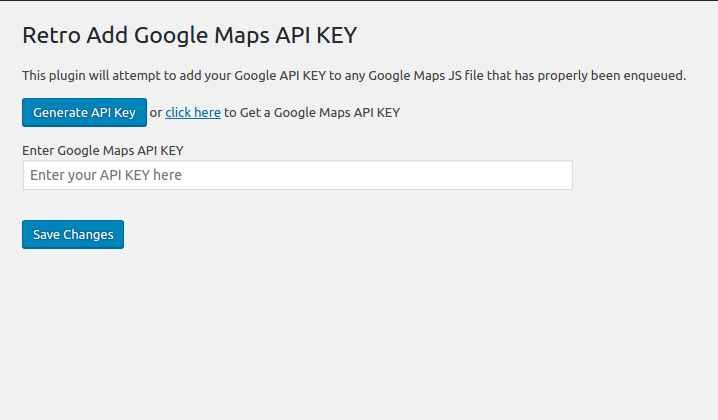
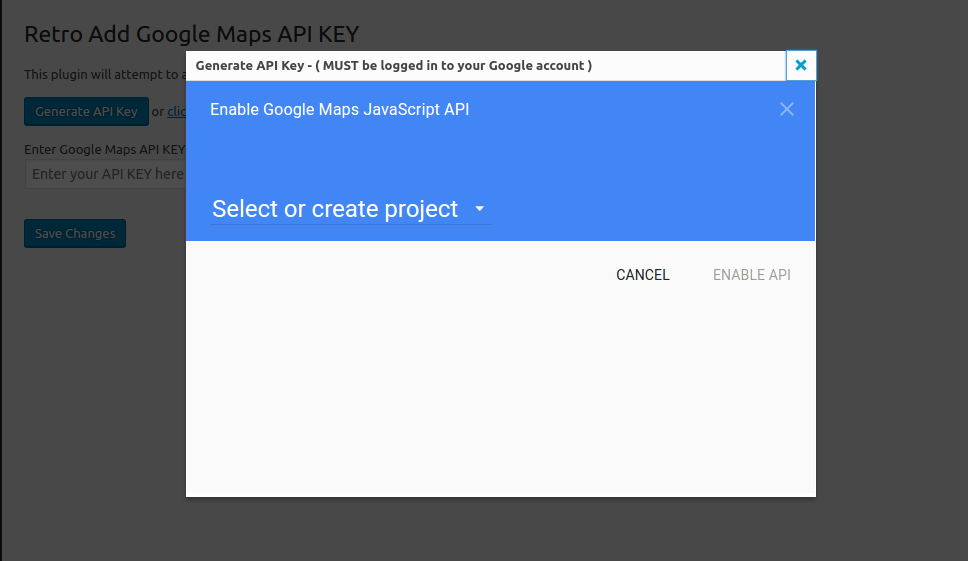
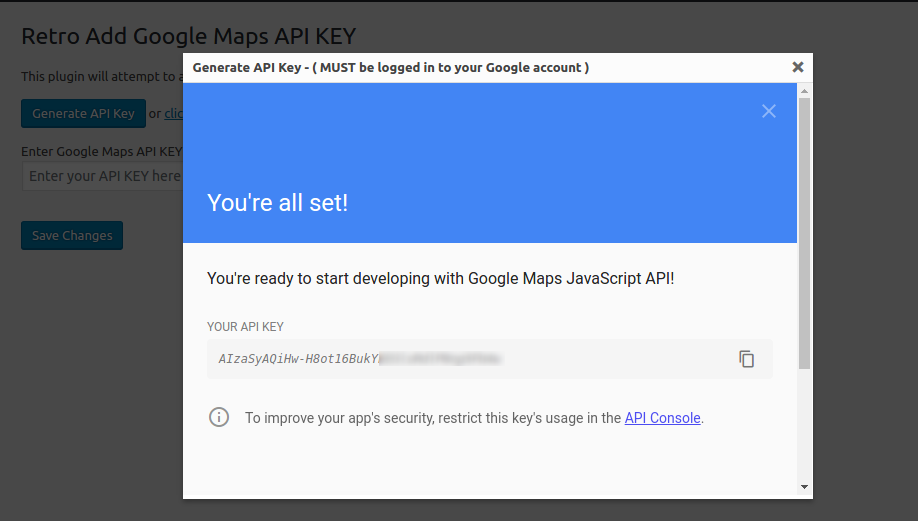
  • One-click Generate API Key button that opens the Google Cloud Console with the Maps APIs selected.
  • Quick link to a free tool that checks your site for Google Maps API key errors.
  • Lightweight: a single settings field and a tiny inline script. The saved key is removed when you delete the plugin.

How to use

  • Activate the plugin and go to Settings > Google API KEY.
  • Click Generate API Key (you must be signed in to your Google account), or paste a key you already have.

The opening of the plugin's own description. The full text, installation notes and changelog are on its WordPress.org page.

Latest changelog entry

1.2.16 – 2026-09-30

  • Enhanced data sanitization and output escaping – CHANGED/SECURITY
  • Remove saved API key when the plugin is deleted – CHANGED

Screenshots

From WordPress.org.

Tagged

Plugins that share its tags

#626 by installs

iframe

by webvitalii

[iframe src="http://www.youtube.com/embed/7_nAZQt9qu0" width="100%" height="500"] shortcode

Installs
60,000+
Rating
4.4 (56)
Updated
5 months ago

#797 by installs

WP Store Locator

by tijmensmit

Free store locator with OpenStreetMap maps and no API key. Or use Google Maps, Mapbox or Stadia Maps. Unlimited locations, custom fields and markers.

Installs
40,000+
Rating
4.8 (312)
Updated
5 days ago

#955 by installs

MapPress – Google Maps, OpenStreetMap & Leaflet

by chrisvrichardson

Unlimited maps and markers. Free, no API key, no setup. Google Maps, Leaflet, OpenStreetMap & Mapbox. Map editor, blocks and store locators.

Installs
30,000+
Rating
4.7 (147)
Updated
2 days ago

Where this page's numbers come from

Read from the WordPress.org plugin API on , when WordPress 7.1.4 was the current release. WordPress.org rounds active installs into buckets. These are the directory's figures, not my verdict, and I haven't tested this plugin. The author takes donations at their donate page.

