Type to search.

#517 by installs

Checkout Field Manager (Checkout Manager) for WooCommerce

by quadlayersVersion 7.9.9

Checkout Field Manager (Checkout Manager) for WooCommerce is the most advanced plugin to customize checkout fields on your WooCommerce checkout page.

Active installs
80,000+
#517 of 1,000
Downloads, all time
6.8M
6,847,603
Downloads, 30 days
68.6K
32.6K in the last 7
Rating
4.5 / 5
784 reviews
Last updated
5 days ago
Oct 26, 2026
Version
7.9.9
290 releases

Upkeep and compatibility

Last updatedOctober 26, 2026Updated in the last 3 months
Tested up toWordPress 7.1.4Covers WordPress 7.1.4, the current release
Needs WordPress4.7 or newer
Needs PHP5.6 or newer
First publishedMay 22, 2013
Support, last two months1 of 1 threads resolved (100%)

Reviews

4.5 / 5 from 784 reviews

Reviews by star rating
5 stars665
4 stars18
3 stars12
2 stars19
1 star70

Downloads, last 30 days

Low 385 a dayHigh 16.7K a day

What the author says it does

Premium | Demo | Documentation | Community

WooCommerce Checkout Manager is the best checkout form customizer and editor for WooCommerce. This plugin allows you to delete, modify, and reorder WooCommerce checkout fields, and create more than 20 custom fields within the billing or shipping checkout forms.

Presentation

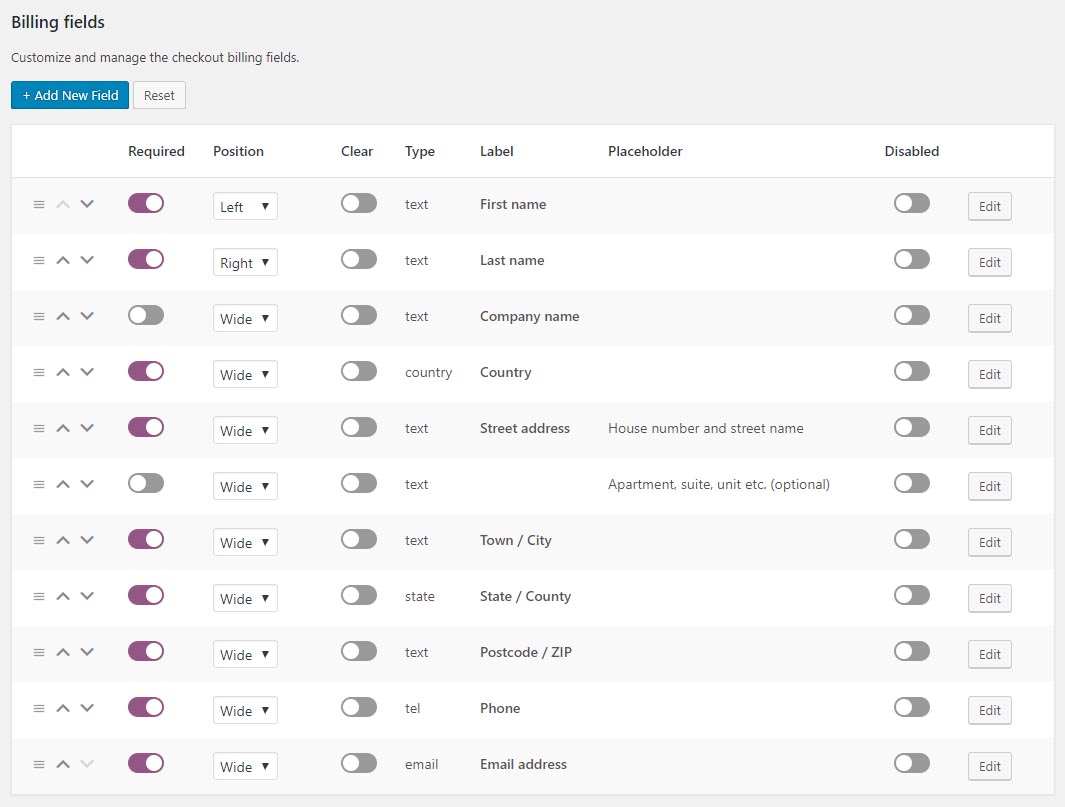
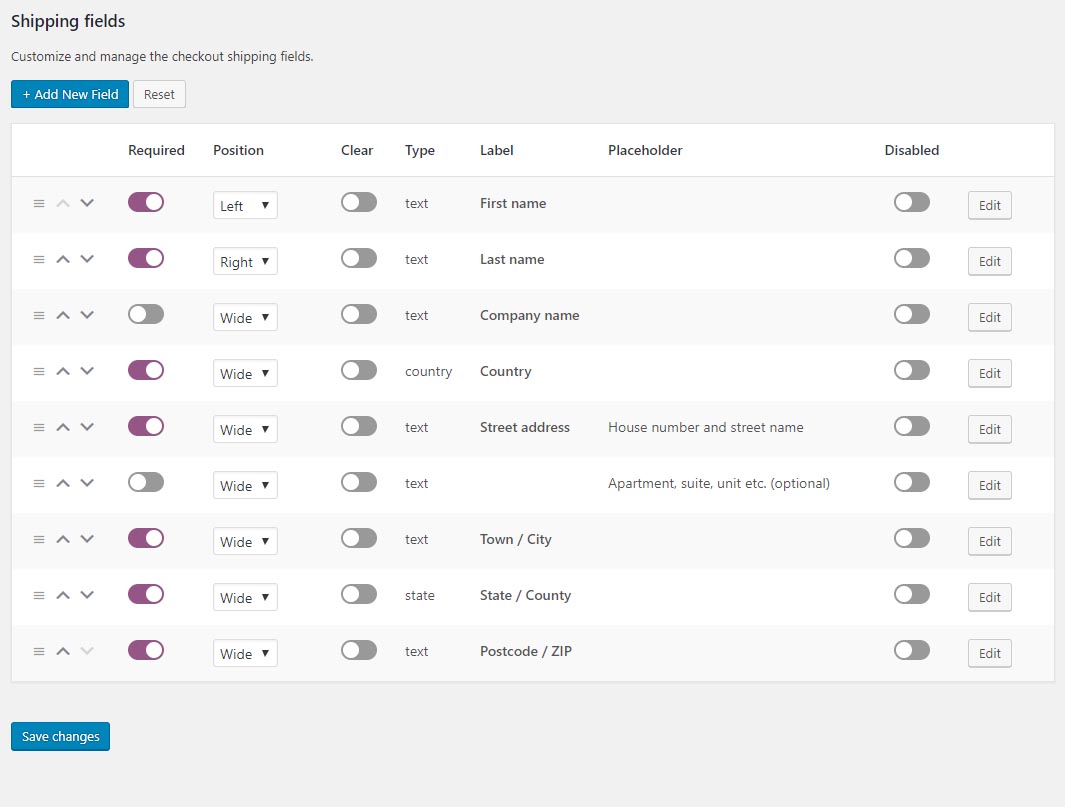
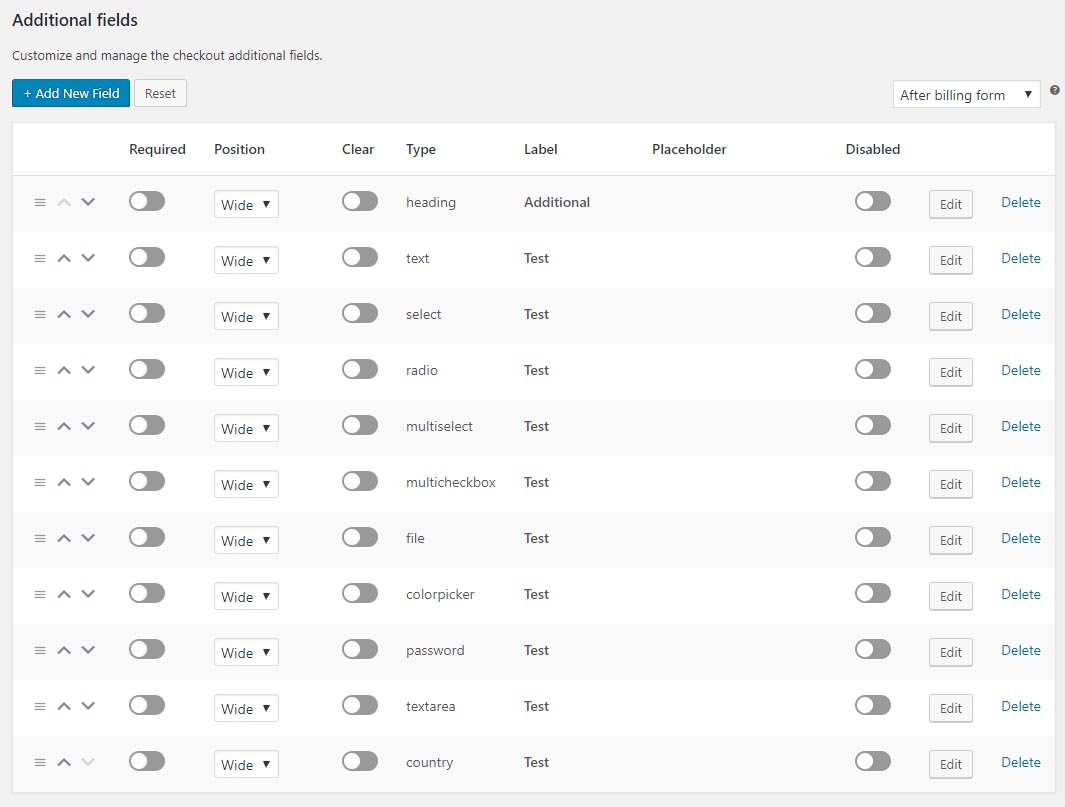
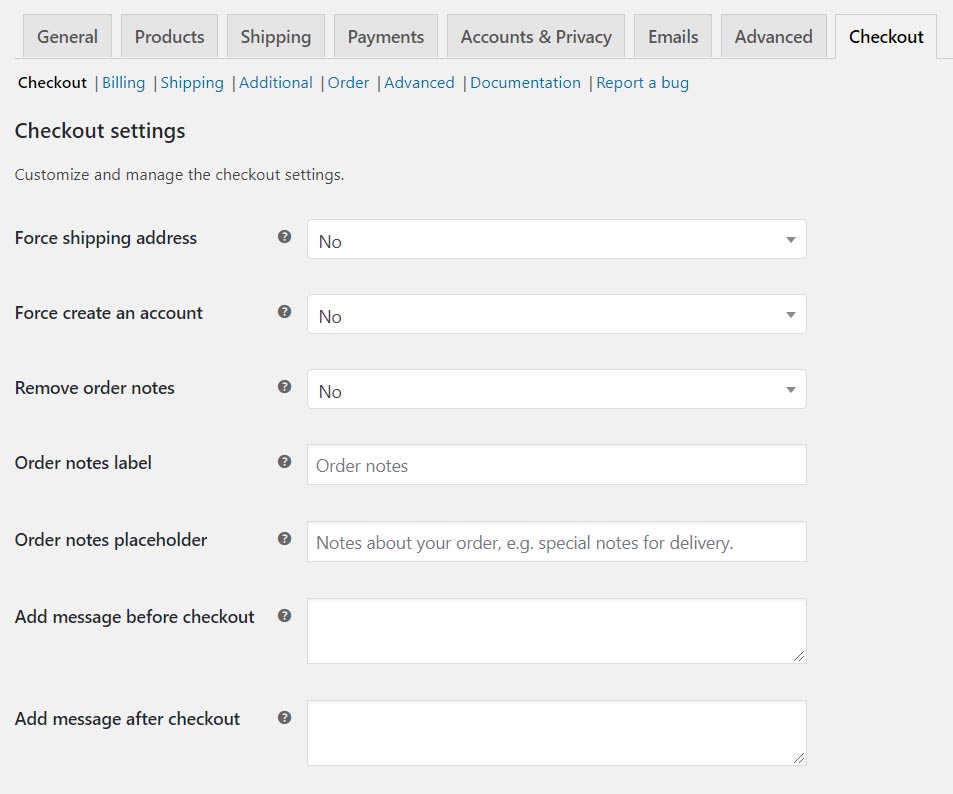
Checkout Field Manager (Checkout Manager) for WooCommerce allows you to include custom fields in the checkout page, related to the Billing, Shipping, or Additional fields sections.

Our plugin allows you to reorder, remove, or change the field types of WooCommerce core fields. You can choose from the following field types: Text, Textarea, Password, Radio, Checkbox, Select, Country, State, Multiselect, Multicheckbox, Heading, Color Picker, and File Uploader.

WooCommerce Checkout Fields

The supported field types that can be included in the checkout are:

  • Heading
  • Email
  • Phone
  • Message
  • Button
  • Text
  • Textarea
  • Password
  • Select
  • Radio
  • Checkbox
  • Time Picker
  • Date Picker
  • Number
  • Country
  • State
  • Multiselect
  • Multicheckbox
  • Color Picker
  • File Upload

Formerly WooCommerce Checkout Manager

This plugin was formerly known as “WooCommerce Checkout Manager.” On November 8, 2019, WordPress required us to change the plugin name due to the use of “WooCommerce” in the title. We apologize for any inconvenience caused by the downtime.

The opening of the plugin's own description. The full text, installation notes and changelog are on its WordPress.org page.

Questions the author answers

How do I add checkout fields?

Guide to adding checkout fields

How do I remove default WooCommerce fields?

Guide to removing fields

How do I change the default field order?

Reordering checkout fields

How do I reposition the Additional Fields section?

Adjusting additional fields position

How do I add conditional fields?

Adding conditional fields

Where can I see the custom field data in orders?

Custom field data can be found within each order, inside the WooCommerce > Edit Order screen. Fields are grouped under Billing, Shipping, and Additional sections.

Latest changelog entry

7.9.9

  • fix: uploaded files not displayed in the admin order “Order Files” metabox until the page was refreshed

Screenshots

First 4 of 10, from WordPress.org.

Tagged

Plugins that share its tags

Where this page's numbers come from

Read from the WordPress.org plugin API on , when WordPress 7.1.4 was the current release. WordPress.org rounds active installs into buckets. These are the directory's figures, not my verdict, and I haven't tested this plugin. The author takes donations at their donate page.