Type to search.

#136 by installscommercial

Checkout Field Editor (Checkout Manager) for WooCommerce

by ThemeHighVersion 2.2.1

Checkout Field Editor for WooCommerce – The best WooCommerce checkout manager plugin to manage checkout fields in both Classic & Block Checkout.

Active installs
400,000+
#136 of 1,000
Downloads, all time
10.8M
10,808,062
Downloads, 30 days
83.7K
40K in the last 7
Rating
4.9 / 5
1,056 reviews
Last updated
1 day ago
Oct 30, 2026
Version
2.2.1
56 releases

Upkeep and compatibility

Last updatedOctober 30, 2026Updated in the last 3 months
Tested up toWordPress 7.1.4Covers WordPress 7.1.4, the current release
Needs WordPress5.0 or newer
Needs PHP5.6 or newer
Needs pluginswoocommerce
First publishedOctober 23, 2015
Support, last two months2 of 2 threads resolved (100%)

Reviews

4.9 / 5 from 1,056 reviews

Reviews by star rating
5 stars1,007
4 stars12
3 stars8
2 stars6
1 star23

Downloads, last 30 days

Low 1.2K a dayHigh 29.7K a day

What the author says it does

WooCommerce Checkout Field Editor enables you to edit the default checkout fields of your WooCommerce platform, add, edit, hide, or delete the default fields, change labels, rearrange checkout fields, validate the checkout fields, add custom css classes etc.

🔥 #The Ultimate Solution for Customizing WooCommerce Checkout Fields

The default WooCommerce checkout field editor offers only basic fields, limiting the ability to collect crucial information. Moreover, manually customizing checkout fields with code is time-consuming and complex and leads to the following issues

❌ No Personalization – Customers expect a seamless, customized experience, but the default setup doesn’t allow it.

❌ Poor User Experience – A cluttered checkout page with unnecessary fields can frustrate customers, leading to cart abandonment.

❌ Reduced Conversions – An unoptimized checkout process can increase drop-offs and lower sales.

How WooCommerce Checkout Field Editor (Checkout Manager) simplifies customization?

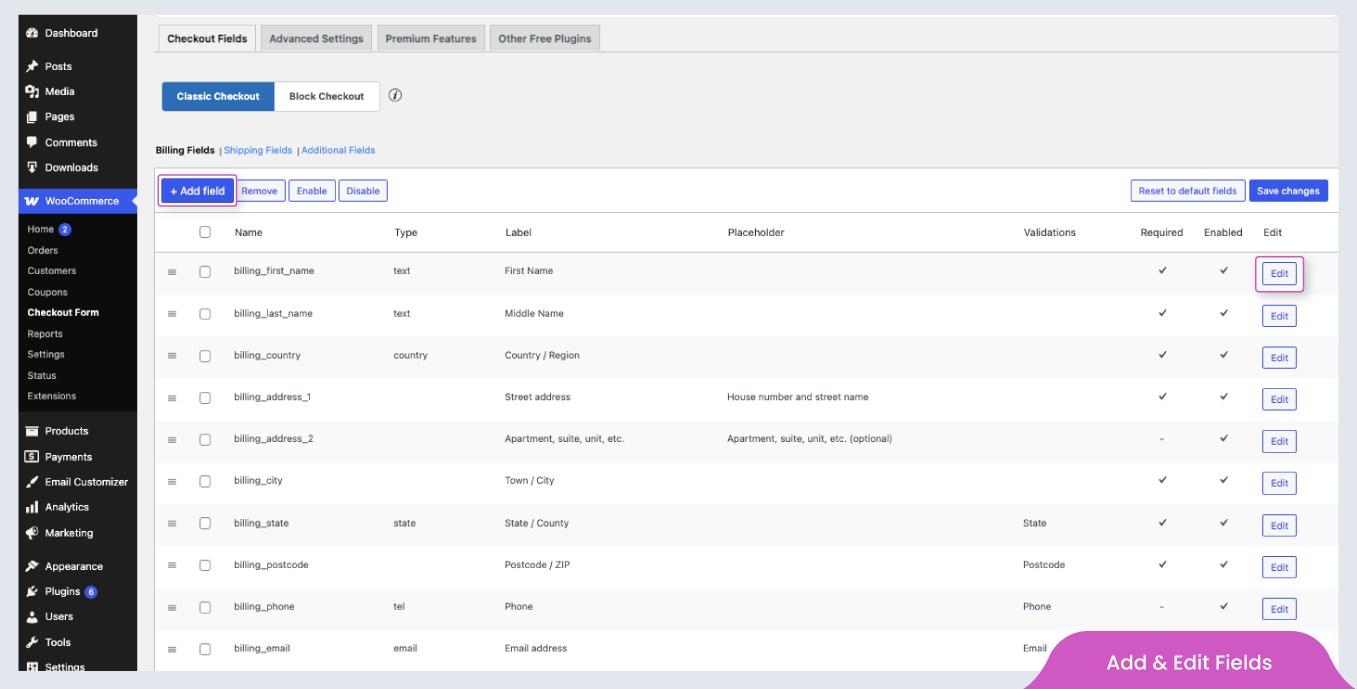
✳️ Complete Checkout Field Customization → Effortlessly add, edit, remove, and rearrange fields.

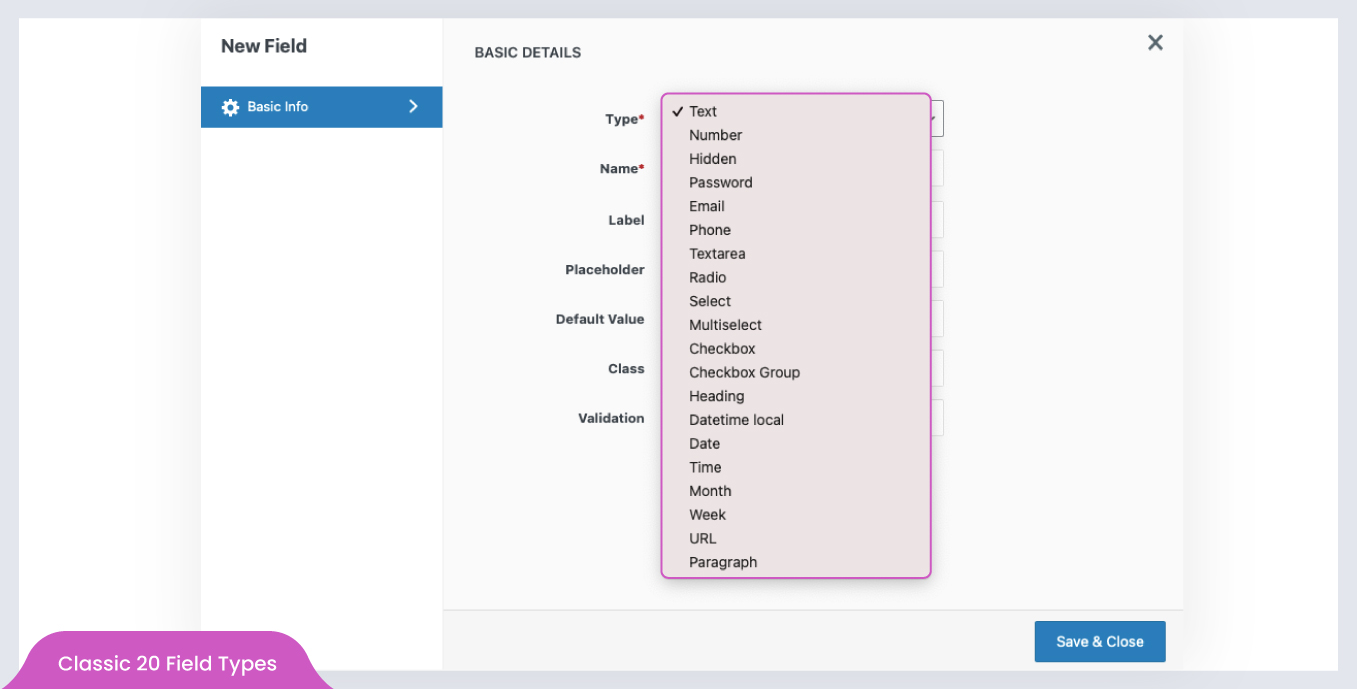
✳️ 24+ Field Types→ Add additional field types to your Checkout page.

✳️ Optimized for Conversions → Create a seamless checkout flow, reducing friction and increasing sales.

The opening of the plugin's own description. The full text, installation notes and changelog are on its WordPress.org page.

Questions the author answers

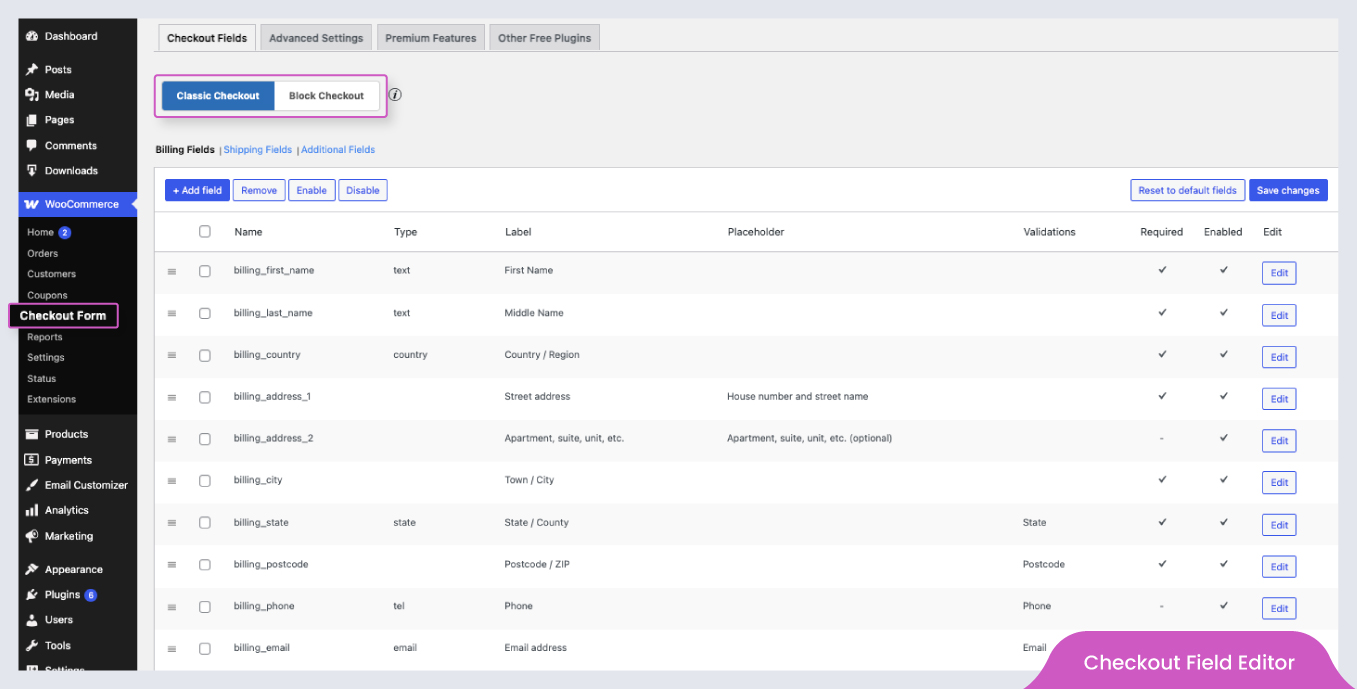
Is the plugin compatible with WooCommerce Checkout Blocks?

Yes, the plugin is compatible with WooCommerce Checkout Blocks. Currently, a few field types are available in the block editor, and more will be added in future updates.

Why are my checkout fields not appearing on the checkout page?

Could you please confirm how your checkout page is configured? Is it using shortcodes or blocks?

  • If the checkout page is created using shortcode, the fields should be added and updated in the Classic Checkout Fields section.
  • If your checkout is configured using WooCommerce Blocks, the fields should be added and updated in the Blocks Checkout Fields section.
Can I revert to WooCommerce default checkout fields later?

Yes, the plugin provides a Reset to Default Fields button, allowing you to restore the original WooCommerce checkout fields anytime.

Can I apply a price to the fields created using this plugin?

No, the free version does not support the price feature. However, the pro version enables price additions using six different pricing types, making advanced checkout customizations possible.

Can I display custom checkout fields on the My Account page?

In the free version, custom fields can only be displayed and edited on the Checkout page. With the pro version, fields can be shown and edited on:

  • Checkout Page
  • My Account Page
  • User Profile (in the WordPress admin)

Additionally, values entered by users are saved for future use, reducing the need for re-entering information with each order.

How can I modify the styling of fields created using this plugin?

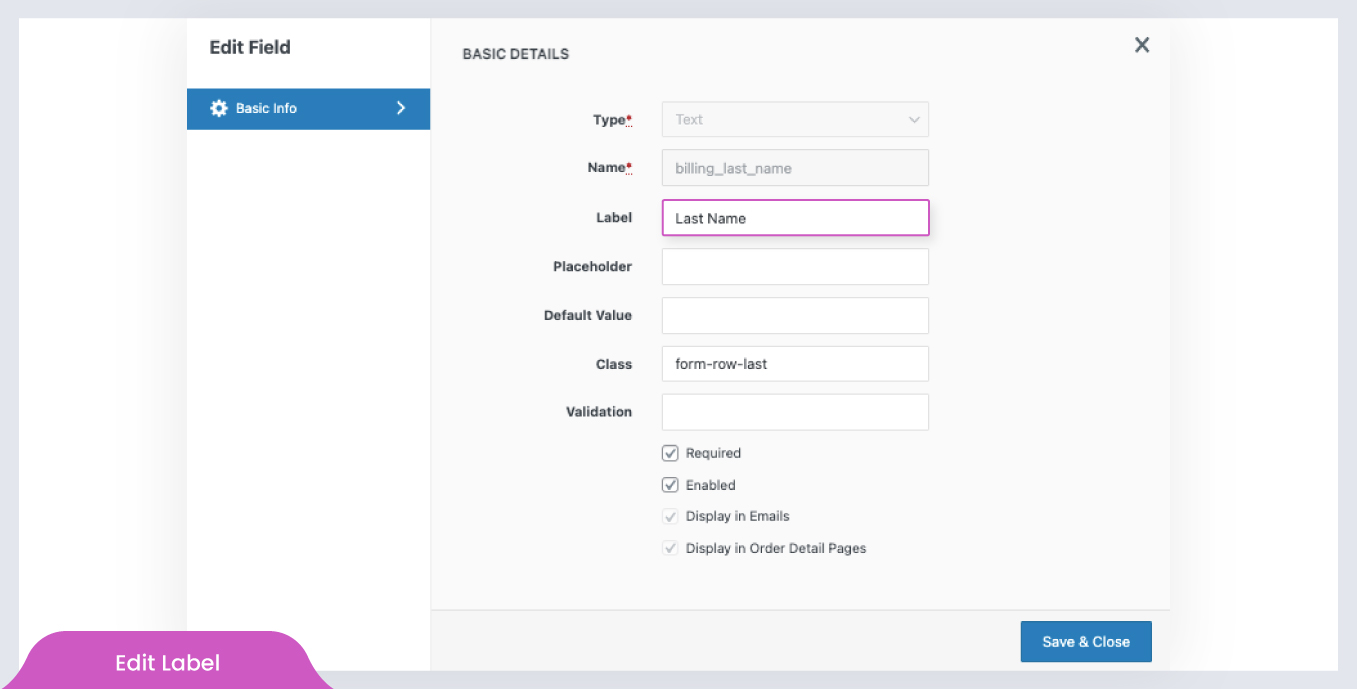
The plugin provides a feature: Class for modifying the styling properties of the fields.

1. Define a class in the Additional CSS(Appearance >> Customize >> Additional CSS).

2. Enter the name of the created class in the field Class of the Add/Edit pop-up. Save the changes

3. The style defined in the class will be applied to the default and custom fields for which this class is included.

Latest changelog entry

2.1.9

  • Added new Block Checkout field types: Number, URL, Email, Paragraph, Textarea, and Heading .
  • Added WooCommerce 10.8 compatibility.
  • Added WordPress 7.0 compatibility.

Screenshots

First 4 of 11, from WordPress.org.

Tagged

Plugins that share its tags

Where this page's numbers come from

Read from the WordPress.org plugin API on , when WordPress 7.1.4 was the current release. WordPress.org rounds active installs into buckets. These are the directory's figures, not my verdict, and I haven't tested this plugin. The author takes donations at their donate page.