Type to search.

#931 by installs

FunnelKit – Funnel Builder Plugin for WooCommerce Checkout

by FunnelKitVersion 3.17.0.1

Create high-converting WooCommerce checkout pages, thank you pages & sales funnels with the highest-rated WordPress funnel builder.

Active installs
30,000+
#931 of 1,000
Downloads, all time
1.3M
1,348,414
Downloads, 30 days
46.6K
7.1K in the last 7
Rating
5.0 / 5
1,028 reviews
Last updated
10 days ago
Oct 21, 2026
Version
3.17.0.1
222 releases

Upkeep and compatibility

Last updatedOctober 21, 2026Updated in the last 3 months
Tested up toWordPress 7.1.4Covers WordPress 7.1.4, the current release
Needs WordPress6.2 or newer
Needs PHP7.4 or newer
First publishedFebruary 11, 2021
Support, last two months1 of 1 threads resolved (100%)

Reviews

5.0 / 5 from 1,028 reviews

Reviews by star rating
5 stars1,009
4 stars9
3 stars1
2 stars3
1 star6

Downloads, last 30 days

Low 196 a dayHigh 5.9K a day

What the author says it does

WooCommerce Checkout Plugin & WordPress Funnel Builder

Tired of paying high monthly fees for rigid checkout plugins and funnel builders?

You don’t need to anymore.

Meet FunnelKit (formerly WooFunnels): the most intuitive and affordable Funnel Builder for WordPress. It makes the process of creating conversion-optimized WooCommerce checkouts, beautiful opt-in pages, landing pages, one-click upsells and even thank you pages a breeze.

FunnelKit Funnel Builder helps store owners by enhancing WooCommerce checkout conversions with pre-designed templates for every use case. You can create unlimited sales funnels to attract visitors and guide them toward becoming loyal customers.

FunnelKit provides you with pre-built templates that are 100% mobile-responsive and look great on all devices. You can find templates for designing custom WooCommerce checkouts, sales pages, lead generation pages, order bumps, one-click upsells, and thank you pages.

And you can even customize these templates with any of the popular page builders.

Use FunnelKit’s Funnel Builder to create:

  • Optimized WooCommerce checkout pages, including one-page checkouts
  • Multi-step checkouts (Pro)
  • Beautiful sales/landing pages
  • Highly targeted order bumps (Pro)
  • Rule-based one-click upsell offers (Pro)
  • Custom thank you or order confirmation pages
  • Lead generation and opt-in confirmation pages

The opening of the plugin's own description. The full text, installation notes and changelog are on its WordPress.org page.

Questions the author answers

What is a sales funnel?

A sales funnel guides a prospect from first contact to purchase. It starts with many potential customers at the top and narrows to the ones who buy. A simple funnel is a landing page, a checkout page and a thank you page, but you can add opt-ins, order bumps and upsells to turn it into a real revenue engine.

How can sales funnels enhance my WooCommerce store?

Sales funnels allow you to offer a guided path to your visitors. Instead of only having a storefront with a catalog of products, create dedicated paths for select items.

Create a beautiful store checkout with our optimized templates. Plus, add order bumps and one-click upsells to boost your average order value. You can also set up rules for your offers and target customers with offers relevant to them.

Why do I need a sales funnel builder?

Sales funnels boost sales and increase conversions for online businesses.

But creating beautiful pages requires you to spend loads of money on web developers. And most SaaS funnel builders are complicated or too expensive.

The main purpose of a sales funnel builder is to help you create a high-converting sales funnel fast. It should also be affordable and easy to use.

How do I choose a WooCommerce checkout plugin?

It depends on what you need. If you only want to hide or rename a few fields, a simple checkout field editor is enough.

If you want to replace the checkout page entirely, redesign it, restructure the fields, speed it up with Express Pay and address autocomplete, and raise order value with order bumps and upsells, you need a full checkout solution.

How do I customize the WooCommerce checkout page?
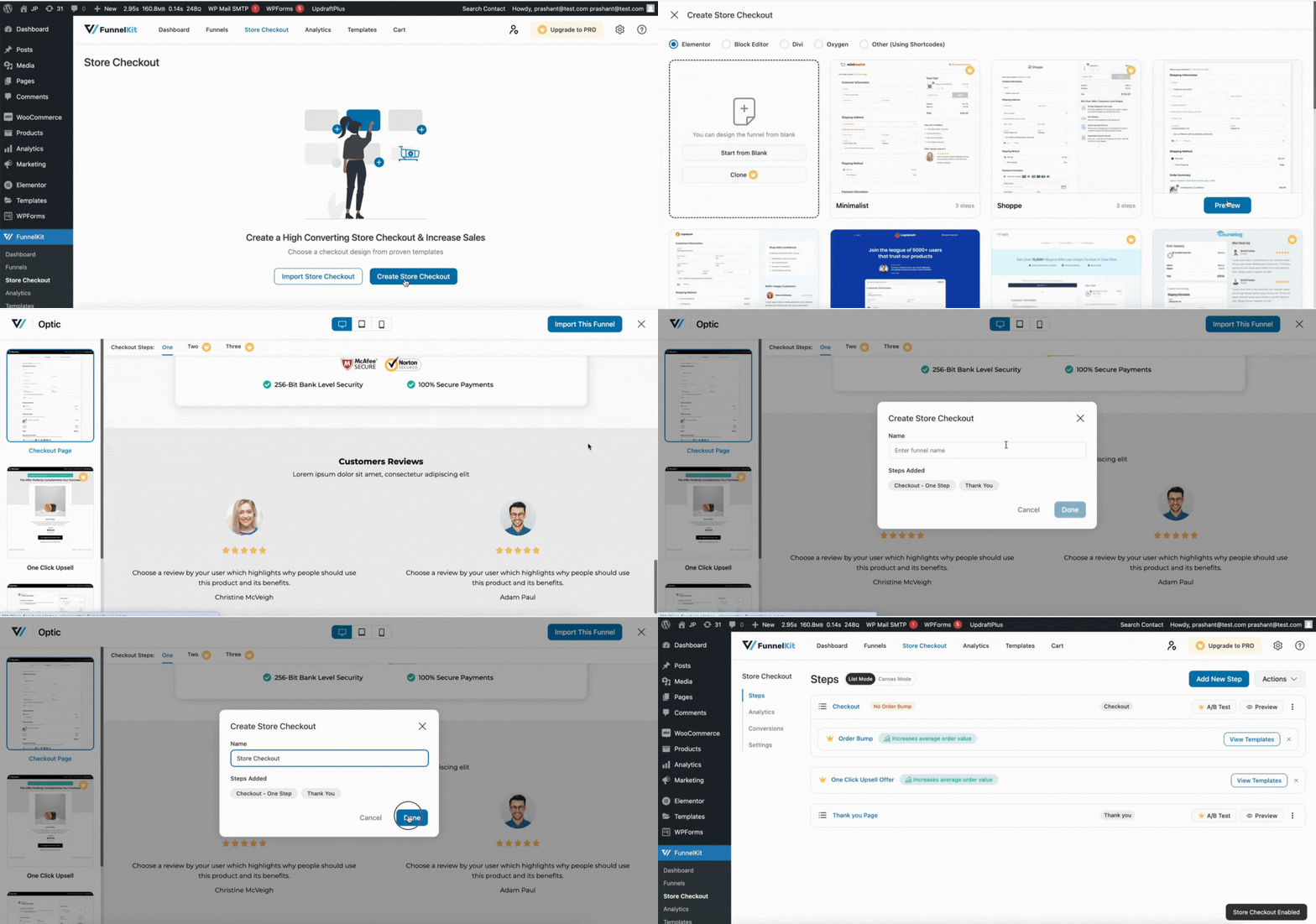
  • Install and activate FunnelKit Funnel Builder.
  • Go to FunnelKit > Store Checkout and create a checkout.
  • Import a checkout template.
  • Add, remove or reorder fields in the drag-and-drop field editor.
  • Choose a one-step or multi-step layout (multi-step is Pro).
  • Style the page in Elementor, Divi, Bricks, Oxygen or Gutenberg, then save.
Can I add, remove, or reorder WooCommerce checkout fields?

Yes. FunnelKit’s checkout field editor lets you add custom fields, delete fields you don’t need, reorder them by dragging, and create your own sections to group them. You can add text, radio, checkbox, select, and HTML fields, and set each one as required or optional.

Latest changelog entry

3.17.0.1

  • Improved: Funnel: Improved compatibility with Bricks Builder. (#9665)
  • Improved: Funnel: Improved compatibility with Elementor Pro. (#9662)
  • Improved: Funnel: Improved compatibility with FunnelKit Stripe. (#9678)
  • Fixed: Funnel: Resolved PHP 8.3 undefined warnings for some cases where WP_Post object is stdClass instead of post. (#9667)

Screenshots

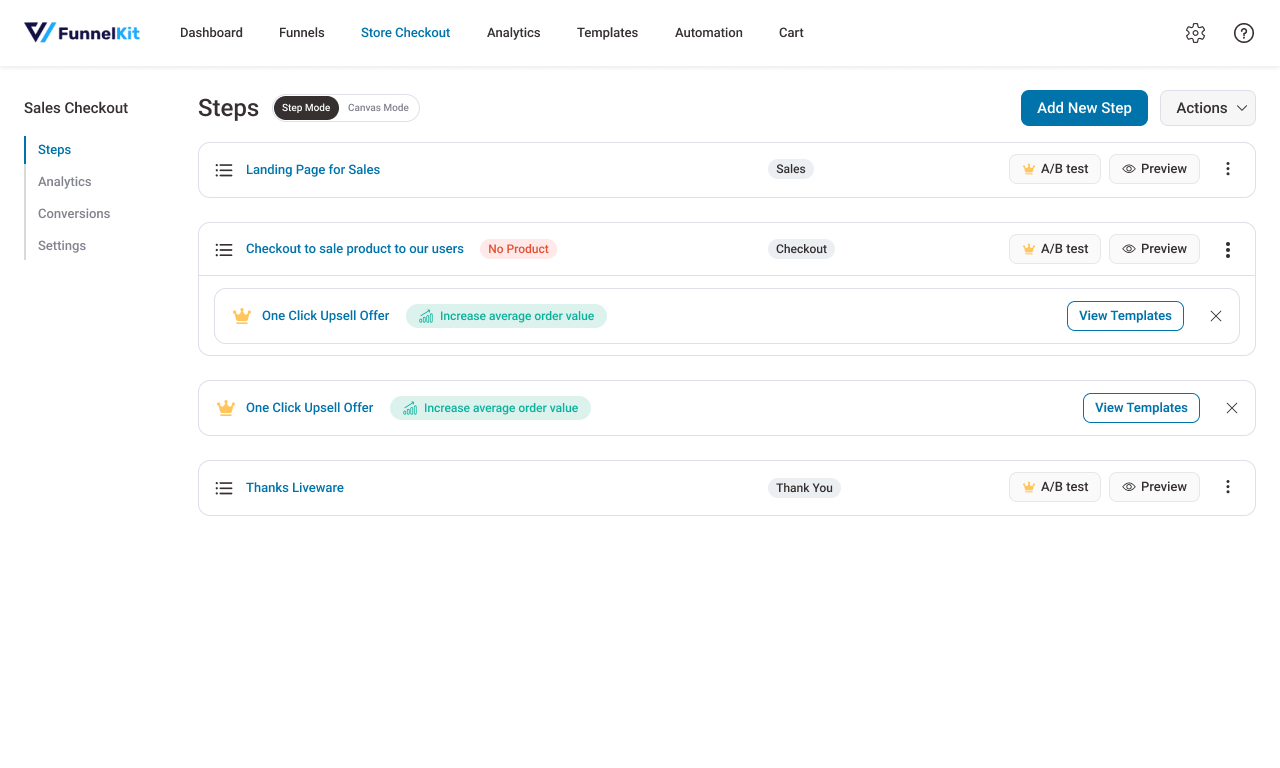
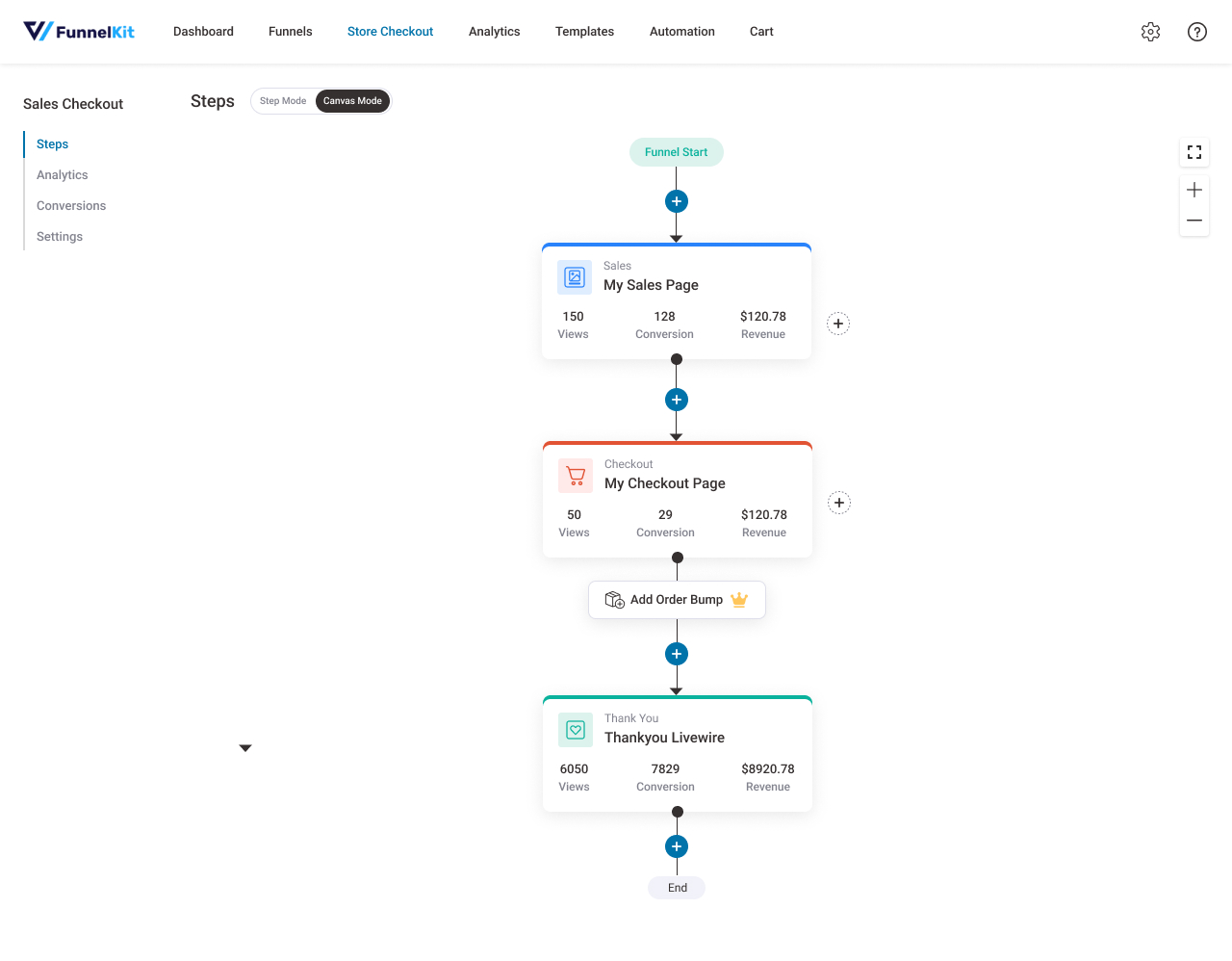
First 4 of 8, from WordPress.org.

Tagged

Plugins that share its tags

#630 by installs

Brazilian Market on WooCommerce

by Claudio Sanches

Adds Brazilian checkout fields in WooCommerce

Installs
60,000+
Rating
4.8 (515)
Updated
3 years ago

#841 by installs

reCAPTCHA for WooCommerce

by Elliot Sowersby / RelyWP

Add Google reCAPTCHA to your WooCommerce Checkout, Login, and Registration Forms. 100% free!

Installs
40,000+
Rating
4.6 (76)
Updated
3 months ago

Where this page's numbers come from

Read from the WordPress.org plugin API on , when WordPress 7.1.4 was the current release. WordPress.org rounds active installs into buckets. These are the directory's figures, not my verdict, and I haven't tested this plugin.