
#228 by installs
ReCaptcha v2 for Contact Form 7
Adds reCaptcha v2 from Contact Form 7 5.0.5 that was dropped on Contact Form 7 5.1
- Installs
- 200,000+
- Rating
- 5.0 (89)
- Updated
- 5 months ago

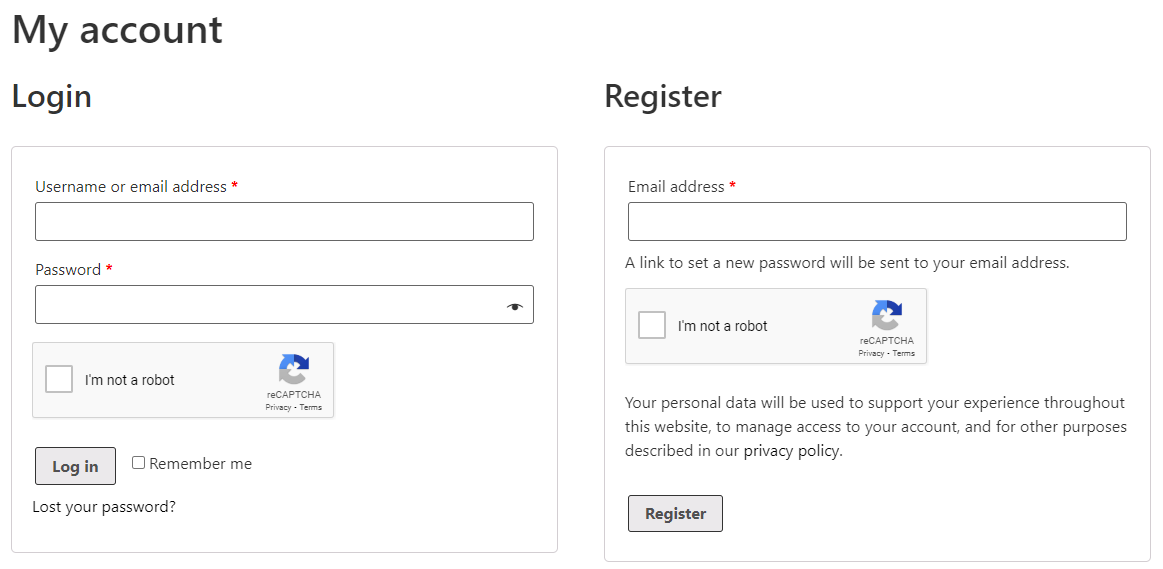
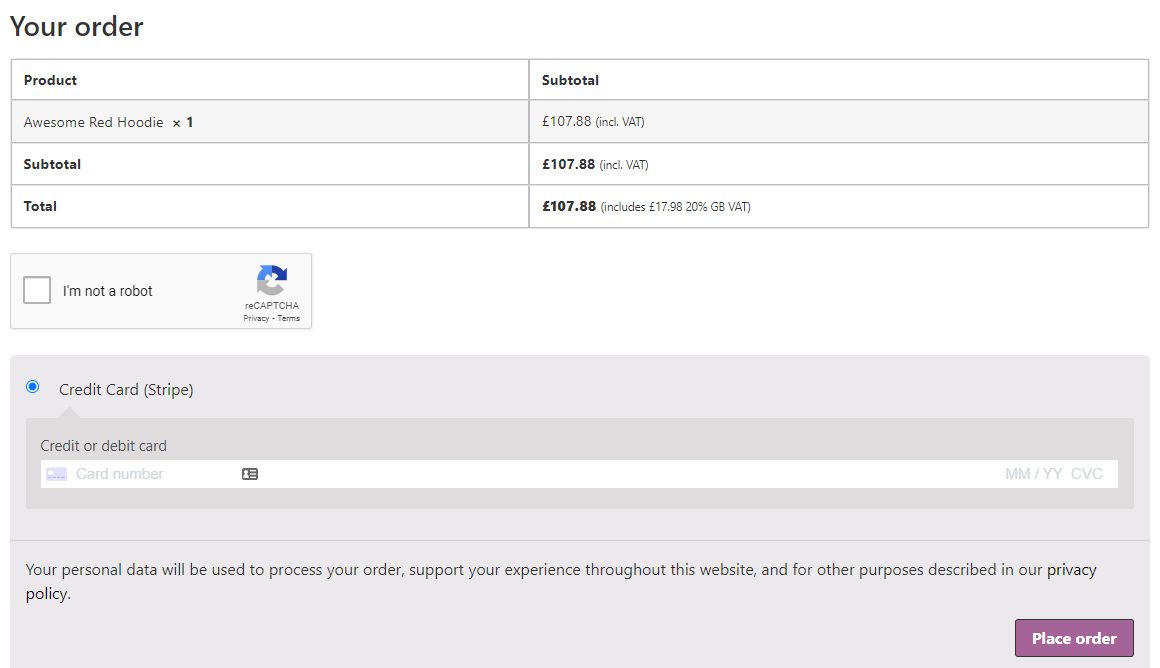
Add Google reCAPTCHA to your WooCommerce Checkout, Login, and Registration Forms. 100% free!
| Last updated | July 24, 2026Updated in the last year |
|---|---|
| Tested up to | WordPress 7.0.8Older than WordPress 7.1.4, the current release |
| Needs WordPress | 4.7 or newer |
| Needs PHP | Not stated |
| First published | June 7, 2022 |
| Support, last two months | 0 of 2 threads resolved (0%) |
4.6 / 5 from 76 reviews
| 5 stars | 66 |
|---|---|
| 4 stars | 2 |
| 3 stars | 1 |
| 2 stars | 1 |
| 1 star | 6 |
Easily add Google reCAPTCHA to WooCommerce checkout and forms to help prevent spam.
Supported Forms
You can currently enable the reCAPTCHA on the following forms:
WooCommerce
WordPress
Getting Started
Simply generate your Google reCAPTCHA v2 site “key” and “secret” and add these to the settings.
Choose which forms you want it to show on, and set the theme to either dark or light.
A new reCAPTCHA WooCommerce field will then be displayed on your checkout, and other selected forms to protect them from spam!
Localisation
The language for the WooCommerce reCAPTCHA will be automatically set based on your sites default language.
Is it free to use?
Yes, this plugin is completely free with no paid version.
Google reCAPTCHA is also a completely free service. You can view their privacy policy here and terms and conditions here.
Please consider helping out by leaving a review, or donate.
Alternative Plugin
Want a user-friendly, privacy-preserving reCAPTCHA alternative? Check out the Simple Cloudflare Turnstile plugin instead (100% free).
The opening of the plugin's own description. The full text, installation notes and changelog are on its WordPress.org page.
You can get your reCAPTCHA keys by visiting the Google reCAPTCHA admin page. You will need to register your site and select the reCAPTCHA v2 option. Once registered, you will be given a site key and secret key to use in the plugin settings.
You can report security bugs through the Patchstack Vulnerability Disclosure Program. The Patchstack team helps validate, triage and handle any security vulnerabilities. Report a security vulnerability.
#228 by installs
Adds reCaptcha v2 from Contact Form 7 5.0.5 that was dropped on Contact Form 7 5.1

#237 by installs
Add Cloudflare Turnstile to WordPress, WooCommerce, Contact Forms & more. The user-friendly, privacy-preserving reCAPTCHA alternative. 100% free!

#556 by installs
The strongest CAPTCHA. Switch from reCAPTCHA and Turnstile for free. Works with 60+ integrations: Contact Form 7, Elementor, WooCommerce, Divi, etc.

#630 by installs
Adds Brazilian checkout fields in WooCommerce

#8 by installs
The best anti-spam protection to block spam comments and spam in a contact form. The most trusted antispam solution for WordPress and WooCommerce.

#74 by installs
Native integration with Google that allows merchants to easily display their products across Google’s network.
Read from the WordPress.org plugin API on , when WordPress 7.1.4 was the current release. WordPress.org rounds active installs into buckets. These are the directory's figures, not my verdict, and I haven't tested this plugin. The author takes donations at their donate page.