Type to search.

#953 by installs

Sliding Cart for WooCommerce by FunnelKit – Skip Cart & Reach WooCommerce Checkout Faster

by FunnelKitVersion 1.9.1.2

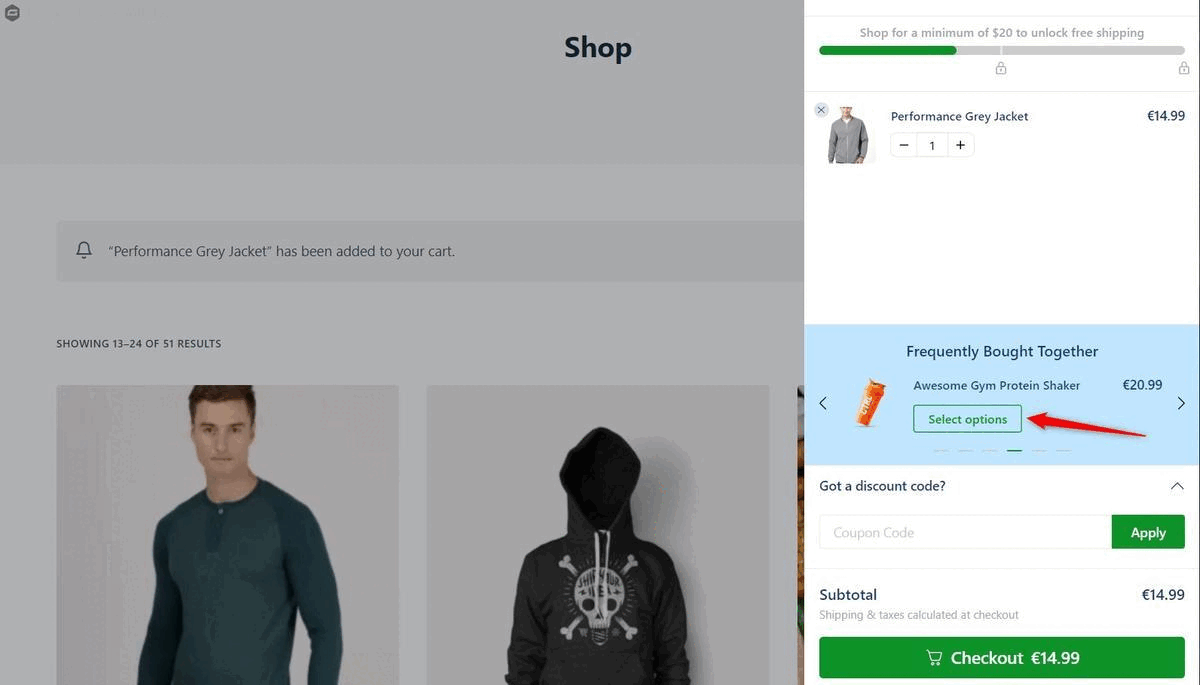
FunnelKit Cart adds a beautiful sliding cart to your WooCommerce store. Let the buyers add items, edit quantity and add upsells on the side cart.

Active installs
30,000+
#953 of 1,000
Downloads, all time
292.7K
292,749
Downloads, 30 days
4.3K
983 in the last 7
Rating
5.0 / 5
111 reviews
Last updated
3 months ago
Aug 14, 2026
Version
1.9.1.2
21 releases

Upkeep and compatibility

Last updatedAugust 14, 2026Updated in the last 3 months
Tested up toWordPress 7.0.8Older than WordPress 7.1.4, the current release
Needs WordPress5.0 or newer
Needs PHP7.0 or newer
First publishedMarch 11, 2023
Support, last two months2 of 2 threads resolved (100%)

Reviews

5.0 / 5 from 111 reviews

Reviews by star rating
5 stars110
4 stars0
3 stars1
2 stars0
1 star0

Downloads, last 30 days

Low 93 a dayHigh 209 a day

What the author says it does

FunnelKit Cart adds a beautiful sliding cart to your WooCommerce store. Let the buyers add items, edit quantity and add upsells (Pro) on the side cart.

Skip the WooCommerce cart page and direct users to the checkout page for a much faster checkout process.

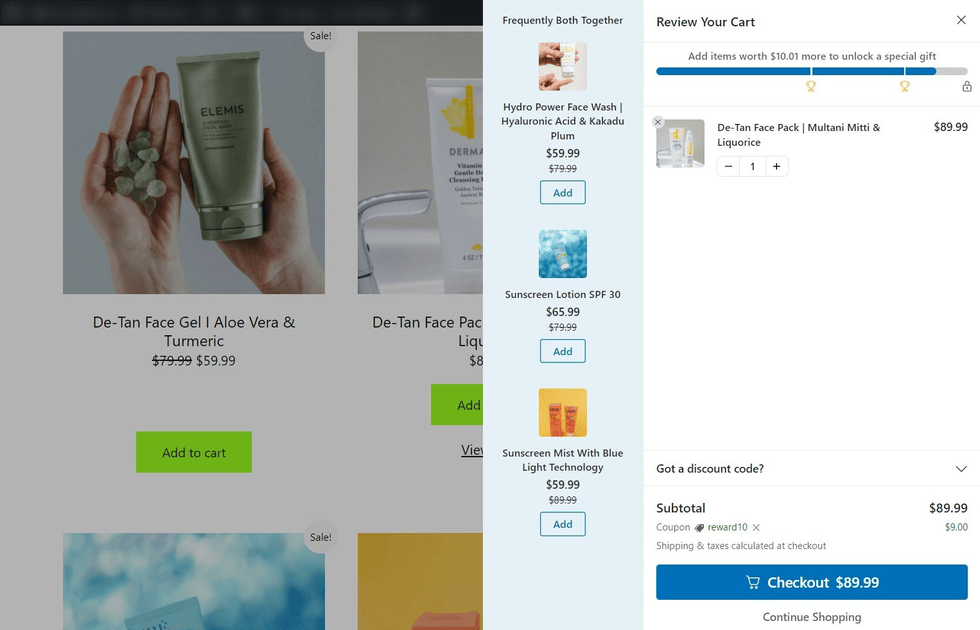
Use the Mini Cart icon in the header to trigger the side cart and have all the cart-related information at your fingertips. Shoppers can even modify their cart items and add more items to unlock smart rewards like discounts, gifts, and more.

Watch The Complete Tutorial

How Does it Work?

The Cart Icon gives shoppers access to their shopping cart items from wherever they are on the website.

Shoppers can easily add/remove items from their WooCommerce carts, providing them with a seamless buying experience.

Further, it gives users quick access to the checkout page by completely bypassing the conventional WooCommerce cart page.

Why is the WooCommerce Cart by FunnelKit unique?

If you need to transform your static WooCommerce cart into a dynamic, modern swipe cart – you need the FunnelKit Cart.

  • Get a stylish slide-in shopping cart section in WooCommerce
  • Present variable products inside the WooCommerce side cart
  • Pitch one-click upsell and cross-sell offers right inside the WooCommerce mini cart
  • Add milestone-based rewards and encourage shoppers to buy more

The opening of the plugin's own description. The full text, installation notes and changelog are on its WordPress.org page.

Questions the author answers

How do I add FunnelKit Cart to my WooCommerce store?

To get the Lite version, install the FunnelKit Cart plugin just like you install any other WordPress plugin and activate it.

To get the Pro version, upgrade to FunnelKit Pro. Please note that the premium version of FunnelKit’s side cart for WooCommerce is available to all FunnelKit users of the Plus plan and above.

How do I create a mini cart in WooCommerce?

FunnelKit Cart is a dynamic mini cart for WooCommerce stores. Install the plugin, go to the dashboard and customize the mini cart – change colors, add text, headings, and more.

What is the Cart Icon?

The Cart Icon is an icon at the bottom of your website. Shoppers can access their WooCommerce cart items by clicking on the icon regardless of where they are on the website.

Can I add my brand colors to the FunnelKit Cart?

Yes, FunnelKit Cart gives you a host of styling options to customize your WooCommerce mini cart as per your brand colors.

Do I need a page builder to edit the WooCommerce cart page?

No, you do not need any page builder to edit your floating cart. FunnelKit Cart replaces the default WooCommerce cart page and makes way for an efficient buying process. It comes with built-in customization options.

You can do all the customizations inside the WordPress dashboard without any page builder.

How many default upsell offers can I add?

You can add as many upsell offers to your shopping cart as you want. However, we suggest 3 to 5 items.

Latest changelog entry

1.9.1.2

  • Fixed: Issue with add to cart failing for variations with encoded attributes value. (#1158)
  • Fixed: Undefined wc_cart_fragments object javascript errors in case of third party plugin/themes using it. (#1155)
  • Fixed: Mysql tables are not getting created correctly on these versions MySQL 8.0.16+/MariaDB 10.5+. (#1151)

Screenshots

First 4 of 8, from WordPress.org.

Tagged

Plugins that share its tags

#637 by installs

Modern Cart – WooCommerce Side Cart & Popup Cart

by Brainstorm Force

Modern Cart gives your store a side cart and free shipping bar so shoppers stay on the page, spend more to unlock rewards, and check out in seconds.

Installs
60,000+
Rating
4.9 (16)
Updated
22 days ago

Where this page's numbers come from

Read from the WordPress.org plugin API on , when WordPress 7.1.4 was the current release. WordPress.org rounds active installs into buckets. These are the directory's figures, not my verdict, and I haven't tested this plugin.