
#553 by installs
Side Cart Woocommerce | Woocommerce Cart
A powerful side cart designed to make shopping faster and easier. Give customers instant cart access and a seamless checkout experience
- Installs
- 70,000+
- Rating
- 4.9 (453)
- Updated
- 20 days ago

Modern Cart gives your store a side cart and free shipping bar so shoppers stay on the page, spend more to unlock rewards, and check out in seconds.
| Last updated | October 9, 2026Updated in the last 3 months |
|---|---|
| Tested up to | WordPress 7.1.4Covers WordPress 7.1.4, the current release |
| Needs WordPress | 5.4 or newer |
| Needs PHP | 7.4 or newer |
| Needs plugins | woocommerce |
| First published | September 9, 2025 |
| Support, last two months | 2 of 2 threads resolved (100%) |
4.9 / 5 from 16 reviews
| 5 stars | 15 |
|---|---|
| 4 stars | 1 |
| 3 stars | 0 |
| 2 stars | 0 |
| 1 star | 0 |
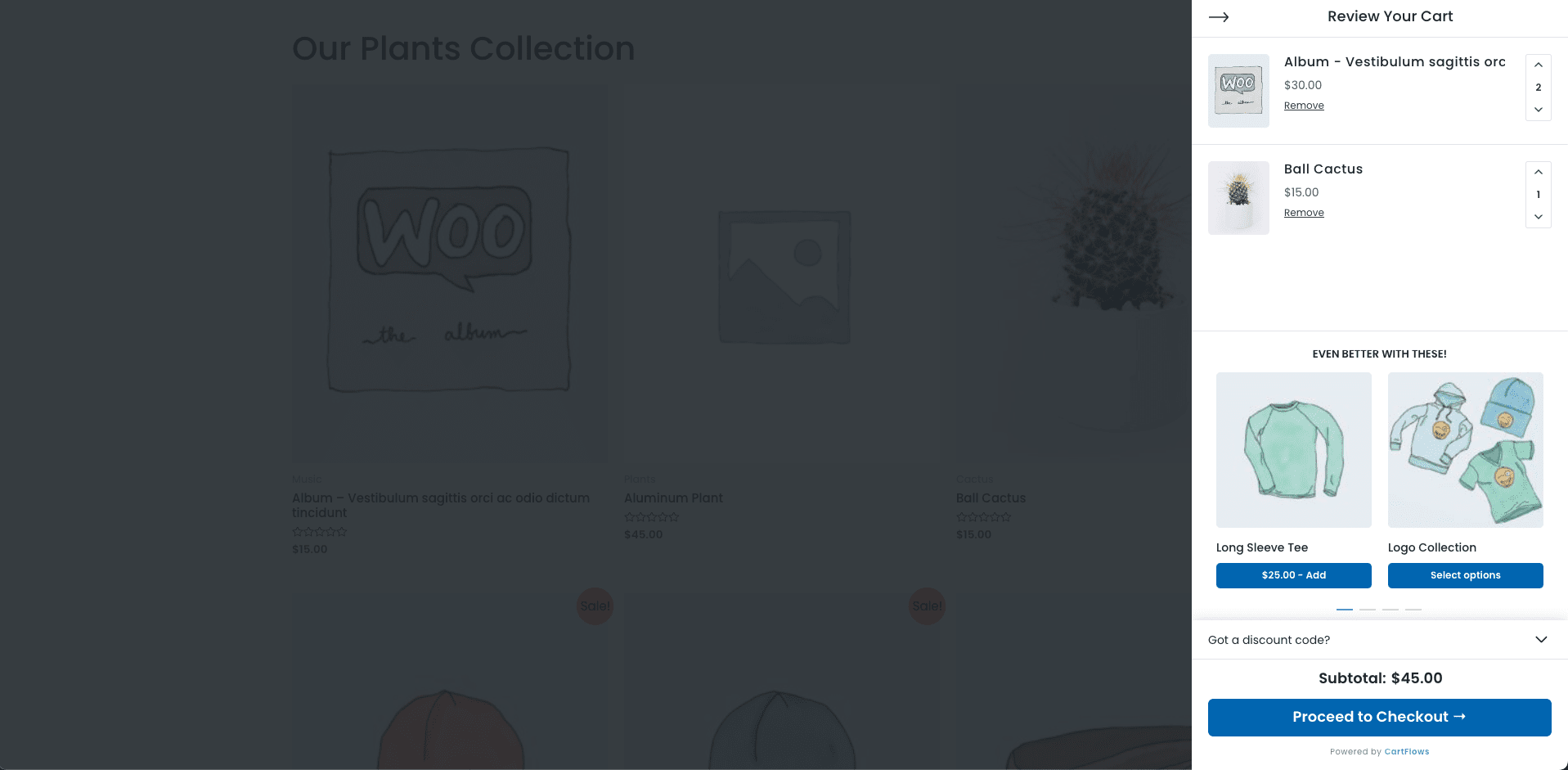
Modern Cart is the ultimate WooCommerce side cart plugin that replaces your clunky default cart page with a smooth slide-out cart drawer or popup cart – all powered by AJAX so customers never leave the page they’re on.
Stop losing sales to the default WooCommerce cart page. Every time a shopper gets redirected to a separate cart page, you lose momentum. A WooCommerce side cart fixes this instantly so the cart slides open right on the page, no redirect, no reload, no lost sale.
Add a free shipping progress bar, in-cart upsells, and a built-in coupon form on top, and every cart visit becomes an opportunity to grow your average order value.
Try the live demo of Modern Cart
Why Your Store Needs a WooCommerce Side Cart
The default WooCommerce cart page kills conversions. Shoppers click “Add to Cart,” get bounced to a separate page, and lose interest. That friction costs you real money every single day.
A WooCommerce side cart (also called a cart drawer, sliding cart, or floating cart) solves this immediately. The cart opens right there on the page – no redirect, no reload.
A floating cart icon stays pinned in the corner at all times so shoppers always know what’s in their cart and can open it from anywhere on your store.
🏆 Trusted by 4,000,000+ WordPress users worldwide • Built by Brainstorm Force, the team behind CartFlows and Astra Theme.
Powerful Features 🚀
The opening of the plugin's own description. The full text, installation notes and changelog are on its WordPress.org page.
They all refer to the same type of WooCommerce cart experience. A WooCommerce side cart (or cart drawer, or sliding cart) is a panel that slides in from the side of the screen when a product is added or the cart icon is clicked. A floating cart refers to the sticky cart icon always visible in the corner of the page. Modern Cart includes all of these in one plugin.
Yes! The slide-out side cart is a full WooCommerce cart drawer. It slides in from the side when a product is added or the floating cart icon is clicked. Customers can manage their entire cart without leaving the page – no redirect, no reload.
Absolutely. Modern Cart works as a complete WooCommerce mini cart replacement. The floating cart icon shows the live item count at all times, and clicking it opens the full side cart drawer or popup. No separate mini cart widget is needed.
Enable the free shipping progress bar in Modern Cart settings. It automatically reads your WooCommerce free shipping threshold and displays a dynamic progress bar inside the side cart showing customers exactly how much more they need to spend to qualify. It consistently drives customers to add one more item – one of the most effective AOV tactics available.
Every cart action – adding products, updating quantities, removing items, applying coupons – happens via AJAX with zero page reload. The floating cart icon and side cart drawer always show live, up-to-date totals instantly as customers shop.
Yes! The built-in coupon form lets customers enter and apply discount codes directly inside the cart drawer. Totals update instantly. For rule-based, auto-apply, and bulk coupons, pair it with Power Coupons for WooCommerce.
#553 by installs
A powerful side cart designed to make shopping faster and easier. Give customers instant cart access and a seamless checkout experience

FunnelKit Cart adds a beautiful sliding cart to your WooCommerce store. Let the buyers add items, edit quantity and add upsells on the side cart.
Read from the WordPress.org plugin API on , when WordPress 7.1.4 was the current release. WordPress.org rounds active installs into buckets. These are the directory's figures, not my verdict, and I haven't tested this plugin.