
#14 by installs
UpdraftPlus: WP Backup & Migration Plugin
Backup, restore or migrate your WordPress website to another host or domain. Schedule backups or run manually. Migrate in minutes.
- Installs
- 4+ million
- Rating
- 4.8 (8.7K)
- Updated
- 5 days ago

Import and export your widgets.
| Last updated | October 15, 2026Updated in the last 3 months |
|---|---|
| Tested up to | WordPress 7.1.4Covers WordPress 7.1.4, the current release |
| Needs WordPress | 4.4 or newer |
| Needs PHP | 5.2.4 or newer |
| First published | July 15, 2013 |
| Support, last two months | 0 of 1 threads resolved (0%) |
4.7 / 5 from 117 reviews
| 5 stars | 105 |
|---|---|
| 4 stars | 3 |
| 3 stars | 1 |
| 2 stars | 1 |
| 1 star | 7 |
Widget Importer & Exporter is useful for moving widgets from one WordPress site to another, backing up widgets and for theme developers to give users sample widgets. See the details on ChurchThemes.com.
Importing
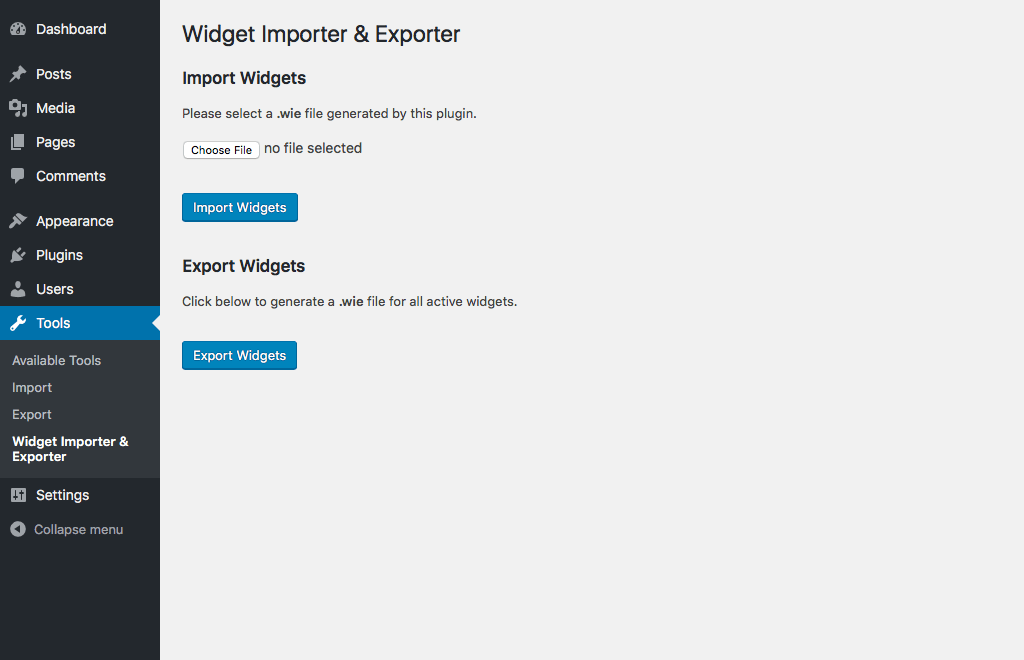
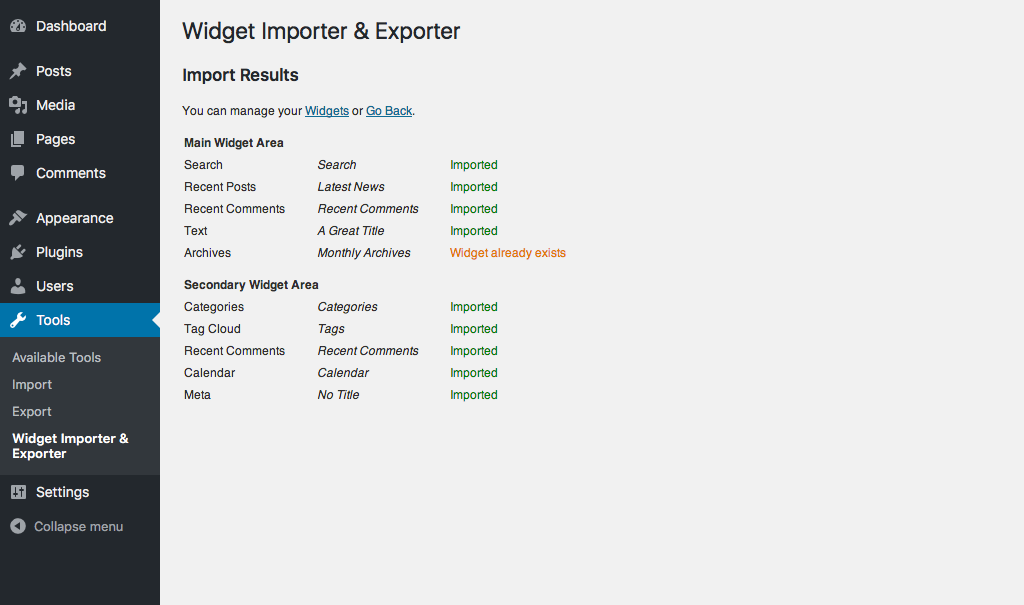
Importing is done by uploading an export file created by the plugin. The results of an import are shown in a nicely formatted table with an explanation of what happened with each widget area and widget.
Importation takes into consideration widget areas not existing in the current theme (widgets imported as Inactive), widgets that already exist in the same widget area (widgets not duplicated) and widgets that are not supported by the site (widgets not imported).
Exporting
Widget Importer & Exporter can create an export file (in JSON format with .wie extension) out of currently active widgets. This file can be imported into other sites using this plugin or used to restore widgets to the same site later.
Developers
The wie_before_import action fires after a file is uploaded but before the data is imported. wie_after_import fires after the data is imported. The wie_import_data filter can be used to filter data before it is imported. Other filters are used throughout. Make a pull request on GitHub if you need another hook.
Please jump on GitHub to report issues and follow development.
The opening of the plugin's own description. The full text, installation notes and changelog are on its WordPress.org page.
The export file contains JSON data that is not compatible with any other plugin. Therefore it has a proprietary file extension. This keeps people from confusing export files from other widget import/export plugins.
See releases on GitHub.
#14 by installs
Backup, restore or migrate your WordPress website to another host or domain. Schedule backups or run manually. Migrate in minutes.

#17 by installs
Connect ChatGPT, Claude, or another AI agent to your site. Plus backup, malware scan, firewall, stats, CDN, and SEO tools in one plugin.
The best WordPress backup and migration plugin. Quickly and easily backup ,migrate, copy, move, or clone your site from one location to another.

#62 by installs
Import your demo content, widgets and theme settings with one click. Theme authors! Enable simple theme demo import for your users.

#309 by installs
Easily export or import your WordPress customizer settings!

#519 by installs
Backup, migrate, and create staging sites with free cloud storage and support.
Read from the WordPress.org plugin API on , when WordPress 7.1.4 was the current release. WordPress.org rounds active installs into buckets. These are the directory's figures, not my verdict, and I haven't tested this plugin.
