
Compress and optimize images, enable lazy load, serve WebP & AVIF, and speed up your site with a global image CDN.
- Installs
- 1+ million
- Rating
- 4.8 (6.1K)
- Updated
- 11 days ago

Speed up your website by using our WebP & AVIF Converter. Optimize images and serve WebP and AVIF images instead of standard formats!
| Last updated | October 30, 2026Updated in the last 3 months |
|---|---|
| Tested up to | WordPress 7.1.4Covers WordPress 7.1.4, the current release |
| Needs WordPress | 4.9 or newer |
| Needs PHP | 7.4 or newer |
| First published | June 16, 2019 |
| Support, last two months | 2 of 3 threads resolved (67%) |
4.9 / 5 from 1,106 reviews
| 5 stars | 1,061 |
|---|---|
| 4 stars | 16 |
| 3 stars | 6 |
| 2 stars | 5 |
| 1 star | 18 |
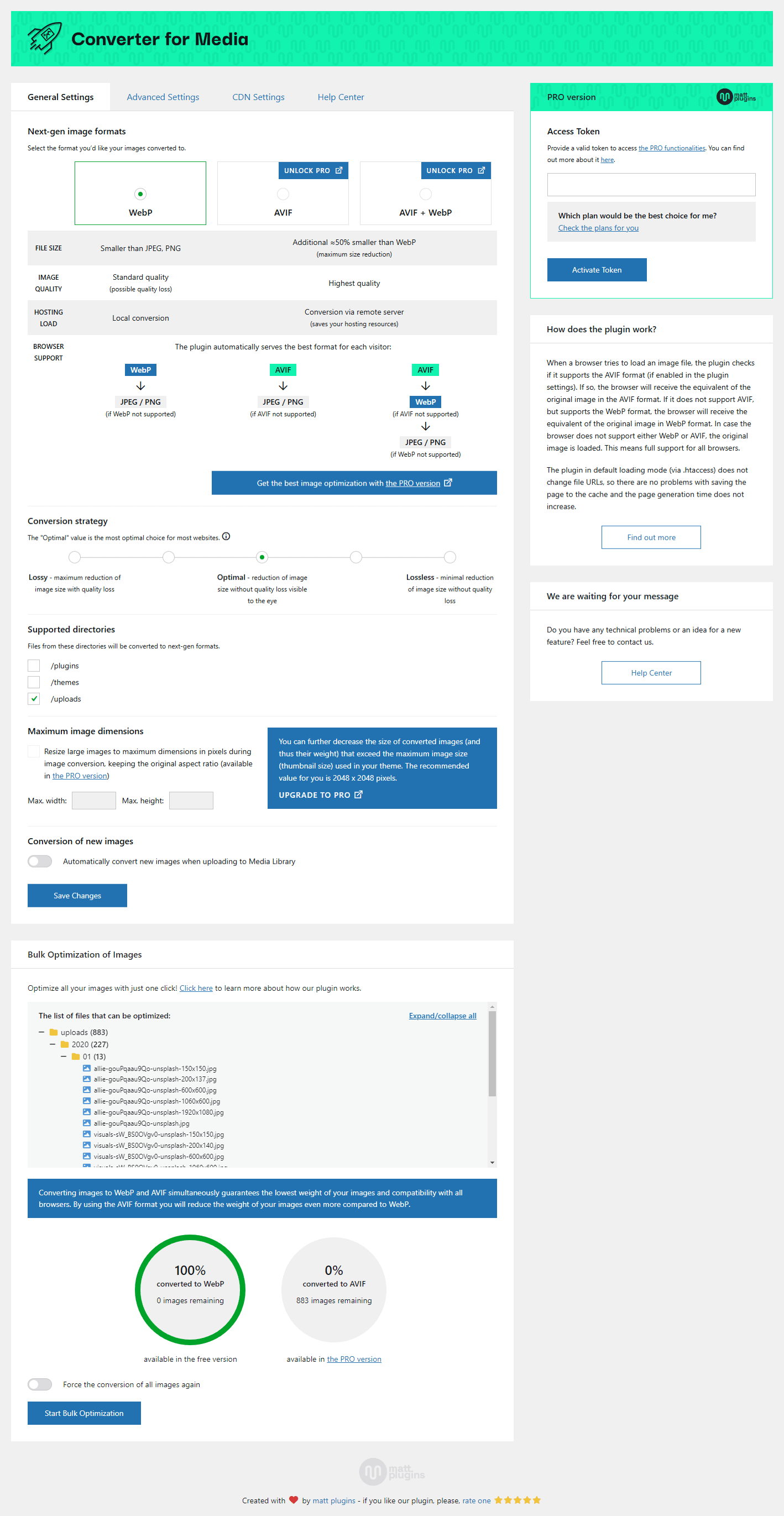
Speed up your website using our ease image optimizer by serving WebP and AVIF images. By replacing files in standard JPEG, PNG and GIF formats with WebP and AVIF formats, you can save over a half of the page weight without losing quality.
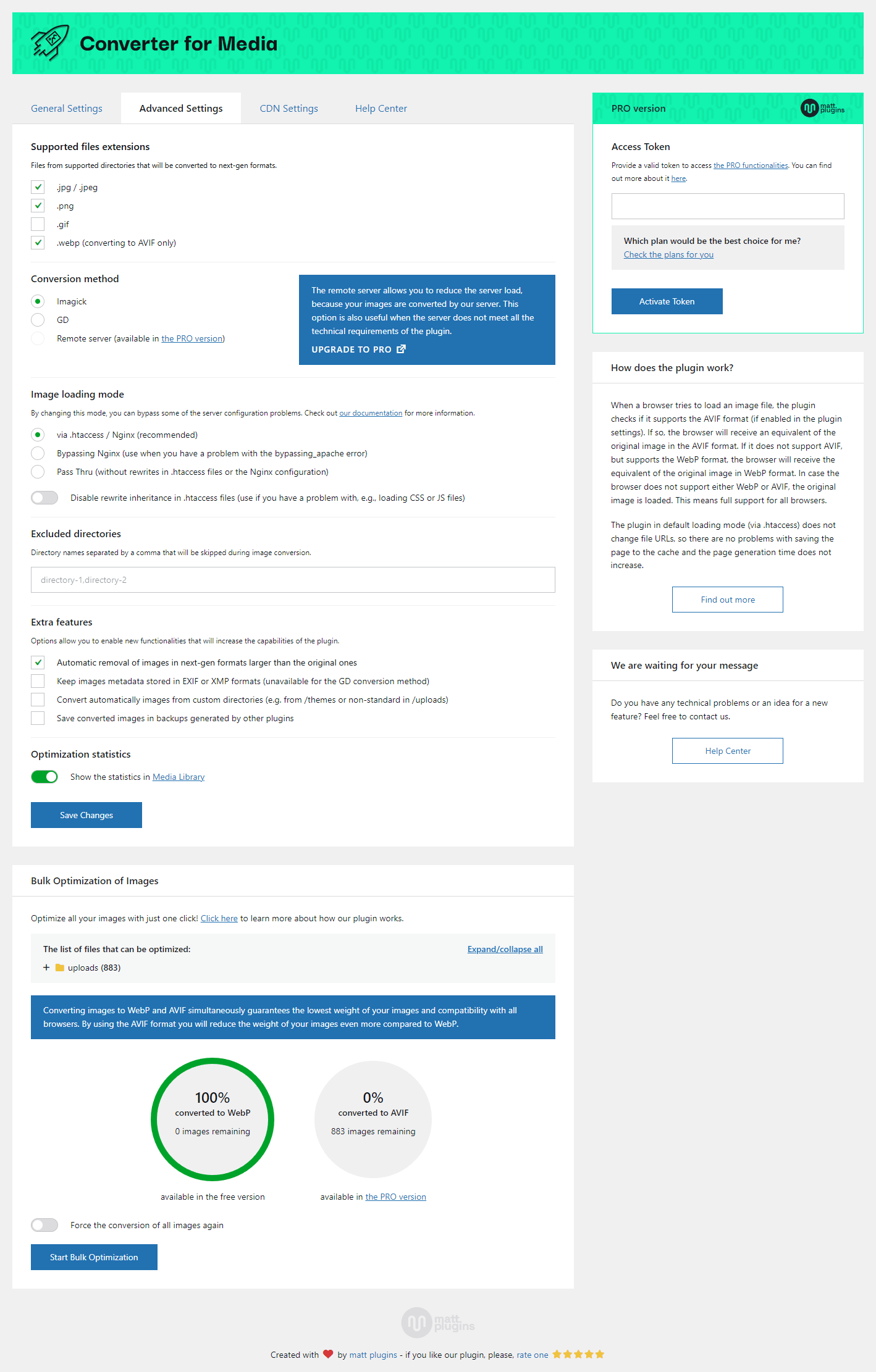
After installing the plugin, you can optimize your entire Media Library with a single click — no further action required. When image optimization finishes, every visitor will automatically receive new images with significantly reduced file sizes.
As of today, over 95% of users use browsers that support the WebP format. The loading time of your website depends to a large extent on its weight and the level of image optimization. Using our WebP Converter, now you can and speed up it in a few seconds without much effort!
This will be a profit both for your users who will not have to download so much data, but also for a server that will be less loaded. Remember that a better optimized website also affects your Google ranking. Image optimization is very important.
AVIF support
Now in the PRO version you can use AVIF as the output format for your images. The AVIF format is a new extension — is the successor to WebP. Images converted to the AVIF format weigh about 50% less than images converted only to the WebP format, while maintaining better image quality.
The opening of the plugin's own description. The full text, installation notes and changelog are on its WordPress.org page.
You can report security bugs through the Patchstack Vulnerability Disclosure Program. The Patchstack team help validate, triage and handle any security vulnerabilities.
Report a security vulnerability
Before you add a new thread, read all other questions in this FAQ and other threads in the support forum first. Perhaps someone had a similar problem and it has been resolved.
When adding a thread, follow these steps and reply to each of them:
1. Do you have any errors on the plugin settings page? Please read this thread if you have any errors.
2. URL of your website.
If you are using a Nginx server that does not support .htaccess rules, additional Nginx server configuration is required for the plugin to work properly.
Please read this tutorial for more information.
If you are using a Nginx server that supports .htaccess rules, but you still have a server configuration error on the plugin settings page, additional Nginx server configuration is required for the plugin to work properly.
Please read this tutorial for more information.
If you have an error on the plugin settings screen, first of all, please read it carefully. They are displayed when there is a problem with the configuration of your server or website.
The messages are designed to reduce the number of support requests that are repeated. It saves your and our time. Please read this thread for more information.
You can get several types of errors when converting. First of all, carefully read their content. For the most part, you can solve this problem yourself. Try to do this or contact the server administrator.
If you get an error: File "%s" does not exist. Please check file path. means that the file_exists() function in PHP returned false using the file path given in the error message.

Compress and optimize images, enable lazy load, serve WebP & AVIF, and speed up your site with a global image CDN.
Image optimization in 1‑click: compress, resize & convert to WebP/AVIF – free up to 20MB/month. Enjoy the easiest WordPress image optimizer to set up.
Compress images & PDFs automatically, convert to WebP & AVIF, and generate SEO-friendly filenames with AI. Bulk optimization, smart crop & resize.

Automatically optimize images with bulk compression, lazy loading, WebP/AVIF conversion & CloudFront image CDN. Boost Core Web Vitals & conversions.
Unlimited automatic image optimization for WordPress. Compress images, convert to WebP, and improve site speed without losing image quality.
Image Optimizer is an easy-to-use WordPress plugin that reduces image size through various compression and resizing techniques – all of which preserve …
Read from the WordPress.org plugin API on , when WordPress 7.1.4 was the current release. WordPress.org rounds active installs into buckets. These are the directory's figures, not my verdict, and I haven't tested this plugin. The author takes donations at their donate page.



