
Site Kit is a one-stop solution for WordPress users to use everything Google has to offer to make them successful on the web.
- Installs
- 5+ million
- Rating
- 4.2 (1K)
- Updated
- 12 days ago

Ultimate user feedback plugin to ask questions, surveys, polls, from your website in seconds
| Last updated | September 16, 2026Updated in the last 3 months |
|---|---|
| Tested up to | WordPress 7.0.8Older than WordPress 7.1.4, the current release |
| Needs WordPress | 5.9.0 or newer |
| Needs PHP | 7.4 or newer |
| First published | January 31, 2023 |
| Support, last two months | No threads opened |
4.8 / 5 from 309 reviews
| 5 stars | 285 |
|---|---|
| 4 stars | 7 |
| 3 stars | 3 |
| 2 stars | 2 |
| 1 star | 12 |
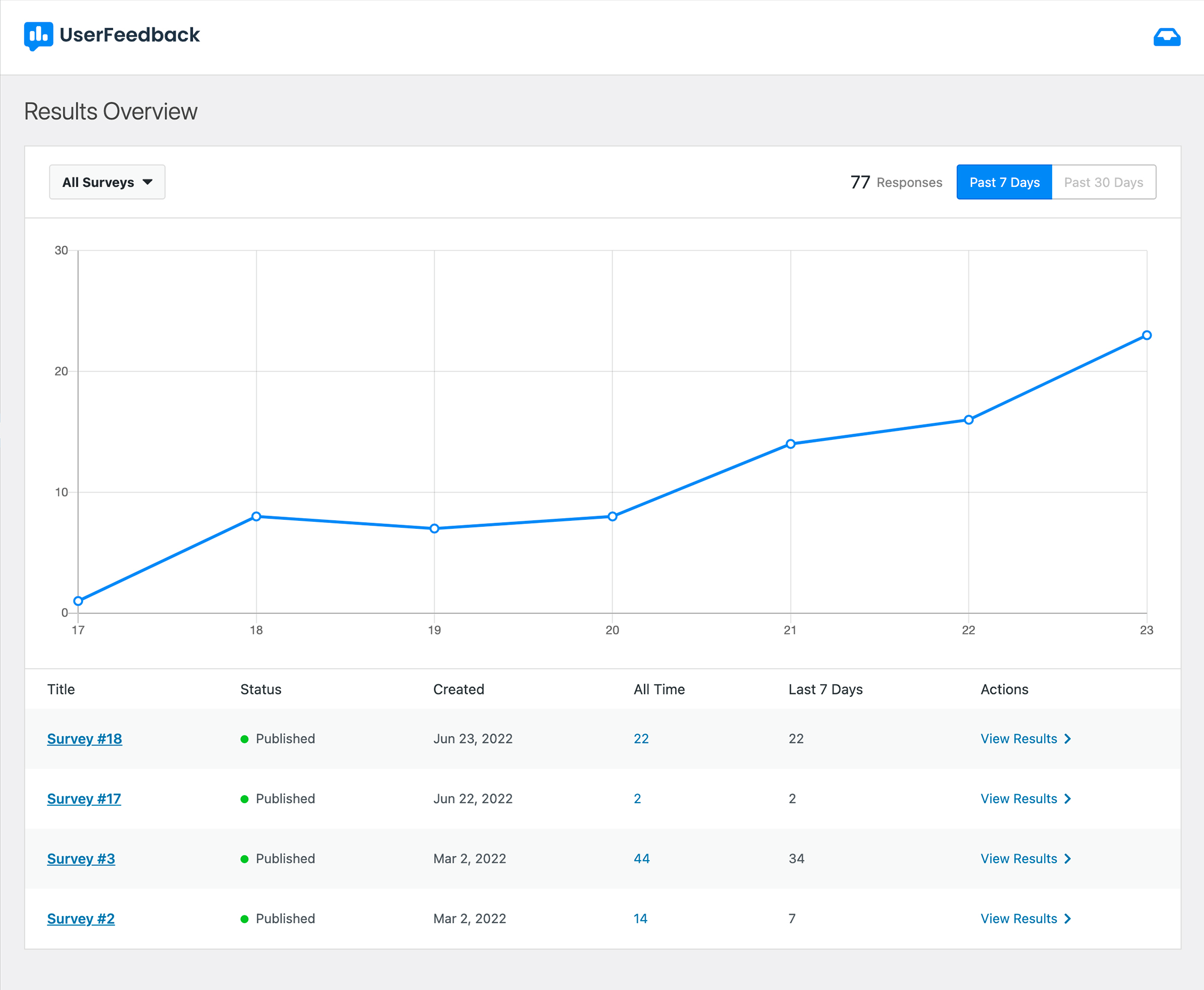
Our UserFeedback WordPress plugin helps you increase website engagement, get more traffic, and make more money by collecting user feedback from your website visitors in realtime.
Most website analytics tools show you WHAT your users are doing, but now with our UserFeedback plugin, you can finally see WHY they are doing it. Collecting real user feedback allows you to learn what features are missing from your site, find new relevant products for your store, understand how memorable your brand is, create visitor requested content, increase website engagement and much more. The sky’s the limit with what you can ask.
Our goal at UserFeedback is to help you grow your business by understanding what your users are really thinking for any type of website, so that you can maximize each visitor’s experience and increase website engagement.
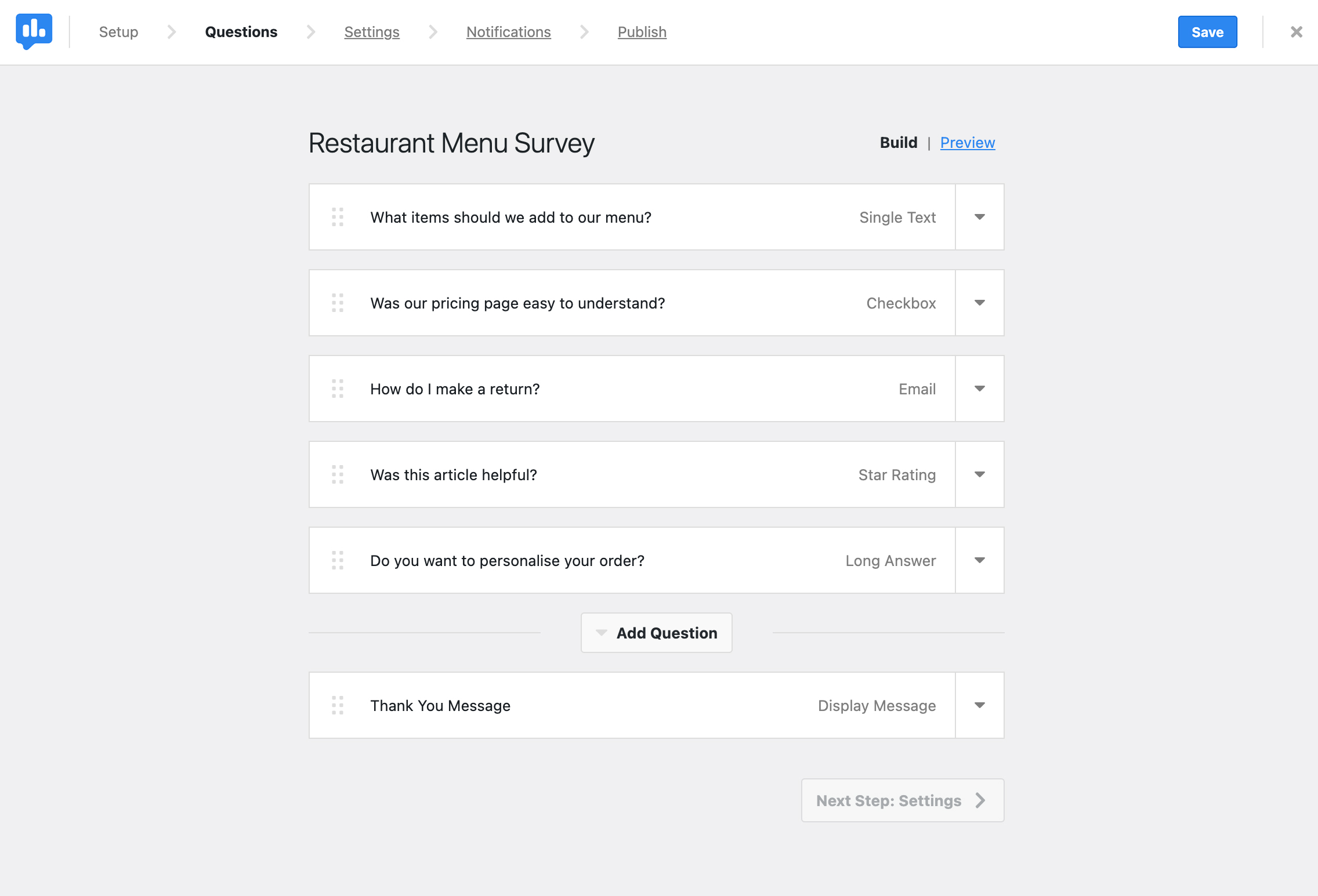
Launching a user feedback survey is extremely simple, with no coding needed. Simply install our plugin, select what type of user feedback you want to collect from our easy to use templates, and start collecting feedback!
The UserFeedback survey widget will show up on your website automatically, allowing you to gather insights immediately when and where you want insights or user feedback.
The opening of the plugin's own description. The full text, installation notes and changelog are on its WordPress.org page.
Most analytics tools show you what is happening on your website via page views and events, but with UserFeedback you can finally learn why visitors are engaging with your content, store, or community by asking simple questions. Use UserFeedback to ask why someone took an action, or why they didn’t, so that you can optimize each user’s experience.
Support is provided exclusively on our website.
For documentation, tutorials, FAQ and videos check out: UserFeedback Documentation.


Site Kit is a one-stop solution for WordPress users to use everything Google has to offer to make them successful on the web.
The best free Google Analytics plugin for WordPress. See how visitors find and use your website so you can grow your business with powerful analytics.
Cookieless, privacy-friendly WordPress analytics. GDPR/CCPA compliant visitor data and clear graphs, with no data sharing.

#149 by installs
Adds Google Analytics tracking code to your WordPress site. Supports many tracking features.
Connects Google Analytics with your WordPress site. Displays stats to help you understand your users and site content on a whole new level!

#211 by installs
Head and Footer plugin lets you to add HTML code to the head and footer sections of your site pages, inside posts... and more!
Read from the WordPress.org plugin API on , when WordPress 7.1.4 was the current release. WordPress.org rounds active installs into buckets. These are the directory's figures, not my verdict, and I haven't tested this plugin. The author takes donations at their donate page.


