
Type to search.

#60 by installscommercial

EWWW Image Optimizer

by Shane BishopVersion 8.9.1

Comprehensive image optimization with WebP, AVIF, Lazy Load, and more. Optimize images automatically for Faster Sites and Happy Visitors.

Active installs
1+ million
#60 of 1,000
Downloads, all time
51.2M
51,158,006
Downloads, 30 days
908.8K
342.5K in the last 7
Rating
4.8 / 5
1,842 reviews
Last updated
2 days ago
Oct 29, 2026
Version
8.9.1
76 releases

Upkeep and compatibility

Last updatedOctober 29, 2026Updated in the last 3 months
Tested up toWordPress 7.1.4Covers WordPress 7.1.4, the current release
Needs WordPress6.8 or newer
Needs PHP7.4 or newer
First publishedJune 7, 2012
Support, last two months1 of 6 threads resolved (17%)

Reviews

4.8 / 5 from 1,842 reviews

Reviews by star rating
5 stars1,666
4 stars71
3 stars18
2 stars14
1 star73

Downloads, last 30 days

Low 3.5K a dayHigh 276.8K a day

What the author says it does

Are you frustrated by a slow website? Do over-sized images make you say “ewww”… Image optimization with EWWW Image Optimizer helps you make your site faster, improve your bounce rate, and boost your SEO. But most importantly, make your visitors happier so they keep coming back for more.

Why use EWWW Image Optimizer?

Get all this for free:

  • Unlimited image optimization to compress images of any size
  • Local image optimization mode compatible with most web hosts
  • Lossless JPG, PNG, GIF, and SVG image optimization (8% average savings)
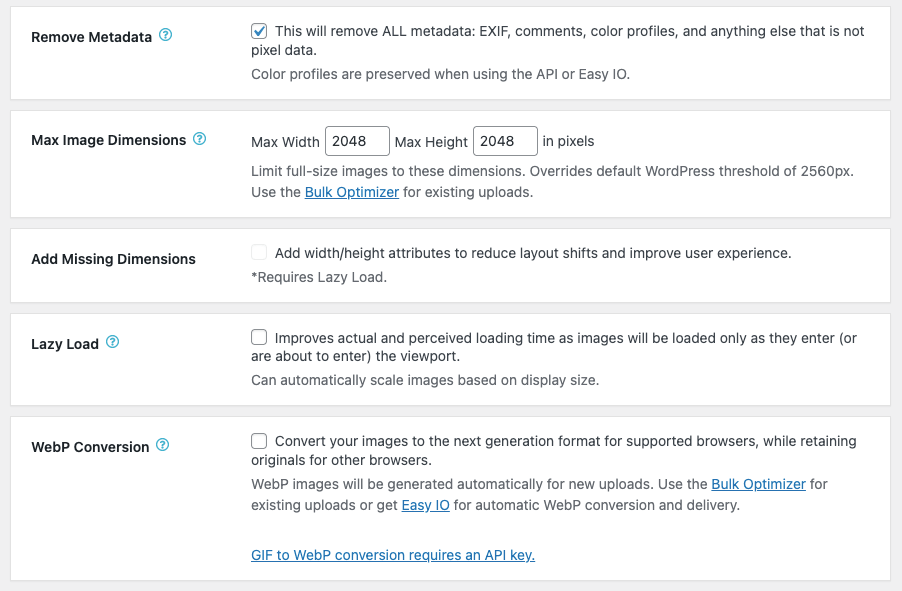
  • WebP conversion compatible with all web hosts (60% average savings)
  • Optimize images from any plugin
  • Image Detective to help you identify improperly scaled images and better optimize LCP images
  • Resize images at upload or in bulk
  • Lazy Load with auto-scaling for responsive images–uses properly-sized placeholders to prevent layout shift (CLS)
  • Sharpen thumbnail images for better quality
  • Adjust JPG and WebP quality (AVIF quality configurable in premium)
  • Control creation and optimization of individual WordPress thumbnails
  • Convert images to the best format (GIF to PNG, PNG to JPG or vice versa)
  • Local image backups
  • Preserve GIF animations in thumbnails
  • Free email support

The opening of the plugin's own description. The full text, installation notes and changelog are on its WordPress.org page.

Questions the author answers

Does the plugin remove EXIF and/or IPTC metadata?

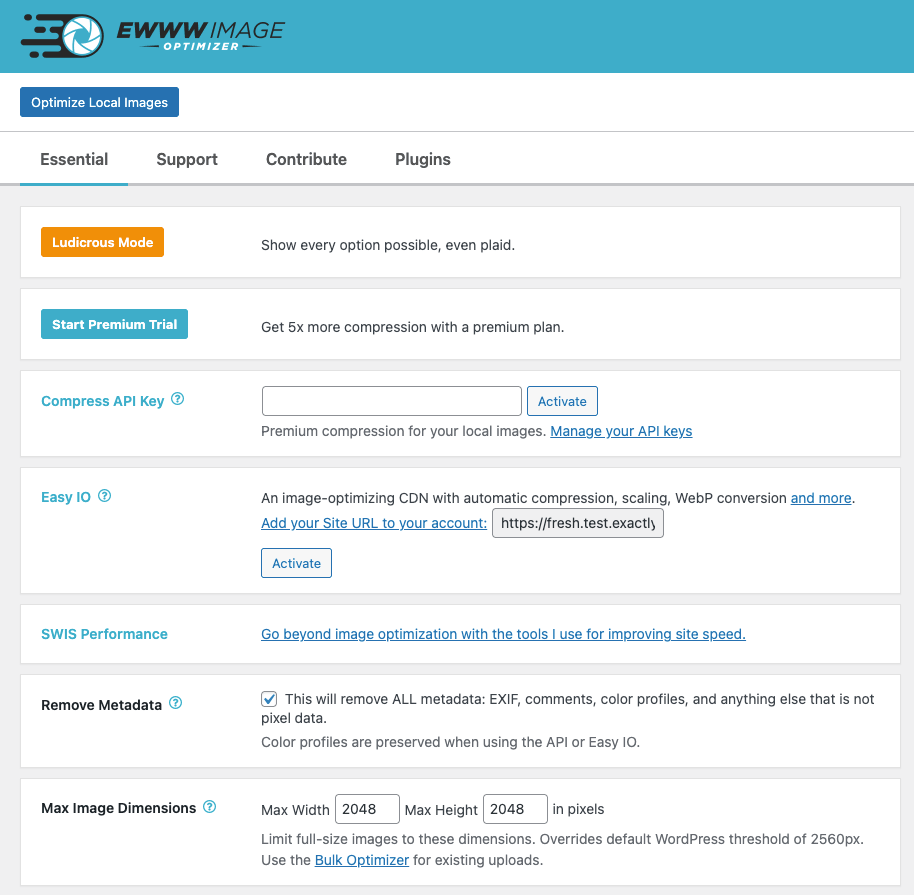
EWWW Image Optimizer will remove metadata by default, but if you need to keep the EXIF/IPTC data for copyright purposes, you can disable the Remove Metadata option.

EXIF data does not impact SEO, and it is recommended by Google (and just about everyone else) to remove EXIF data.

Google Pagespeed says my images need compressing or resizing, but I already optimized all my images. What do I do?

Try this for starters: https://docs.ewww.io/article/5-pagespeed-says-my-images-need-more-work

The plugin complains that I’m missing something, what do I do?

This article will walk you through installing the required tools (and the alternatives if installation does not work): https://docs.ewww.io/article/6-the-plugin-says-i-m-missing-something

Does the plugin replace existing images?

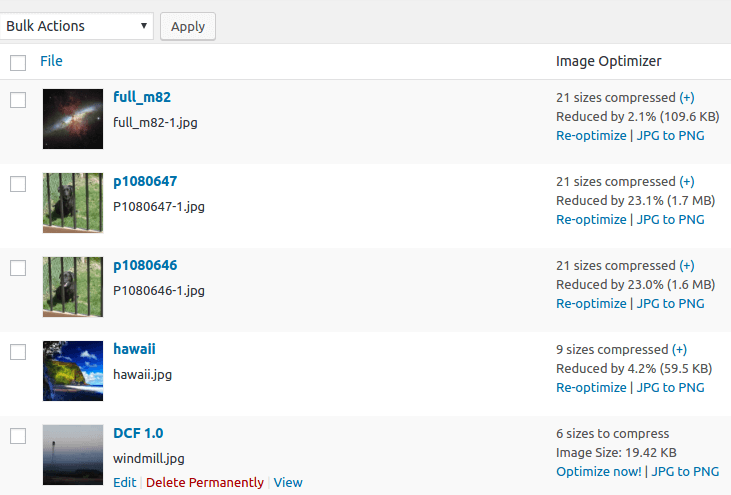
Yes, but only if the optimized version is smaller. The plugin should NEVER create a larger image.

Can I lower the compression setting for JPGs to save more space?

Our premium compression can determine the ideal quality setting and give you the best results, but you may also adjust the default quality for conversion and resizing. Read more…

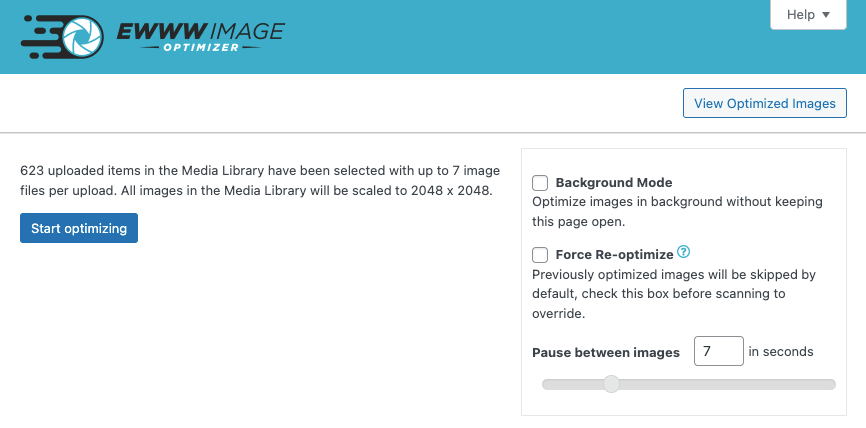
The bulk optimizer doesn’t seem to be working, what can I do?

See https://docs.ewww.io/article/39-bulk-optimizer-failure for full troubleshooting instructions.

Latest changelog entry

8.9.1

Release Date – October 29, 2026

  • deprecated: support for PHP versions older than 8.2 will be removed in version 9.0.0
  • fixed: some images are not auto-optimized if thumbnail dimensions are set to zero
  • fixed: WebP thumbnails for images edited within WordPress use incorrect source image
  • fixed: Force Re-optimize does not recreate WebP images when using ImageMagick
  • security: HTML attribute parsing is now stricter and more secure

Screenshots

From WordPress.org.

Tagged

Plugins that share its tags

#167 by installs

WebP Express

by rosell.dk

Serve autogenerated WebP images instead of jpeg/png to browsers that supports WebP.

Installs
300,000+
Rating
4.4 (162)
Updated
13 days ago

#225 by installs

Imsanity

by Shane Bishop

Automatically resizes huge image uploads. Are contributors uploading huge photos? Tired of manually resizing your images? Imsanity to the rescue!

Installs
200,000+
Rating
4.9 (291)
Updated
2 months ago

#354 by installs

Modern Image Formats

by WordPress Performance Team

Converts images to more modern formats such as WebP or AVIF during upload.

Installs
100,000+
Rating
3.6 (26)
Updated
2 months ago

Where this page's numbers come from

Read from the WordPress.org plugin API on , when WordPress 7.1.4 was the current release. WordPress.org rounds active installs into buckets. These are the directory's figures, not my verdict, and I haven't tested this plugin. The author takes donations at their donate page.


