
Conversion tracking for WooCommerce. Google Ads, GA4, Meta, TikTok, OpenAI (ChatGPT) & more. Recover 30% more conversions with server-side tracking!
- Installs
- 40,000+
- Rating
- 4.9 (399)
- Updated
- 11 days ago

Advanced tag management for WordPress with Google Tag Manager
Read from gtm4wp.comon
A script read this page, and kept only what the page's text backs up. These are the vendor's list prices and its own words, not a deal and not my review. Prices change and can differ by country, so confirm on the vendor's page before you buy.
| Last updated | October 12, 2026Updated in the last 3 months |
|---|---|
| Tested up to | WordPress 7.1.4Covers WordPress 7.1.4, the current release |
| Needs WordPress | 6.3 or newer |
| Needs PHP | 8.0 or newer |
| First published | September 23, 2013 |
| Support, last two months | 8 of 14 threads resolved (57%) |
4.5 / 5 from 155 reviews
| 5 stars | 132 |
|---|---|
| 4 stars | 1 |
| 3 stars | 5 |
| 2 stars | 2 |
| 1 star | 15 |
Google Tag Manager (GTM) is Google’s free tool for everyone to manage and deploy analytics and marketing tags as well as other code snippets
using an intuitive web UI. To learn more about this tool, visit the official website.
This plugin places the GTM container code snippets onto your WordPress website so that you do not need to add them manually.
Multiple containers are also supported, and each container can have its own environment parameters, custom domain and custom path.
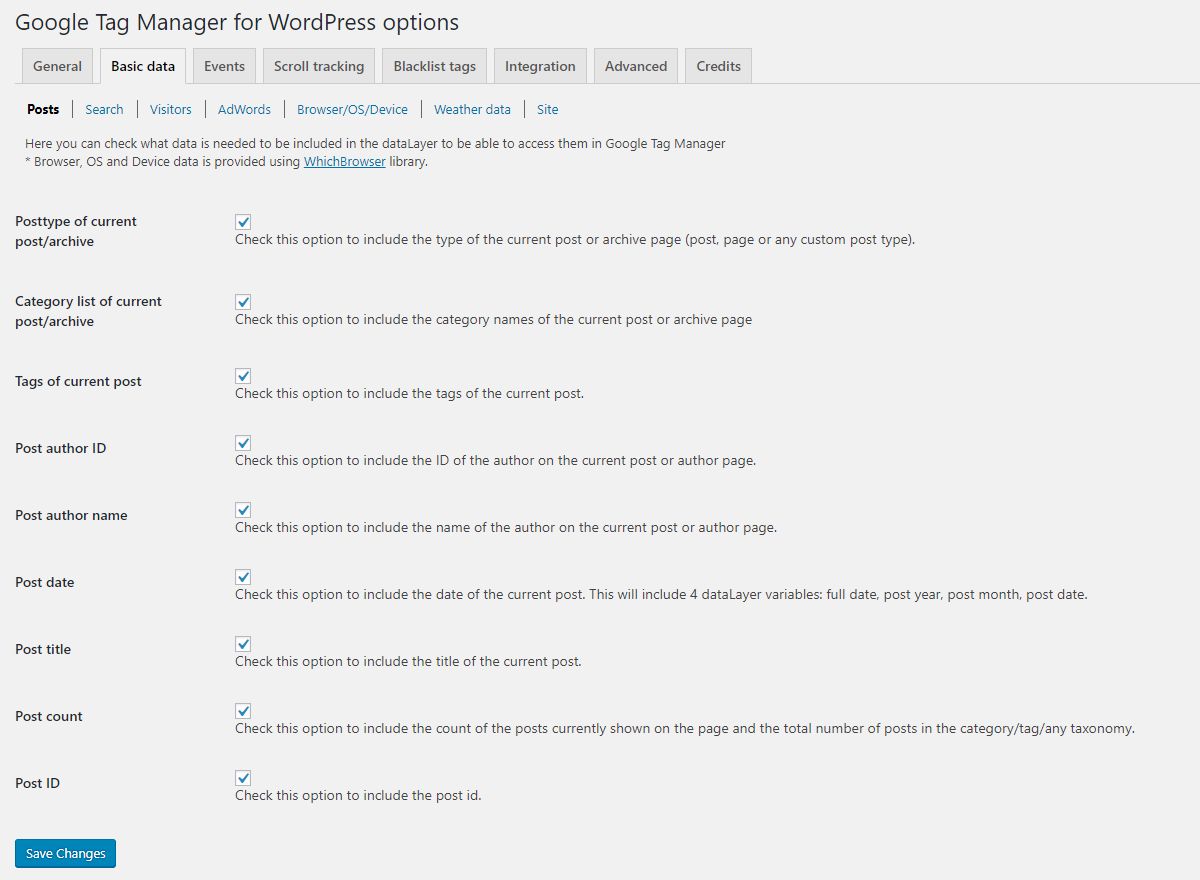
The plugin complements your GTM setup by pushing page meta data and user information into the so-called data layer.
Google’s official help pages include more details about the data layer.
PHP 8.0 and WordPress 6.3 are required to use this plugin.
GTM container code placement
The original GTM container code is divided into two parts:
The first part is a javascript code snippet that is added to the <head> section of every page of the website.
This part is critical to enable all features of GTM, and this plugin helps to place this part
correctly on your site.
The second part is an iframe snippet that acts as a failsafe/fallback should users’ JavaScript be disabled.
Google recommends – for best performance – to place this code snippet directly after the opening <body> tag on each page.
The opening of the plugin's own description. The full text, installation notes and changelog are on its WordPress.org page.
Tutorials for various Google Tag Manager settings and implementation are available on the plugin’s website:
https://gtm4wp.com/setup-gtm4wp-features
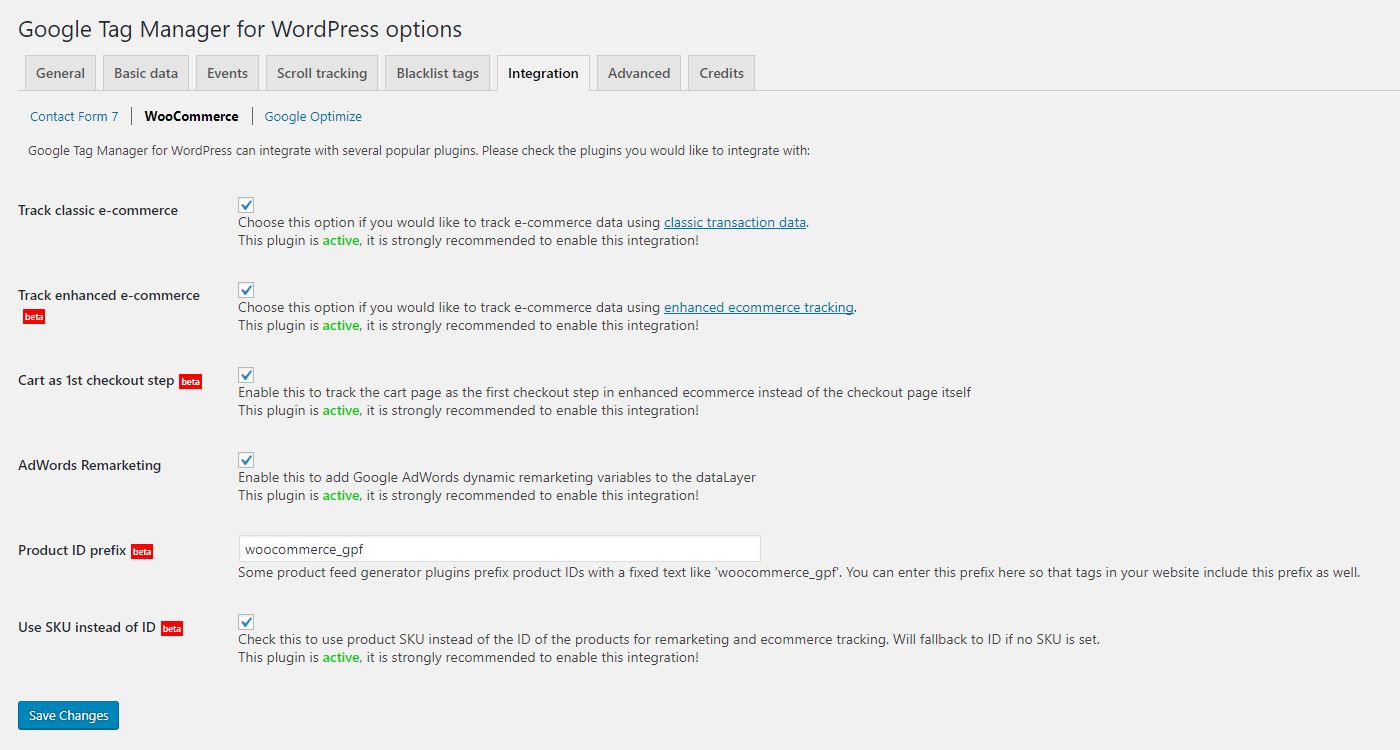
PayPal and some other 3rd party payment gateways do not redirect users back to your website after a successful transaction by default.
They offer a route back for your customer, but it can happen that users close the browser before arriving at your thank you page
(also known as the order received page). This means that neither Google Analytics tags nor any other tags have a chance to fire.
This can happen if you are using a 3rd party plugin that alters the default order received page in a way that does not use
WooCommerce’s integration hooks. Either stop using that plugin, or ask its authors to mimic the behavior of the default order
received page more closely by supporting the woocommerce is_order_received_page function and the woocommerce_thankyou action.
Although Google recommends blocklisting tags and variables using classes, people struggle to know
which tags and variables get affected. Therefore I opted for individual tags and variables rather than classes
on the tag restriction tabs.
Regarding variables: ensure they are not part of any critical tags, as blocklisting such variables will render those tags useless.
Google Tag Manager supports basic scroll depth tracking based on percentage or pixels natively. Add a Scroll Depth
trigger in your container and use it to fire your Google Analytics 4 and/or Google Ads remarketing/conversion tags.
(The plugin’s own scroll tracking feature was removed in 2.0 in favor of this built-in GTM functionality.)
Yes, this is a real risk with any full page cache, and it is not specific to this plugin: the HTML generated for one visitor is
stored and served to everyone else. If visitor specific values (email address, user role, IP address) are written into the data
layer, the cached copy will contain the values of whoever happened to trigger the caching.


Conversion tracking for WooCommerce. Google Ads, GA4, Meta, TikTok, OpenAI (ChatGPT) & more. Recover 30% more conversions with server-side tracking!

#921 by installs
Google Tag Manager and GA4 integration. Including WooCommerce data for Google Analytics 4 and support for server side GTM.
The best free Google Analytics plugin for WordPress. See how visitors find and use your website so you can grow your business with powerful analytics.
Cookieless, privacy-friendly WordPress analytics. GDPR/CCPA compliant visitor data and clear graphs, with no data sharing.

#132 by installs
Add Meta Pixel with Conversion API, Google Analytics (GA4) + Consent Mode, Google Tag Manager, OpenAI Pixel & API, and Head & Footer scripts.

#149 by installs
Adds Google Analytics tracking code to your WordPress site. Supports many tracking features.
Read from the WordPress.org plugin API on , when WordPress 7.1.4 was the current release. WordPress.org rounds active installs into buckets. These are the directory's figures, not my verdict, and I haven't tested this plugin. The author takes donations at their donate page.

