
Make SMTP email sending and delivery easy. Configure Gmail SMTP, Outlook, Brevo, SendGrid, Mailgun, SendLayer or connect to any SMTP server.
- Installs
- 500,000+
- Rating
- 4.6 (709)
- Updated
- 3 months ago

Make email delivery easy for WordPress. Connect with SMTP, Gmail, Brevo, SendGrid, Amazon SES + more, with powerful WordPress SMTP Email plugin.
Read from wpmailsmtp.comon
| Plan | Price | Billed | Renews at | Sites |
|---|---|---|---|---|
| Pro | $49.00 | per year | Not shown | 1 Site |
| Elite | $99.00 | per year | Not shown | 1 Site |
| Developer | $199.00 | per year | Not shown | 20 Sites |
| Agency | $399.00 | per year | Not shown | 100 Sites |
sts. Pro Everything you need to solve WP email deliverability issues. normally $99.00 $49.00/ year $50.00 savings Save $50.00 ( $50 ) [Get Started](https://wpmailsmtp.com
high costs. Pro Everything you need to solve WP email deliverability issues. normally $99.00 $49.00/ year $50.00 savings Save $50.00 ( $50 ) [Get Started](https://wpmail
veloper Great for freelancers & developers who build client websites. normally $249.00 $199.00/ year $50.00 savings Save $50.00 ( $50 ) [Get Started](https://wpmailsmtp.co
) Agency Perfect for agencies who create a large number of websites. normally $449.00 $399.00/ year $50.00 savings Save $50.00 ( $50 ) [Get Started](https://wpmailsmtp.co
Save $50.00 ( $50)
WP Mail SMTP is the perfect solution to ensure your website sends emails reliably.
A script read this page, and kept only what the page's text backs up. These are the vendor's list prices and its own words, not a deal and not my review. Prices change and can differ by country, so confirm on the vendor's page before you buy.
| Last updated | October 20, 2026Updated in the last 3 months |
|---|---|
| Tested up to | WordPress 7.1.4Covers WordPress 7.1.4, the current release |
| Needs WordPress | 5.5 or newer |
| Needs PHP | 7.4 or newer |
| First published | September 12, 2007 |
| Support, last two months | 16 of 24 threads resolved (67%) |
4.8 / 5 from 5,209 reviews
| 5 stars | 4,915 |
|---|---|
| 4 stars | 70 |
| 3 stars | 41 |
| 2 stars | 26 |
| 1 star | 157 |
WordPress Mail SMTP Plugin
Is your WordPress site not sending emails? You’re not alone. 4+ million websites use WP Mail SMTP to send emails reliably.
Our goal is to make email deliverability easy so that your emails reach the inbox.
WP Mail SMTP fixes your email deliverability issues by reconfiguring WordPress to use a proper SMTP provider when sending emails.
Best of all, our easy-to-use Setup Wizard and detailed documentation guide you through the process.
WP Mail SMTP is free and has everything you need to reliably send your WordPress emails!
WP Mail SMTP Pro adds even more powerful features like email logging, advanced email reporting and stats, backup connections, email alerts, smart conditional routing, and much more.
What is SMTP?
SMTP (Simple Mail Transfer Protocol) is an industry-standard for sending emails. Proper SMTP configuration helps increase email deliverability by adding authentication to the emails sent from your site.
Popular email clients like Gmail, Yahoo, Office 365, and Zoho are in a constant battle with email spammers, so they check whether emails are originating from a genuine sender. If the proper authentication isn’t there, emails either go in the SPAM folder or, worse, disappear.
The opening of the plugin's own description. The full text, installation notes and changelog are on its WordPress.org page.
SendLayer
SendLayer is our recommended transactional email service.
Its affordable pricing and simple setup make it a great choice for sending emails from WordPress. It also has open and click tracking, email logs, and email list management.
SendLayer is reliable, fast, and easy to set up. You can send hundreds of emails for free when you sign up for a trial.
Read our SendLayer documentation for more details.
Yes! We have extensive documentation that covers setting up SMTP most popular email services.
Read our docs to see the correct SMTP settings for each service.
Please read our support policy for more information.
Limited support is available for WP Mail SMTP users via WordPress.org support forums.
Email support and set up assistance is available to WP Mail SMTP Pro users.
Want to switch from your old SMTP plugin to WP Mail SMTP? We made it easy for you to migrate your SMTP settings in one click!
WP Mail SMTP will automatically detect your existing SMTP plugin (Easy WP SMTP, FluentSMTP, etc) when you run our easy Setup Wizard. Just click Import to copy your settings over.
Our one-click migration tool supports all of these plugins:
We know that majority of people do not speak English, so we professionally translated WP Mail SMTP and WP Mail SMTP Pro into the following languages:
The WP Mail SMTP team takes security very seriously. We have several options available to help keep your site secure.
• Direct SMTP mailer integrations (recommended), such as SendLayer, SMTP.com, Brevo (formerly Sendinblue), Mailgun, SendGrid, Postmark, SparkPost and SMTP2GO, use the official provider APIs.

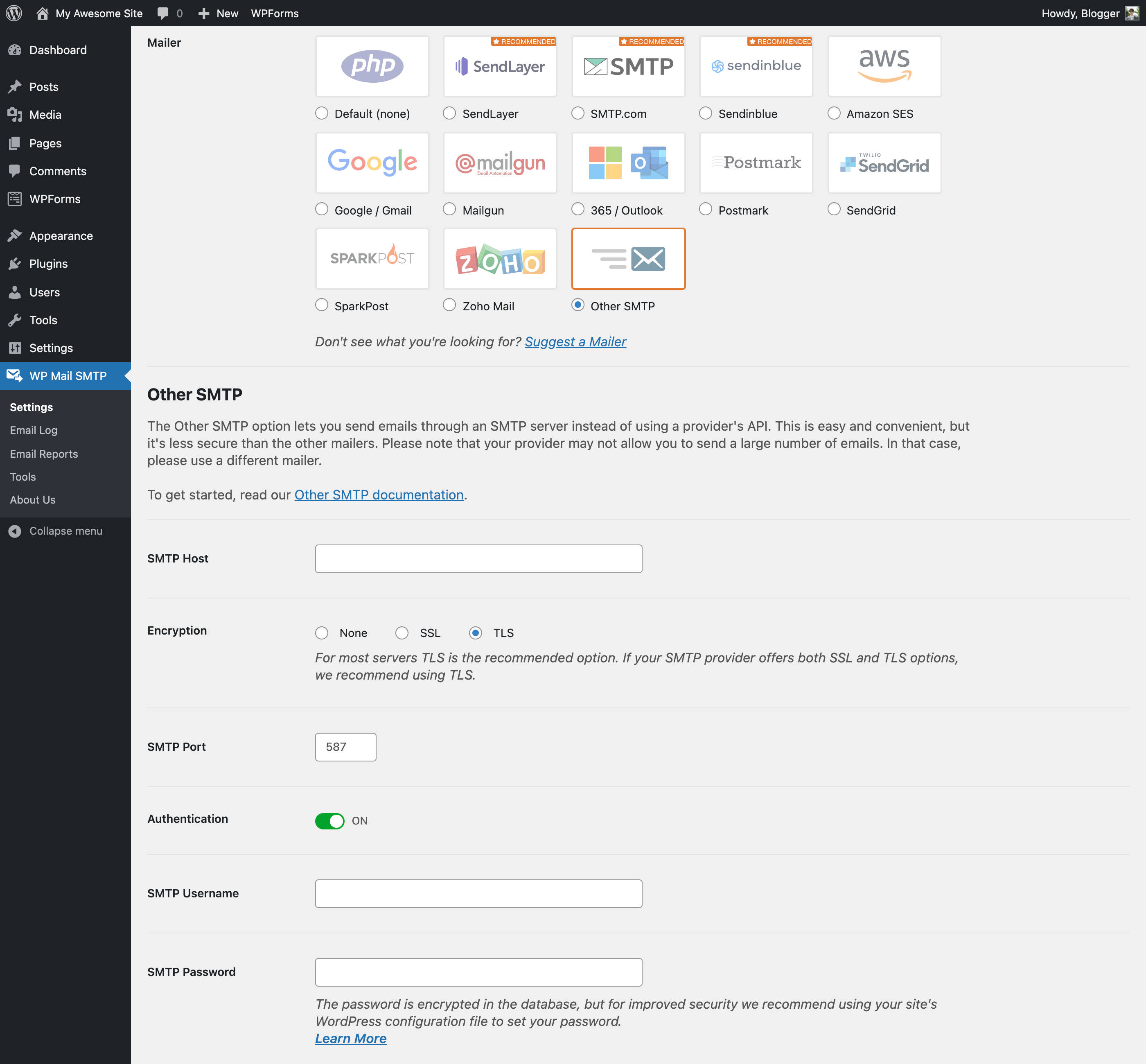
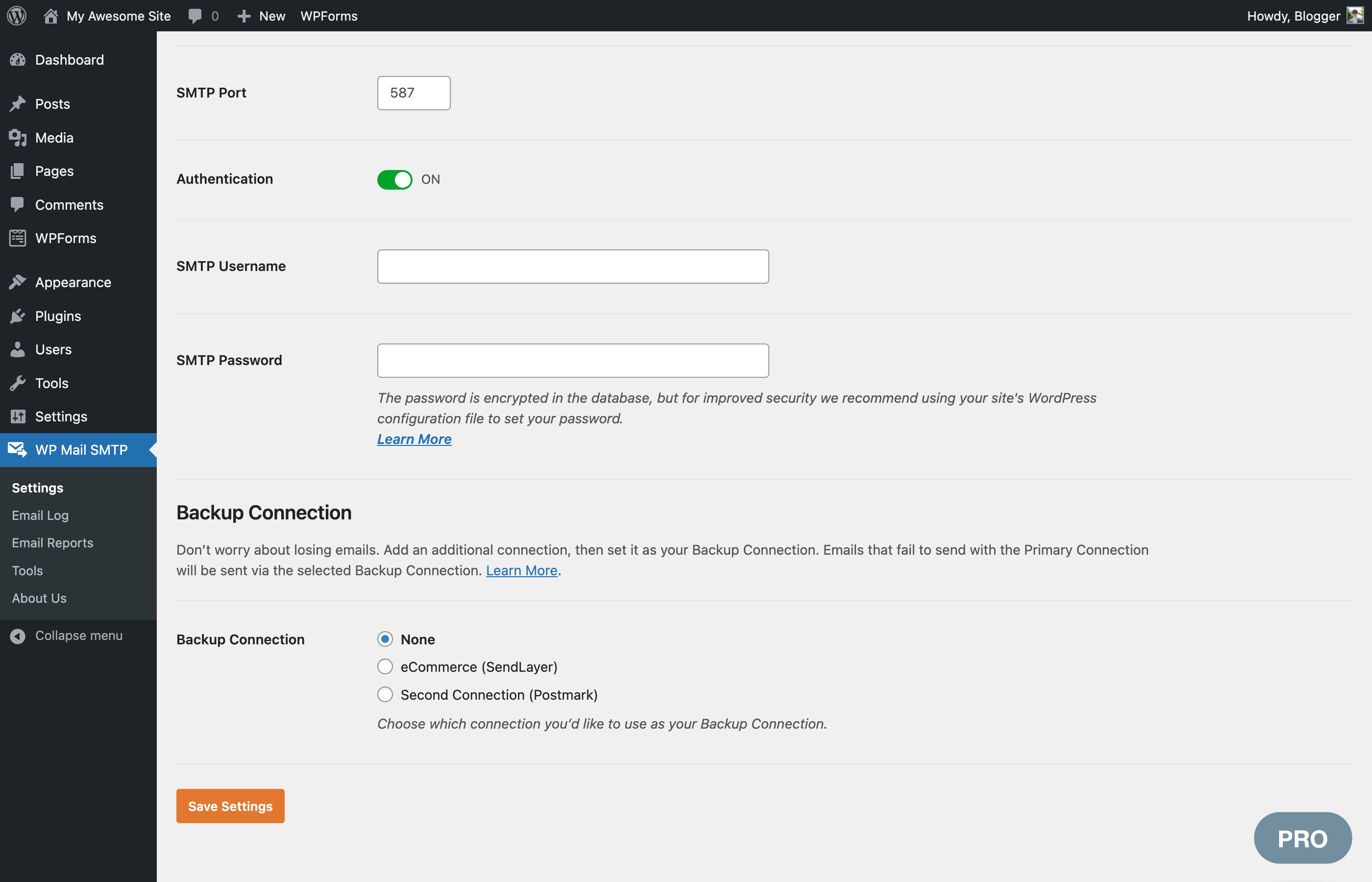
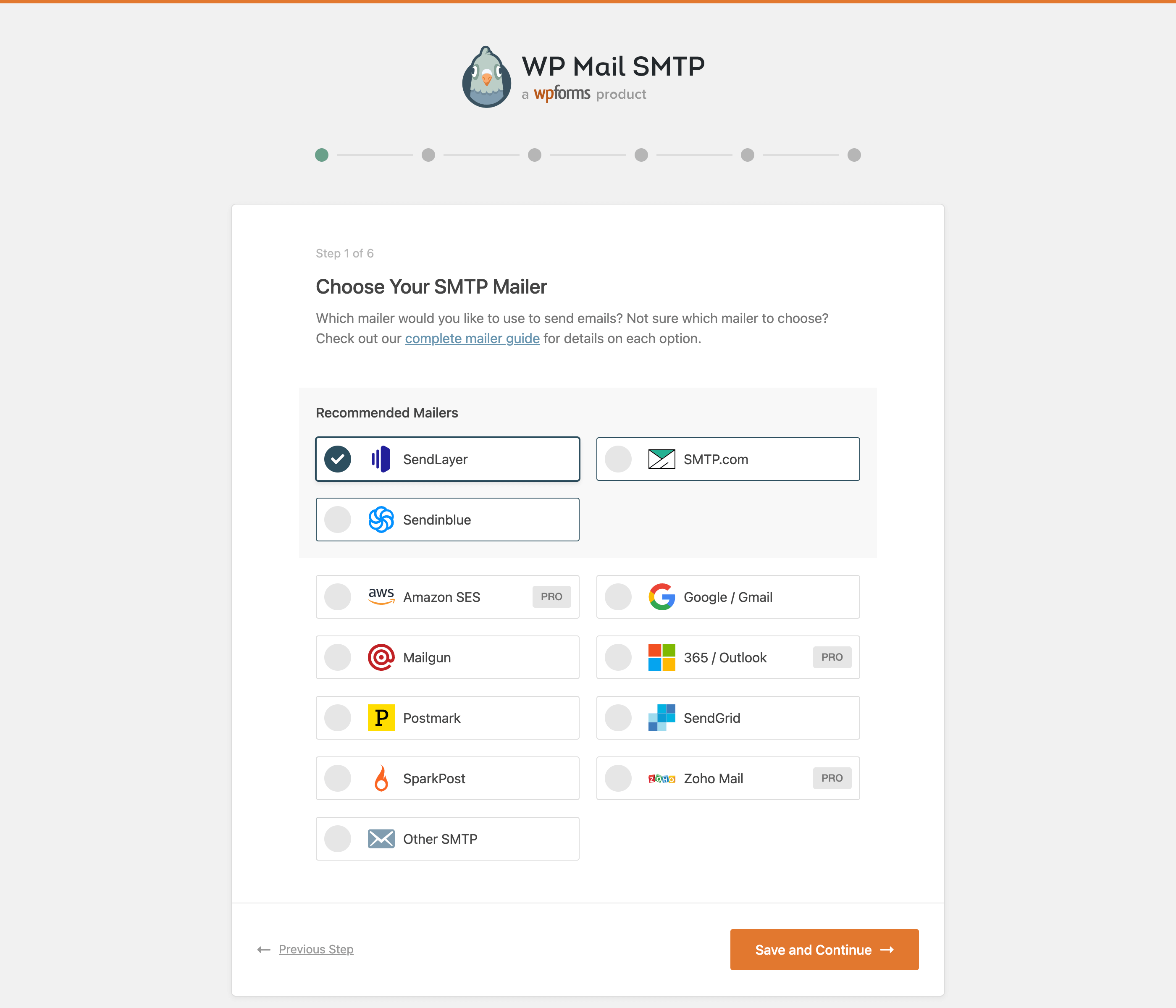
Make SMTP email sending and delivery easy. Configure Gmail SMTP, Outlook, Brevo, SendGrid, Mailgun, SendLayer or connect to any SMTP server.

SureMail – SMTP and Email Logs Plugin with Amazon SES, Postmark, and Other Providers

#164 by installs
Log, view, and resend all emails sent from your WordPress site. Great for resolving email sending issues or keeping a copy for auditing.
Effortlessly manage transactional emails with Email Deliverability. High deliverability, logs and statistics, and no SMTP plugins needed.

#466 by installs
Check & Log email allows you to test if your website is correctly sending emails . Overriding of email headers and carbon copying to another address.

#589 by installs
Configure a SMTP server to send email from your WordPress site. Configure the wp_mail() function to use SMTP instead of the PHP mail() function.
Read from the WordPress.org plugin API on , when WordPress 7.1.4 was the current release. WordPress.org rounds active installs into buckets. These are the directory's figures, not my verdict, and I haven't tested this plugin.
