
Make SMTP email sending and delivery easy. Configure Gmail SMTP, Outlook, Brevo, SendGrid, Mailgun, SendLayer or connect to any SMTP server.
- Installs
- 500,000+
- Rating
- 4.6 (709)
- Updated
- 3 months ago

SureMail – SMTP and Email Logs Plugin with Amazon SES, Postmark, and Other Providers
| Last updated | October 8, 2026Updated in the last 3 months |
|---|---|
| Tested up to | WordPress 7.1.4Covers WordPress 7.1.4, the current release |
| Needs WordPress | 5.4 or newer |
| Needs PHP | 7.4 or newer |
| First published | January 22, 2025 |
| Support, last two months | 0 of 5 threads resolved (0%) |
4.7 / 5 from 25 reviews
| 5 stars | 23 |
|---|---|
| 4 stars | 0 |
| 3 stars | 0 |
| 2 stars | 0 |
| 1 star | 2 |
100% Free SMTP Plugin with Premium Features — Connect Amazon SES, Postmark, View Detailed Email Logs and More
★★★★★
At SureMail, we understand how crucial it is for your emails to reach your audience—whether it’s a transactional email, a newsletter, or an important notification. That’s why we’ve built SureMail with a strong focus on eliminating email delivery failures and providing a reliable solution for WordPress users.
Our mission is to empower you to send WordPress emails with confidence, knowing they will always be delivered.
Try the live demo of SureMail
Key features of SureMail include:
The opening of the plugin's own description. The full text, installation notes and changelog are on its WordPress.org page.
Yes! SureMail is 100% free and open-source. It’s our way of giving back to the WordPress community, offering a reliable solution for email delivery without any cost. We believe in helping WordPress users succeed with effortless, fail-proof email delivery.
SureMail ensures fail-proof email delivery by allowing you to set up multiple SMTP connections and fallback providers. If your primary SMTP provider fails, the plugin will automatically switch to secondary connections one after another. Plus, it retries failed emails after a set time, ensuring that your emails have multiple chances to be delivered.
Yes! SureMail is built to scale, allowing you to handle large volumes of email without compromising on reliability. With multiple SMTP connections and fallback mechanisms, it ensures your emails get delivered even when traffic or email volume spikes.
Absolutely not! SureMail is built with ease and performance in mind. Its architecture and clean code keep it lightweight and fast. Therefore, it will not affect your website speed and performance in any way.
You only need to have the latest version of WordPress on your website, to begin with. SureMail is basically a plugin like any other WordPress plugin. Therefore, the latest WordPress installation along with a theme is enough to begin with.
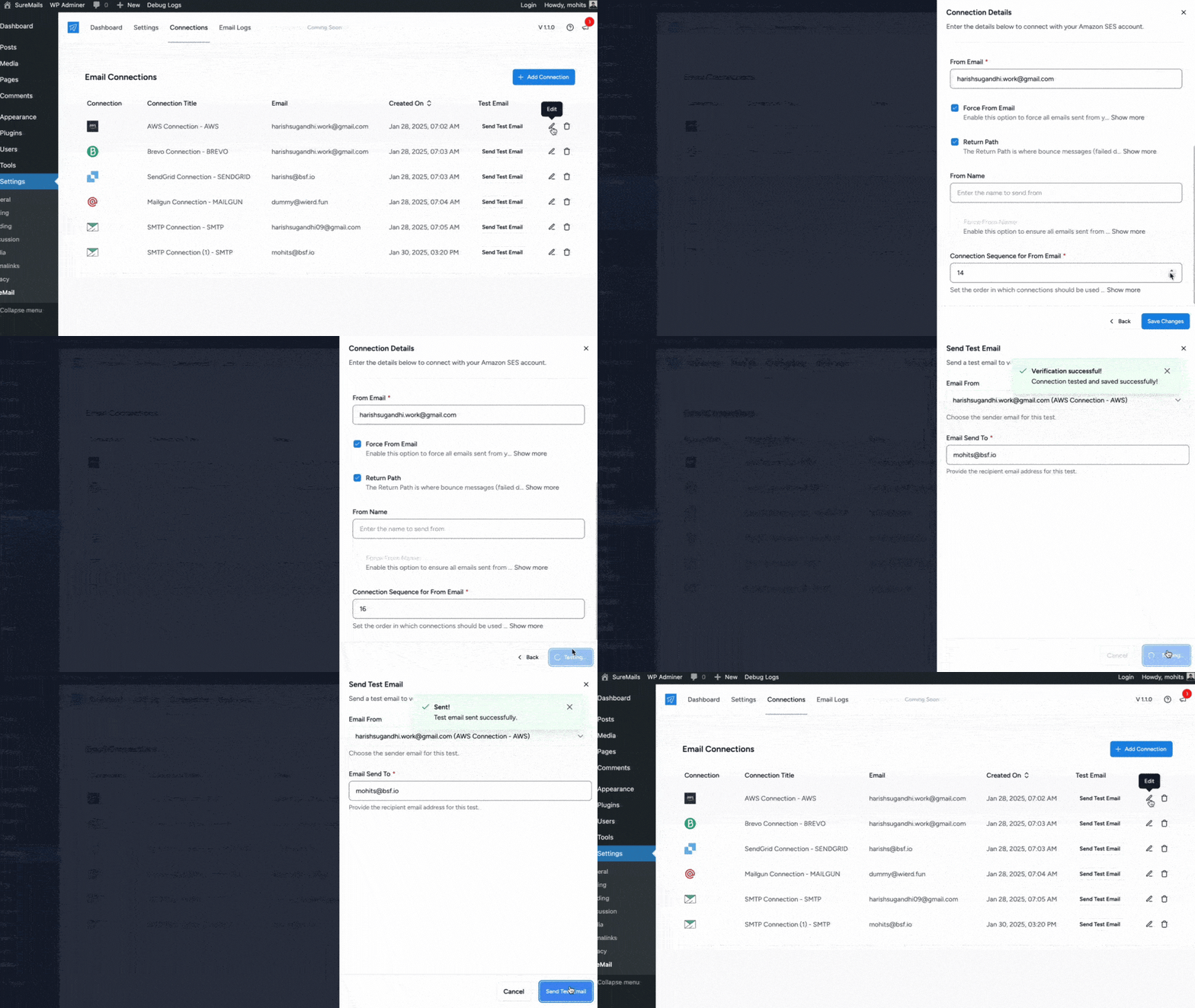
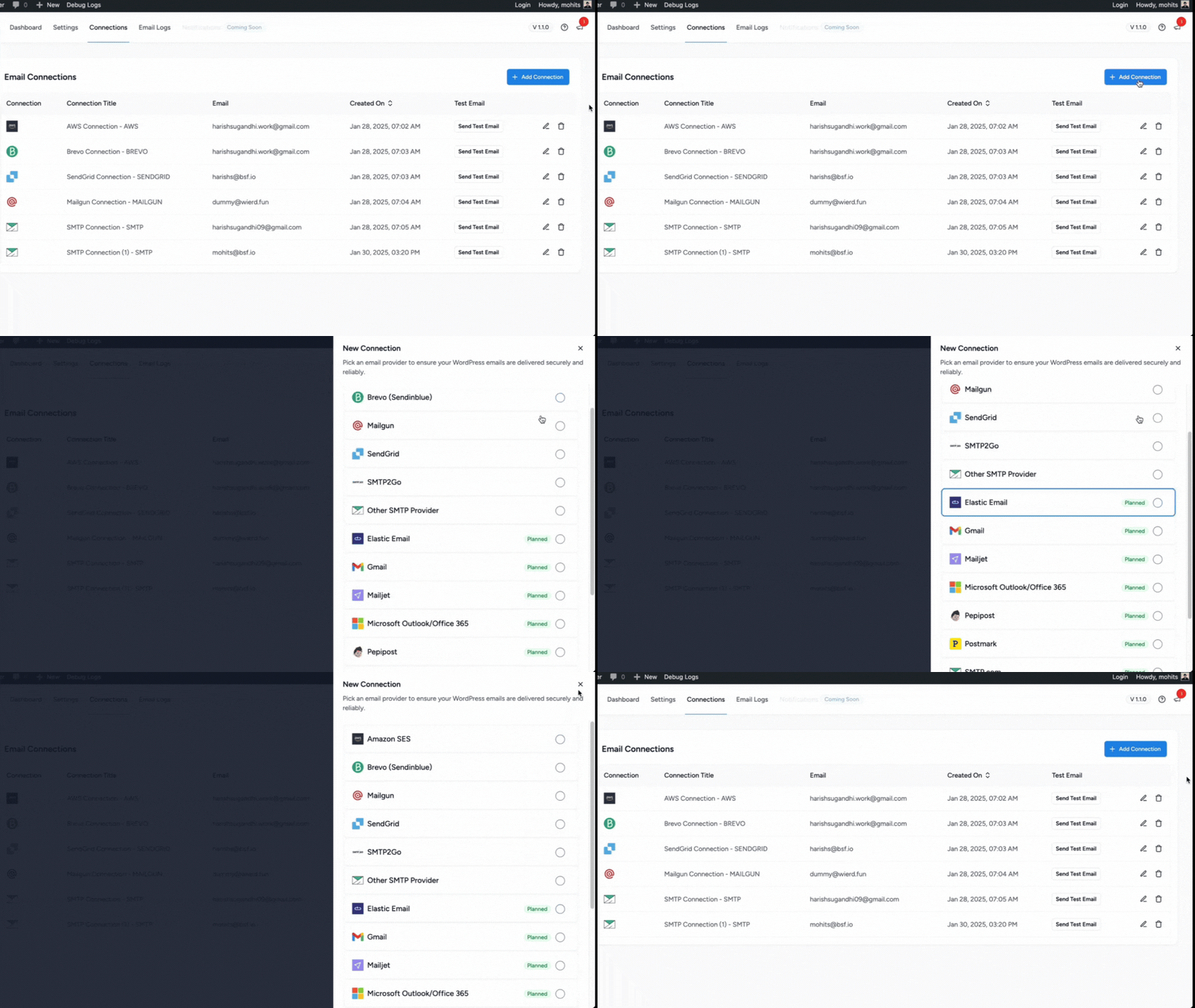
Configuring SureMail is easy. Simply install the plugin on your WordPress site, then navigate to the Connections page where you can input your SMTP provider credentials. SureMail supports multiple SMTP providers, so you can choose the one that works best for you. You can also configure fallback connections and email failure notifications for a more reliable setup.
v2.0.3 – 08-October-2026
– Improvement: SureContact – Improved connection source tracking during onboarding and OAuth connect.
– Improvement: Internal libraries updated to patched releases for improved security and stability.
v2.0.2 – 20-August-2026
– Improvement: Added compatibility with WordPress 7.1.
– Improvement: Internal libraries updated to patched releases for improved security and stability.
v2.0.1 – 14-July-2026
– Improvement: SureContact – Added a quick “Add Sender” option in the connections header.

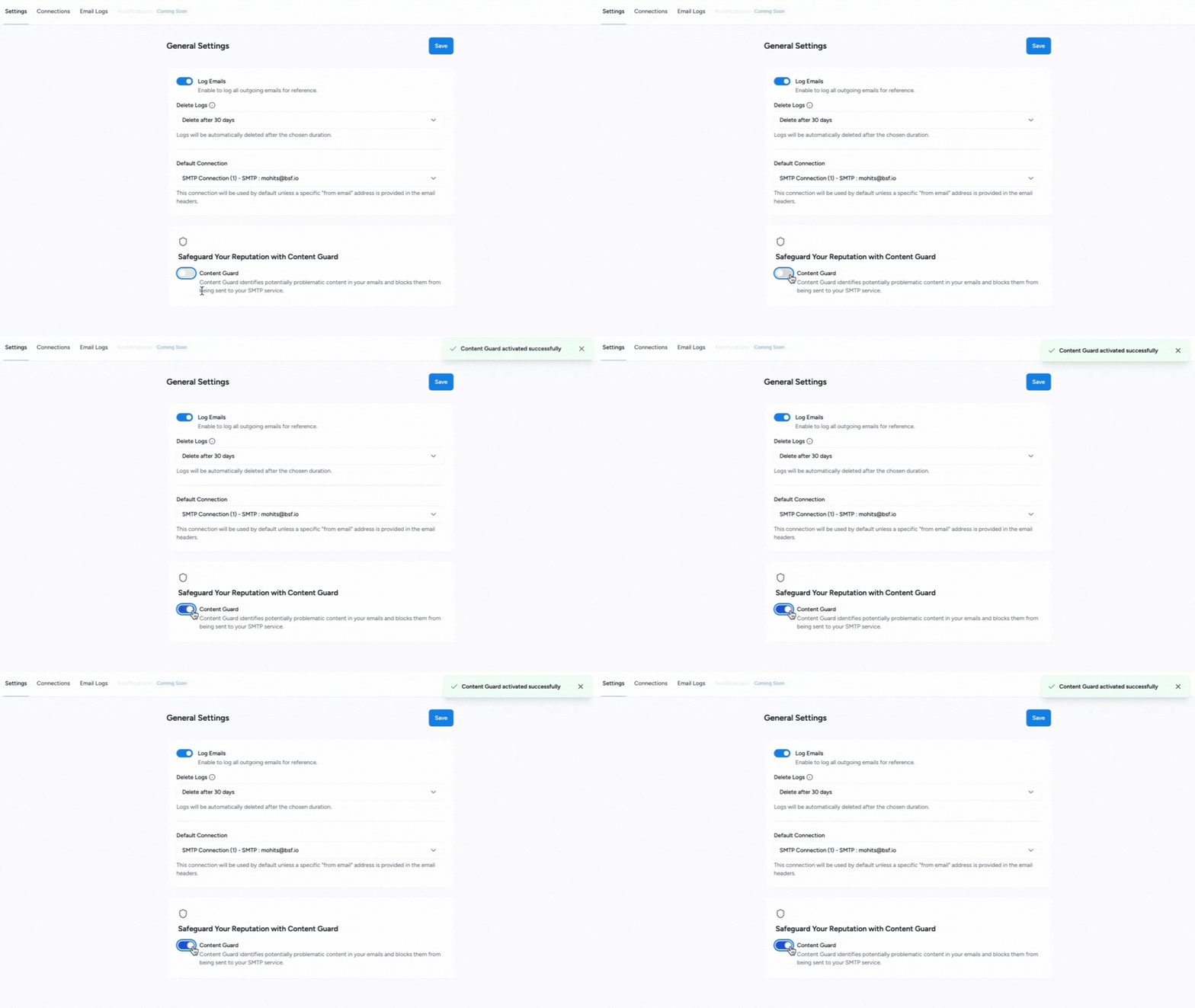
Make SMTP email sending and delivery easy. Configure Gmail SMTP, Outlook, Brevo, SendGrid, Mailgun, SendLayer or connect to any SMTP server.

Make email delivery easy for WordPress. Connect with SMTP, Gmail, Brevo, SendGrid, Amazon SES + more, with powerful WordPress SMTP Email plugin.

Install Post SMTP (WordPress SMTP Plugin) to fix WordPress email delivery. Connect Gmail SMTP, Microsoft 365, Brevo, SendGrid, Zoho, Amazon SES, etc.

#124 by installs
Send emails from your WordPress site using your preferred SMTP provider like Gmail, Outlook, AWS, Zoho, SMTP.com, Brevo (formerly Sendinblue), Mailgun …

#164 by installs
Log, view, and resend all emails sent from your WordPress site. Great for resolving email sending issues or keeping a copy for auditing.
Effortlessly manage transactional emails with Email Deliverability. High deliverability, logs and statistics, and no SMTP plugins needed.
Read from the WordPress.org plugin API on , when WordPress 7.1.4 was the current release. WordPress.org rounds active installs into buckets. These are the directory's figures, not my verdict, and I haven't tested this plugin. The author takes donations at their donate page.
