Type to search.

#162 by installscommercial

Post SMTP – Complete Email Delivery and SMTP Solution with Email Logs, Alerts, Backup SMTP & Mobile App

by Saad IqbalVersion 4.0.2

Install Post SMTP (WordPress SMTP Plugin) to fix WordPress email delivery. Connect Gmail SMTP, Microsoft 365, Brevo, SendGrid, Zoho, Amazon SES, etc.

Active installs
300,000+
#162 of 1,000
Downloads, all time
20.5M
20,482,095
Downloads, 30 days
122.2K
19.5K in the last 7
Rating
4.7 / 5
528 reviews
Last updated
37 days ago
Sep 24, 2026
Version
4.0.2
180 releases

Upkeep and compatibility

Last updatedSeptember 24, 2026Updated in the last 3 months
Tested up toWordPress 7.1.4Covers WordPress 7.1.4, the current release
Needs WordPress5.6.0 or newer
Needs PHP7.1 or newer
First publishedOctober 15, 2017
Support, last two months9 of 16 threads resolved (56%)

Reviews

4.7 / 5 from 528 reviews

Reviews by star rating
5 stars478
4 stars6
3 stars6
2 stars3
1 star35

Downloads, last 30 days

Low 1.3K a dayHigh 16.4K a day

What the author says it does

👑 Go Pro | 💻Live Demo | 🔌Extensions | 📱Mobile Application

WordPress SMTP Plugin

Are you dealing with the WordPress not sending emails problem? Post SMTP helps you fix WordPress email delivery by connecting your site to a reliable SMTP or API mailer.

Post SMTP is a free WordPress SMTP plugin that helps you send WordPress emails securely and reliably through Gmail, Microsoft 365, Outlook, Amazon SES, Brevo, Mailgun, SendGrid, Postmark, Zoho Mail, and other supported email service providers.

Beyond SMTP, Post SMTP gives you the tools to monitor WordPress email delivery. Track sent and failed emails with email logs, inspect delivery errors, and get failure alerts when something goes wrong. You can also configure backup SMTP connections to keep your site’s emails moving if your primary mailer becomes unavailable.

With 20+ SMTP and API mailer options, Post SMTP works with the email service you already use. Its monitoring and notification tools help you troubleshoot delivery problems faster and keep important WordPress emails on track.

What is SMTP, and Why Do You Need It?

SMTP, short for Simple Mail Transfer Protocol, is the most widely used protocol for online email transmission. SMTP configuration with proper authentication for your WordPress site ensures that your WordPress emails do not end up in spam.

The opening of the plugin's own description. The full text, installation notes and changelog are on its WordPress.org page.

Questions the author answers

Why is WordPress not sending emails?

WordPress uses the PHP mail() function by default, which may not provide reliable email delivery. Post SMTP routes your WordPress emails through a trusted SMTP or API mailer such as Gmail, Microsoft 365, Amazon SES, Brevo, SendGrid, Mailgun, Postmark, etc. This can help fix failed or missing WordPress emails and improve email delivery.

How does Post SMTP improve WordPress email delivery?

Post SMTP connects your WordPress site to a dedicated SMTP or API mailer instead of relying on your web server’s default email function. It also provides email logs, delivery error details, backup connections, failure alerts, and even a dedicated mobile app to help you monitor and troubleshoot WordPress email delivery.

Does Post SMTP work with Gmail and Google Workspace?

Yes. Post SMTP supports Gmail and Google Workspace. You can connect your account using Google’s supported authentication method, such as OAuth 2.0, and send WordPress emails through your Gmail or Google Workspace account. Post SMTP also offers Gmail One-Click Setup.

Does Post SMTP support Microsoft 365 and Outlook?

Yes. Post SMTP supports Microsoft 365 and Outlook. You can connect your account using Microsoft’s supported authentication method, such as an Application (Client) ID and Client Secret, or use Post SMTP’s Microsoft One-Click Setup to connect your account and send WordPress emails through Microsoft 365.

Does Post SMTP work with WooCommerce?

Yes. Post SMTP works with WooCommerce and can deliver transactional emails generated by your store, including order notifications, customer emails, password resets, and other WordPress emails.

Does Post SMTP support Contact Form 7?

Yes. Post SMTP works with Contact Form 7 and other WordPress form plugins. Once you configure a supported SMTP or API mailer, Contact Form 7 emails can use that connection instead of your site’s default email function.

Latest changelog entry

4.0.2 – Sep 24, 2026

  • Security – Resolved Stored DOM-Based Cross-Site Scripting (XSS) vulnerability in failed email logs on WordPress Multisite.
  • Fix – Resolved fatal error during All-In-One Security (AIOS) unlock email requests.
  • Fix – Prevented redundant wp_posts database queries on AJAX requests to improve performance.
  • Fix – Resolved infinite and duplicate email log generation during mailer and fallback failures.
  • Fix – Corrected email tracking status assignment between primary and fallback mailer logs.
  • Fix – Fixed issue where attachments were missing from fallback mailer logs.

Screenshots

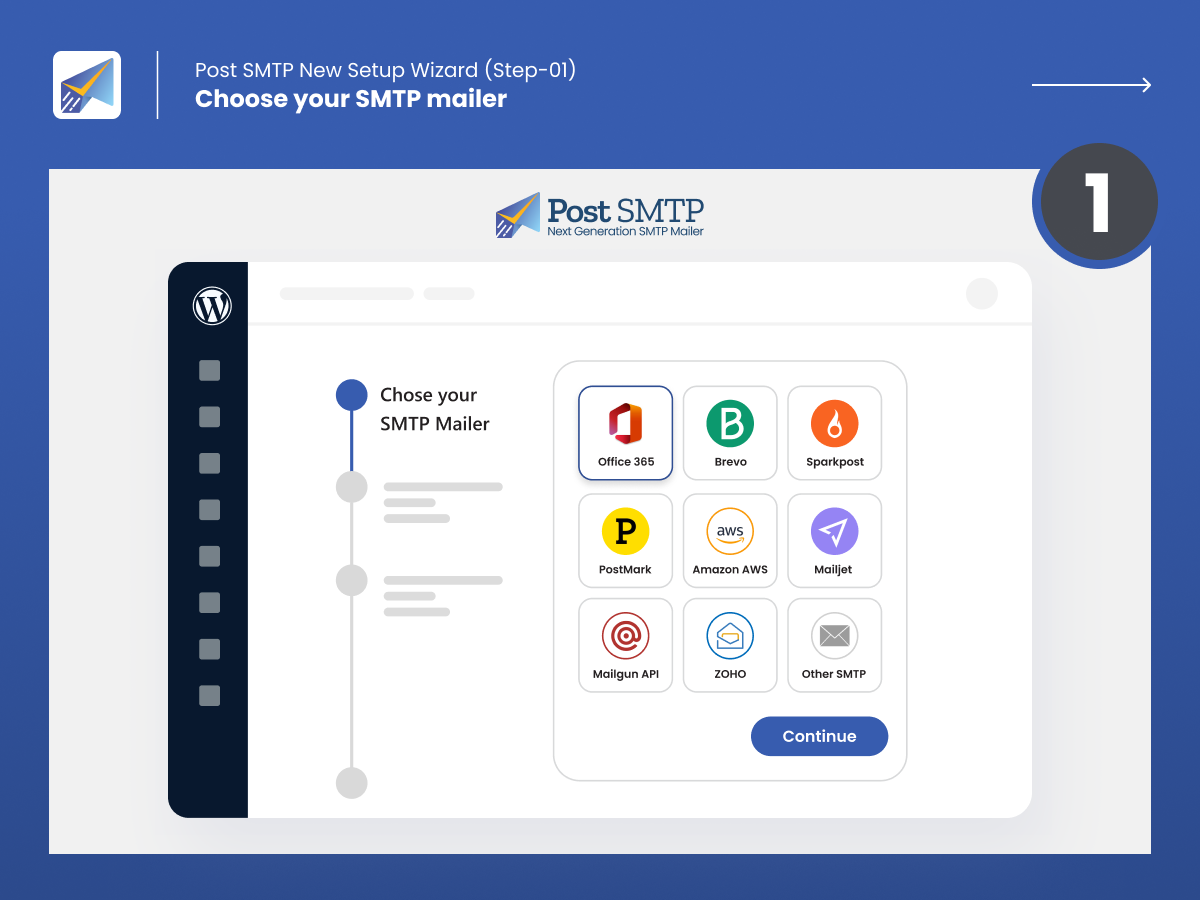
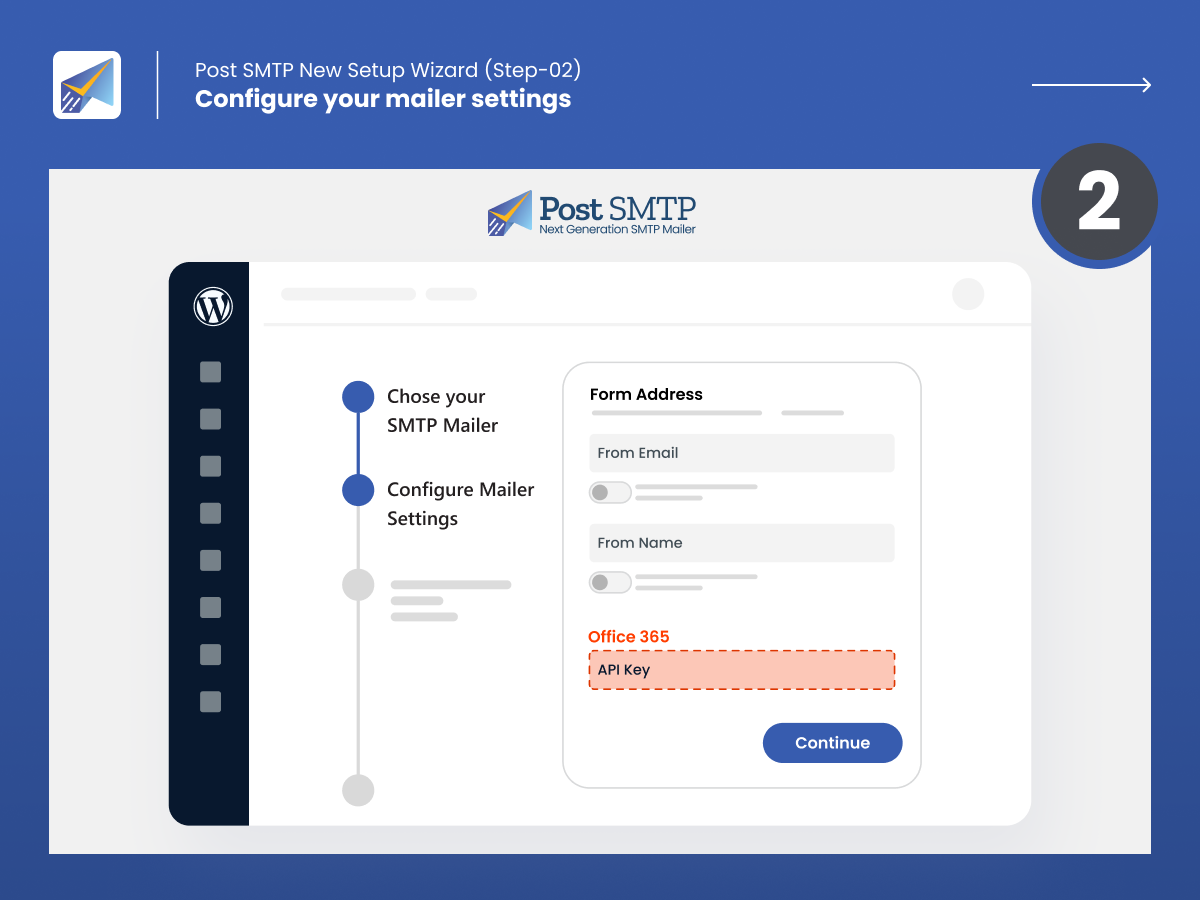
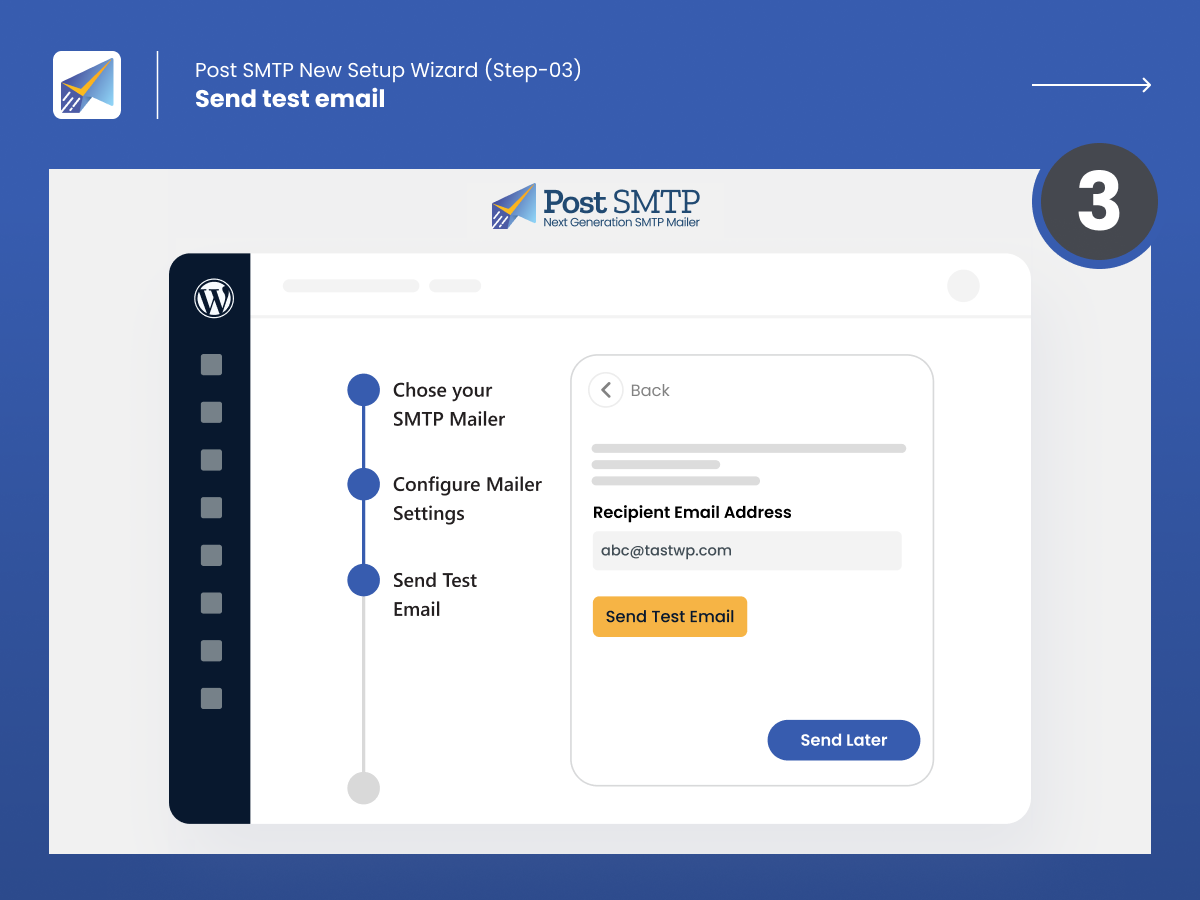
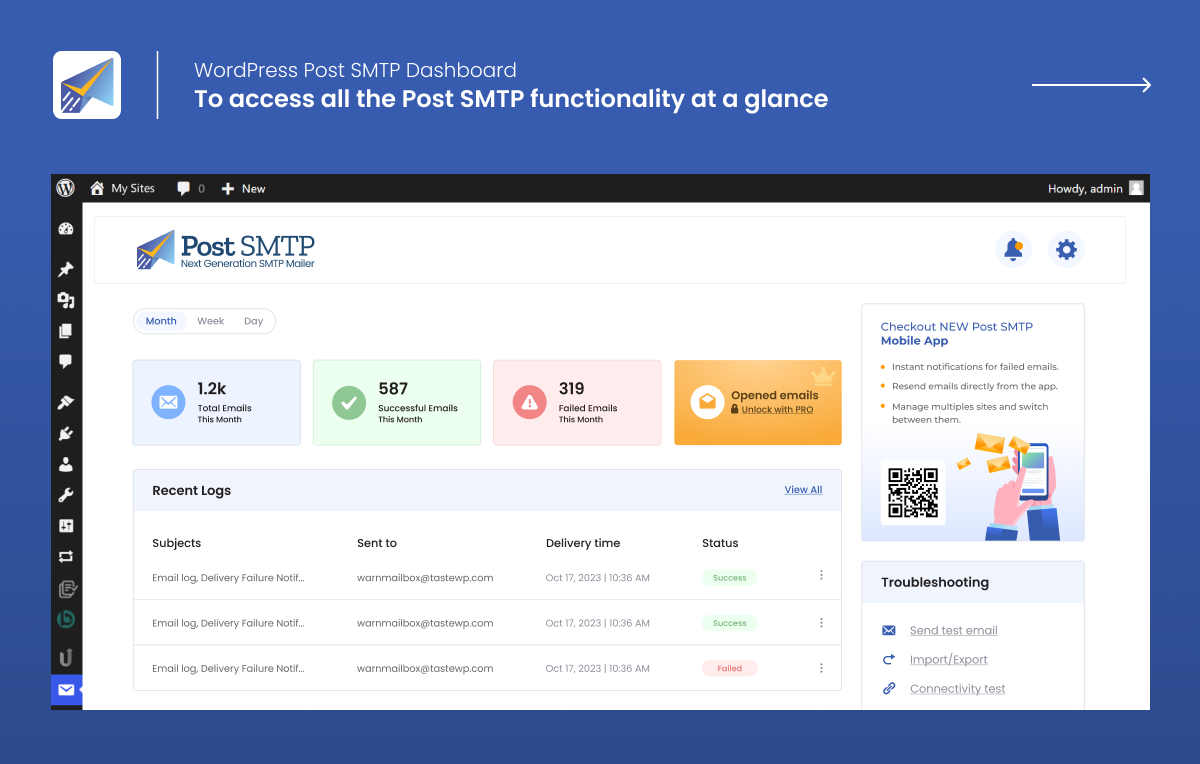
First 4 of 7, from WordPress.org.

Tagged

Plugins that share its tags

#124 by installs

GoSMTP – SMTP for WordPress

by Softaculous

Send emails from your WordPress site using your preferred SMTP provider like Gmail, Outlook, AWS, Zoho, SMTP.com, Brevo (formerly Sendinblue), Mailgun …

Installs
500,000+
Rating
4.3 (10)
Updated
10 days ago

Where this page's numbers come from

Read from the WordPress.org plugin API on , when WordPress 7.1.4 was the current release. WordPress.org rounds active installs into buckets. These are the directory's figures, not my verdict, and I haven't tested this plugin.