
#149 by installs
GA Google Analytics – Connect Google Analytics to WordPress
Adds Google Analytics tracking code to your WordPress site. Supports many tracking features.
- Installs
- 400,000+
- Rating
- 4.9 (158)
- Updated
- 3 months ago

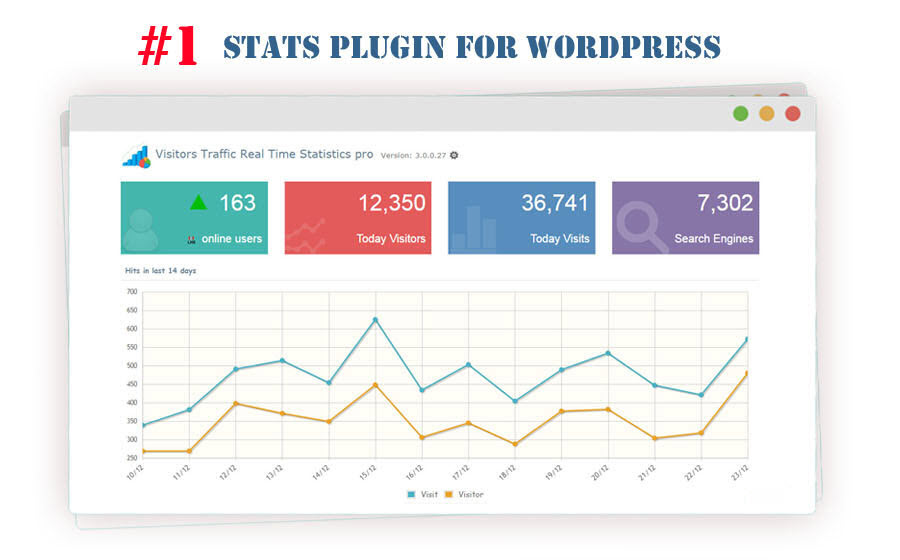
Track visitors, page views, countries, browsers, search traffic and more in one simple dashboard, with bots filtered out.
| Last updated | October 18, 2026Updated in the last 3 months |
|---|---|
| Tested up to | WordPress 7.1.4Covers WordPress 7.1.4, the current release |
| Needs WordPress | 3.0.1 or newer |
| Needs PHP | Not stated |
| First published | January 18, 2015 |
| Support, last two months | 0 of 1 threads resolved (0%) |
4.1 / 5 from 233 reviews
| 5 stars | 168 |
|---|---|
| 4 stars | 14 |
| 3 stars | 4 |
| 2 stars | 9 |
| 1 star | 38 |
Visitor Traffic Real-Time Statistics for WordPress
Unlock powerful insights into your website traffic with Visitor Traffic Real-Time Statistics, the WordPress plugin for tracking visitors, page views, countries, browsers and more — all in one intuitive dashboard.
With real-time data and easy-to-use shortcodes, you’ll get a complete picture of your site’s performance without the complexity. Whether you’re a blogger, business owner, or marketer, this plugin gives you the tools to understand your audience better and make smarter decisions.
Why Choose Visitor Traffic Real-Time Statistics?
Available Shortcodes (Simple & Flexible)
Add these shortcodes to any post, page, or widget to showcase your traffic stats:
The opening of the plugin's own description. The full text, installation notes and changelog are on its WordPress.org page.
Or go to your website dashboard > Plugins > Add New, search for “Visitor Traffic Real Time Statistics”, then install and activate it.
Notes:
Notes:
* Check the timezone on the plugin’s Settings page.
You can use the following shortcodes:
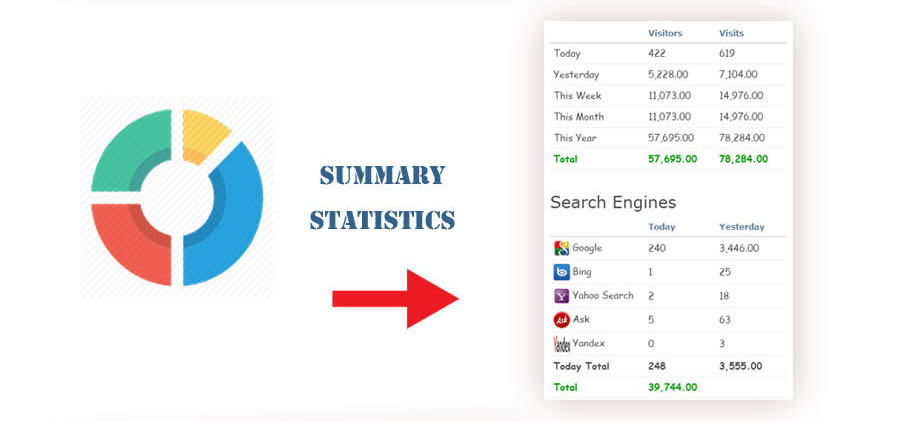
*[ahc_stats_widget] adds a box with the site statistics
*[ahc_stats_widget title=”” fontsize=”16″ fonttype=”” display_today_visitors=true display_today_pageviwes=true display_total_visitors=true display_total_pageviwes=true] the same box with custom options
*[ahc_today_visitors] shows today’s visitors
*[ahc_today_visits] shows today’s page views
All data is stored locally in your WordPress database, so you don’t need a data processing agreement with an external company.
The plugin doesn’t officially support Multisite yet, but it should work without issues. Full Multisite support is planned for a future release.
Safari unzips downloaded .zip files automatically, but WordPress needs the plugin as a .zip file. To turn this off:


#149 by installs
Adds Google Analytics tracking code to your WordPress site. Supports many tracking features.
Simple, lightweight WordPress analytics with privacy-friendly visitor tracking. Cookieless and GDPR-ready. Setup in seconds, no cookie banner needed.

#286 by installs
Count and display post views, track site-wide visits, and see what content works – inside WordPress. Fast, easy to use and privacy-first.

#348 by installs
Visitor statistics for WordPress with focus on data protection, transparency and clarity. Perfect as a widget in your WordPress Dashboard.

#378 by installs
A simple, yet powerful WordPress analytics plugin that gives you privacy-friendly stats to grow your website. A Google Analytics alternative.

#470 by installs
Enables you to display how many times a post/page had been viewed.
Read from the WordPress.org plugin API on , when WordPress 7.1.4 was the current release. WordPress.org rounds active installs into buckets. These are the directory's figures, not my verdict, and I haven't tested this plugin.
