
#104 by installs
Easy Table of Contents
Adds a user friendly and fully automatic way to create and display a table of contents generated from the page content.
- Installs
- 600,000+
- Rating
- 4.4 (221)
- Updated
- 15 days ago

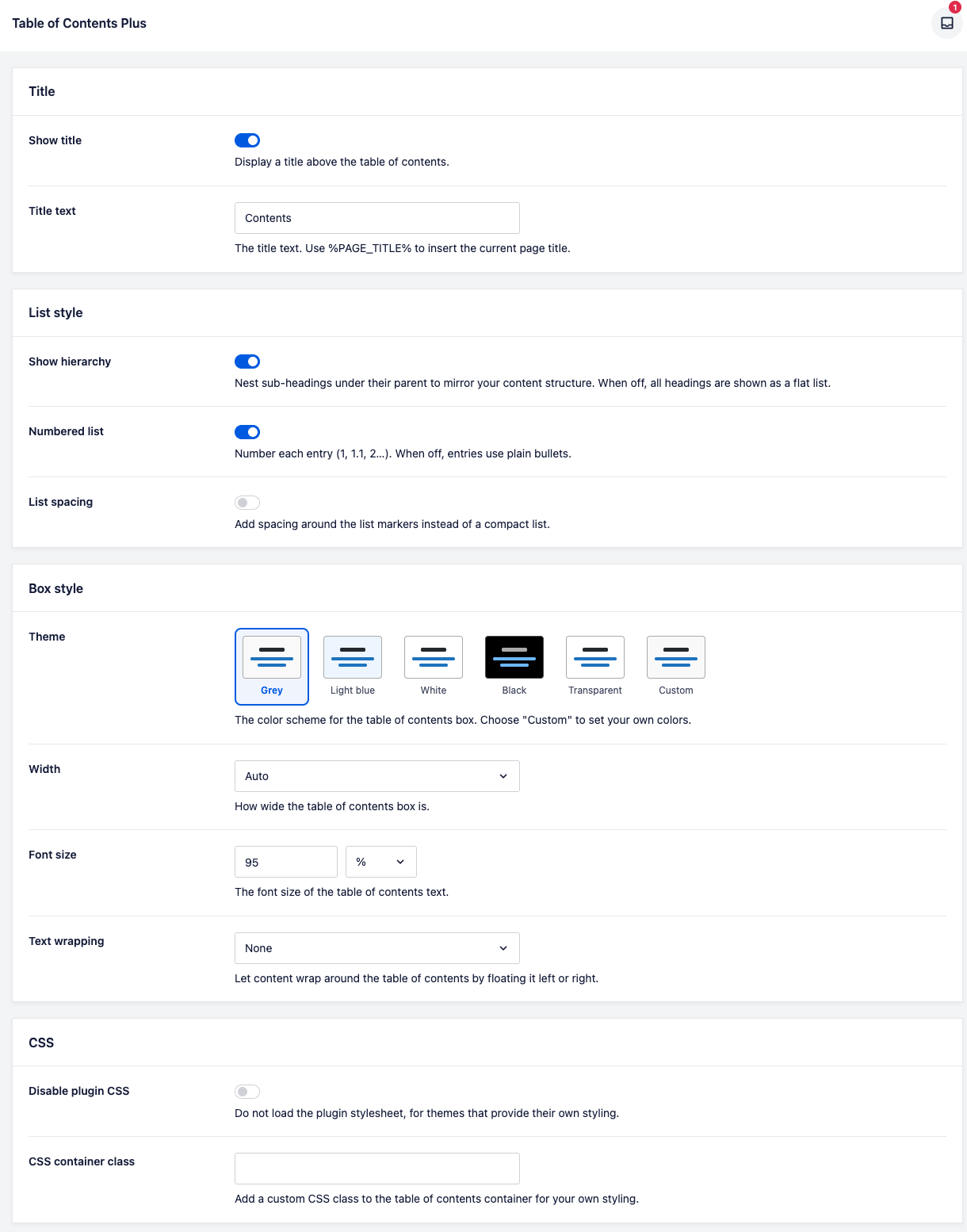
Automatically add a table of contents to your posts and pages, with smooth scrolling, anchor links, and simple styling options.
| Last updated | September 17, 2026Updated in the last 3 months |
|---|---|
| Tested up to | WordPress 7.1.4Covers WordPress 7.1.4, the current release |
| Needs WordPress | 5.7 or newer |
| Needs PHP | 7.4 or newer |
| First published | July 1, 2011 |
| Support, last two months | 5 of 5 threads resolved (100%) |
4.5 / 5 from 187 reviews
| 5 stars | 150 |
|---|---|
| 4 stars | 12 |
| 3 stars | 5 |
| 2 stars | 2 |
| 1 star | 18 |
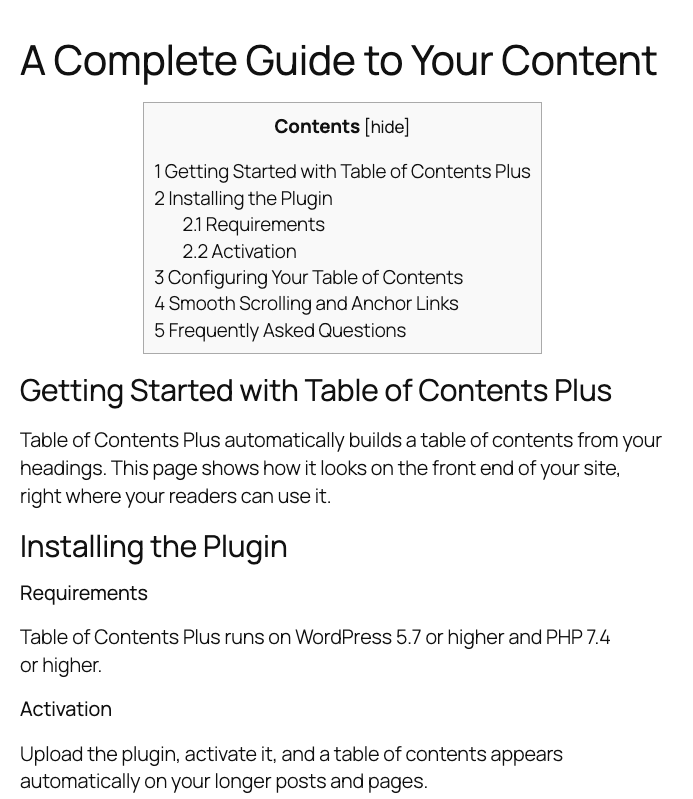
Table of Contents Plus automatically creates a table of contents for your long posts and pages by reading their headings. Your readers get a clickable summary at the top of the article, jump straight to the section they need, and stay on the page longer. Set it up once and every qualifying post gets a table of contents from then on, with no block to insert and no shortcode to remember.
A clear table of contents also helps search engines understand how your content is structured, and Google sometimes turns those headings into jump-to links in the search results. It is a small addition that improves navigation for readers and gives your long-form articles a better chance of standing out.
Automatic Table of Contents for Every Long Post
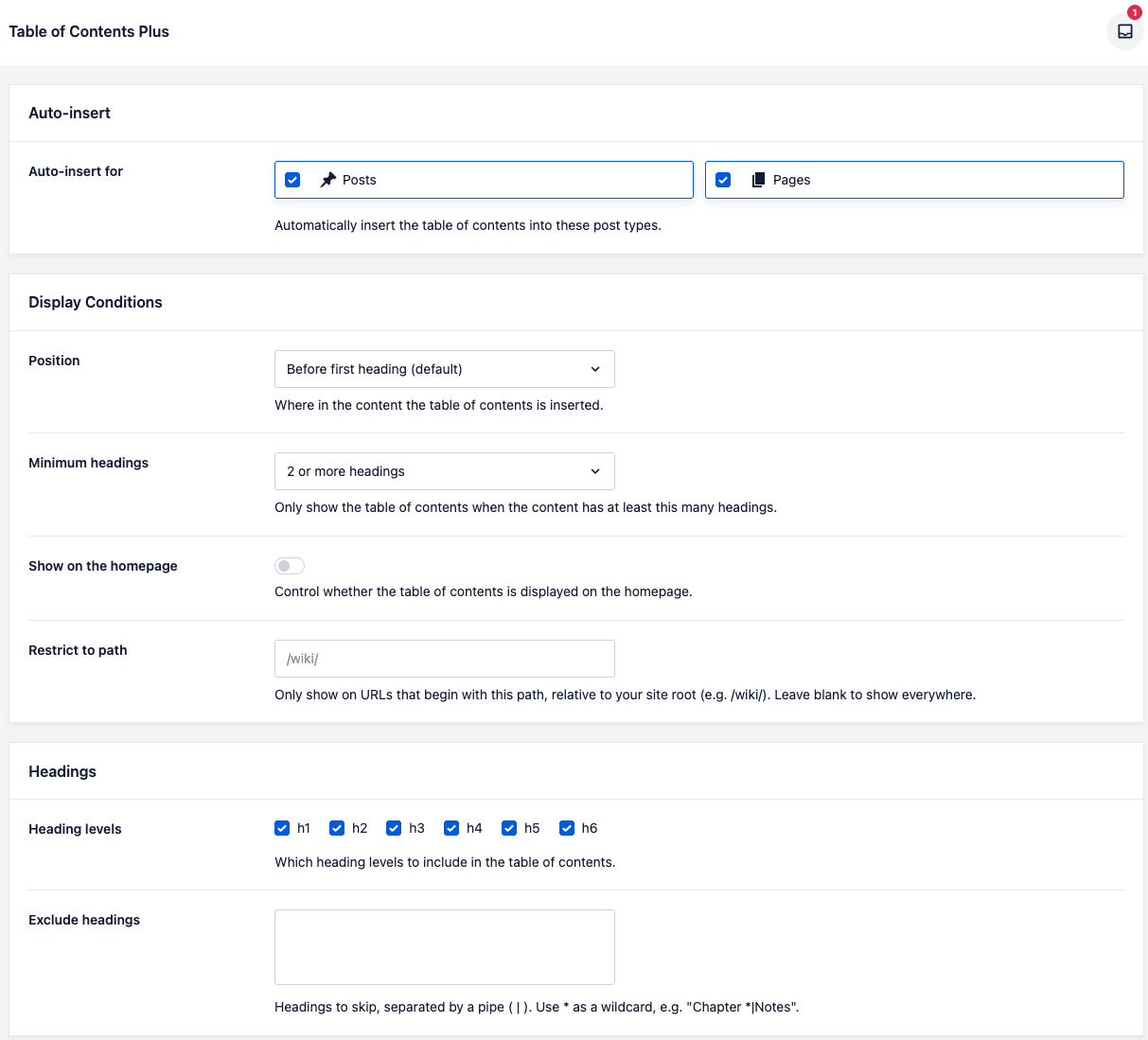
Turn the table of contents on for posts, pages, or any custom post type, and it appears automatically once an article has enough headings. You set the threshold, so short posts stay clean and only genuinely long content gets an index. Place the table of contents before the first heading, after the first paragraph, at the top, or at the bottom, so it fits the way you write.
Smooth Scrolling and Clean Anchor Links
The opening of the plugin's own description. The full text, installation notes and changelog are on its WordPress.org page.
Enable Table of Contents Plus for posts (or pages, or any post type) in the settings, and a table of contents appears automatically on any article with enough headings. You do not have to add a block or shortcode to each post.
Yes. The table of contents is generated from your headings each time the page loads, so it always matches the current content.
Yes. Use the [toc] shortcode to place the table of contents anywhere in your content, or add the widget or block to a sidebar. Use [no_toc] to hide it on a single post.
Yes. You can include or exclude heading levels h1 through h6, and exclude individual headings by name, with wildcard matching for patterns.
Yes. Add the Table of Contents Plus widget or block to any widget area and it follows the post being viewed.
Yes, as long as the post type outputs its content with the_content(). Each registered post type appears in the settings so you can enable the ones you want.
#104 by installs
Adds a user friendly and fully automatic way to create and display a table of contents generated from the page content.

#469 by installs
Creates SEO-friendly table of contents for your posts/pages. Works automatically or manually (via shortcode, Gutenberg block or widget).

#163 by installs
The official companion plugin for Blocksy theme, packed with starter sites, extra features, and integrations.

#234 by installs
The visual editor widget for WordPress.

#353 by installs
List the most recent posts with post titles, thumbnails, excerpts, authors, categories, dates and more!

#399 by installs
A simple image widget that uses the native WordPress media manager to add image widgets to your site.
Read from the WordPress.org plugin API on , when WordPress 7.1.4 was the current release. WordPress.org rounds active installs into buckets. These are the directory's figures, not my verdict, and I haven't tested this plugin.