
Automatically add a table of contents to your posts and pages, with smooth scrolling, anchor links, and simple styling options.
- Installs
- 200,000+
- Rating
- 4.5 (187)
- Updated
- 44 days ago

Adds a user friendly and fully automatic way to create and display a table of contents generated from the page content.
| Last updated | October 16, 2026Updated in the last 3 months |
|---|---|
| Tested up to | WordPress 7.1.4Covers WordPress 7.1.4, the current release |
| Needs WordPress | 5.0 or newer |
| Needs PHP | 5.6.20 or newer |
| First published | September 9, 2015 |
| Support, last two months | 0 of 6 threads resolved (0%) |
4.4 / 5 from 221 reviews
| 5 stars | 167 |
|---|---|
| 4 stars | 18 |
| 3 stars | 7 |
| 2 stars | 9 |
| 1 star | 20 |
A user friendly, featured focused Easy Table of Contents plugin which allows you to insert a table of contents into your posts, pages and custom post types.
Home | Help & Tech Support | Documentation | Pro version Features
Features
The opening of the plugin's own description. The full text, installation notes and changelog are on its WordPress.org page.
You first stop should be the Table of Contents settings admin page. You can find this under the Settings menu item.
You first and only required decision is you need to decide which post types you want to enable Table of Contents support for. By default it is the Pages post type. If on Pages is the only place you plan on using Table of Contents, you have nothing to do on the Settings page.
The table of contents is generated by the headers found on a page. Headers are the <h1>,<h2>,<h3>,<h4>,<h5>,<h6> HTML tags. If you are using the WordPres Visual Post Editor, these header tags are used and inserted into the post when you select one of the Heading n options from the formatting drop down. Each header that is found on the page will create a table of content item.
Yes you can add the TOC with this shortcode – [ez-toc] and with the help of this you can easily add the TOC in the content or anywhere in the WordPress and if you want to add the shortcode on the theme file then you can add it with the help of this code – and with this, you can add the TOC on any file according to your need.
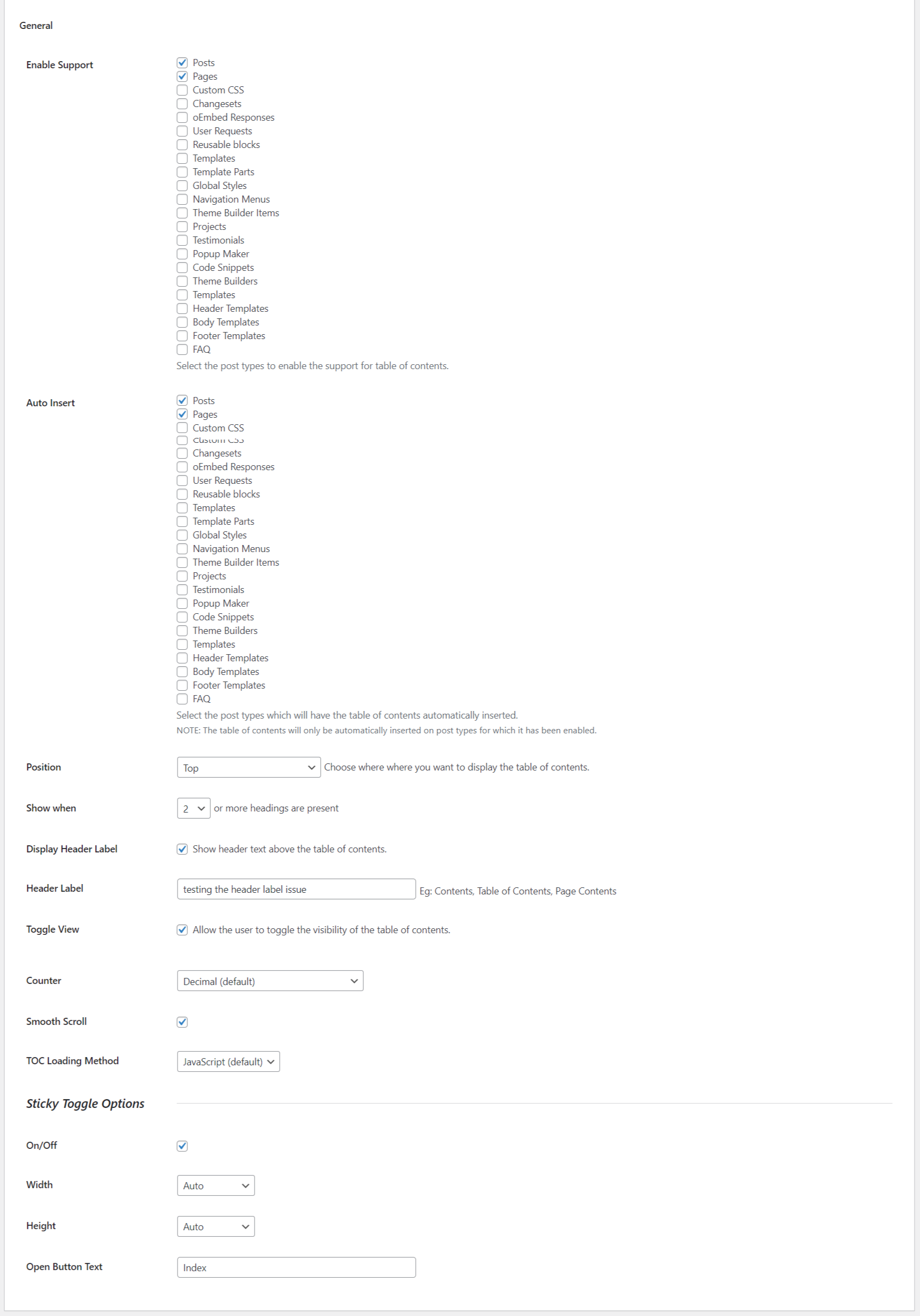

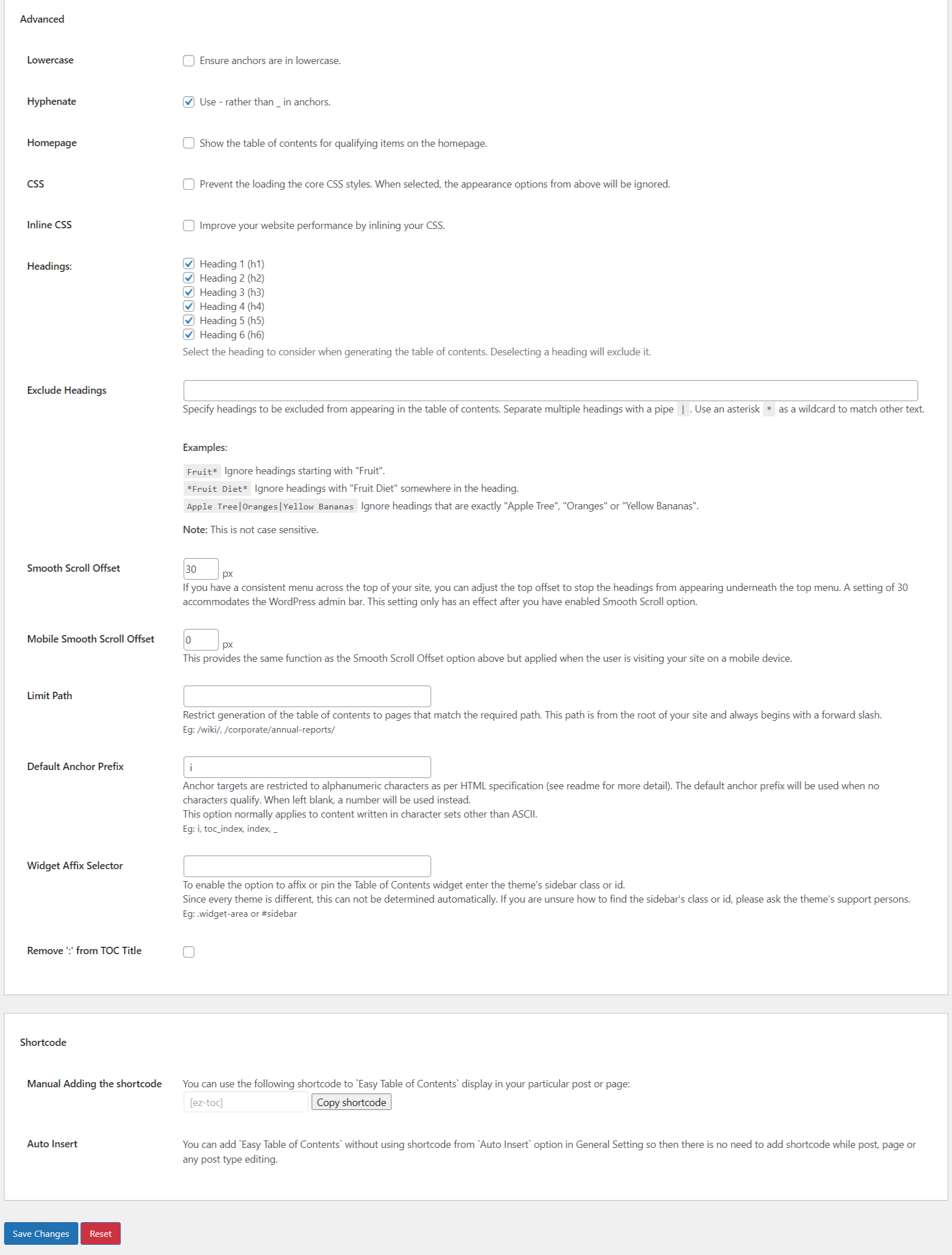
Automatically add a table of contents to your posts and pages, with smooth scrolling, anchor links, and simple styling options.

#469 by installs
Creates SEO-friendly table of contents for your posts/pages. Works automatically or manually (via shortcode, Gutenberg block or widget).
Read from the WordPress.org plugin API on , when WordPress 7.1.4 was the current release. WordPress.org rounds active installs into buckets. These are the directory's figures, not my verdict, and I haven't tested this plugin. The author takes donations at their donate page.