
#104 by installs
Easy Table of Contents
Adds a user friendly and fully automatic way to create and display a table of contents generated from the page content.
- Installs
- 600,000+
- Rating
- 4.4 (221)
- Updated
- 15 days ago

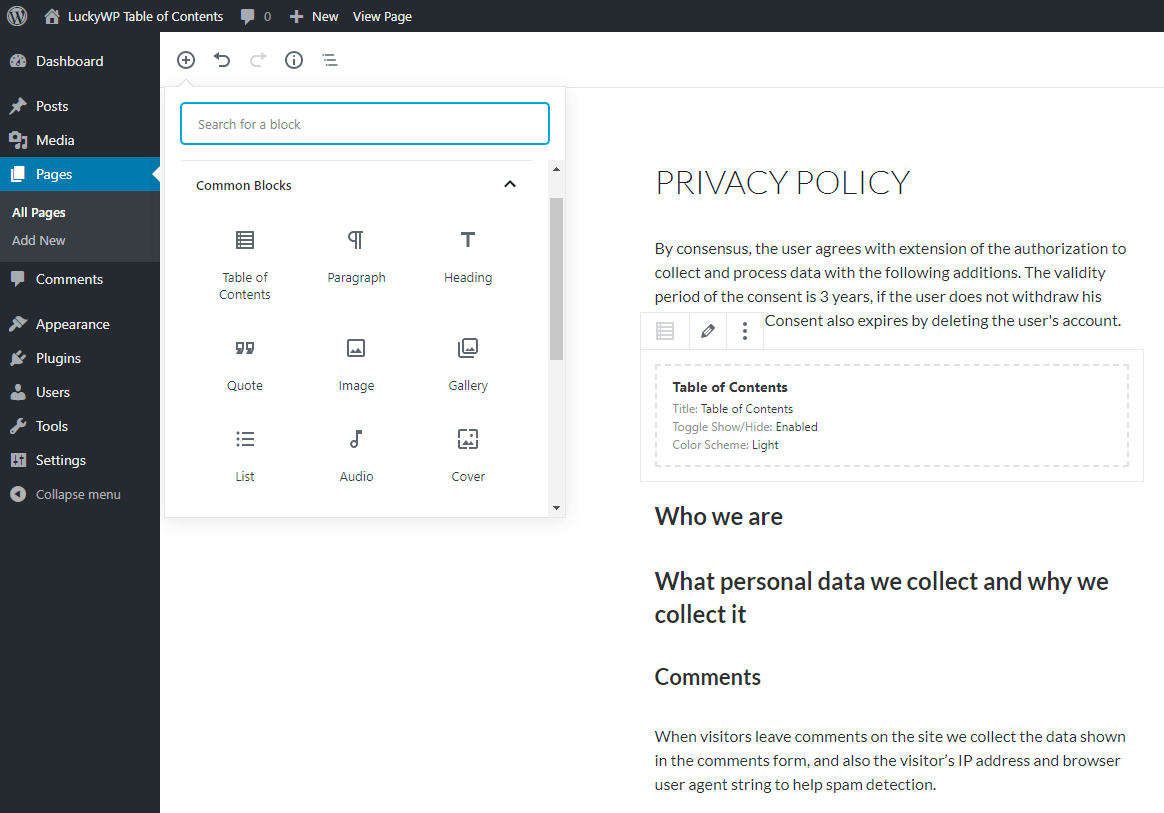
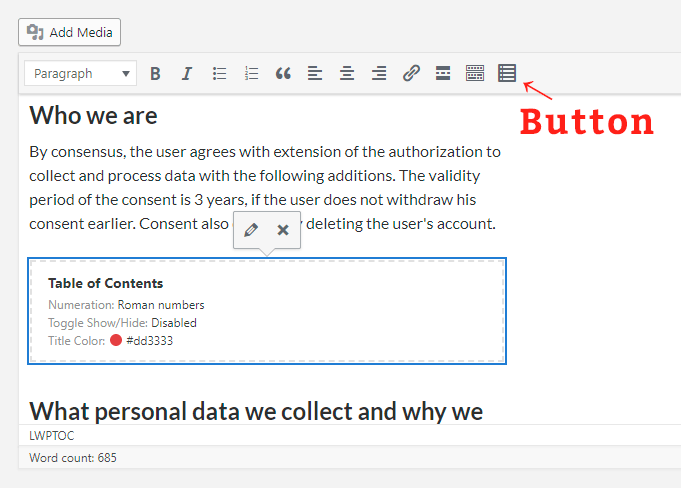
Creates SEO-friendly table of contents for your posts/pages. Works automatically or manually (via shortcode, Gutenberg block or widget).
| Last updated | April 16, 2025Not updated for over a year |
|---|---|
| Tested up to | WordPress 6.7.11Older than WordPress 7.1.4, the current release |
| Needs WordPress | 4.7 or newer |
| Needs PHP | 5.6.20 or newer |
| First published | November 14, 2018 |
| Support, last two months | 0 of 1 threads resolved (0%) |
4.9 / 5 from 884 reviews
| 5 stars | 835 |
|---|---|
| 4 stars | 29 |
| 3 stars | 6 |
| 2 stars | 4 |
| 1 star | 10 |
Creates SEO-friendly table of contents for your posts, pages or custom post types. Great customizable appearance.
Features
Auto Insert
The opening of the plugin's own description. The full text, installation notes and changelog are on its WordPress.org page.

#104 by installs
Adds a user friendly and fully automatic way to create and display a table of contents generated from the page content.
Automatically add a table of contents to your posts and pages, with smooth scrolling, anchor links, and simple styling options.

#980 by installs
The AI-powered internal linking plugin for WordPress. Build internal links faster, find linking opportunities, and improve SEO automatically.
Real-time SEO guidance, schema, and AI built in. Help search engines and AI systems understand your content. All AI tools included, no hidden fees.

#5 by installs
All-in-one unbeatable acceleration & PageSpeed improvement: caching, image/CSS/JS optimization...

#13 by installs
Grow your organic traffic and AI visibility with powerful SEO tools, XML sitemaps, Schema automation, and built-in AI SEO, all in one place.
Read from the WordPress.org plugin API on , when WordPress 7.1.4 was the current release. WordPress.org rounds active installs into buckets. These are the directory's figures, not my verdict, and I haven't tested this plugin. The author takes donations at their donate page.

