
#399 by installs
Image Widget
A simple image widget that uses the native WordPress media manager to add image widgets to your site.
- Installs
- 100,000+
- Rating
- 4.9 (287)
- Updated
- 6 months ago

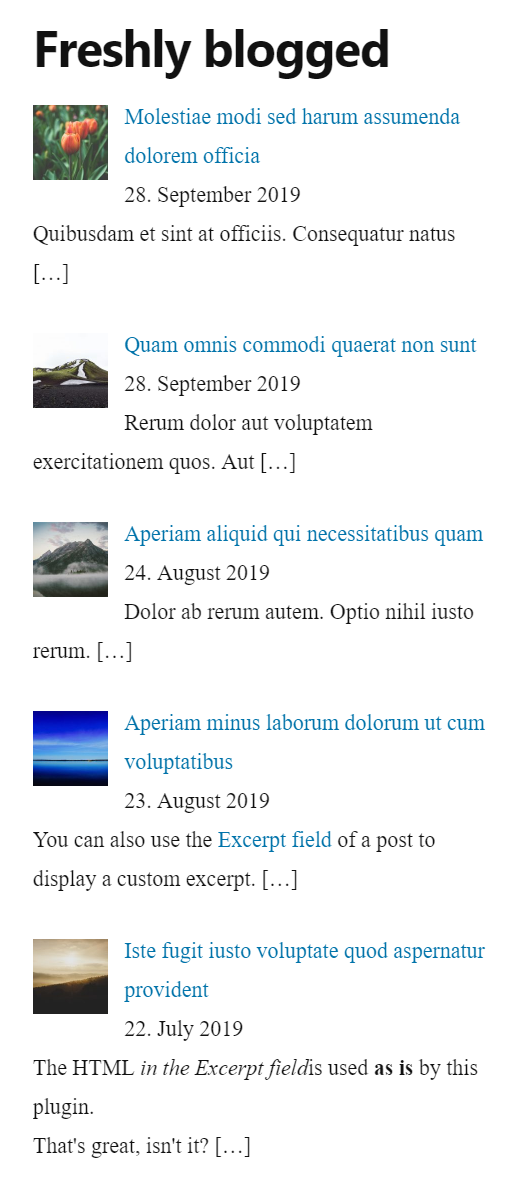
List the most recent posts with post titles, thumbnails, excerpts, authors, categories, dates and more!
| Last updated | October 10, 2026Updated in the last 3 months |
|---|---|
| Tested up to | WordPress 7.1.4Covers WordPress 7.1.4, the current release |
| Needs WordPress | 4.6 or newer |
| Needs PHP | 5.6 or newer |
| First published | June 12, 2014 |
| Support, last two months | 2 of 2 threads resolved (100%) |
4.8 / 5 from 215 reviews
| 5 stars | 193 |
|---|---|
| 4 stars | 12 |
| 3 stars | 4 |
| 2 stars | 2 |
| 1 star | 4 |
List the most recent posts with post titles, thumbnails, excerpts, authors, categories, dates and more!
Although the plugin is built only for widget areas users reported that it works in Elementor and works in Oxygen. Whether it runs in other page builders is unknown. Please let me know in which page builder you were able to use the plugin successfully.
The plugin does not collect any personal data, so it is ready for EU General Data Protection Regulation (GDPR) compliance.
Lightweight, simple and effective
No huge widget with hundreds of options. This plugin is based on the well-known WordPress default widget ‘Recent Posts’ and extended to display more information about the posts like e.g. thumbnails, excerpts and assigned categories. And it provides more options to build custom-taylored posts lists.
The thumbnails will be built from the featured image of a post or of the first image in the post content. If there is neither a featured image nor a content image then you can define a default thumbnail.
You can set the width and height of the thumbnails in the list. The thumbnails appear left-aligned to the post titles in left-to-right languages. In right-to-left languages they appear right-aligned.
Custom Post Type
If you want to list custom post types with the featured image, please check out our plugin Ultimate Post List Pro.
Demo
The opening of the plugin's own description. The full text, installation notes and changelog are on its WordPress.org page.
The WordPress version must be at least 4.6.
The PHP version must be at least 5.6.
The theme should support wp_head() in the HTML header section to print the CSS code for a beautiful alignment of the thumbnails.
Yes. Type in the web address of the thumbnail and click on “Save”. That’s all.
Yes. You can enter the desired width and height of the thumbnails or select one of the sizes as set in ‘Settings’ > ‘Media’.
To keep the plugin lightweight: no. Please set the alignment in the CSS of your theme instead.
To keep the plugin lightweight: no. Please set the CSS in the Customizer at “Additional CSS”.
Yes. It works with images previously uploaded into the media library. You can select to prefer the first image to the featured image or to use the first image only.

#399 by installs
A simple image widget that uses the native WordPress media manager to add image widgets to your site.

#448 by installs
Flexible sidebars for custom classic widget configurations on any page or post. Create custom sidebars with ease!

#576 by installs
More attention and a higher ad performance with fixed sticky widgets.

#799 by installs
Automatically generate, assign, and manage featured images in bulk so every post on your site has a featured image.

#998 by installs
Display new sidebars on any post, page, category etc. Works with Classic Widgets, Block Widgets, and all themes!

#64 by installs
Regenerate the thumbnails for one or more of your image uploads. Useful when changing their sizes or your theme.
Read from the WordPress.org plugin API on , when WordPress 7.1.4 was the current release. WordPress.org rounds active installs into buckets. These are the directory's figures, not my verdict, and I haven't tested this plugin. The author takes donations at their donate page.