
#998 by installs
Content Aware Sidebars – Fastest Widget Area Plugin
Display new sidebars on any post, page, category etc. Works with Classic Widgets, Block Widgets, and all themes!
- Installs
- 30,000+
- Rating
- 4.9 (724)
- Updated
- 8 days ago

Flexible sidebars for custom classic widget configurations on any page or post. Create custom sidebars with ease!
| Last updated | August 16, 2026Updated in the last 3 months |
|---|---|
| Tested up to | WordPress 7.1.4Covers WordPress 7.1.4, the current release |
| Needs WordPress | 4.6 or newer |
| Needs PHP | 5.6 or newer |
| First published | August 23, 2010 |
| Support, last two months | 1 of 1 threads resolved (100%) |
4.7 / 5 from 1,028 reviews
| 5 stars | 903 |
|---|---|
| 4 stars | 52 |
| 3 stars | 10 |
| 2 stars | 14 |
| 1 star | 49 |
Manage and replace sidebars and other classic widget areas on your site with Custom Sidebars, a flexible widget area manager.
Make custom sidebar configurations and be able to choose what classic widgets display on each page or post of your site.
Custom Sidebars works ONLY with the classic widgets screen that was used in WordPress before version 5.8. If you want to use it with version 5.8 (and above) you have to install the official Classic Widgets plugin, or enable the classic widgets interface yourself. Once the classic widgets screen is activated the plugin will work the same as before.
Display Different Sidebars on Pages and Posts
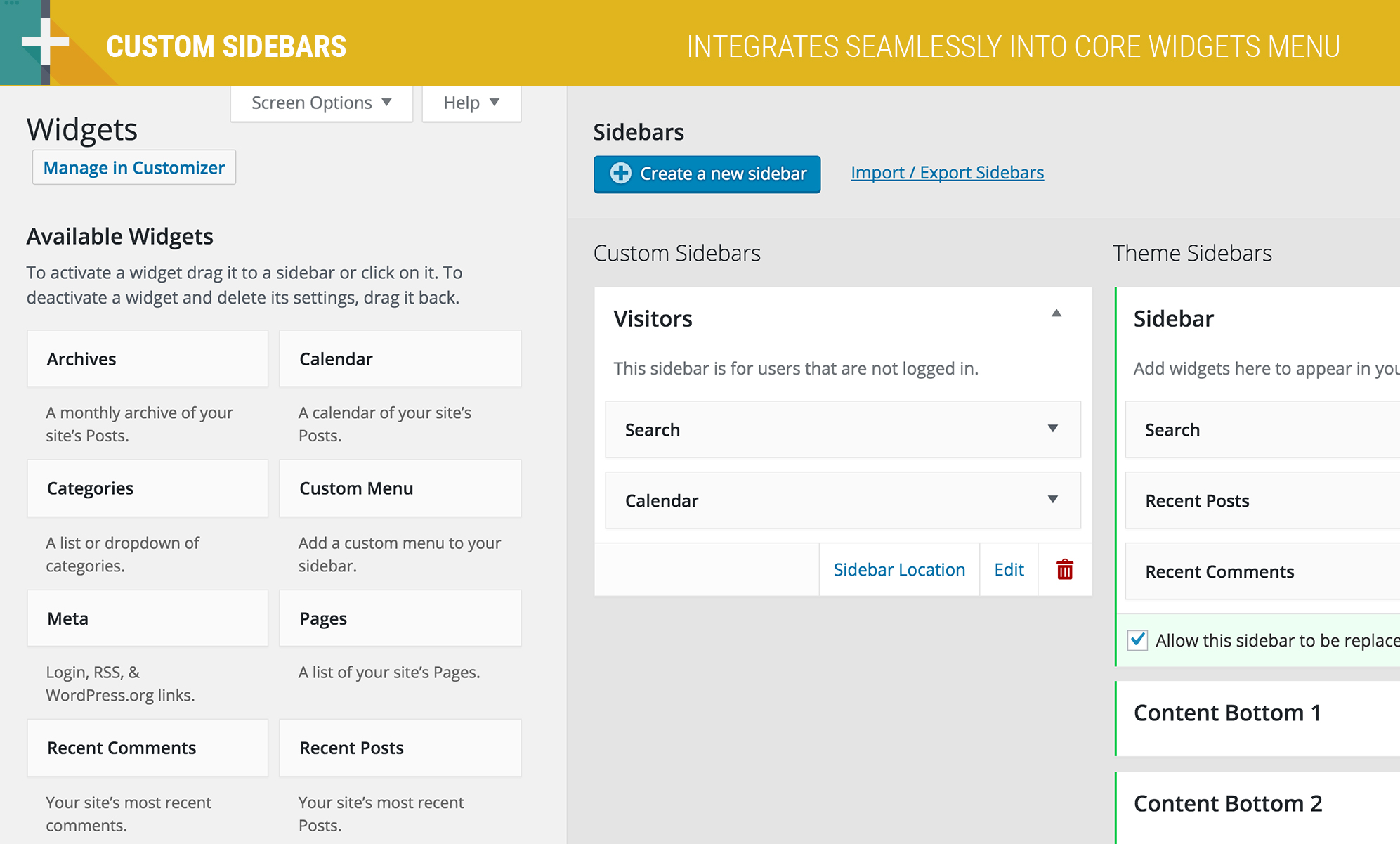
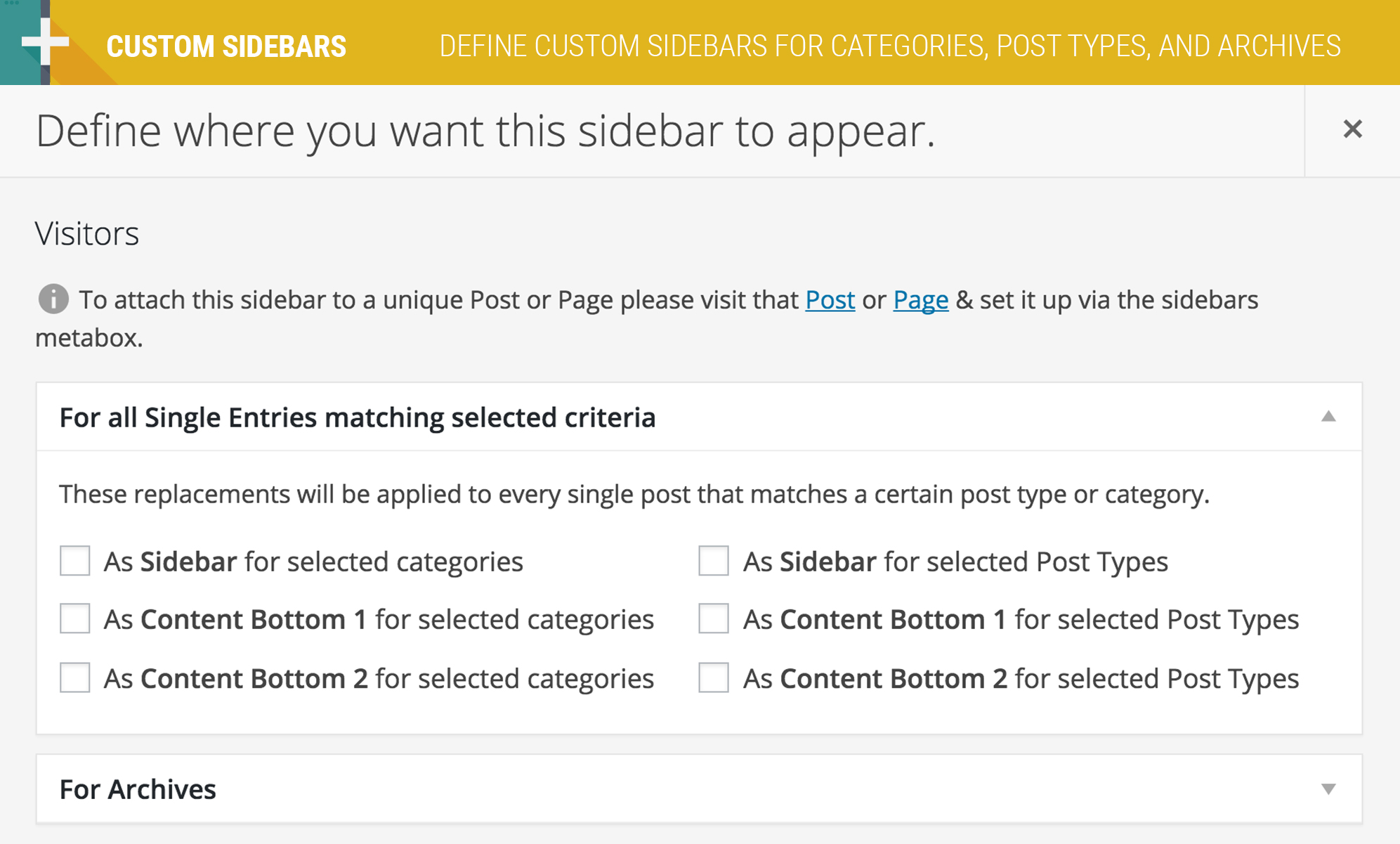
Custom Sidebars allows you to dynamically display custom widget configurations on any page, post, category, post type, or archive page.
★★★★★
“Custom Sidebars will go on my “essential plugins” list from now on. I am pleased by how easy it was to figure out and by how many options are available in the free version.” – monkeyhateclean
★★★★★
“This plugin does exactly what it says. It’s light, integrates well into WordPress and gives you tons of possibilities.” – DarkNova
The opening of the plugin's own description. The full text, installation notes and changelog are on its WordPress.org page.
This plugin requires your theme to have widget areas enabled, if you don’t have widget areas enabled you probably need to use a different theme that does!
You have a sidebar box when editing a entry. Also you can define default sidebars for different posts and archives.
You can create all the sidebars you want, but you need some sidebars of your theme to be replaced by the ones that you have created. You have to select which sidebars from your theme are suitable to be replaced in the Custom Sidebars settings page and you will have them available to switch.
You are probably using a theme that doesn’t load dynamic sidebars properly or doesn’t use the wp_head() function in its header. The plugin replaces the sidebars inside that function, and many other plugins hook there, so it is more than recommended to use it.
Any user that can switch themes, can create sidebars. Switch_themes is the capability needed to manage widgets, so if you can’t edit widgets you can’t create custom sidebars. There are some plugins to give capabilities to the roles, so you can make your author be able to create the sidebars. Try User role editor
Custom Sidebars has the same license as WordPress, so you can use it wherever you want for free. Yay!

#998 by installs
Display new sidebars on any post, page, category etc. Works with Classic Widgets, Block Widgets, and all themes!

#353 by installs
List the most recent posts with post titles, thumbnails, excerpts, authors, categories, dates and more!

#399 by installs
A simple image widget that uses the native WordPress media manager to add image widgets to your site.

#576 by installs
More attention and a higher ad performance with fixed sticky widgets.

#25 by installs
Enables the previous "classic" widgets settings screens in Appearance - Widgets and the Customizer. Disables the block editor from managing widgets.

#163 by installs
The official companion plugin for Blocksy theme, packed with starter sites, extra features, and integrations.
Read from the WordPress.org plugin API on , when WordPress 7.1.4 was the current release. WordPress.org rounds active installs into buckets. These are the directory's figures, not my verdict, and I haven't tested this plugin.