
#30 by installs
Advanced Editor Tools
Extends and enhances the block editor (Gutenberg) and the classic editor (TinyMCE).
- Installs
- 1+ million
- Rating
- 4.5 (354)
- Updated
- 2 months ago

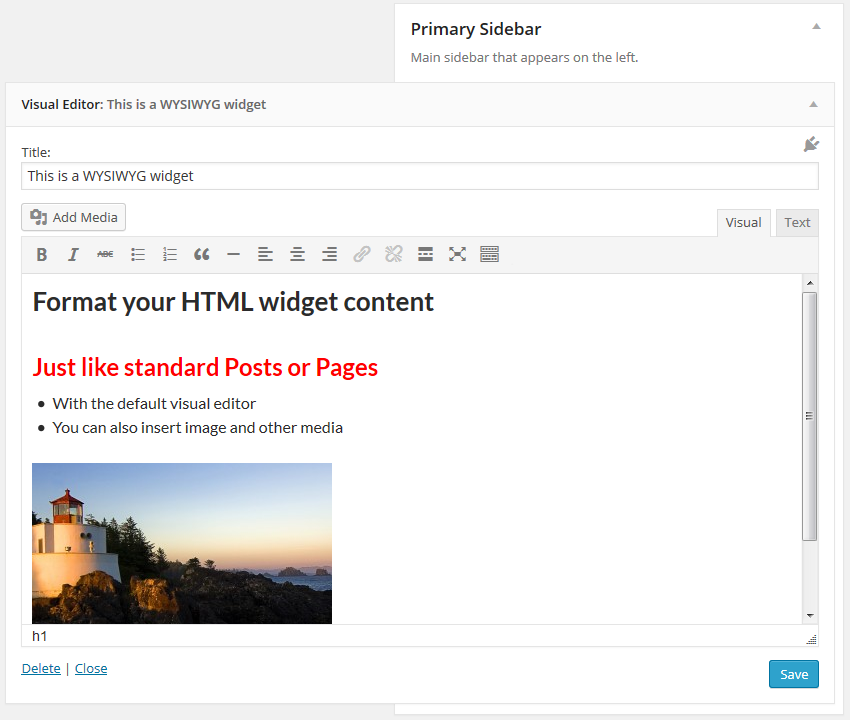
The visual editor widget for WordPress.
| Last updated | August 20, 2026Updated in the last 3 months |
|---|---|
| Tested up to | WordPress 7.1.4Covers WordPress 7.1.4, the current release |
| Needs WordPress | 5.0 or newer |
| Needs PHP | 5.2 or newer |
| First published | November 10, 2011 |
| Support, last two months | No threads opened |
4.8 / 5 from 191 reviews
| 5 stars | 173 |
|---|---|
| 4 stars | 8 |
| 3 stars | 2 |
| 2 stars | 3 |
| 1 star | 5 |
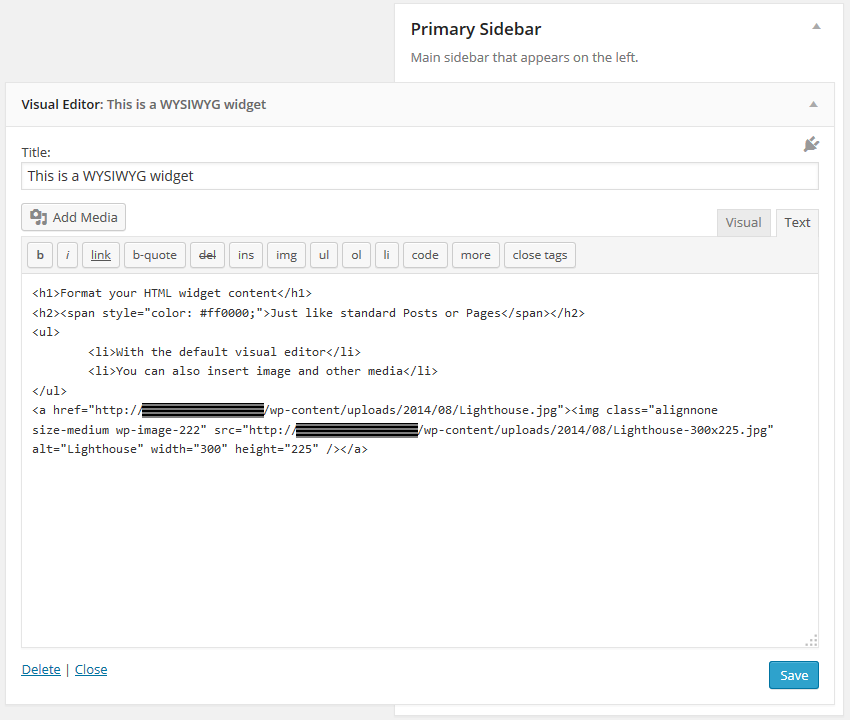
This plugin adds a new Visual Editor widget type that allows you to insert rich text and media objects in your sidebars with no hassle. With Black Studio TinyMCE Widget you will be able to edit your widgets in a WYSIWYG manner using the native WordPress TinyMCE editor, just like you do in posts and pages. And if you are a developer you may still switch back and forth from Visual to HTML mode.
For years the default WordPress text widget has been very basic and it required HTML knowledge to add formatting and images/media to the text. This plugin was born in 2011 to overcome these limitations. After a long time, in June 2017, version 4.8 of WordPress finally introduced a new text widget that included the ability to manage text widgets with the visual editor. The new widget available in WordPress core could now be used as a basic replacement of Black Studio TinyMCE Widget, but the plugin still offers some additional features, so it remains a must-have for advanced users.
Basic Features
The opening of the plugin's own description. The full text, installation notes and changelog are on its WordPress.org page.
This plugin gives you the ability to use the WordPress visual editor (TinyMCE) in widgets as you do in posts and pages, but it doesn’t affect the editor behavior itself or its functionalities. If you are looking for additional editor features, take a look at plugins like WP Edit, TinyMCE Advanced or any other feature specific plugin you may need.
If you are experiencing issues with the plugin please read entirely these FAQ before posting a new topic in our support forum. Most of the times issues are caused by incompatibility with other plugins or themes, which may prevent our plugin from working as expected. In order to troubleshoot issues please complete the following steps:
Since version 1.3.1 the name of the widget changed from Black Studio TinyMCE Widget to Visual Editor to enhance user-friendliness. Black Studio TinyMCE Widget is still the name of the plugin, but it was a bit too long and not very intuitive for inexperienced users.
When dealing with a WordPress site URL change it is necessary to face the serialized fields issue: data may become corrupted if using a simple search/replace (see the Codex for further info). This is not an issue specifically related to our plugin, but it affects all the parts (plugins, themes and WordPress core files too) that use serialized data archiving.
WPML is the leading commercial plugin for WordPress multi-language sites.
If you’re using WPML v3.8 or newer and you need to translate a widget, we recommend to create a separate widget for each language of your site and assign the language to each widget accordingly using the selector “Display on language” provided by WPML. This way you will be able to work with the visual editor also for translations.
WordPress has a nice autoembed feature that allows you to embed videos and other stuff in an easy way, by just putting the URL in the content area. This is also possible for widgets created with this plugin.
If you are using a version of WordPress prior to 4.0 or a version of Black Studio TinyMCE Widget prior to 2.0, for best results it is recommended to put the URL inside an [embed] shortcode. Example:

#30 by installs
Extends and enhances the block editor (Gutenberg) and the classic editor (TinyMCE).

#390 by installs
This plugin makes it easy to add Quicktags to the html - and visual-editor.

#739 by installs
This tiny plugin re-adds the Editor text underline & text justify buttons in the WYSIWYG removed in WordPress 4.7.0

#764 by installs
Post and Page Builder is a standalone plugin which adds functionality to the existing TinyMCE Editor.
The Elementor Website Builder has it all: drag and drop page builder, Atomic Editor, pixel perfect design, global and reusable style systems, mobile r …

#4 by installs
Enables the previous "classic" editor and the old-style Edit Post screen with TinyMCE, Meta Boxes, etc. Supports all plugins that extend this screen.
Read from the WordPress.org plugin API on , when WordPress 7.1.4 was the current release. WordPress.org rounds active installs into buckets. These are the directory's figures, not my verdict, and I haven't tested this plugin.
