
#30 by installs
Advanced Editor Tools
Extends and enhances the block editor (Gutenberg) and the classic editor (TinyMCE).
- Installs
- 1+ million
- Rating
- 4.5 (354)
- Updated
- 2 months ago

Enables the previous "classic" editor and the old-style Edit Post screen with TinyMCE, Meta Boxes, etc. Supports all plugins that extend this screen.
| Last updated | May 28, 2026Updated in the last year |
|---|---|
| Tested up to | WordPress 7.0.8Older than WordPress 7.1.4, the current release |
| Needs WordPress | 4.9 or newer |
| Needs PHP | 5.2.4 or newer |
| First published | October 24, 2017 |
| Support, last two months | 0 of 3 threads resolved (0%) |
4.9 / 5 from 1,251 reviews
| 5 stars | 1,190 |
|---|---|
| 4 stars | 28 |
| 3 stars | 14 |
| 2 stars | 3 |
| 1 star | 16 |
Classic Editor is an official plugin maintained by the WordPress team that restores the previous (“classic”) WordPress editor and the “Edit Post” screen. It makes it possible to use plugins that extend that screen, add old-style meta boxes, or otherwise depend on the previous editor.
Classic Editor is an official WordPress plugin, and will be fully supported and maintained until 2024, or as long as is necessary.
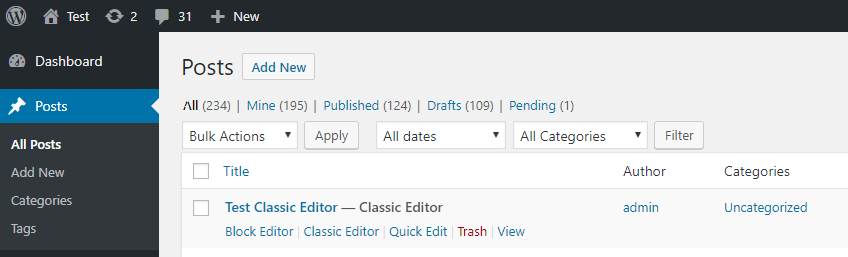
At a glance, this plugin adds the following:
In addition, the Classic Editor plugin includes several filters that let other plugins control the settings, and the editor choice per post and per post type.
By default, this plugin hides all functionality available in the new block editor (“Gutenberg”).
The opening of the plugin's own description. The full text, installation notes and changelog are on its WordPress.org page.
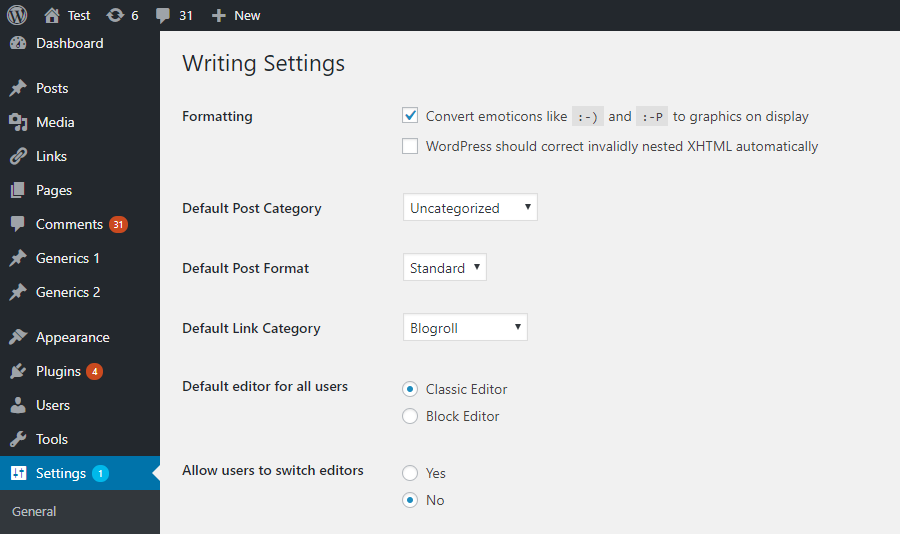
When activated and when using a classic (non-block) theme, this plugin will restore the previous (“classic”) WordPress editor and hide the new block editor (“Gutenberg”).
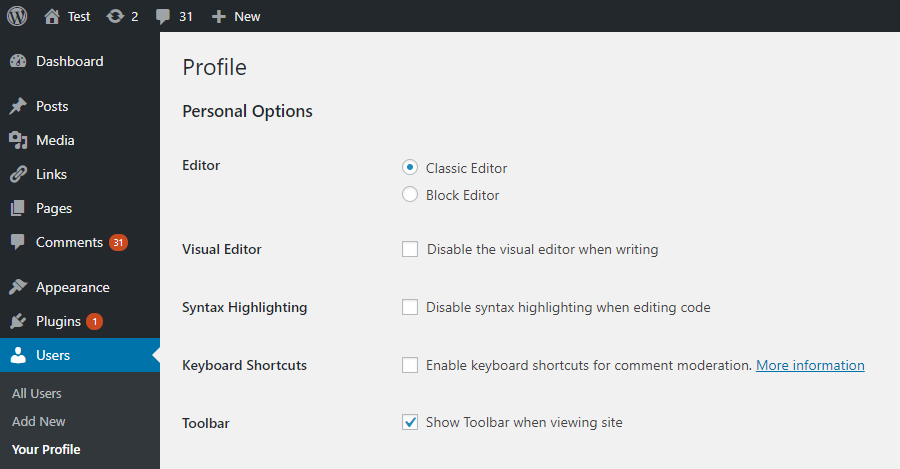
These settings can be changed at the Settings => Writing screen.
There are two options:
The settings can be changed and default network-wide editor can be selected on the Network Settings screen.
It is in the main block editor menu, see this screenshot.
No, as block themes rely on blocks. See Block themes article for more information.

#30 by installs
Extends and enhances the block editor (Gutenberg) and the classic editor (TinyMCE).

#117 by installs
Disable Gutenberg Block Editor and restore the Classic Editor and original Edit Post screen (TinyMCE, meta boxes, etc.).

#25 by installs
Enables the previous "classic" widgets settings screens in Appearance - Widgets and the Customizer. Disables the block editor from managing widgets.

#63 by installs
Gutenberg blocks for existing Spectra websites. Maintained, stable, and fully supported — no action needed on your part.

#102 by installs
20+ Gutenberg Blocks with endless options, enabling top-notch efficiency for high-performance dynamic website creation.

#216 by installs
A small collection of lightweight WordPress blocks that can accomplish nearly anything.
Read from the WordPress.org plugin API on , when WordPress 7.1.4 was the current release. WordPress.org rounds active installs into buckets. These are the directory's figures, not my verdict, and I haven't tested this plugin.