
#32 by installs
Code Snippets
Manage custom WordPress code in one dashboard. Create PHP and HTML snippets, preview code, track snippet totals and reuse code across sites.
- Installs
- 1+ million
- Rating
- 4.7 (510)
- Updated
- 10 days ago

Create custom "Shortcodes" easily for HTML, JavaScript, CSS code snippets and use the shortcodes within posts, pages & widgets
| Last updated | September 14, 2026Updated in the last 3 months |
|---|---|
| Tested up to | WordPress 7.1.4Covers WordPress 7.1.4, the current release |
| Needs WordPress | 4.9.0 or newer |
| Needs PHP | 5.3 or newer |
| First published | May 8, 2010 |
| Support, last two months | 0 of 1 threads resolved (0%) |
4.9 / 5 from 227 reviews
| 5 stars | 211 |
|---|---|
| 4 stars | 9 |
| 3 stars | 2 |
| 2 stars | 1 |
| 1 star | 4 |
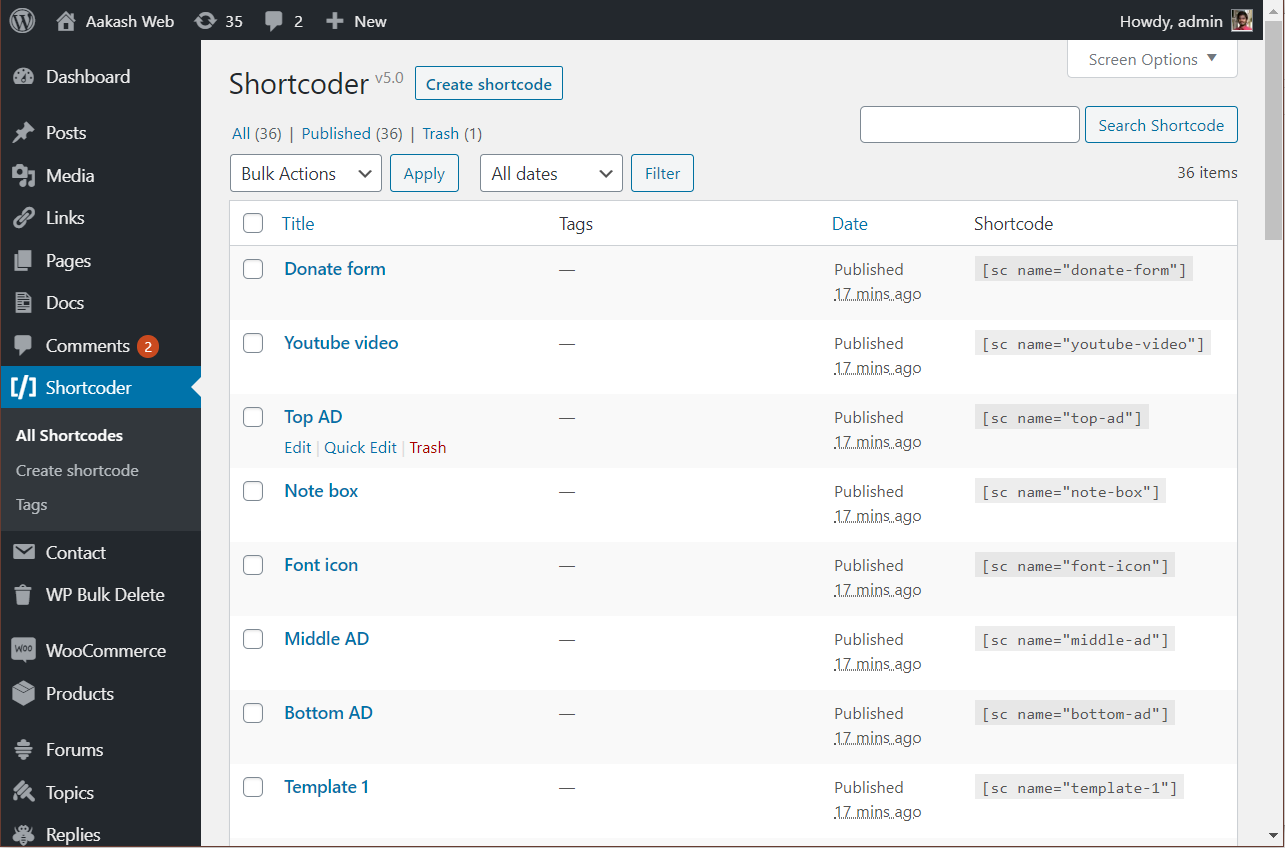
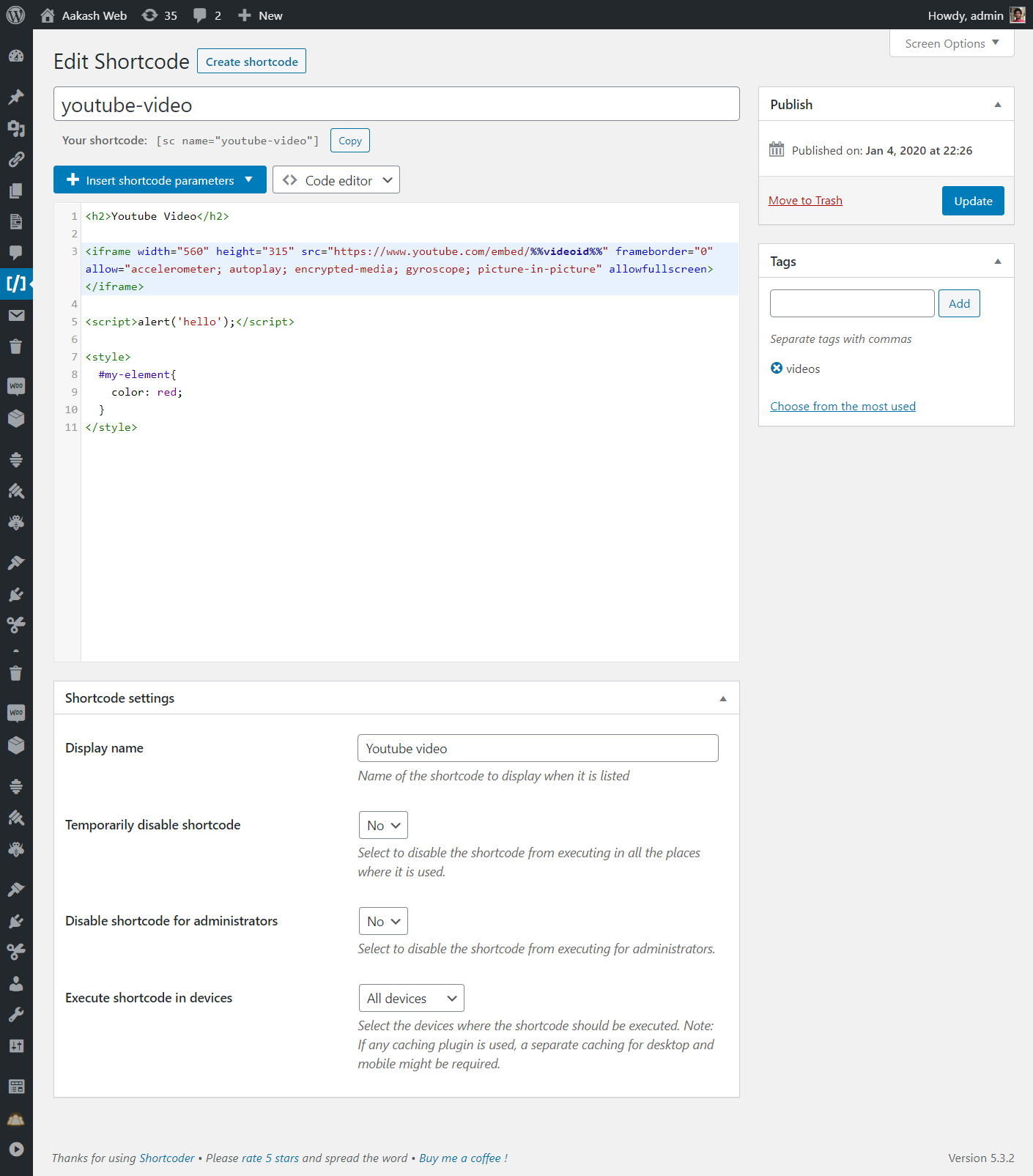
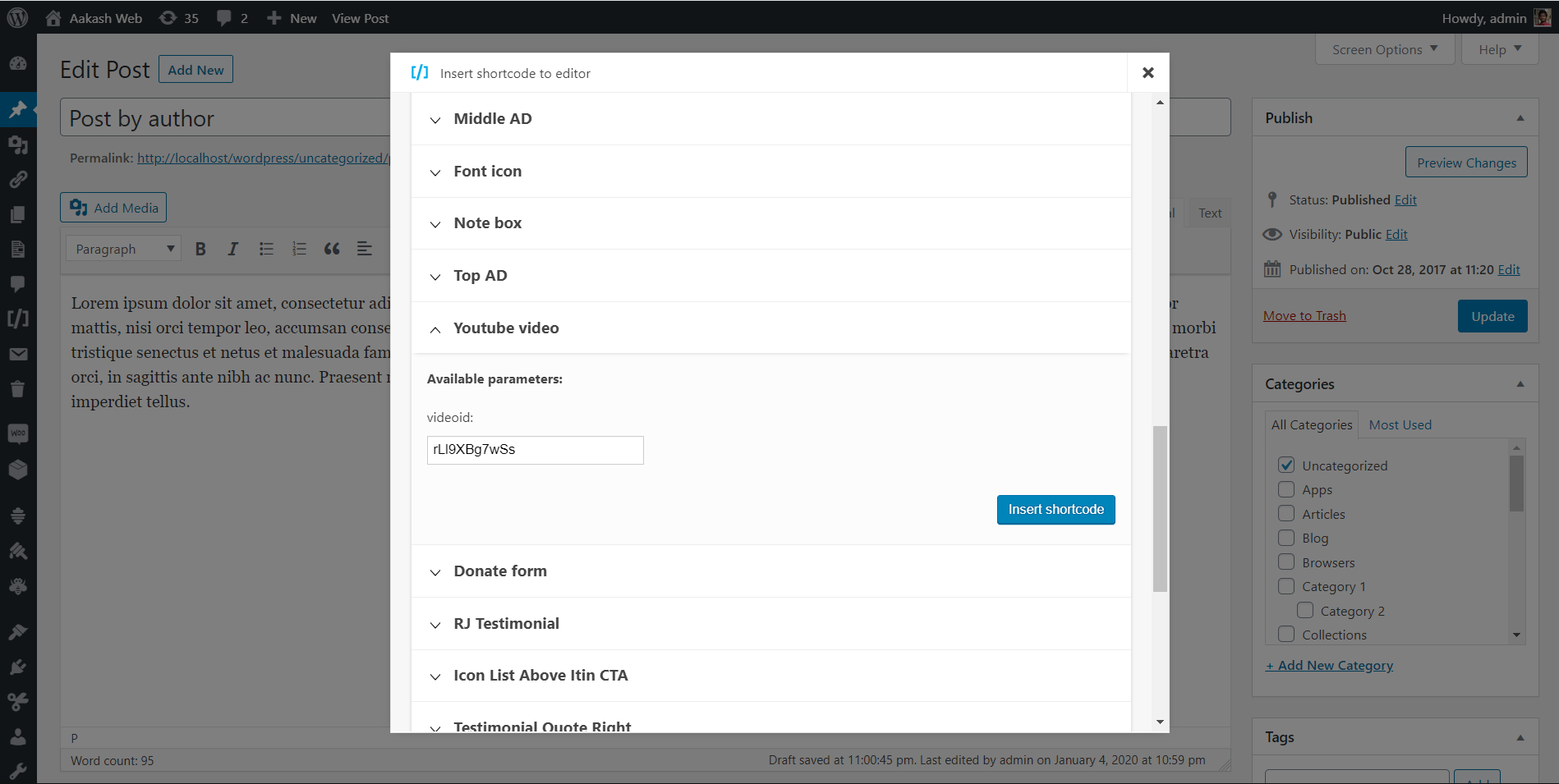
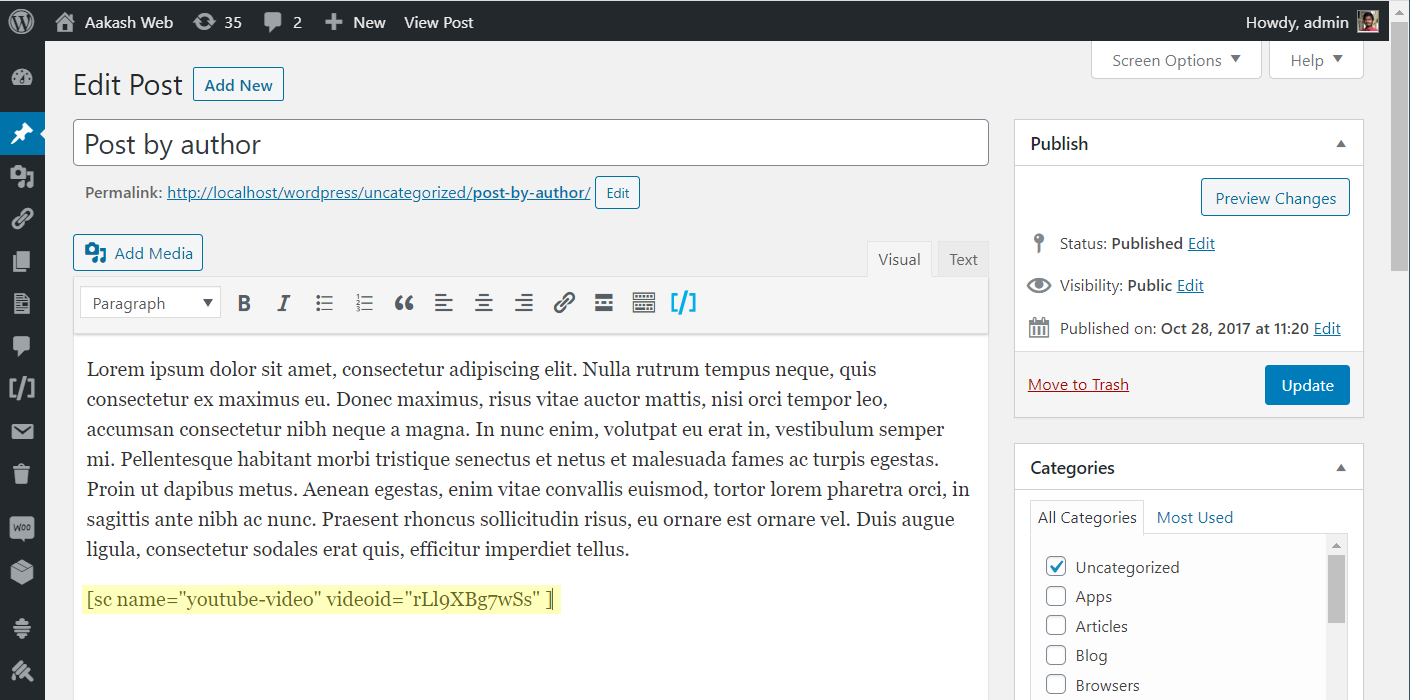
Shortcoder plugin allows to create a custom shortcodes for HTML, JavaScript, CSS and other code snippets. Now the shortcodes can be used in posts/pages and the snippet will be replaced in place.
✍ Create shortcodes easily
✨ Features
🎲 An example usage
The opening of the plugin's own description. The full text, installation notes and changelog are on its WordPress.org page.
Allowed characters are alphabets, numbers, hyphens and underscores.
Please check with your page builder plugin to confirm if the block/place/area where the shortcode is being used can execute shortcodes. If yes, then shortcode should work fine just like regular WordPress shortcodes.
Please check the following if you notice that the shortcode content is not printed or when the output is not as expected.
No, right now the plugin supports only HTML, Javascript and CSS as shortcode content.
Yes, this feature is available in the PRO version. You can upgrade to the PRO version to design using custom editor and create shortcode for that.
#32 by installs
Manage custom WordPress code in one dashboard. Create PHP and HTML snippets, preview code, track snippet totals and reuse code across sites.
Easily add code snippets in WordPress. Insert header & footer scripts, add PHP code snippets with conditional logic, insert ads pixel code, and more.

#147 by installs
Add 50+ shortcodes with live preview for tabs, accordions, buttons, FAQs, sliders and boxes. Works in Block Editor and Classic Editor.

#273 by installs
MW WP Form is shortcode base contact form plugin. This plugin have many features. For example you can use many validation rules, inquiry data saving, …

#302 by installs
Easy add site-wide, category and article specific custom code before the closing </head> and </body>, or after opening <body> tag.

#359 by installs
Add Custom CSS to your WordPress site without any hassles.
Read from the WordPress.org plugin API on , when WordPress 7.1.4 was the current release. WordPress.org rounds active installs into buckets. These are the directory's figures, not my verdict, and I haven't tested this plugin. The author takes donations at their donate page.
