
#246 by installs
Header and Footer Scripts
Header and Footer Scripts plugin allows you to add scripts to WordPress site's and just before closing tag.
- Installs
- 200,000+
- Rating
- 4.6 (58)
- Updated
- 9 months ago

Easy add site-wide, category and article specific custom code before the closing </head> and </body>, or after opening <body> tag.
| Last updated | August 31, 2026Updated in the last 3 months |
|---|---|
| Tested up to | WordPress 7.1.4Covers WordPress 7.1.4, the current release |
| Needs WordPress | 5.2 or newer |
| Needs PHP | 5.6 or newer |
| First published | August 14, 2015 |
| Support, last two months | 0 of 1 threads resolved (0%) |
5.0 / 5 from 51 reviews
| 5 stars | 49 |
|---|---|
| 4 stars | 2 |
| 3 stars | 0 |
| 2 stars | 0 |
| 1 star | 0 |
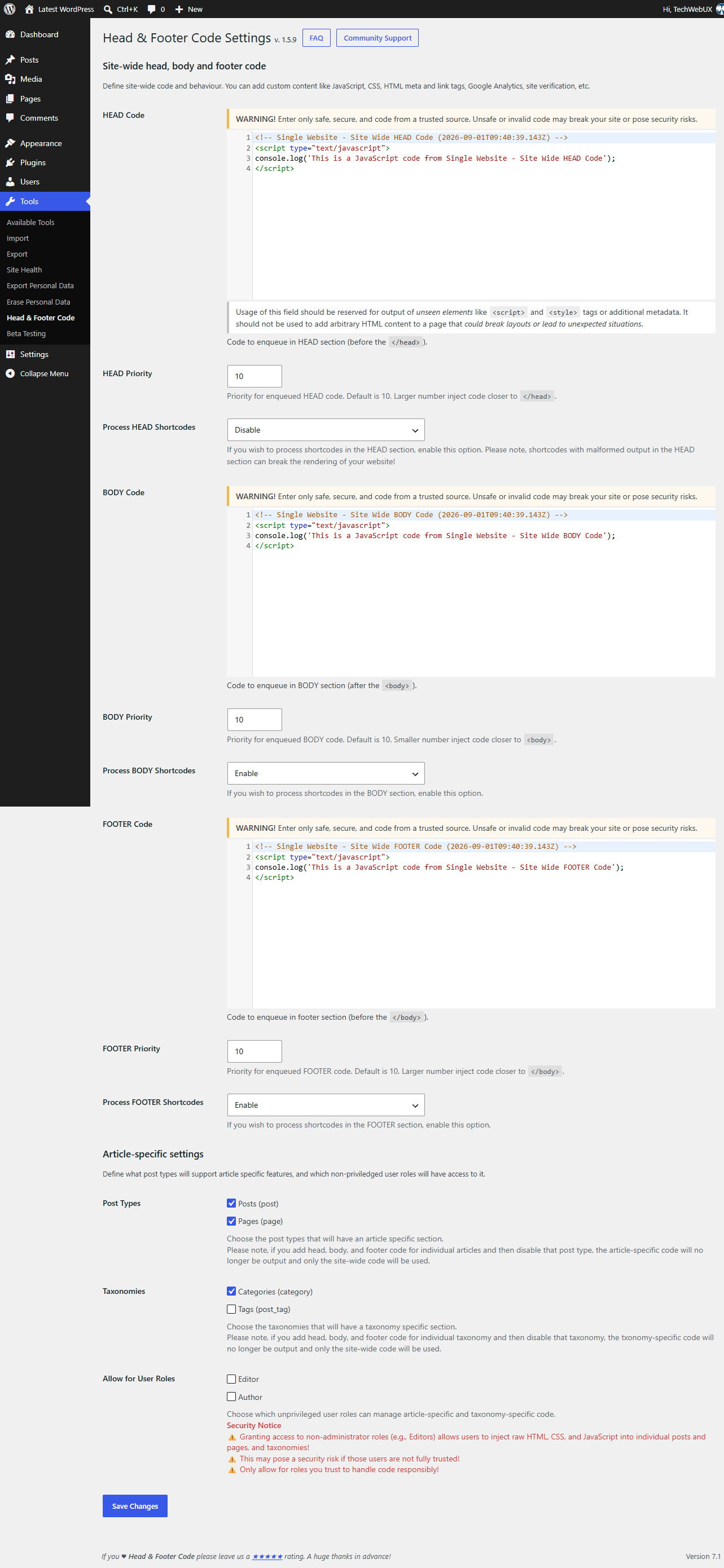
Head & Footer Code plugin helps you add custom code snippets (JavaScript, CSS, or HTML) to the page even if you are not a programmer. It could be within the <head> (site verification code for various services, custom styles, meta or Webfont link), right after opening <body> (pixel tracking, analytics or heatmap code) or just before closing </body> tag.
Go to Tools → Head & Footer Code in WordPress Dashboard. Insert custom code to HEAD, BODY or FOOTER section (depending on what you have to do).
All magic is done by hooking to WordPress hooks wp_head, wp_footer and wp_body_open.
💡 Trial Head & Footer Code plugin on a free dummy website before you add it on your project: Test It Now!
Various code snippets are supported, including but not limited to:
Homepage in Blog Posts mode
If your WordPress shows the latest blog posts on the homepage, you can also add specific code only for the homepage on Tools → Head & Footer Code (there will be section Head, body and footer code on Homepage in Blog Posts mode)
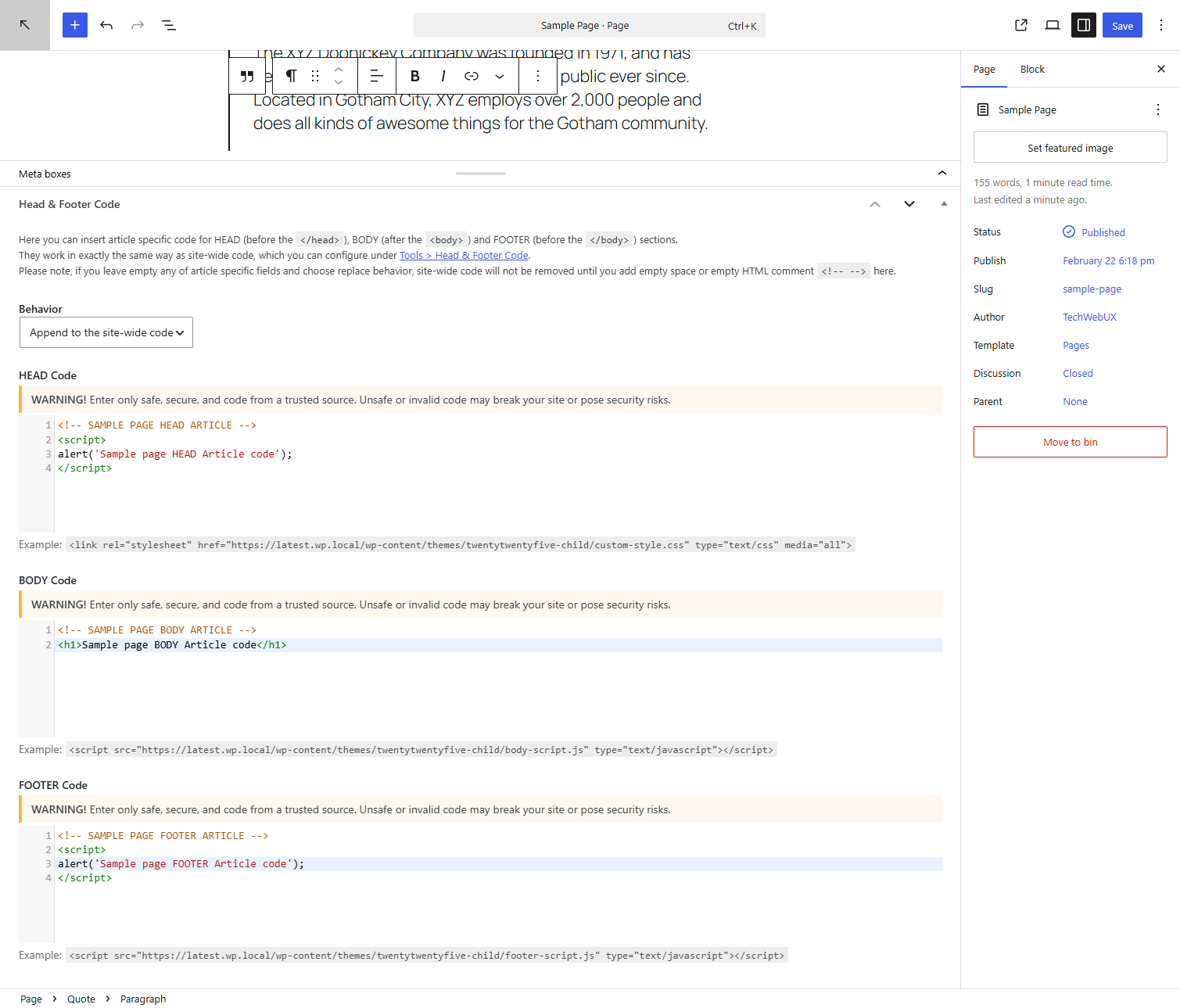
Article specific code
The opening of the plugin's own description. The full text, installation notes and changelog are on its WordPress.org page.
It’s not a bug, it’s a security measure by WordPress Core.
If you wish to remove hinting errors for Administrator role, make sure you allow unfiltered_html capability for that role (Google is your friend).
As it’s a security risk, the Head & Footer Code does not process PHP code if entered into any plugin field (global or article specific).
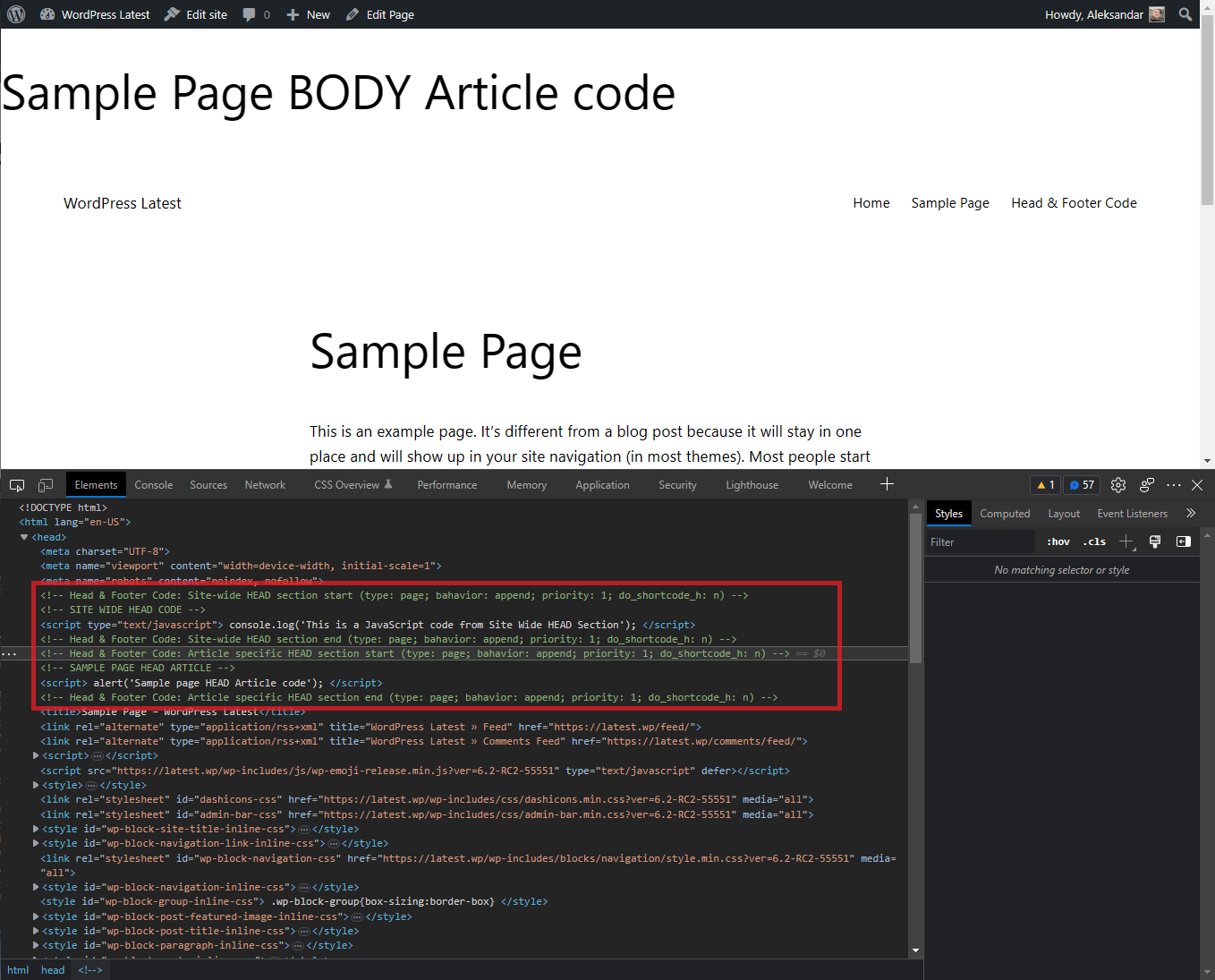
Any content added to HFC fields is printed on the front-end as is.
This feature is implemented since WordPress version 5.2 and requires theme compatibility.
To make sure if theme you use supports wp_body_open hook, open in code editor header.php file from theme you use, and check if right after opening <BODY> tag there is following code (if it does not exists, add it or ask some developer to do that for you):
if ( function_exists( 'wp_body_open' ) ) { wp_body_open(); }
Please report security bugs found in the source code of the Head & Footer Code plugin through the Patchstack Vulnerability Disclosure Program. The Patchstack team will assist you with verification, CVE assignment, and notify the developers of this plugin.

#246 by installs
Header and Footer Scripts plugin allows you to add scripts to WordPress site's and just before closing tag.
Easily add code snippets in WordPress. Insert header & footer scripts, add PHP code snippets with conditional logic, insert ads pixel code, and more.

#32 by installs
Manage custom WordPress code in one dashboard. Create PHP and HTML snippets, preview code, track snippet totals and reuse code across sites.

#105 by installs
Easily add tracking code snippets, conversion pixels, or other scripts required by third party services for analytics, marketing, or chat features.

#204 by installs
Include inline javascript, stylesheets, CSS code or anything you want in Header and Footer areas of your WordPress with ease.

#211 by installs
Head and Footer plugin lets you to add HTML code to the head and footer sections of your site pages, inside posts... and more!
Read from the WordPress.org plugin API on , when WordPress 7.1.4 was the current release. WordPress.org rounds active installs into buckets. These are the directory's figures, not my verdict, and I haven't tested this plugin. The author takes donations at their donate page.
