
#204 by installs
Insert Headers And Footers
Include inline javascript, stylesheets, CSS code or anything you want in Header and Footer areas of your WordPress with ease.
- Installs
- 200,000+
- Rating
- 5.0 (135)
- Updated
- 12 days ago

Easily add tracking code snippets, conversion pixels, or other scripts required by third party services for analytics, marketing, or chat features.
| Last updated | July 15, 2026Updated in the last year |
|---|---|
| Tested up to | WordPress 7.0.8Older than WordPress 7.1.4, the current release |
| Needs WordPress | 4.9 or newer |
| Needs PHP | 5.6.20 or newer |
| First published | August 26, 2016 |
| Support, last two months | 0 of 1 threads resolved (0%) |
4.9 / 5 from 309 reviews
| 5 stars | 297 |
|---|---|
| 4 stars | 4 |
| 3 stars | 2 |
| 2 stars | 3 |
| 1 star | 3 |
Header Footer Code Manager by 99 Robots is a easy interface to add snippets to the header or footer or above or below the content of your page.
BENEFITS
FEATURES
PAGE DISPLAY OPTIONS
The opening of the plugin's own description. The full text, installation notes and changelog are on its WordPress.org page.
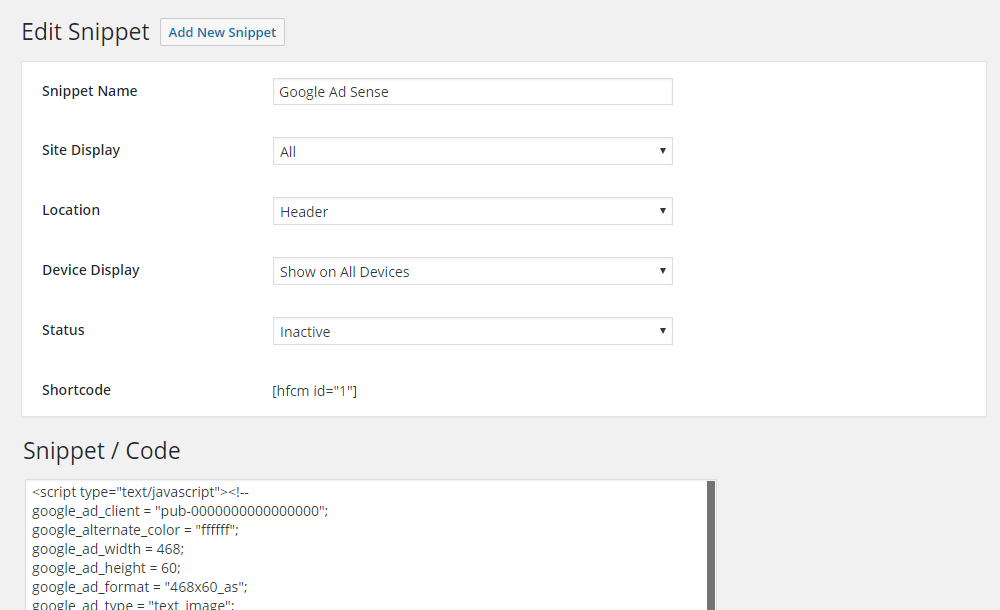
A. Please make sure to enclose your script within script tags – <> Insert Script Here <>.
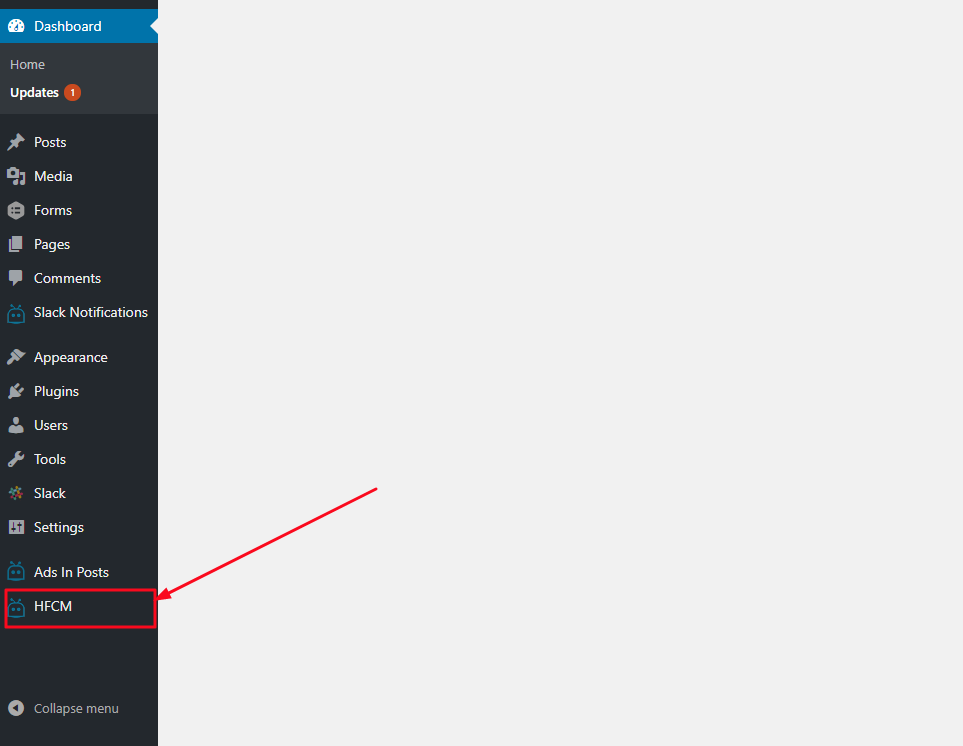
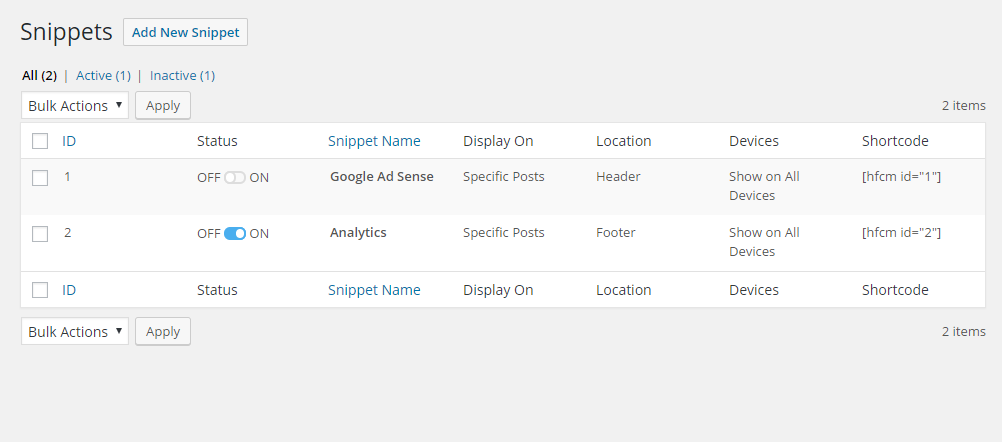
A. After activating the plugin, you can click on settings link under the plugin name OR you can click the HFCM tab on the left side navigation. From there, you can add, edit, remove, and review code snippets.
A. With the version 1.1.4 of the HFCM plugin, we have replaced the Specific Custom Post Types with the ability to add code to All Post Types which include posts, pages, attachments and custom post types.
A. Since this is a free plugin, please ask all questions on the support forum here on WordPress.org. We will try to respond to every question within 48 hours.
A. Free plugins rely on user feedback. Therefore, the best thing you can do for us is to leave a review to encourage others to try the plugin. The more users, the more likely newer features will be added. That’s a very small thing to ask for in exchange for a FREE plugin.
A. If your script is not supported, just let us know and we’ll look into it immediately. We will do our best to ensure all reputable services are supported. When requesting support for a particular script, it would be nice to get a sample of the script so that we can see its structure.
2026-07-15
* ADDED: Compatibility with WordPress 7.0.1

#204 by installs
Include inline javascript, stylesheets, CSS code or anything you want in Header and Footer areas of your WordPress with ease.

#211 by installs
Head and Footer plugin lets you to add HTML code to the head and footer sections of your site pages, inside posts... and more!

#246 by installs
Header and Footer Scripts plugin allows you to add scripts to WordPress site's and just before closing tag.
Easily add code snippets in WordPress. Insert header & footer scripts, add PHP code snippets with conditional logic, insert ads pixel code, and more.

#302 by installs
Easy add site-wide, category and article specific custom code before the closing </head> and </body>, or after opening <body> tag.

#584 by installs
An AI SEO plugin for WordPress that's lightweight and fast. Automatically generates meta tags, sitemaps, schemas and more with no bloat.
Read from the WordPress.org plugin API on , when WordPress 7.1.4 was the current release. WordPress.org rounds active installs into buckets. These are the directory's figures, not my verdict, and I haven't tested this plugin. The author takes donations at their donate page.
