
Easily add code snippets in WordPress. Insert header & footer scripts, add PHP code snippets with conditional logic, insert ads pixel code, and more.
- Installs
- 3+ million
- Rating
- 4.9 (1.9K)
- Updated
- 2 days ago

Manage custom WordPress code in one dashboard. Create PHP and HTML snippets, preview code, track snippet totals and reuse code across sites.
Read from codesnippets.proon
Code snippets is the plugin of choice for many content creators, educators, agencies, and businesses.
A script read this page, and kept only what the page's text backs up. These are the vendor's list prices and its own words, not a deal and not my review. Prices change and can differ by country, so confirm on the vendor's page before you buy.
| Last updated | October 21, 2026Updated in the last 3 months |
|---|---|
| Tested up to | WordPress 7.1.4Covers WordPress 7.1.4, the current release |
| Needs WordPress | 5.5 or newer |
| Needs PHP | 7.4 or newer |
| First published | June 13, 2012 |
| Support, last two months | 20 of 26 threads resolved (77%) |
4.7 / 5 from 510 reviews
| 5 stars | 454 |
|---|---|
| 4 stars | 13 |
| 3 stars | 7 |
| 2 stars | 7 |
| 1 star | 29 |
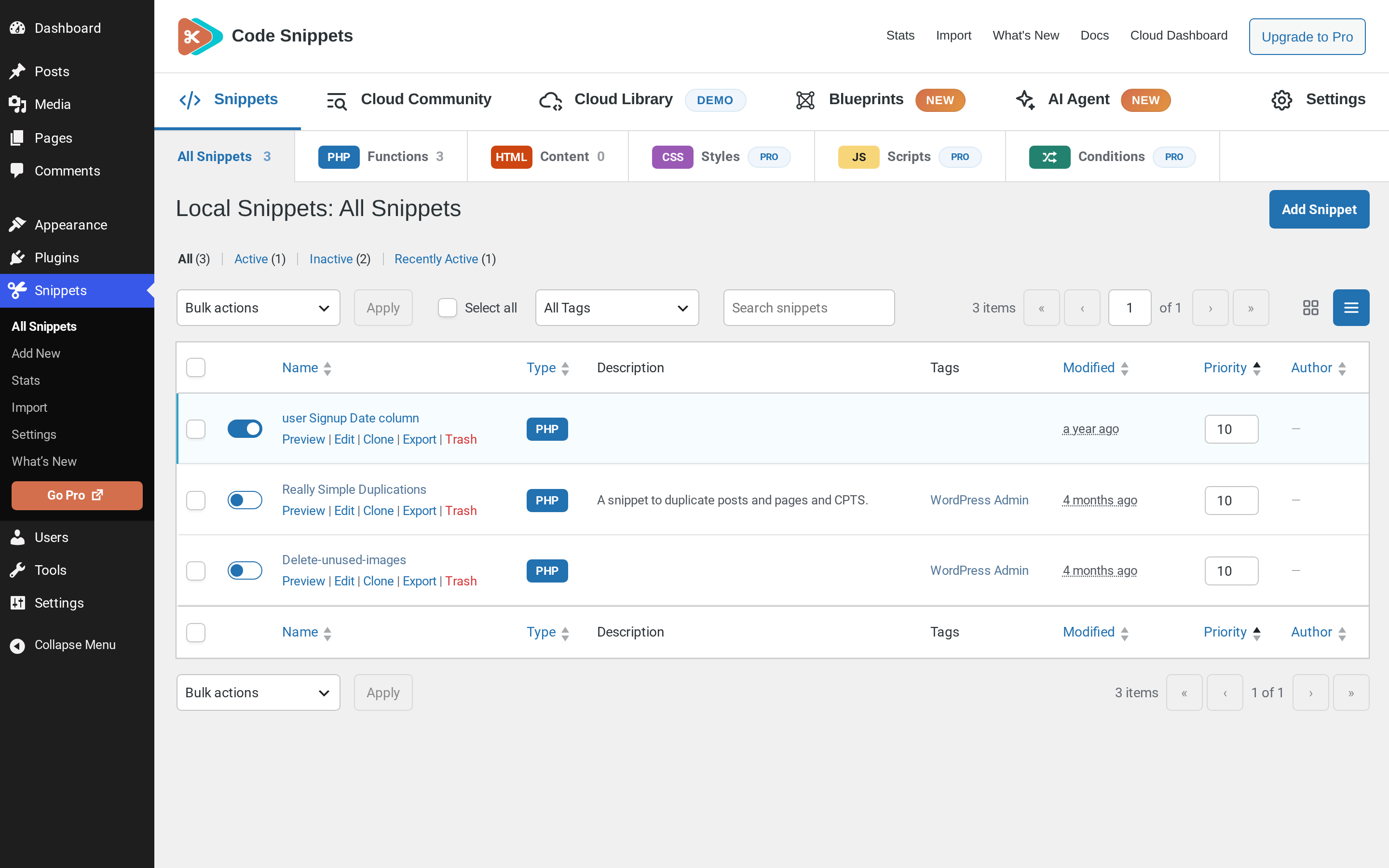
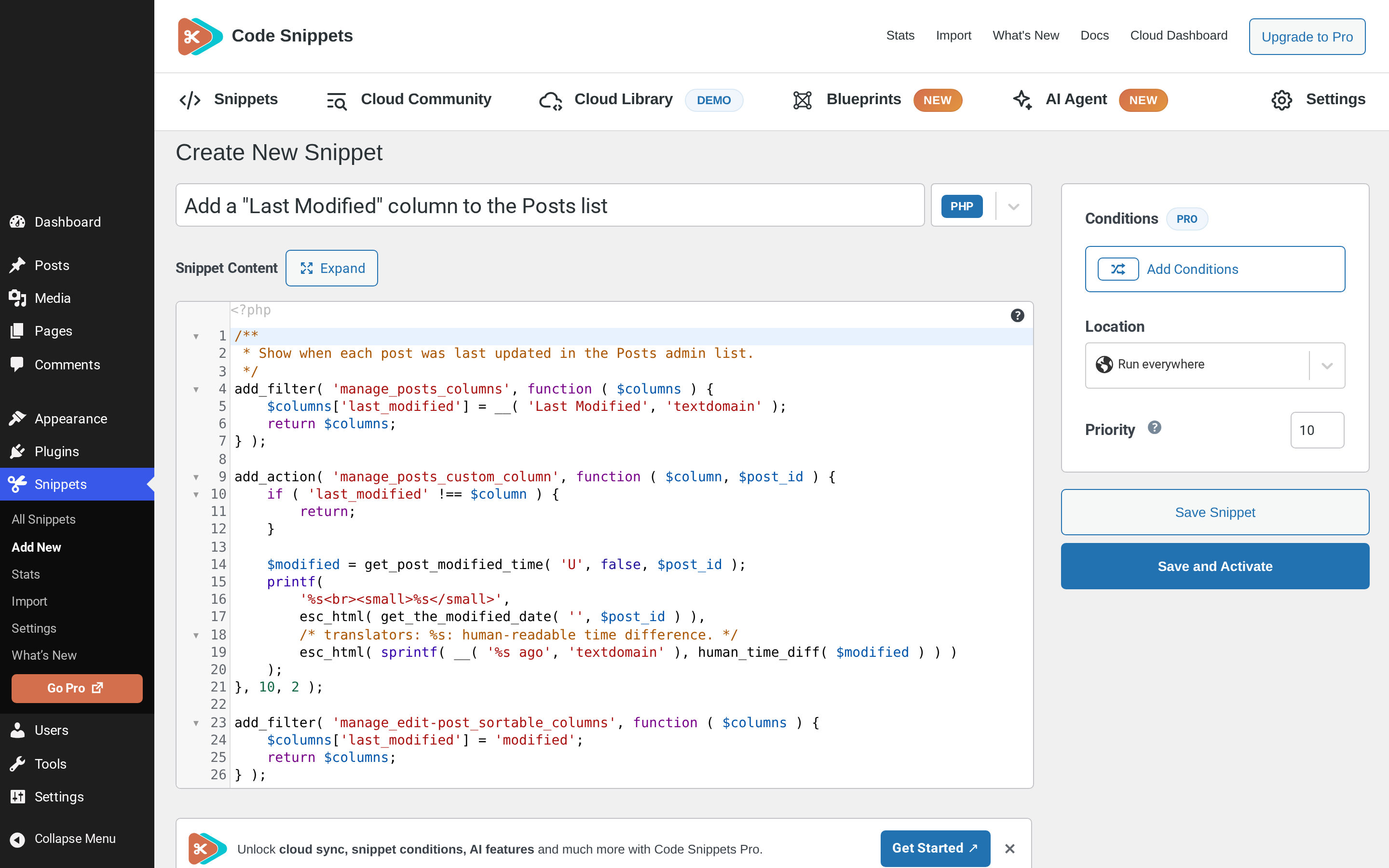
Code Snippets gives you a dedicated WordPress dashboard for creating, organising and managing custom code. Add PHP functionality and reusable HTML content, choose where PHP snippets run, and activate or deactivate snippets individually.
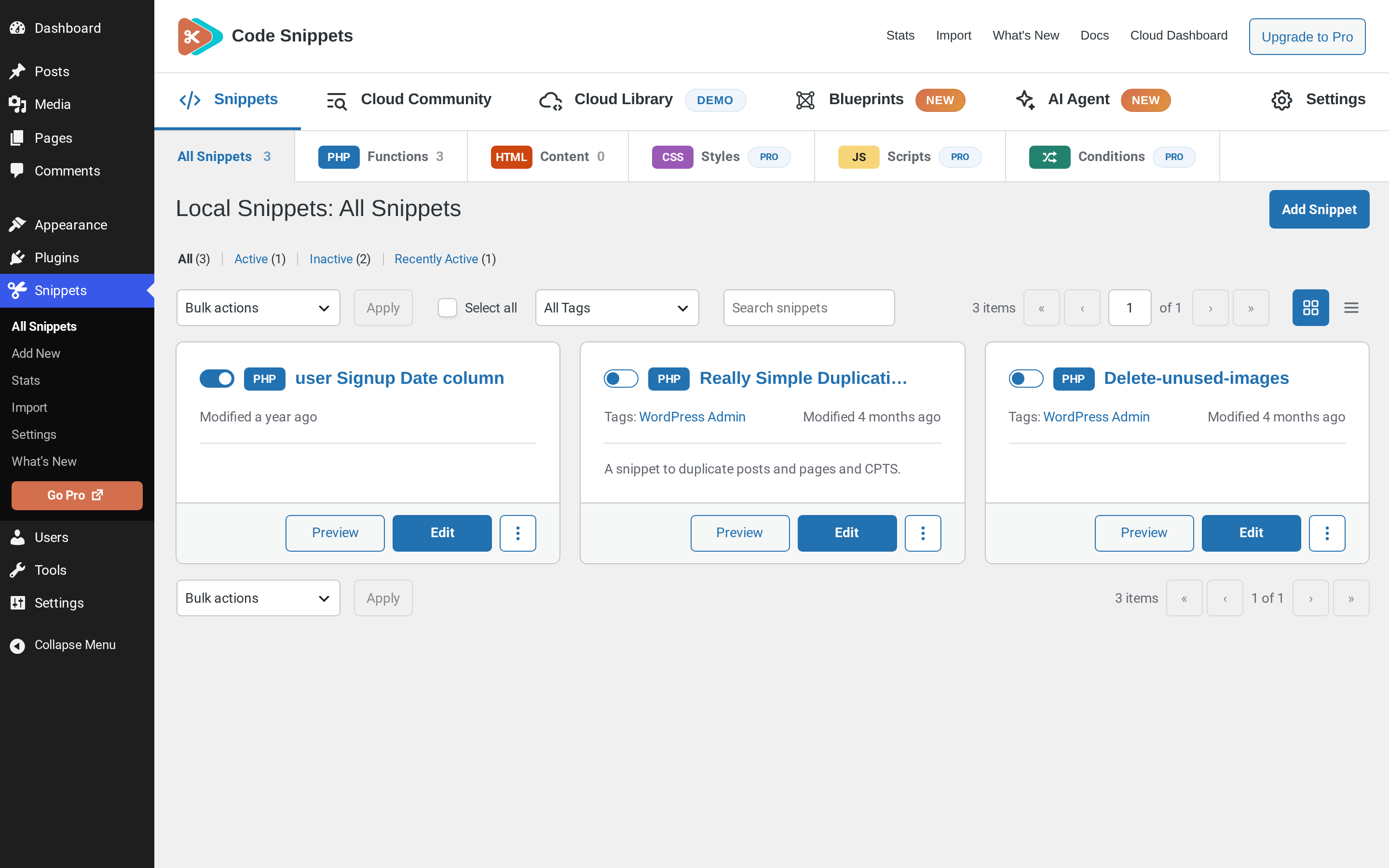
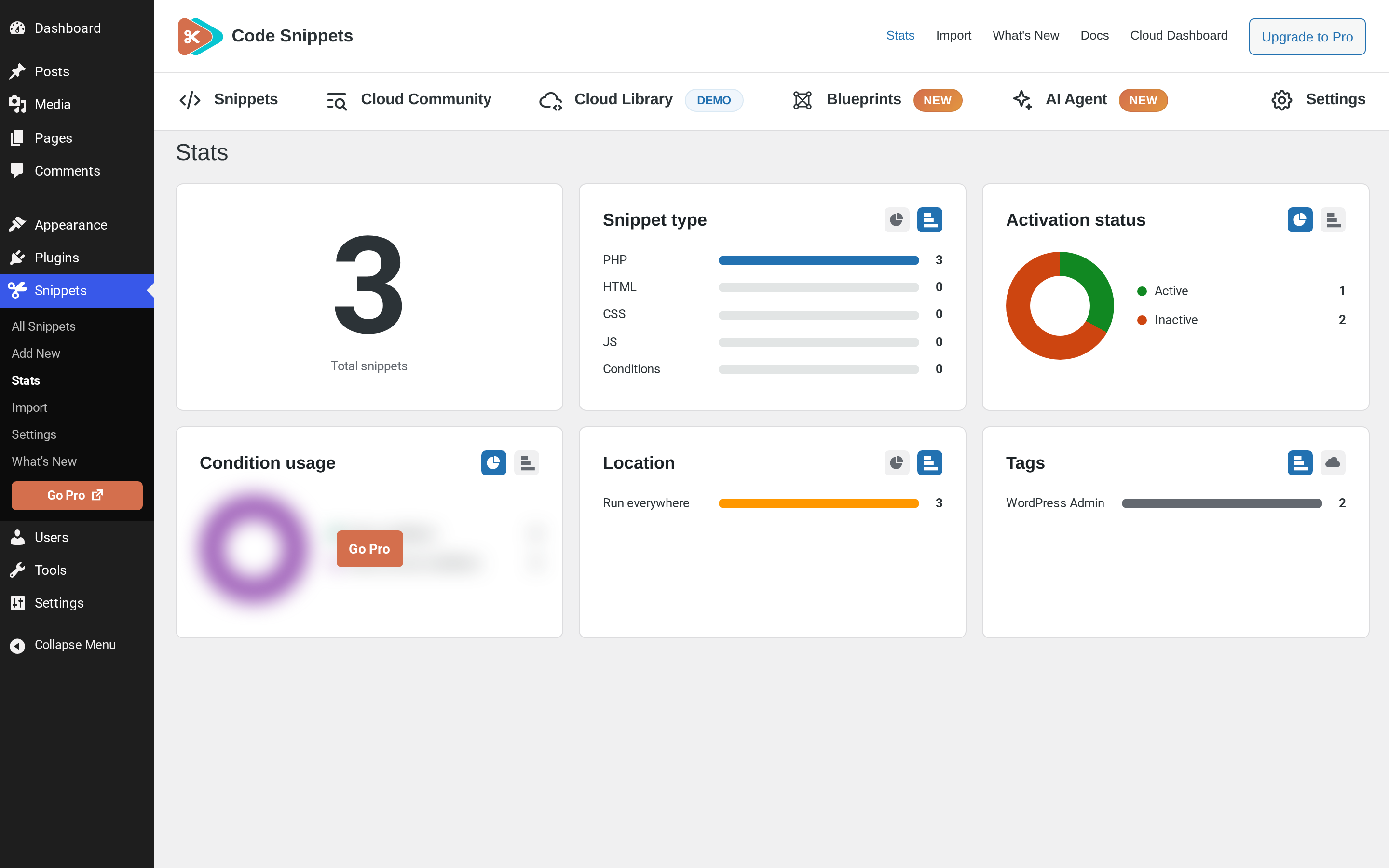
Find snippets with search, tags and filters, switch between table and card views, and preview code without opening the editor. Lock important snippets to help prevent accidental changes, and use the Stats overview to see snippet totals and breakdowns.
Watch the Code Snippets 4.0 walkthrough
See the plugin in use, including features from both the free and Pro editions. The Pro features listed below require the relevant Pro access.
Want AI-assisted code creation and advanced controls? Code Snippets Pro adds the AI Agent, snippet revisions, visual display conditions, CSS and JavaScript snippets, and connected Cloud workflows.
Your snippets stay separate from your theme files. Browse Community Cloud for shared snippets, and use import and export to reuse your code across sites.
Code Snippets has been available on WordPress.org since 2012 and is active on 1 million+ WordPress installations.
Included in the free plugin
The opening of the plugin's own description. The full text, installation notes and changelog are on its WordPress.org page.
Use Code Snippets Safe Mode to prevent snippet execution while you investigate the problem. Follow the Safe Mode instructions for the appropriate recovery method, then fix or deactivate the affected snippet.
Snippets are stored separately from your theme in the WordPress database, so changing theme or updating WordPress does not remove them. Code that depends on a particular theme or plugin may still need updating when that dependency changes.
Enable Complete Uninstall under Snippets > Settings > Advanced before deleting the plugin through WordPress’s Plugins screen if you want stored snippets and plugin settings removed. Export snippets you want to keep first. Leave Complete Uninstall disabled if you want to retain your snippet data when deleting the plugin.
Yes. Export a single snippet or select several snippets and use the export bulk action. Import the resulting file through the Snippets import screen on the other site.
Yes. Select the PHP snippets, choose Export to PHP from the bulk actions and apply it. The generated file contains the exported code, with snippet names and descriptions in comments. Review the file before including it in a theme or plugin.
Yes. Network activation provides a network-level Snippets screen. Activate a network snippet to run it across the network, subject to its execution scope. Individual sites can also have separate snippets, and shared network snippets can be enabled per site where configured.
Added
Easily add code snippets in WordPress. Insert header & footer scripts, add PHP code snippets with conditional logic, insert ads pixel code, and more.

#433 by installs
Create custom "Shortcodes" easily for HTML, JavaScript, CSS code snippets and use the shortcodes within posts, pages & widgets

#242 by installs
Instant switching between user accounts in WordPress and WooCommerce.

#268 by installs
Make sure your plugins and themes are compatible with newer PHP versions.

#302 by installs
Easy add site-wide, category and article specific custom code before the closing </head> and </body>, or after opening <body> tag.

#359 by installs
Add Custom CSS to your WordPress site without any hassles.
Read from the WordPress.org plugin API on , when WordPress 7.1.4 was the current release. WordPress.org rounds active installs into buckets. These are the directory's figures, not my verdict, and I haven't tested this plugin. The author takes donations at their donate page.