
#705 by installs
Default Featured Image
Add a Default Featured Image for all posts & pages.
- Installs
- 50,000+
- Rating
- 4.8 (69)
- Updated
- 4 months ago

The Phoenix Media Rename plugin allows you to easily rename (and retitle) your media files, once uploaded.
| Last updated | October 29, 2026Updated in the last 3 months |
|---|---|
| Tested up to | WordPress 7.1.4Covers WordPress 7.1.4, the current release |
| Needs WordPress | 5.0 or newer |
| Needs PHP | 8.0 or newer |
| First published | August 29, 2016 |
| Support, last two months | 1 of 1 threads resolved (100%) |
4.7 / 5 from 75 reviews
| 5 stars | 66 |
|---|---|
| 4 stars | 2 |
| 3 stars | 2 |
| 2 stars | 2 |
| 1 star | 3 |
Greatly improve your SEO: rename your media files with the “Phoenix Media Rename” plugin.
A complete guide to use and configure Phoenix Media Rename is available at Phoenix Media Rename official page
The opening of the plugin's own description. The full text, installation notes and changelog are on its WordPress.org page.
Make sure that the WPML Multilingual CMS and WPML Media Translation plugins are activated (you can find more information on WPML in the WPML official site).
Add one or more images to your media library, WPML Media Translation will add the localized version to your media library.
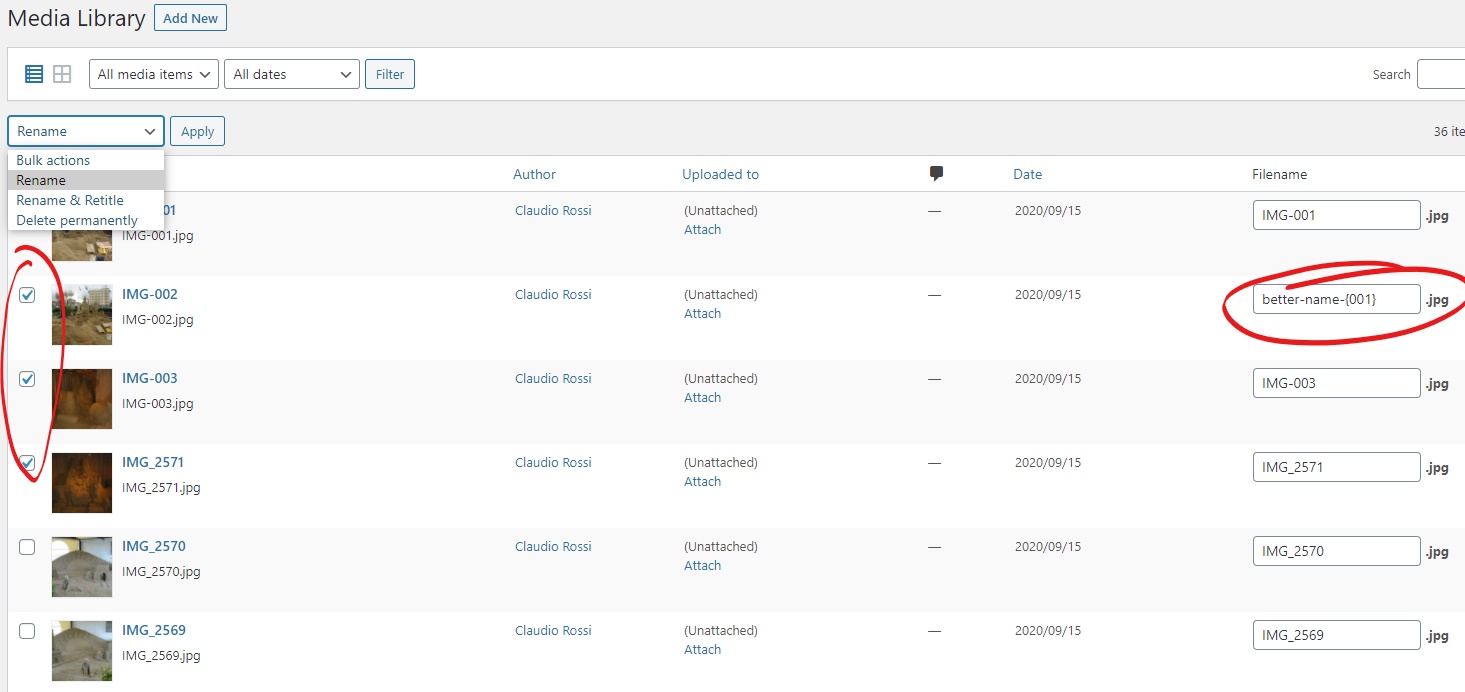
You can serialize file names enclosing the variable parts between { and }, this will cause Phoenix Media Rename to generate a sequence of filenames.
The variable part has to be an integer number, but can start with 0 (i.e. 0023).
Please note: check all the files you want to serialize and write the name for the first one, see screenshot-3.jpg for reference.
Go to the Phoenix Media Rename settings page and unckeck “Remove accents” option, this will prevent accents sanitization.
Please note: avoid accents sanitization can cause broken URL on some hosting.
Go to the Phoenix Media Rename settings page and unckeck “Update Revisions” option, this will prevent revions update.
Please note: avoid revision processing will speed up the rename process, but will cause broken media file link in you revert a post to an older version.
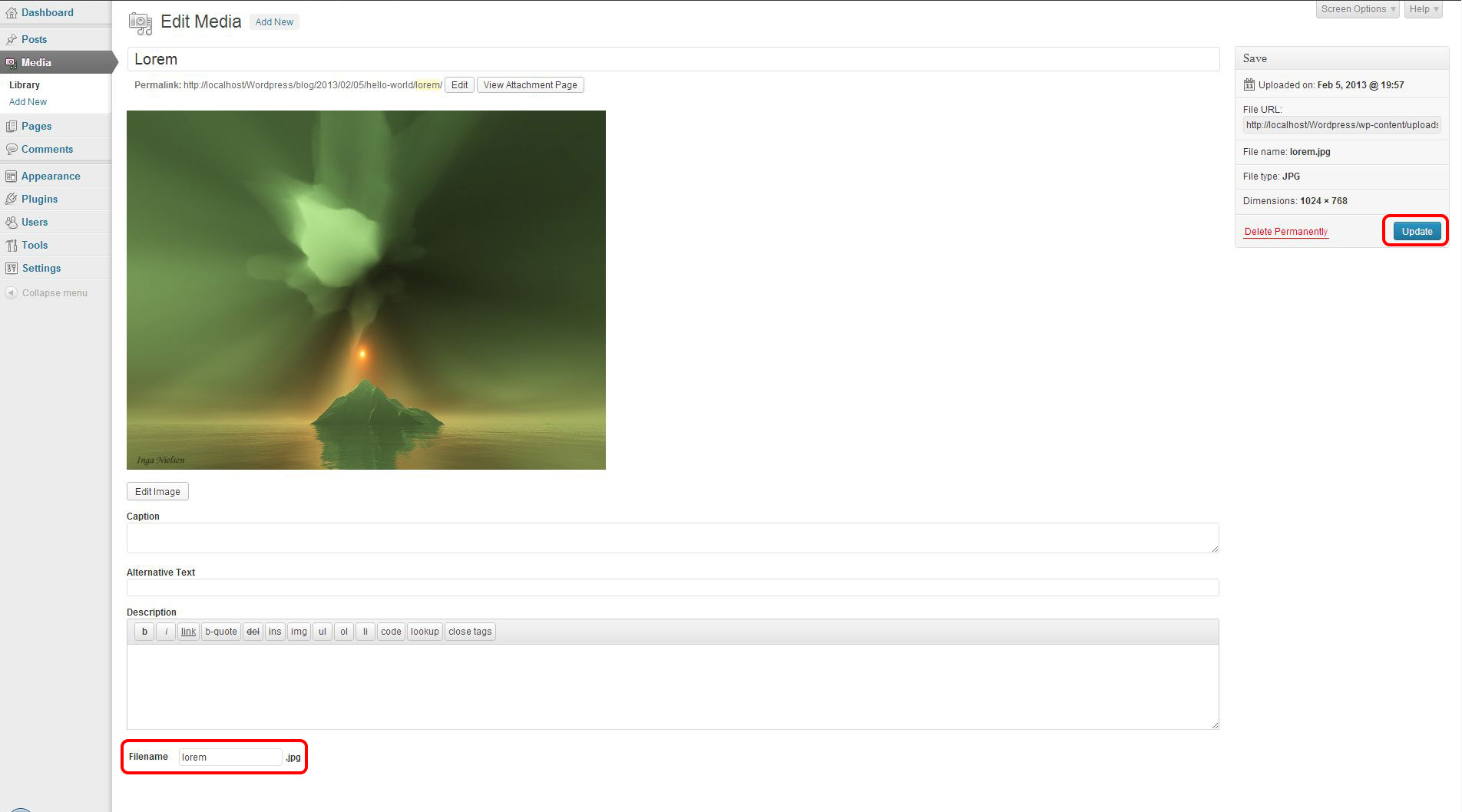
Go to the Media section of the admin panel and open a media of your choice. You will see a new field named “Filename” and your current filename in it. Change it to whatever you want the new name to be and hit the “Update” button.
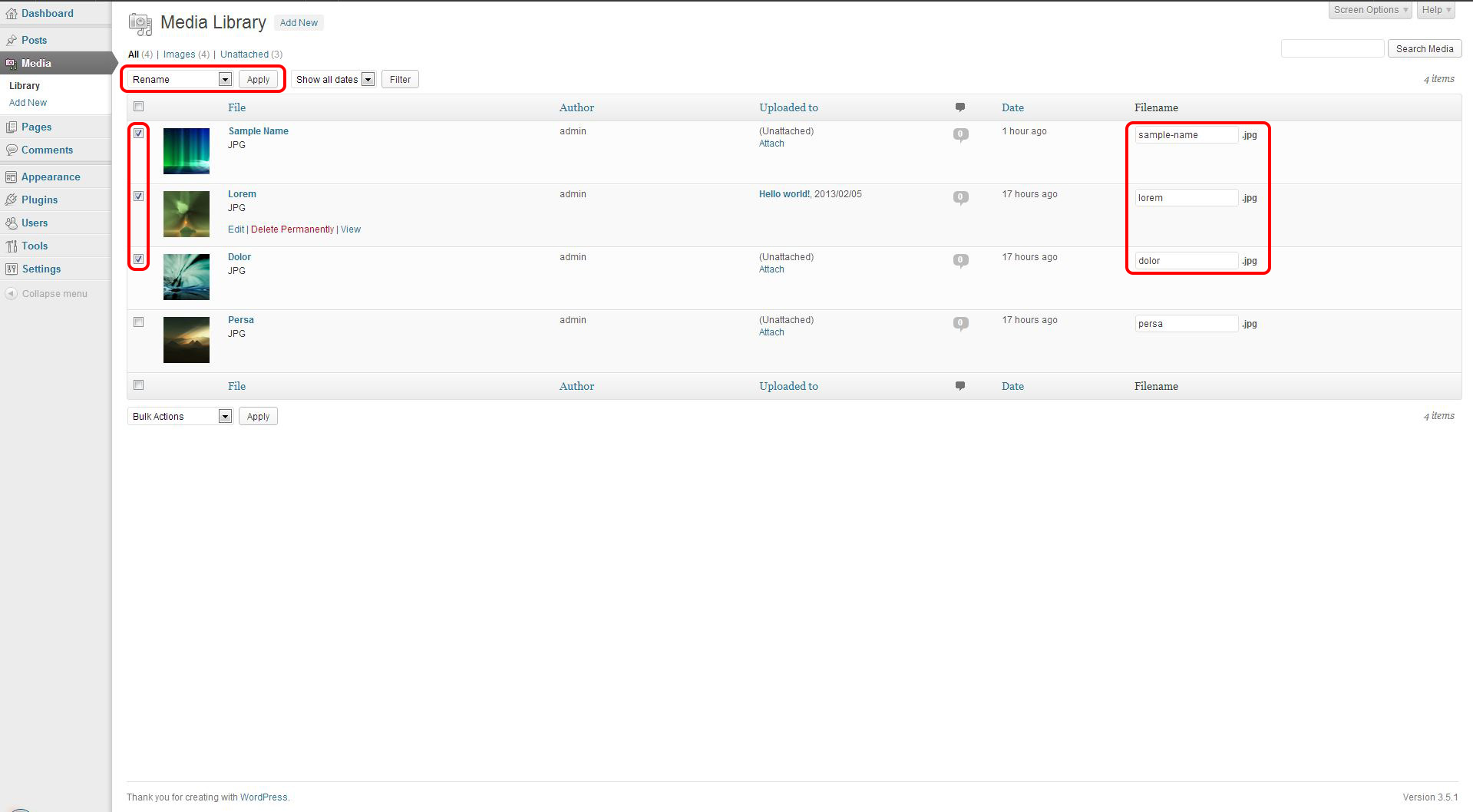
Go to the Media section of the admin panel, select the “Rename” or “Rename & Retitle” bulk action (depending on if you want the media get retitled too) from the dropdown, check the medias you would like to rename and change their filenames using the “Filename” fields at the last column. When you are done, hit the “Apply” button and let the plugin do its magic!
#705 by installs
Add a Default Featured Image for all posts & pages.

#845 by installs
Rename image files and media metadata for SEO and tidiness. Using AI, manually, in bulk, or in so many other ways!

#962 by installs
Allows to add watermark to images automatically on upload or manually.

#27 by installs
Change wp-login.php to anything you want.

#54 by installs
Enable SVG uploads and sanitize them to stop XML/SVG vulnerabilities in your WordPress website.

#214 by installs
Organize thousands of WordPress media files in folders / categories with ease.
Read from the WordPress.org plugin API on , when WordPress 7.1.4 was the current release. WordPress.org rounds active installs into buckets. These are the directory's figures, not my verdict, and I haven't tested this plugin. The author takes donations at their donate page.