
#750 by installs
Phoenix Media Rename
The Phoenix Media Rename plugin allows you to easily rename (and retitle) your media files, once uploaded.
- Installs
- 50,000+
- Rating
- 4.7 (75)
- Updated
- 2 days ago

Add a Default Featured Image for all posts & pages.
| Last updated | June 17, 2026Updated in the last year |
|---|---|
| Tested up to | WordPress 7.0.8Older than WordPress 7.1.4, the current release |
| Needs WordPress | 6.2 or newer |
| Needs PHP | 7.4 or newer |
| First published | December 25, 2012 |
| Support, last two months | 0 of 1 threads resolved (0%) |
4.8 / 5 from 69 reviews
| 5 stars | 64 |
|---|---|
| 4 stars | 2 |
| 3 stars | 1 |
| 2 stars | 1 |
| 1 star | 1 |
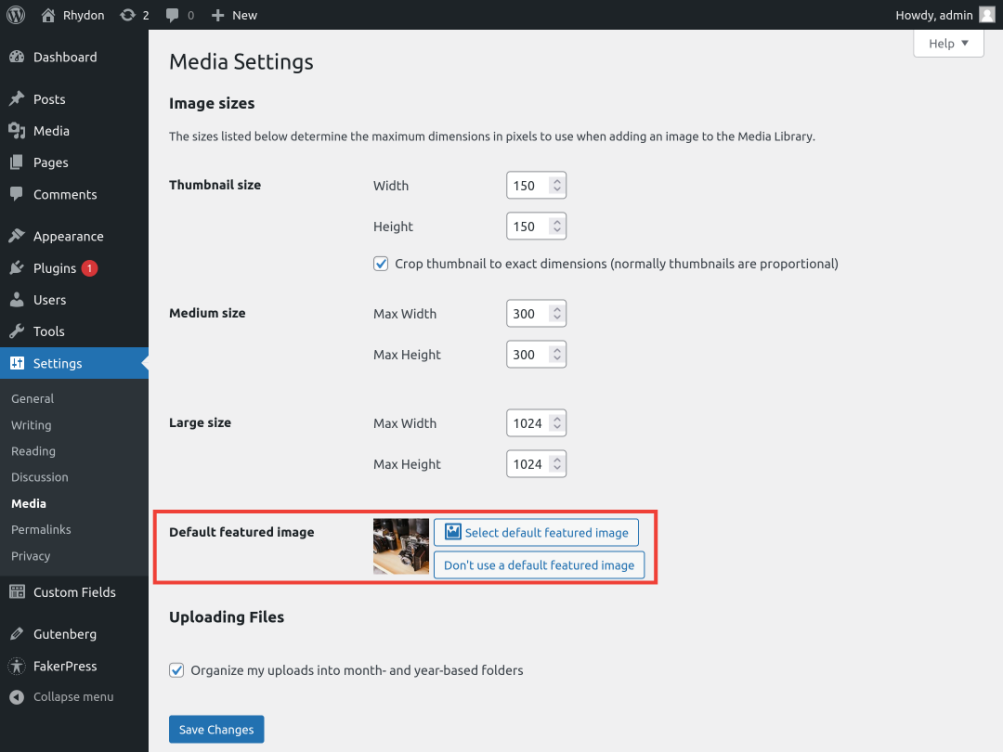
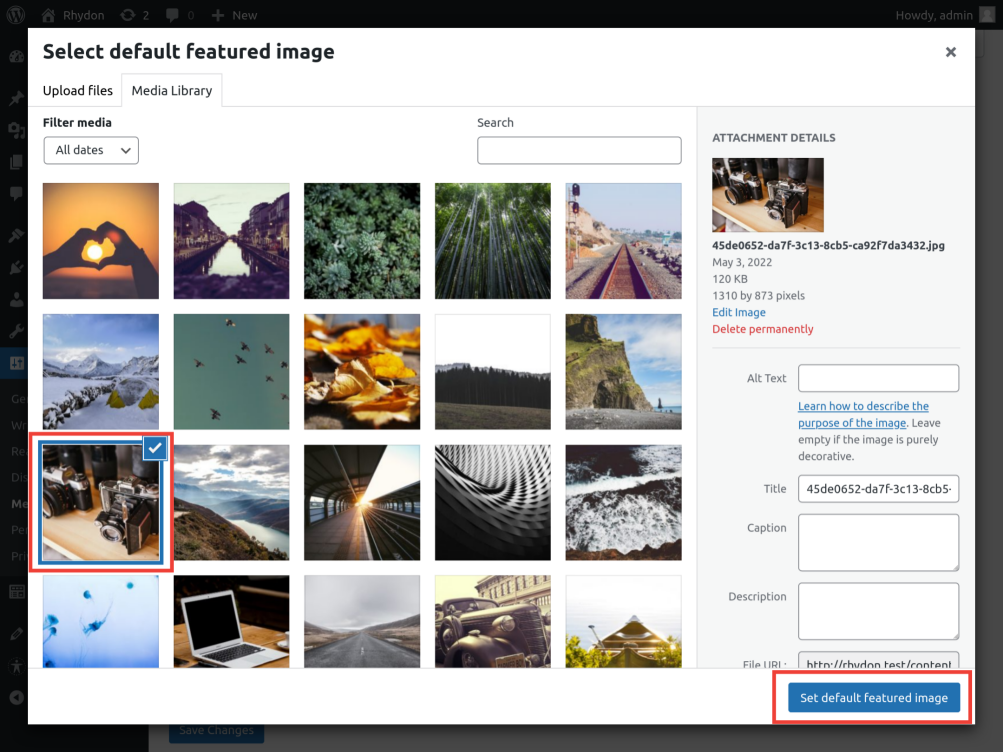
Add a default featured image to the media settings page. This featured image will show up if no featured image is set. Simple as that.
Take a look at FAQ for the basic questions.
Feel free to contact me on the forum or on the github repository.
The opening of the plugin's own description. The full text, installation notes and changelog are on its WordPress.org page.
This plugin works out of the box for most cases, but not always. If it doesn’t work you can try the following things.
There are no new functions, all core WordPress functions can be used.
Yes, the following code will set a different image.
add_filter( 'dfi_thumbnail_id', 'dfi_posttype_book', 10, 2 ); function dfi_posttype_book( $dfi_id, $post_id ) { $post = get_post( $post_id ); if ( 'book' === $post->post_type ) { return 31; // the image id for the book post type. }
return $dfi_id; // the original featured image id. }
Yes, the following snippet will set different images based on the category.
add_filter( 'dfi_thumbnail_id', 'dfi_category', 10, 2 ); function dfi_category( $dfi_id, $post_id ) { // Set a different image for posts that have the 'cats' category set. // This will trigger first, if multiple categories have been set. if ( has_category( 'cats', $post_id ) ) { return 7; // cats img id.
When a Default Featured Image is used it will already add an extra class default-featured-img.
This can be used for styling.
If you need more you can change the whole HTML with the filter dfi_thumbnail_html.
add_filter( 'dfi_thumbnail_html', 'dfi_add_class', 10, 5 ); function dfi_add_class( $html, $post_id, $default_thumbnail_id, $size, $attr ) { // Add a class to the existing class list.
The following code will exclude the post/page with ID 23.
add_filter( 'dfi_thumbnail_id', 'dfi_skip_page', 10, 2 ); function dfi_skip_page( $dfi_id, $post_id ) { if ( $post_id == 23 ) { return 0; // invalid id. }
return $dfi_id; // the original featured image id. }
#750 by installs
The Phoenix Media Rename plugin allows you to easily rename (and retitle) your media files, once uploaded.

#962 by installs
Allows to add watermark to images automatically on upload or manually.

#54 by installs
Enable SVG uploads and sanitize them to stop XML/SVG vulnerabilities in your WordPress website.

#214 by installs
Organize thousands of WordPress media files in folders / categories with ease.

#225 by installs
Automatically resizes huge image uploads. Are contributors uploading huge photos? Tired of manually resizing your images? Imsanity to the rescue!

#257 by installs
Formerly Easy Fancybox. The most popular WordPress lightbox plugin. Simple, fast, and responsive. Opens images, videos, PDFs, and custom popups.
Read from the WordPress.org plugin API on , when WordPress 7.1.4 was the current release. WordPress.org rounds active installs into buckets. These are the directory's figures, not my verdict, and I haven't tested this plugin.