
#10 by installs
All-in-One WP Migration and Backup
Trusted by 60M+ sites: The gold standard for WordPress migration and backup. Migrate, backup, and restore your WordPress site with one click.
- Installs
- 5+ million
- Rating
- 4.5 (7.7K)
- Updated
- 4 days ago

Effortlessly migrate, clone, or transfer your WordPress site to over 5,000 web hosts with Migrate Guru, trusted by Cloudways, Pantheon, and Dreamhost.
| Last updated | August 28, 2026Updated in the last 3 months |
|---|---|
| Tested up to | WordPress 7.1.4Covers WordPress 7.1.4, the current release |
| Needs WordPress | 4.0 or newer |
| Needs PHP | 7.0 or newer |
| First published | August 8, 2017 |
| Support, last two months | 7 of 7 threads resolved (100%) |
4.9 / 5 from 1,645 reviews
| 5 stars | 1,587 |
|---|---|
| 4 stars | 9 |
| 3 stars | 5 |
| 2 stars | 5 |
| 1 star | 39 |
Migrate Guru is a powerful WordPress migration plugin designed to seamlessly transfer your WordPress site to a new host or domain. Whether you need to clone, move, or migrate your WordPress website, Migrate Guru ensures a hassle-free process with its one-click migration feature. This plugin supports all-in-one WP migrations, handling large sites up to 200 GB without overloading your server. Compatible with every major web host and equipped with automatic URL rewriting and serialized data handling, it’s the go-to tool for moving WordPress sites to new domains or hosts. Move, clone, or migrate your WordPress site with Migrate Guru—the smart, swift, and secure WordPress migrator and backup plugin.
CHECKOUT Migrate Guru in Action
TOP FEATURES
One-Click Migration
Effortlessly move WordPress sites 80% faster with a single click, migrating 1 GB in under 30 minutes.
No Site Overload
Migrate Guru uses its own servers, preventing site crashes.
Optimized for Large Sites
Easily migrate WordPress sites up to 200 GB, overcoming live-site server limits.
No Add-Ons Required
Seamlessly handle multi-sites and serialized data without extra plugins.
No Storage Needed
Temporary copies are removed post-migration.
Universal Compatibility
Compatible with all web hosts, making transfers simple.
Automated Search & Replace
Accurate search and replace for serialized data.
The opening of the plugin's own description. The full text, installation notes and changelog are on its WordPress.org page.
You’ll need:
* An account on the new web hosting service.
* A domain on the new host, with WordPress installed.
* The destination’s FTP/cPanel details(optional).
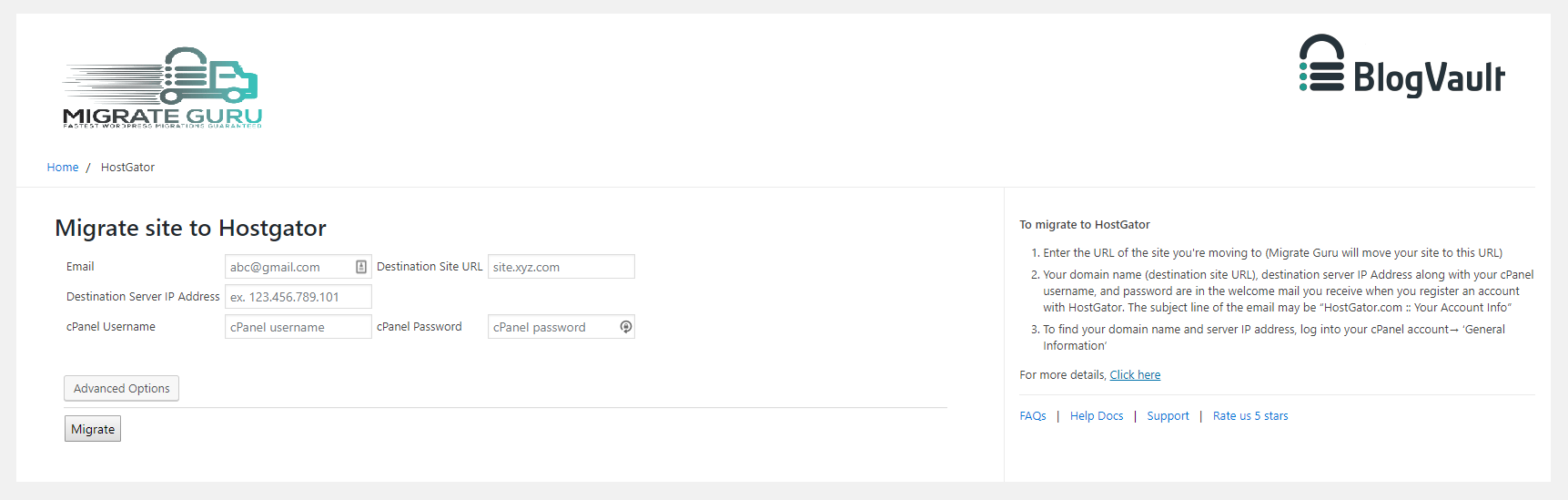
Migrate Guru requires an email address to send you updates on the migration process, notify you of any errors that occur during the migration.
Migrate Guru can move a 1 GB (files & database) site in <30 Mins*
(*Approximate & depends on a number of factors).
Yes. We’ve enforced a limit of 5 site migrations/user/month (developers can request to have this limit extended). This cap ensures that our servers aren’t overburdened. Each of the 5 sites can be moved unlimited times.
No.
Yes.
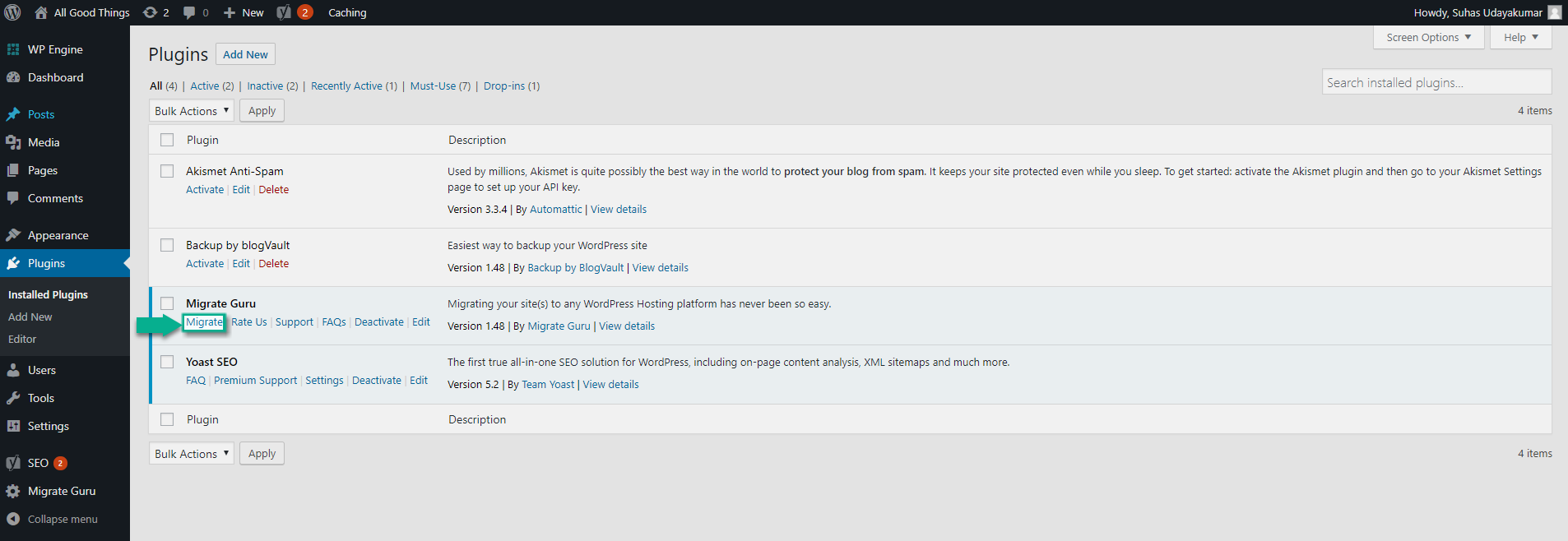


#10 by installs
Trusted by 60M+ sites: The gold standard for WordPress migration and backup. Migrate, backup, and restore your WordPress site with one click.

#15 by installs
The go-to tool for cloning posts and pages, including the powerful Rewrite & Republish feature.

#69 by installs
All-in-one WordPress backup, migration and staging plugin — schedule automatic backups, restore in one click, and migrate or clone sites safely.

#235 by installs
Migrate your database. Export full sites including media, themes, and plugins. Find and replace content with support for serialized data.

#451 by installs
Easily duplicate your WordPress menus with one click.

#519 by installs
Backup, migrate, and create staging sites with free cloud storage and support.
Read from the WordPress.org plugin API on , when WordPress 7.1.4 was the current release. WordPress.org rounds active installs into buckets. These are the directory's figures, not my verdict, and I haven't tested this plugin. The author takes donations at their donate page.