
#10 by installs
All-in-One WP Migration and Backup
Trusted by 60M+ sites: The gold standard for WordPress migration and backup. Migrate, backup, and restore your WordPress site with one click.
- Installs
- 5+ million
- Rating
- 4.5 (7.7K)
- Updated
- 4 days ago

Migrate your database. Export full sites including media, themes, and plugins. Find and replace content with support for serialized data.
| Last updated | October 12, 2026Updated in the last 3 months |
|---|---|
| Tested up to | WordPress 7.1.4Covers WordPress 7.1.4, the current release |
| Needs WordPress | 5.2 or newer |
| Needs PHP | 5.6 or newer |
| First published | December 13, 2009 |
| Support, last two months | 0 of 2 threads resolved (0%) |
4.2 / 5 from 318 reviews
| 5 stars | 249 |
|---|---|
| 4 stars | 4 |
| 3 stars | 4 |
| 2 stars | 9 |
| 1 star | 52 |
WP Migrate is a WordPress migration plugin that makes migrating your database and exporting full sites easy, fast, and stress-free.
WP Migrate Lite Features
Database Migrations
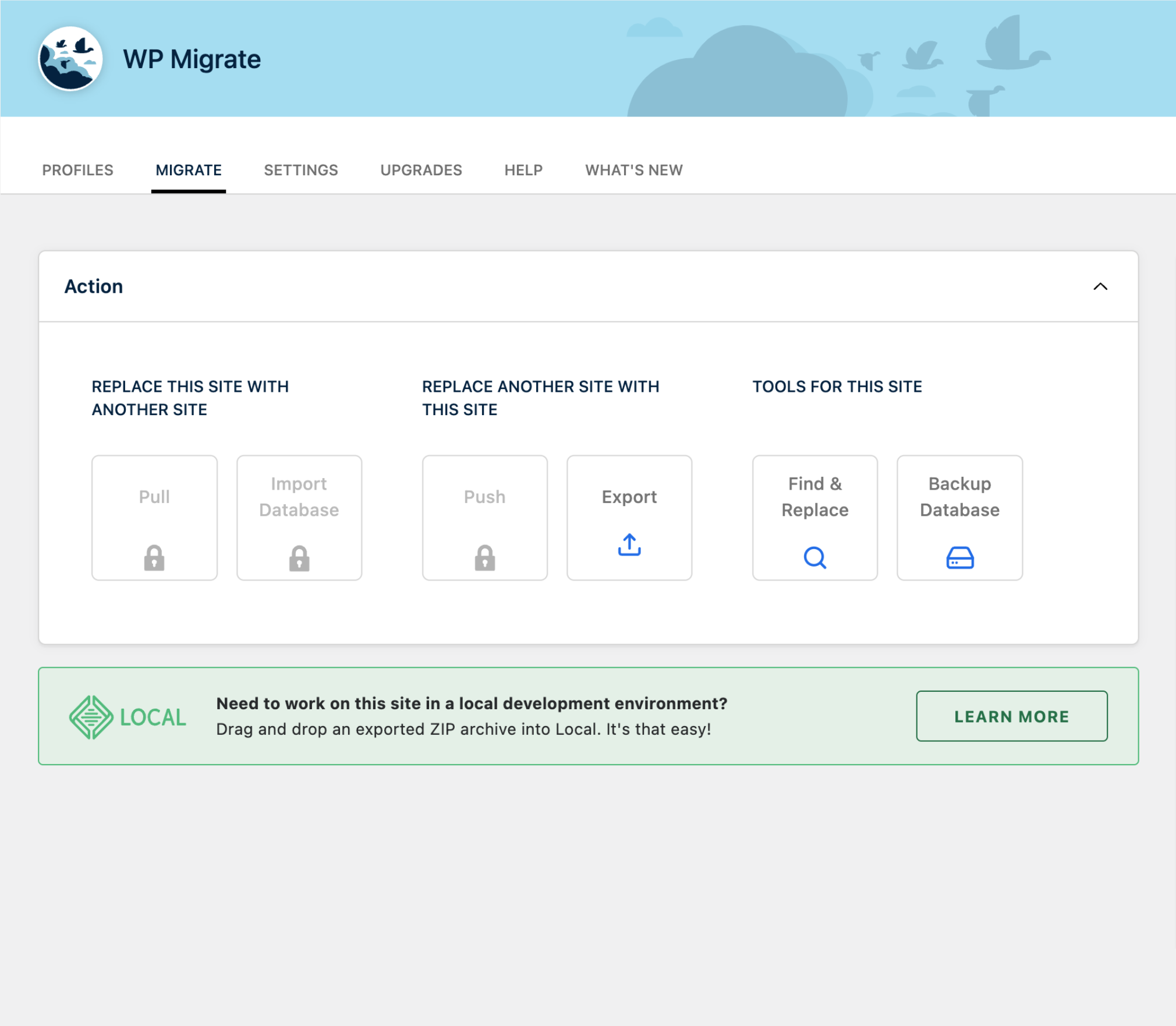
WP Migrate Lite can help move your WordPress database using an easy-to-follow three-step process.
Simple, right? WordPress database migrations shouldn’t have to be overly complicated or cumbersome. With WP Migrate Lite, database transfers become so much easier.
Full-Site Exports
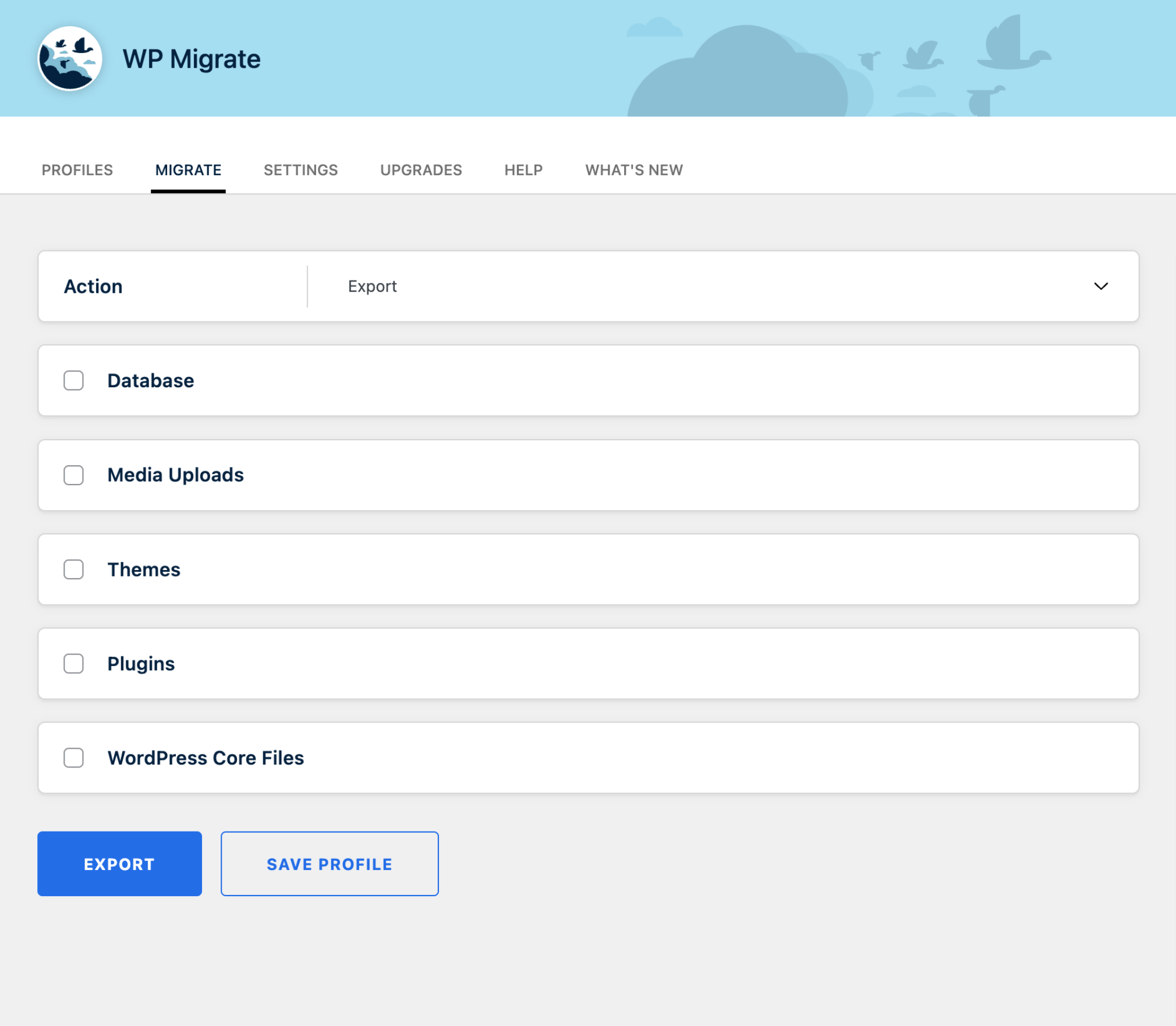
WP Migrate Lite can now export your entire site, including the database, media uploads, themes, plugins, and other files required to create an exact copy of your site in a new environment. In the same friendly interface you know, you can configure your export, choose what you want to include or exclude, and then single-click your way to a downloadable ZIP file of your complete site. A perfect solution for simple migrations and site copying.
Import to Local
Thanks to our good friends at WP Engine, Local—the #1 local WordPress development tool—can now import full-site ZIP archives that have been exported using WP Migrate. Simply drag and drop the downloaded ZIP file into Local and you’re up and running with a complete copy of your site in minutes.
Find & Replace
The opening of the plugin's own description. The full text, installation notes and changelog are on its WordPress.org page.
No, WP Migrate uses “migration profiles” that allow you to save your WordPress migration settings to make the process as fast as possible.
Yes, WP Migrate is compatible with multisites. With the Lite version, you can export, back up, and run find and replace operations across the entire multisite network. Upgrading to WP Migrate Pro opens up new possibilities for migrating single sites into or out of multisite networks. You can even migrate a subsite directly from one multisite to another.
You sure can! WP Migrate allows you to exclude spam comments from any WordPress migration in a click.
Don’t worry! By default, WP Migrate places all plugins into compatibility mode during a migration, which prevents them from loading for migration requests only.
Specific plugins can be enabled to run during a migration using a straightforward admin interface.
Yes, WP Migrate Lite includes export and find-replace commands. Qualifying licenses of WP Migrate Pro include even more WP-CLI commands to push, pull, import, and manage settings from the command line.


#10 by installs
Trusted by 60M+ sites: The gold standard for WordPress migration and backup. Migrate, backup, and restore your WordPress site with one click.

#69 by installs
All-in-one WordPress backup, migration and staging plugin — schedule automatic backups, restore in one click, and migrate or clone sites safely.

#272 by installs
Effortlessly migrate, clone, or transfer your WordPress site to over 5,000 web hosts with Migrate Guru, trusted by Cloudways, Pantheon, and Dreamhost.

#819 by installs
Create a staging WordPress site from production (live site). Ideal for testing updates, version change or re-write. Sync back only the changes.

#822 by installs
100% FREE clone and migration

#15 by installs
The go-to tool for cloning posts and pages, including the powerful Rewrite & Republish feature.
Read from the WordPress.org plugin API on , when WordPress 7.1.4 was the current release. WordPress.org rounds active installs into buckets. These are the directory's figures, not my verdict, and I haven't tested this plugin.