
Create unlimited folders with the Folders WordPress plugin, organize & manage your Media Library files, Pages & Posts in folders 📁
- Installs
- 90,000+
- Rating
- 5.0 (1.5K)
- Updated
- 4 days ago

One-click uploads from Unsplash, Openverse, Pixabay, Pexels, and Giphy directly to your WordPress media library.
| Last updated | June 1, 2026Updated in the last year |
|---|---|
| Tested up to | WordPress 7.0.8Older than WordPress 7.1.4, the current release |
| Needs WordPress | 6.0 or newer |
| Needs PHP | Not stated |
| First published | November 1, 2016 |
| Support, last two months | 0 of 1 threads resolved (0%) |
4.8 / 5 from 59 reviews
| 5 stars | 55 |
|---|---|
| 4 stars | 1 |
| 3 stars | 0 |
| 2 stars | 0 |
| 1 star | 3 |
Instantly upload photos from Unsplash, Openverse, Pixabay, Pexels, and Giphy to your website all without ever leaving WordPress!
Instant Images is the fastest way to find and upload high-quality, free stock images directly from inside WordPress.
No downloads.
No switching tabs.
No copy-paste workflow.
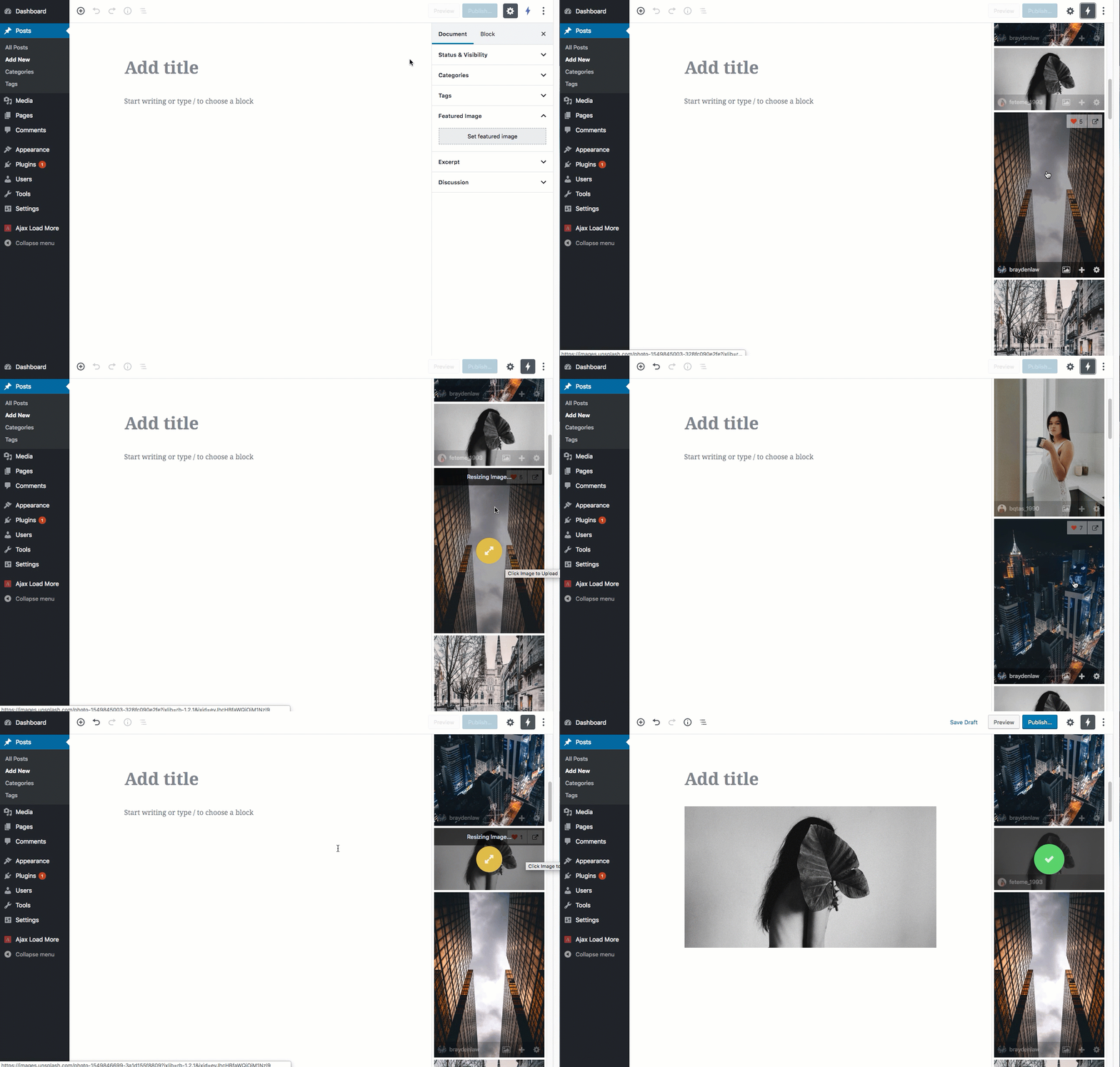
Just search, click, and your image is instantly added to your Media Library — properly processed and ready to use.
Whether you’re building content, designing layouts, or prototyping a client site, Instant Images keeps you in your workflow and saves you time.
Supported Image Providers
Works seamlessly with the Block Editor, Media Modal, and popular page builders.
The perfect tool for users who want to save time and frustration by uploading images directly inside their WordPress installation and for developers who want to prototype and develop using real world imagery.
Visit Plugin Website
Features
The opening of the plugin's own description. The full text, installation notes and changelog are on its WordPress.org page.
All photos published on Unsplash are licensed under Creative Commons Zero which means you can copy, modify, distribute and use the photos for free, including commercial purposes, without asking permission from or providing attribution to the photographer or Unsplash/Pixabay.
Learn More
Continue Reading
Yes! You can enter id:{photo_id} into the search box to return a single result.
e.g. id:YiUi00uqKk8
Unfortunately, there are a number of reasons why Instant Images may not work in your current hosting/server environment. Please read through the FAQ on our website to view some potential causes.
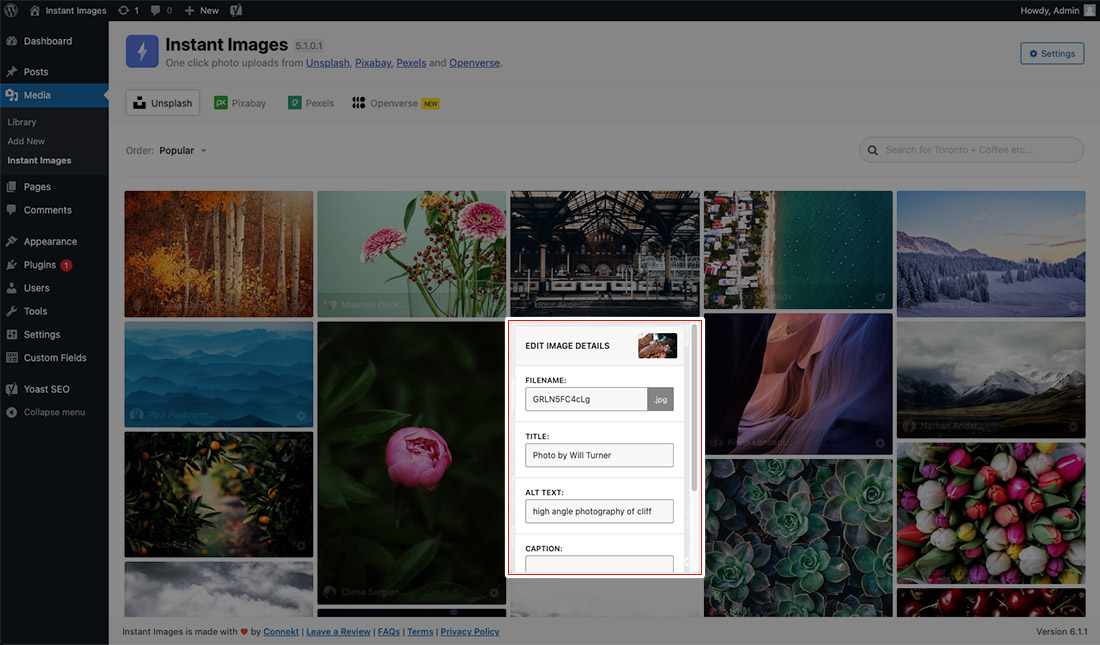
Yes, click the options (cog) icon in the bottom corner of the image to bring up an edit screen where you can modify the filename, title, alt and caption before the image is uploaded.
Yes, once clicked, the images are processed on the server then uploaded to the Media Library into the various sizes set in your theme.
No, once an image has be uploaded and resized the raw download will be removed from your server.


Create unlimited folders with the Folders WordPress plugin, organize & manage your Media Library files, Pages & Posts in folders 📁

#489 by installs
Find and delete unused images and media files, fix broken entries, with a trash to undo anything. A lighter, faster WordPress! 💕

#609 by installs
Enhances the Media Library; powerful gallery and list shortcodes, full taxonomy support, IPTC/EXIF/XMP/PDF processing, bulk/quick edit.

#643 by installs
This plugin would be handy for those who need to manage a lot of media files.

#747 by installs
The time-saving solution for managing tons of featured images within minutes: Set, replace and delete in bulk and set default images for future posts.

#809 by installs
"Crop Thumbnails" made it easy to get exacly that specific image-detail you want to show in your featured image or gallery image.
Read from the WordPress.org plugin API on , when WordPress 7.1.4 was the current release. WordPress.org rounds active installs into buckets. These are the directory's figures, not my verdict, and I haven't tested this plugin.