Type to search.

#809 by installs

Crop-Thumbnails

by Volkmar KantorVersion 1.9.7

"Crop Thumbnails" made it easy to get exacly that specific image-detail you want to show in your featured image or gallery image.

Active installs
40,000+
#809 of 1,000
Downloads, all time
881.3K
881,333
Downloads, 30 days
7.5K
1.9K in the last 7
Rating
4.6 / 5
67 reviews
Last updated
11 months ago
Dec 3, 2025
Version
1.9.7
33 releases

Upkeep and compatibility

Last updatedDecember 3, 2025Updated in the last year
Tested up toWordPress 6.8.12Older than WordPress 7.1.4, the current release
Needs WordPress5.0 or newer
Needs PHP7.4.0 or newer
First publishedNovember 15, 2012
Support, last two months0 of 1 threads resolved (0%)

Reviews

4.6 / 5 from 67 reviews

Reviews by star rating
5 stars58
4 stars2
3 stars1
2 stars2
1 star4

Downloads, last 30 days

Low 58 a dayHigh 543 a day

What the author says it does

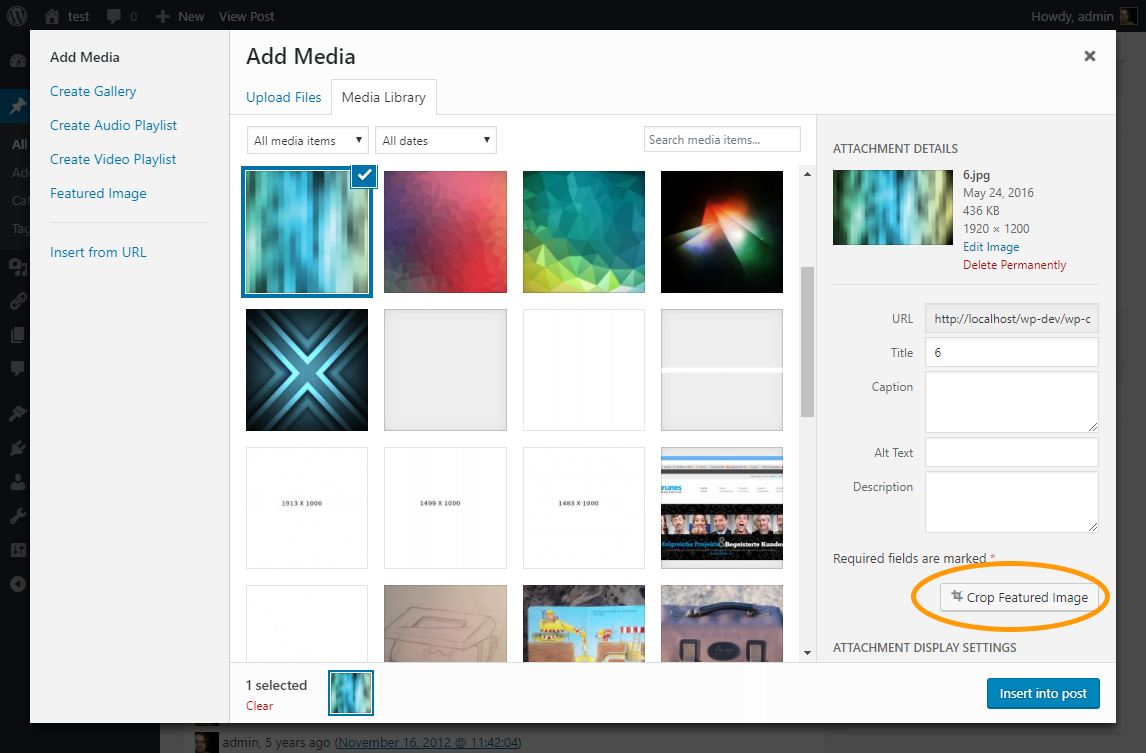
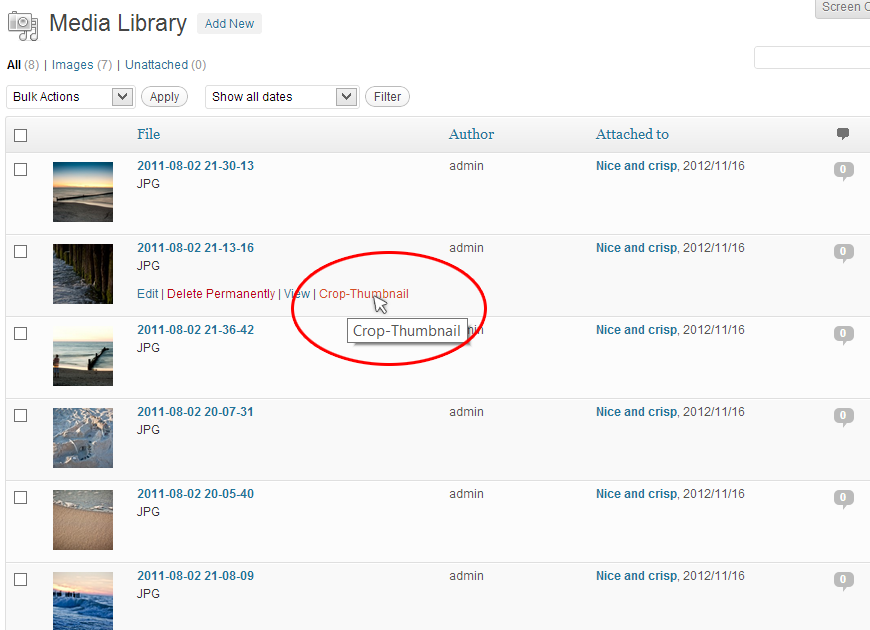
The plugin provides the functionality to adjust the crop region of cropped images. It add buttons to the edit-pages and media-dialog to access a crop-editor.

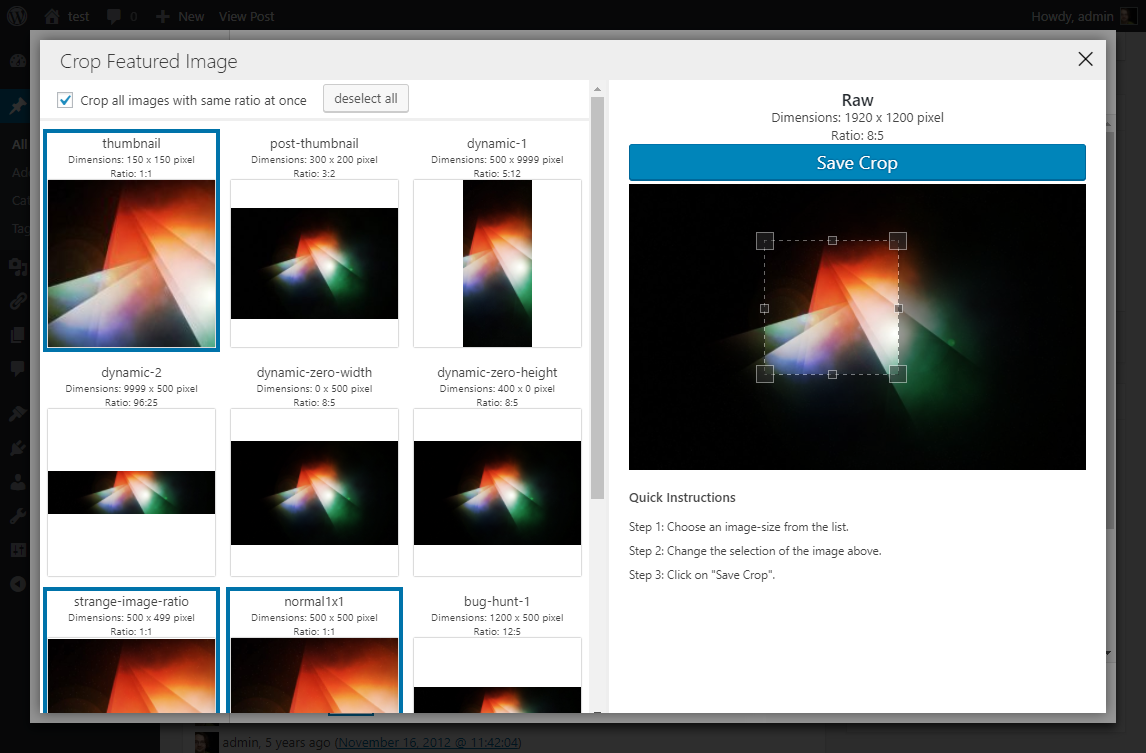
In the crop-editor you can choose one or more (if they have the same ratio) imagesizes and cut-off the part of the image you want.

The plugin is especially useful for theme developers who want to keep full control over cropped image sizes. If you want to dive even deeper, you can get informations about the hooks and filters on the github page of the plugin.

The opening of the plugin's own description. The full text, installation notes and changelog are on its WordPress.org page.

Questions the author answers

How to define cropped image sizes?

The plugin do not add additional image sizes, it only provides functionality to edit the crop area.

You can use “add_image_size” inside your functions.php to add additional cropped image sizes. See “add_image_size” documentation.

What internal rules the plugin use for cropping?
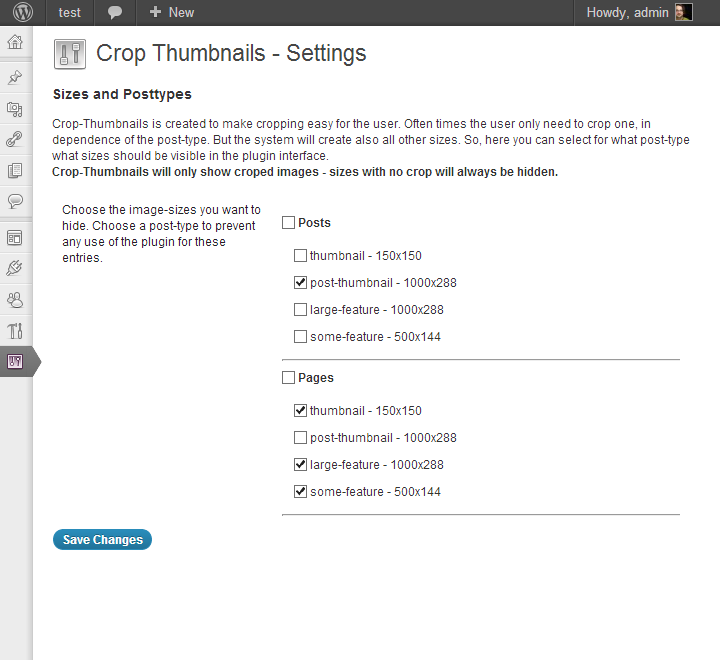
  • The plugin will only crop image-sizes where crop is set to “true” (hard crop mode – see: https://codex.wordpress.org/Function_Reference/add_image_size).
  • If you had set one image dimension in add_image_size() to “0“, the plugin will crop it in the ratio of the original image.
How to use this plugin on ACF taxonomy-images

The “Adavanced Custom Fields” plugin has a functionality to add images to taxonomies. To add cropping functionality on these images you have to add a small code-snippet to your functions.php

Have a look on the github readme-page for details.

I’ve cropped the image, but the new version do not appear in the frontend.

If you had viewed your image on the site before, your browser has cached the image. You can hard refresh the page by hitting:

* “CTRL + F5” (on Windows)

* “Apple + R” or “command + R” (on Mac/Apple)

Is it possible to crop an non-cropped image-size?

No. The purpose of this plugin is to provide control for the wordpress automatic crop. If you want to crop let’s say the full-size image you should

  • a) upload it in a better format in the first place
  • OR b) use the Standard WordPress-Image editor to crop the image.
Where can I get developer information?

A documentation with a list of all actions and filters can be found on the Github page of the project.

Latest changelog entry

1.9.7

  • fix the script loading in the backend if using wp_enqueue_script_module
  • Remove legacy filter with typo error: “crop_thumbnails_activat_on_adminpages”
  • update dependencies

Screenshots

First 4 of 5, from WordPress.org.

Tagged

Plugins that share its tags

#609 by installs

Media Library Assistant

by David Lingren

Enhances the Media Library; powerful gallery and list shortcodes, full taxonomy support, IPTC/EXIF/XMP/PDF processing, bulk/quick edit.

Installs
70,000+
Rating
4.8 (202)
Updated
3 days ago

#747 by installs

Quick Featured Images

by Kybernetik Services

The time-saving solution for managing tons of featured images within minutes: Set, replace and delete in bulk and set default images for future posts.

Installs
50,000+
Rating
4.7 (235)
Updated
2 months ago

#64 by installs

Regenerate Thumbnails

by Alex Mills

Regenerate the thumbnails for one or more of your image uploads. Useful when changing their sizes or your theme.

Installs
1+ million
Rating
4.6 (396)
Updated
14 months ago

#77 by installs

Autoptimize

by Optimizing Matters

Autoptimize speeds up your website by optimizing JS, CSS, images (incl. lazy-load), HTML and Google Fonts, asyncing JS, removing emoji cruft and more.

Installs
800,000+
Rating
4.7 (1.4K)
Updated
6 days ago

#167 by installs

WebP Express

by rosell.dk

Serve autogenerated WebP images instead of jpeg/png to browsers that supports WebP.

Installs
300,000+
Rating
4.4 (162)
Updated
13 days ago

Where this page's numbers come from

Read from the WordPress.org plugin API on , when WordPress 7.1.4 was the current release. WordPress.org rounds active installs into buckets. These are the directory's figures, not my verdict, and I haven't tested this plugin. The author takes donations at their donate page.

