
One-click uploads from Unsplash, Openverse, Pixabay, Pexels, and Giphy directly to your WordPress media library.
- Installs
- 100,000+
- Rating
- 4.8 (59)
- Updated
- 5 months ago

Create unlimited folders with the Folders WordPress plugin, organize & manage your Media Library files, Pages & Posts in folders 📁
| Last updated | October 27, 2026Updated in the last 3 months |
|---|---|
| Tested up to | WordPress 7.1.4Covers WordPress 7.1.4, the current release |
| Needs WordPress | 4.7 or newer |
| Needs PHP | Not stated |
| First published | May 1, 2015 |
| Support, last two months | 20 of 20 threads resolved (100%) |
5.0 / 5 from 1,525 reviews
| 5 stars | 1,495 |
|---|---|
| 4 stars | 19 |
| 3 stars | 3 |
| 2 stars | 2 |
| 1 star | 6 |
Support | Demo | Recommended Plugins | Upgrade to Pro ⭐
Create Unlimited Folders with The Free Folders Plugin Version 🎉
Folders is a WordPress plugin that enables users to organize all of their Pages, Posts, and Media files in folders. Easily drag and drop items into directories and change the folders tree view (hierarchy). Check out Folders Pro Plans.
💪 How Folders Plugin Can Help You
Use Folders plugin to organize your WordPress content:
The opening of the plugin's own description. The full text, installation notes and changelog are on its WordPress.org page.
No. you can create as many folders as you wish!
No. you can use the free plan as long as you want.
Yes you can! Currently, we support FileBird, Enhanced Media Library, Wicked Folders, Real Media Library, WP Media Folder, HappyFiles (Happy Files) and Mediamatic
No. adding a page/post/image into a folder will not change its URL
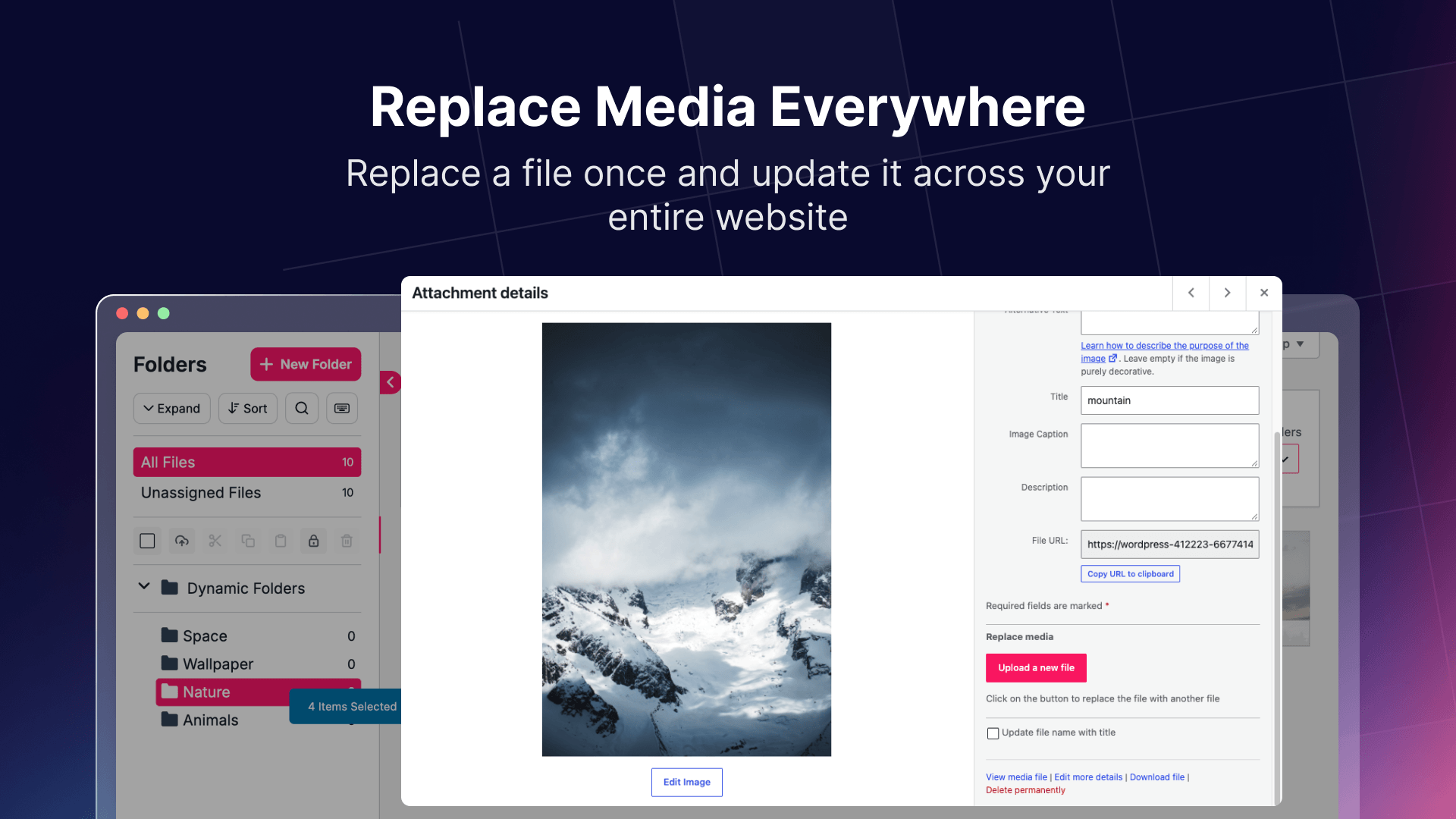
Yes, you can! Whenever you change media library files, the change will reflect on all of your pages, posts, and more
No! just activate the plugin and you’re good to go.
New Pro Feature: Unzip ZIP Files: Extract ZIP files directly into your WordPress Media Library and organize their contents into folders.
Improved Folder Assignment: Fixed an issue where newly created pages and posts were not automatically assigned to the selected folder.


One-click uploads from Unsplash, Openverse, Pixabay, Pexels, and Giphy directly to your WordPress media library.

#489 by installs
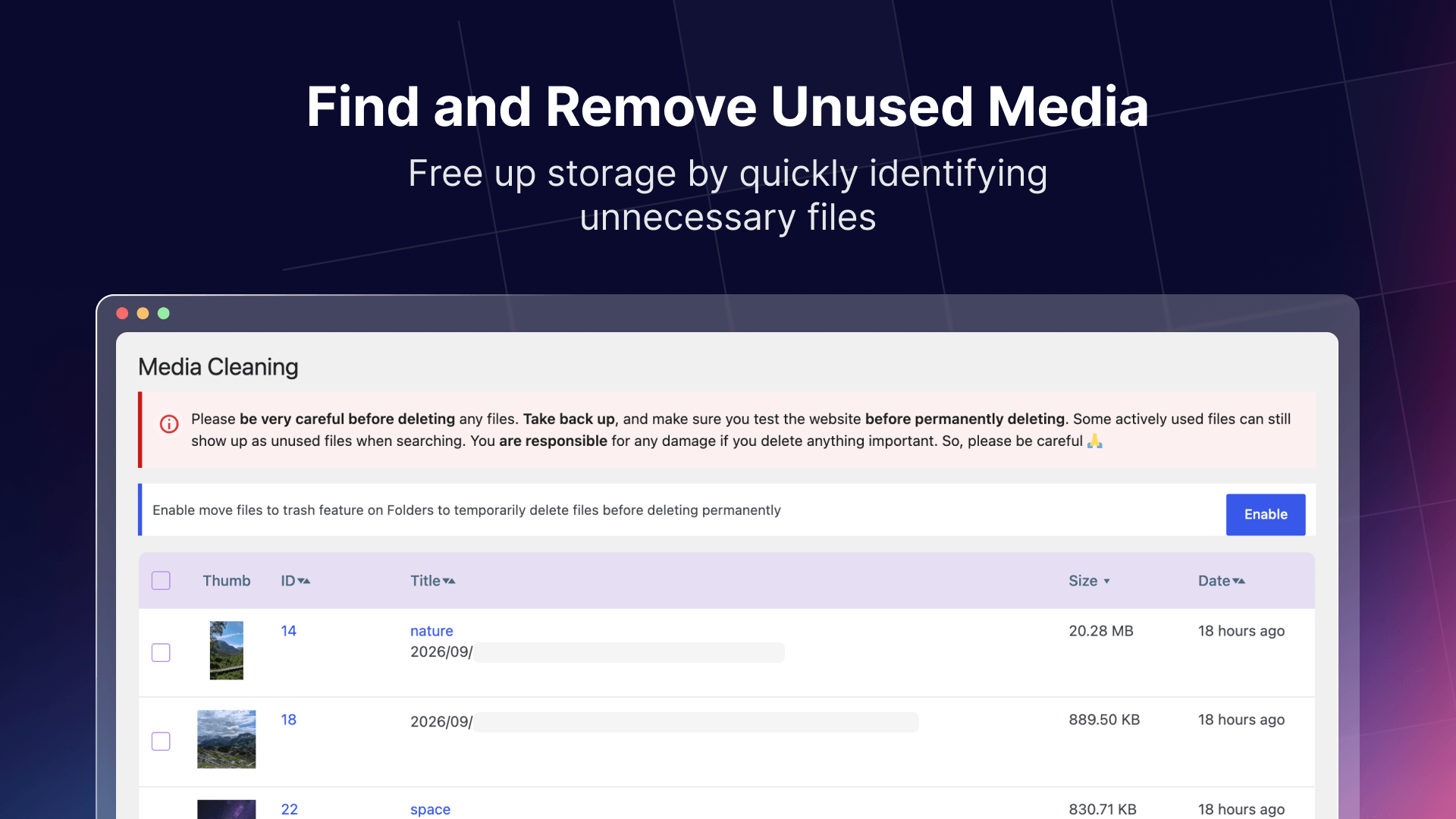
Find and delete unused images and media files, fix broken entries, with a trash to undo anything. A lighter, faster WordPress! 💕

#609 by installs
Enhances the Media Library; powerful gallery and list shortcodes, full taxonomy support, IPTC/EXIF/XMP/PDF processing, bulk/quick edit.

#643 by installs
This plugin would be handy for those who need to manage a lot of media files.

#747 by installs
The time-saving solution for managing tons of featured images within minutes: Set, replace and delete in bulk and set default images for future posts.

#809 by installs
"Crop Thumbnails" made it easy to get exacly that specific image-detail you want to show in your featured image or gallery image.
Read from the WordPress.org plugin API on , when WordPress 7.1.4 was the current release. WordPress.org rounds active installs into buckets. These are the directory's figures, not my verdict, and I haven't tested this plugin.