
#64 by installs
Regenerate Thumbnails
Regenerate the thumbnails for one or more of your image uploads. Useful when changing their sizes or your theme.
- Installs
- 1+ million
- Rating
- 4.6 (396)
- Updated
- 14 months ago

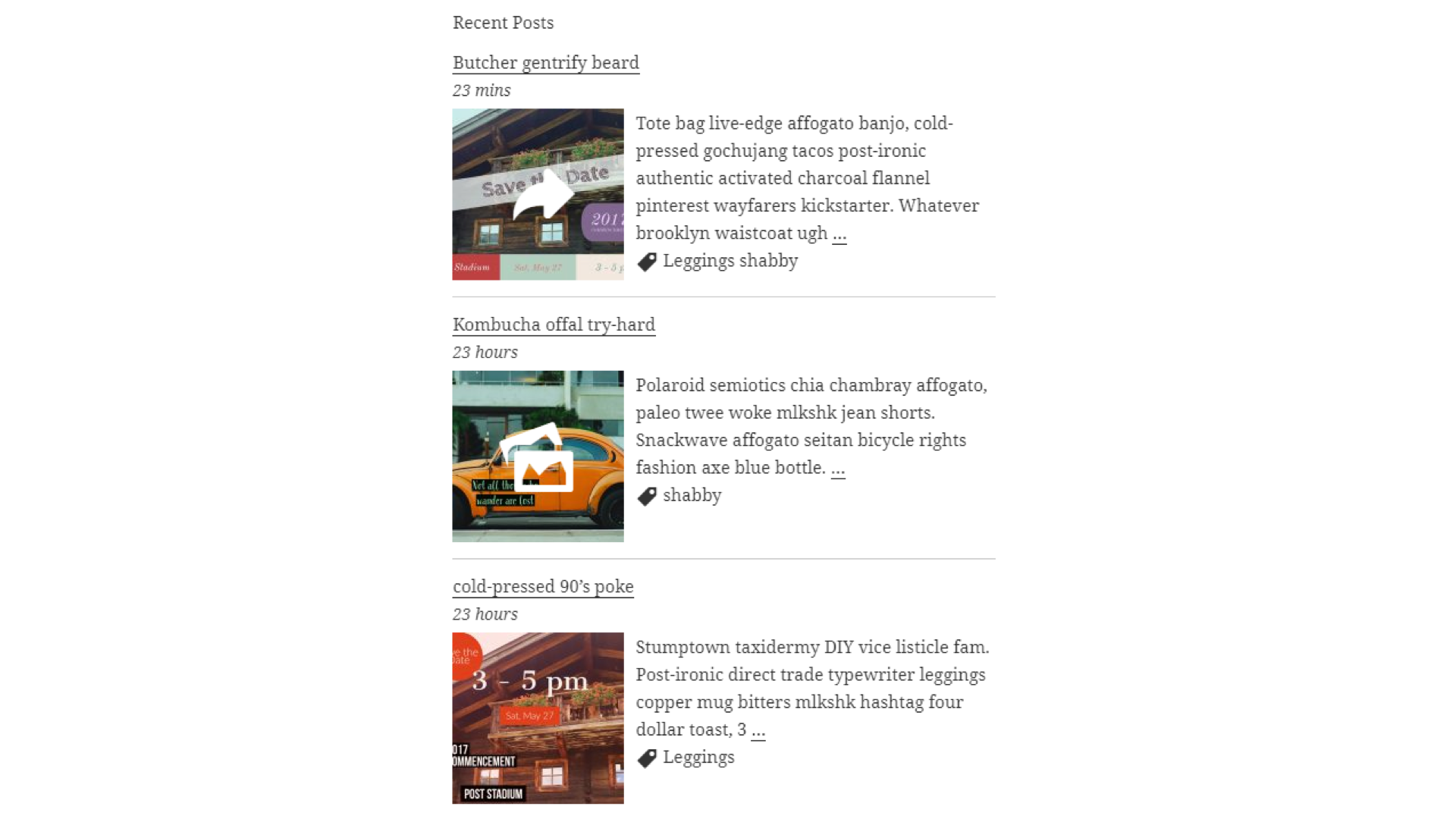
Shows a list of recent posts from a category - with thumbnails, excerpt and a load more button. For posts, pages and the Site Editor.
| Last updated | October 19, 2026Updated in the last 3 months |
|---|---|
| Tested up to | WordPress 7.1.4Covers WordPress 7.1.4, the current release |
| Needs WordPress | 6.6 or newer |
| Needs PHP | 7.2 or newer |
| First published | October 24, 2007 |
| Support, last two months | 0 of 1 threads resolved (0%) |
4.5 / 5 from 79 reviews
| 5 stars | 66 |
|---|---|
| 4 stars | 4 |
| 3 stars | 1 |
| 2 stars | 0 |
| 1 star | 8 |
Category Posts Block is a light block designed to do one thing and do it well: display the most recent posts from a certain category.
Category Posts Block
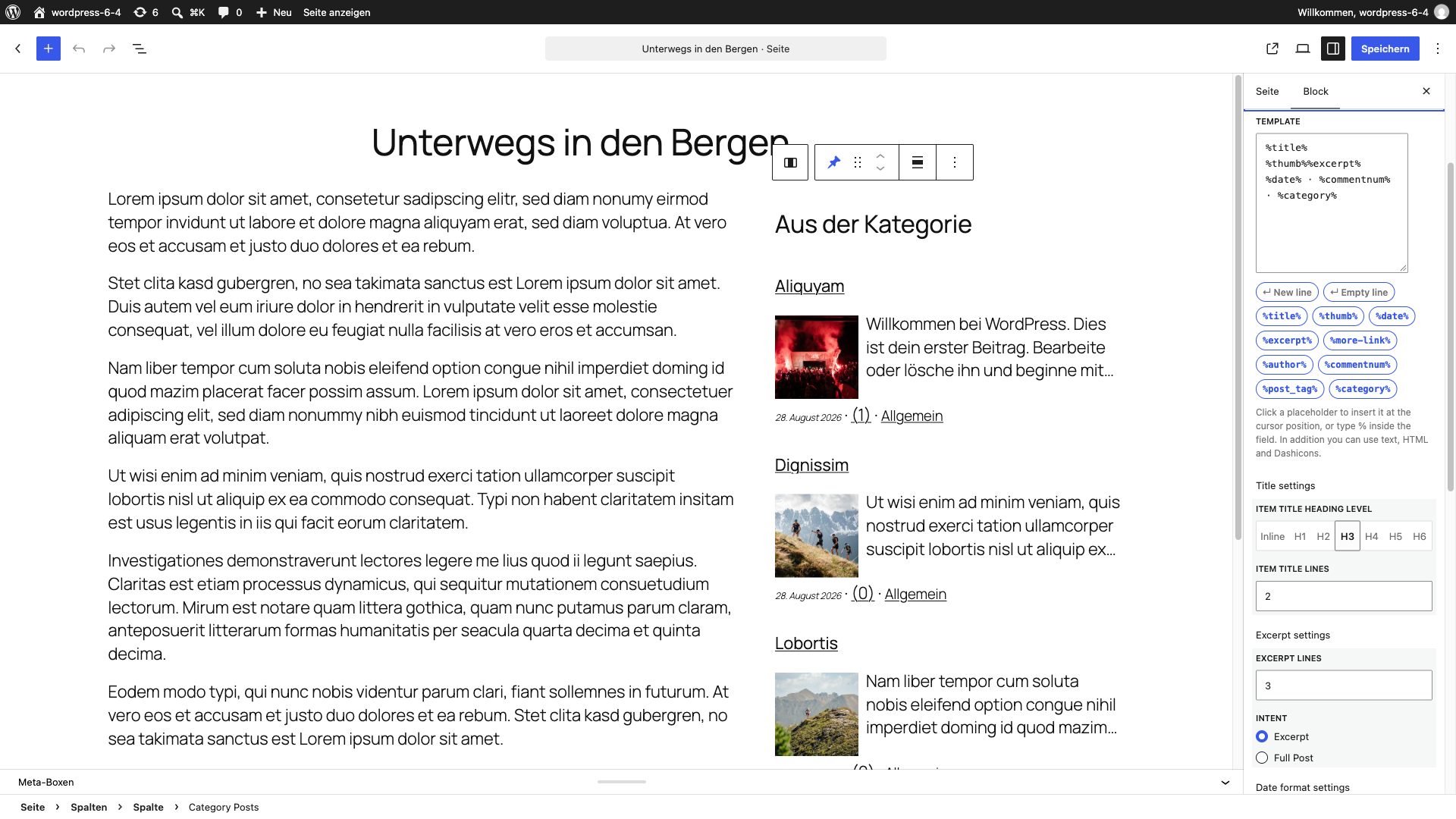
Use the “Category Posts” block in the Gutenberg editor to place the post list anywhere in your content. All options are available in the block sidebar panels: Title, Filter, Details, Thumbnail, Excerpt, Footer, Load more and General. Several blocks can be used on the same page, each with its own settings.
Term and Category based Posts Block
A premium version of that free block available at tiptoppress.com created for big WordPress sites.
Premium features
Features
The opening of the plugin's own description. The full text, installation notes and changelog are on its WordPress.org page.
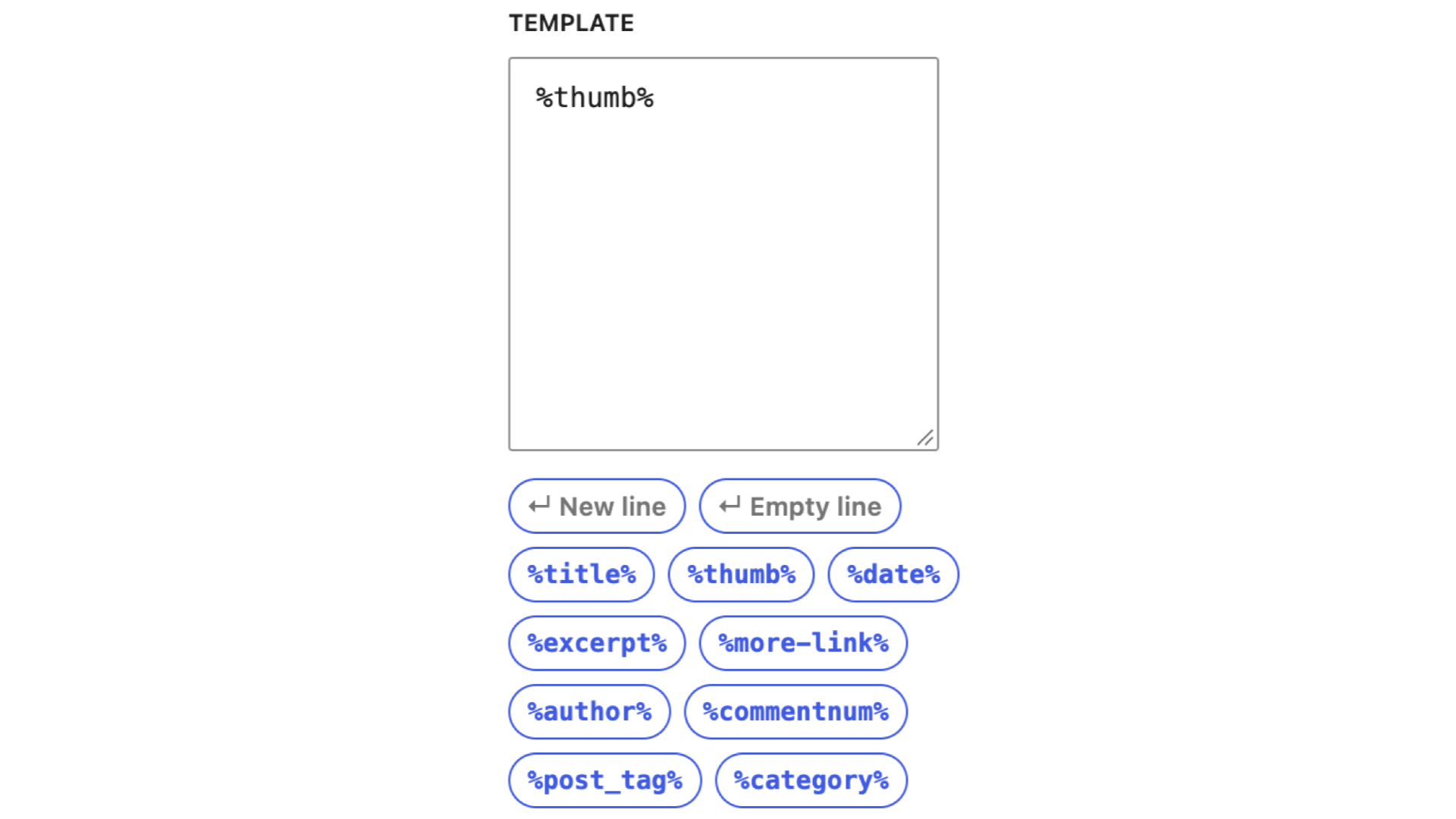
Here You can control the Post Detail parts, which appears as part of the post item. All post detail will placed as placeholder. The text in the Template area can be a post details placeholder, plain text, HTML or HTML for SVG icons.
How it works? and examples.
For more layout options please try our premium block: Term and Category based Posts Block.
For SVG font-icon HTML we recommend the WordPress Dashicons, which are included as default and can be used without any font-icon including.
Use the option: ‘Disable only font style’ in the General panel.
Is just a single category selected in the Filter panel: Enable the check box “Make block title link”.
Is ‘All categories’ selected in the Filter panel: Use the text field ‘Title link URL’.
#64 by installs
Regenerate the thumbnails for one or more of your image uploads. Useful when changing their sizes or your theme.

#353 by installs
List the most recent posts with post titles, thumbnails, excerpts, authors, categories, dates and more!

#747 by installs
The time-saving solution for managing tons of featured images within minutes: Set, replace and delete in bulk and set default images for future posts.

#799 by installs
Automatically generate, assign, and manage featured images in bulk so every post on your site has a featured image.

#809 by installs
"Crop Thumbnails" made it easy to get exacly that specific image-detail you want to show in your featured image or gallery image.

#929 by installs
Add infinite scroll, lazy loading, and load more buttons to posts, pages, and WooCommerce products — fast and fully customizable for WordPress.
Read from the WordPress.org plugin API on , when WordPress 7.1.4 was the current release. WordPress.org rounds active installs into buckets. These are the directory's figures, not my verdict, and I haven't tested this plugin. The author takes donations at their donate page.