Type to search.

#514 by installs

BackUpWordPress

by Tom WillmotVersion 3.14

Simple automated backups of your WordPress-powered website.

Active installs
80,000+
#514 of 1,000
Downloads, all time
4.9M
4,922,043
Downloads, 30 days
3.5K
943 in the last 7
Rating
4.7 / 5
1,373 reviews
Last updated
3 years ago
Apr 24, 2024
Version
3.14
125 releases

Upkeep and compatibility

Last updatedApril 24, 2024Not updated for over a year
Tested up toWordPress 6.5.14Older than WordPress 7.1.4, the current release
Needs WordPress3.9 or newer
Needs PHPNot stated
First publishedSeptember 2, 2007
Support, last two months0 of 1 threads resolved (0%)

Reviews

4.7 / 5 from 1,373 reviews

Reviews by star rating
5 stars1,195
4 stars72
3 stars12
2 stars17
1 star77

Downloads, last 30 days

Low 53 a dayHigh 380 a day

What the author says it does

BackupWordPress was created by our friends at Human Made but is now under new ownership. We’re committed to opensource and WordPress and will provide free support for the many BackupWordPress fans.

We’ll make occasional updates to the free software – please send us any patches you’d like to see released here: https://github.com/orgs/xibodevelopment/

However, we’ll no longer be selling or supporting the paid add-ons (e.g. for backups to Dropbox and Google Drive). It’s certainly a good idea to backup to cloud storage to protect against server-wide risks.

For this we recommend UpdraftPlus WordPress Backups which can do things for free BackupWordPress Premium could do on a paid basis. Click here for full comparison.

BackUpWordPress will back up your entire site including your database and all your files on a schedule that suits you. Try it now to see how easy it is!

This plugin requires PHP version 5.3.2 or later

Features

  • Super simple to use, no setup required.
  • Works in low memory, “shared host” environments.
  • Manage multiple schedules.
  • Option to have each backup file emailed to you.
  • Uses zip and mysqldump for faster backups if they are available.
  • Works on Linux & Windows Server.
  • Exclude files and folders from your backups.
  • Good support should you need help.

The opening of the plugin's own description. The full text, installation notes and changelog are on its WordPress.org page.

Questions the author answers

Where does BackUpWordPress store the backup files?

Backups are stored on your server in /wp-content/backups, you can change the directory.

Important: By default BackUpWordPress backs up everything in your site root as well as your database, this includes any non WordPress folders that happen to be in your site root. This does mean that your backup directory can get quite large.

What if I want to back up my site to another destination?

We no longer be sell or support the paid add-ons (e.g. for backups to Dropbox and Google Drive). It’s certainly a good idea to backup to cloud storage to protect against server-wide risks. For this we recommend UpdraftPlus WordPress Backups which can do things for free BackupWordPress Premium could do on a paid basis. Click here for full comparison.

How do I restore my site from a backup?

You need to download the latest backup file either by clicking download on the backups page or via FTP. Unzip the files and upload all the files to your server overwriting your site. You can then import the database using your hosts database management tool (likely phpMyAdmin).

Does BackUpWordPress back up the backups directory?

No.

I’m not receiving my backups by email

Most servers have a filesize limit on email attachments, it’s generally about 10mb. If your backup file is over that limit, it won’t be sent attached to the email. Instead, you should receive an email with a link to download the backup. If you aren’t even receiving that, then you likely have a mail issue on your server that you’ll need to contact your host about.

How many backups are stored by default?

BackUpWordPress stores the last 10 backups by default.

Latest changelog entry

3.14 / 2024-04-22

  • Fixed security vulnerability through directory traversal while authenticated as admin

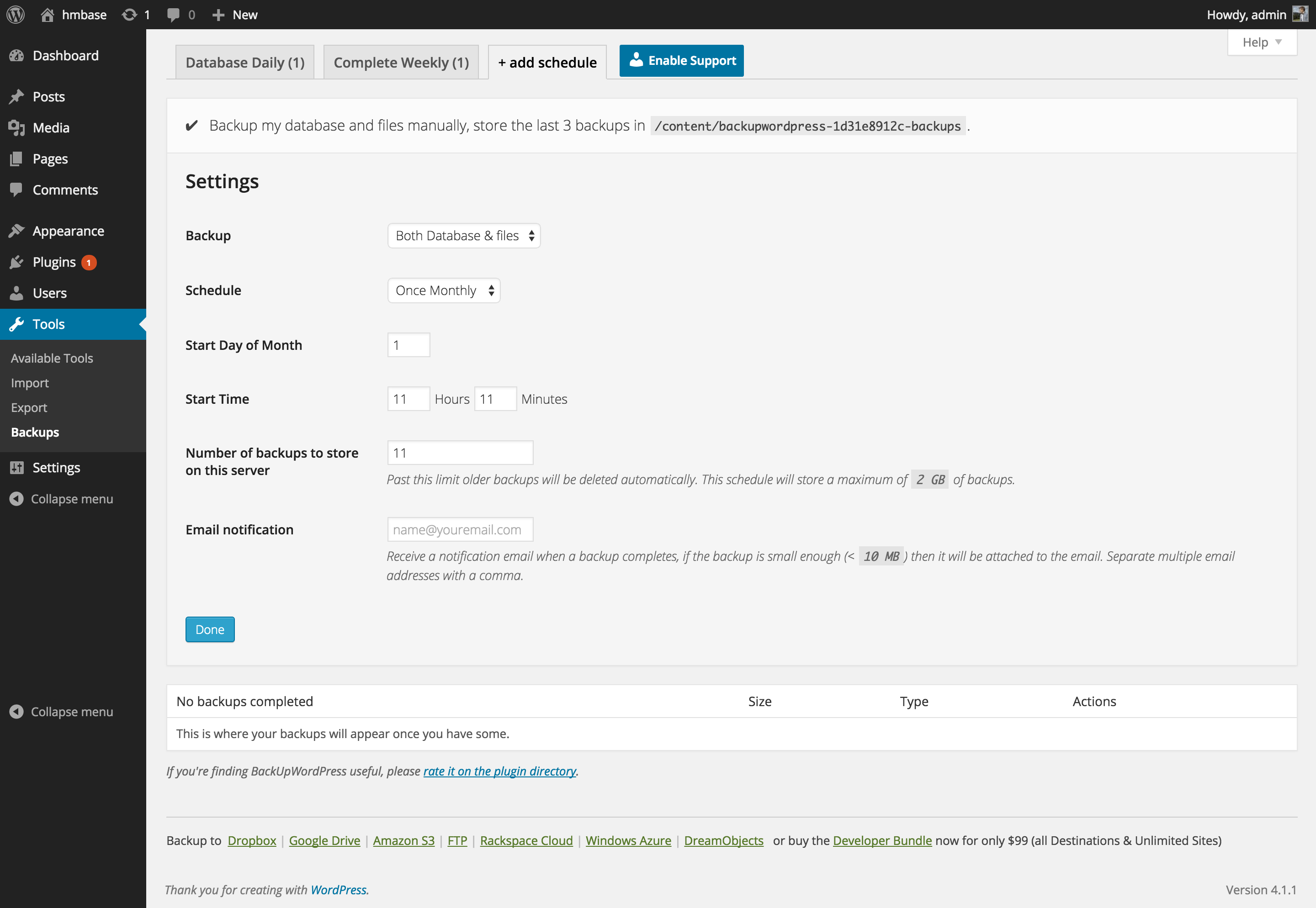
Screenshots

From WordPress.org.

Tagged

Plugins that share its tags

#493 by installs

WP Umbrella: Security Backup Restore & Monitoring

by WP Umbrella - Backup WordPress

Everything you need to sell WordPress maintenance and manage multiple sites effortlessly: backup, update, uptime monitoring, and security.

Installs
90,000+
Rating
4.8 (80)
Updated
1 day ago

#519 by installs

Backup Migration

by Inisev

Backup, migrate, and create staging sites with free cloud storage and support.

Installs
80,000+
Rating
4.9 (1.3K)
Updated
3 months ago

#624 by installs

Database Backup for WordPress

by WP Engine

Database Backup for WordPress is your one-stop database backup solution for WordPress.

Installs
60,000+
Rating
4.5 (66)
Updated
6 months ago

#702 by installs

WP-DBManager

by Lester Chan

Manages your WordPress database.

Installs
50,000+
Rating
4.4 (95)
Updated
3 months ago

#10 by installs

All-in-One WP Migration and Backup

by ServMask

Trusted by 60M+ sites: The gold standard for WordPress migration and backup. Migrate, backup, and restore your WordPress site with one click.

Installs
5+ million
Rating
4.5 (7.7K)
Updated
4 days ago

Where this page's numbers come from

Read from the WordPress.org plugin API on , when WordPress 7.1.4 was the current release. WordPress.org rounds active installs into buckets. These are the directory's figures, not my verdict, and I haven't tested this plugin.