
🤩 Make popups & optin forms to get more email newsletter subscribers, leads, and sales - #1 most popular popup builder plugin! 🚀
- Installs
- 1+ million
- Rating
- 4.3 (821)
- Updated
- 3 months ago

Display high-converting newsletter popups, a cookie notice, or a notification with the light-weight yet feature-rich plugin.
| Last updated | July 11, 2026Updated in the last year |
|---|---|
| Tested up to | WordPress 7.0.8Older than WordPress 7.1.4, the current release |
| Needs WordPress | 4.0 or newer |
| Needs PHP | 5.4 or newer |
| First published | October 31, 2019 |
| Support, last two months | 0 of 1 threads resolved (0%) |
4.0 / 5 from 9 reviews
| 5 stars | 6 |
|---|---|
| 4 stars | 1 |
| 3 stars | 0 |
| 2 stars | 0 |
| 1 star | 2 |
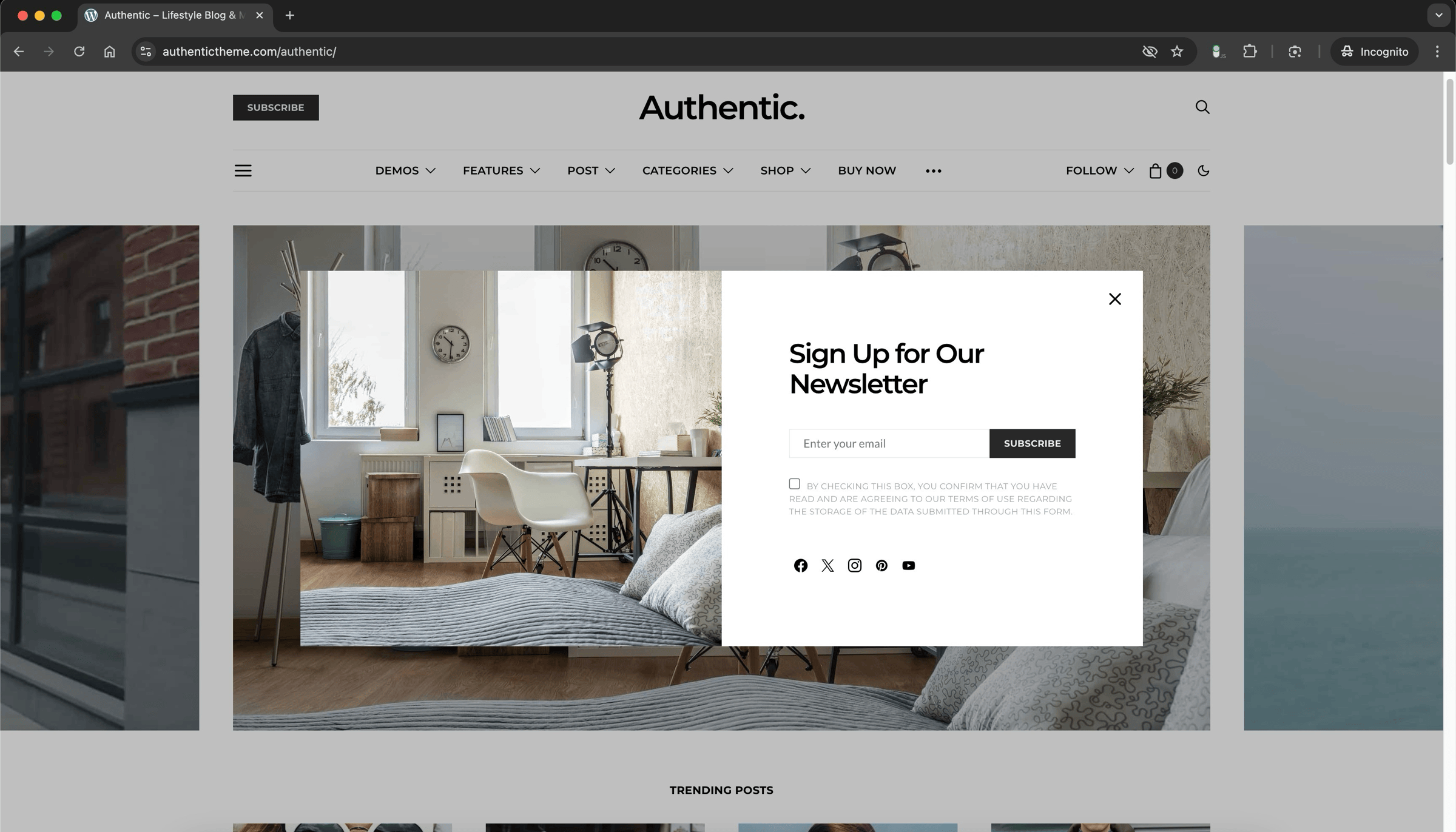
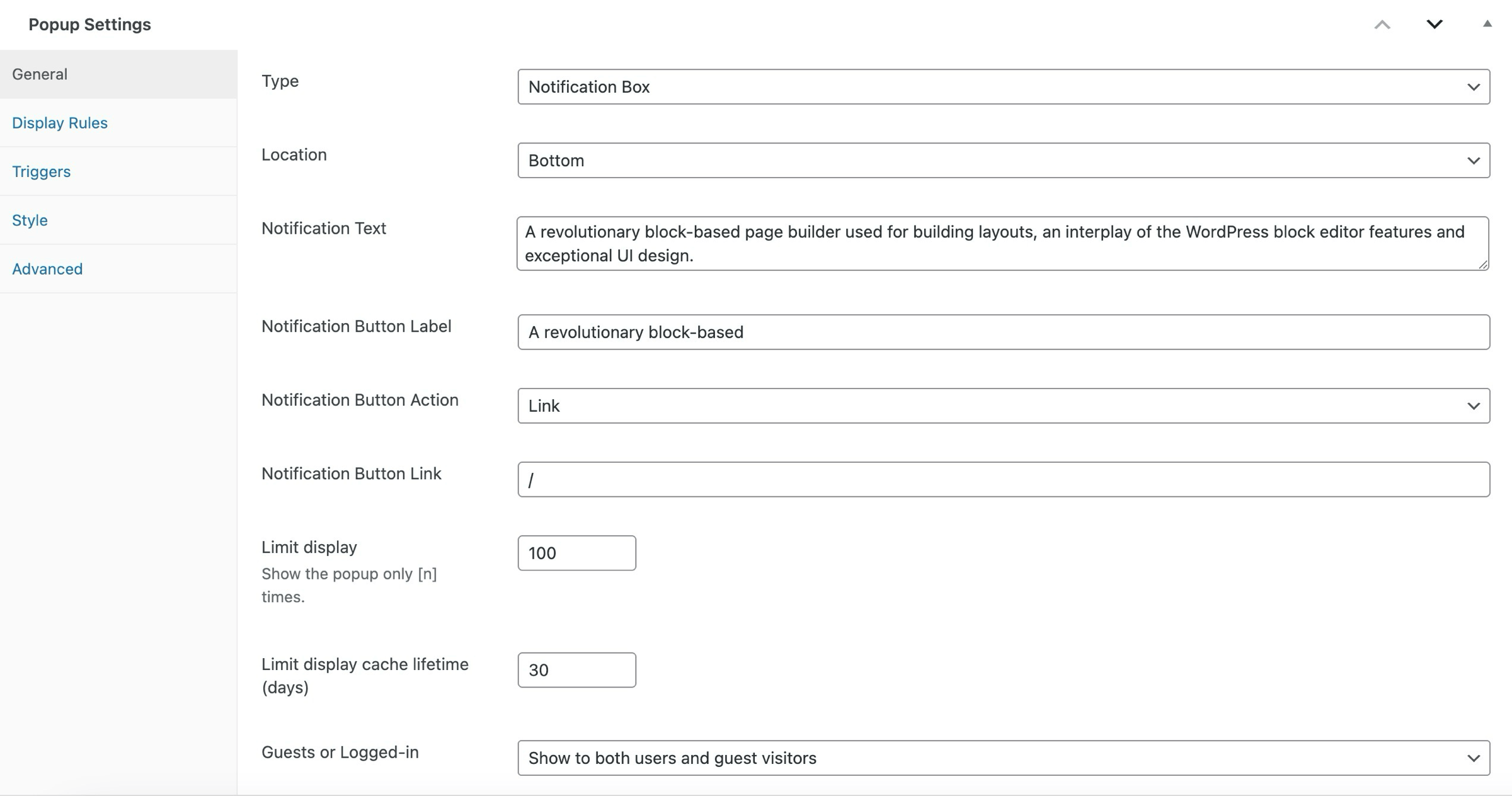
Advanced Popups is a lightweight yet powerful WordPress popup plugin designed for maximum conversion. Create beautiful, targeted popups to grow your email list, display important announcements, show cookie notices, or promote special offers.
Key Features:
The opening of the plugin's own description. The full text, installation notes and changelog are on its WordPress.org page.
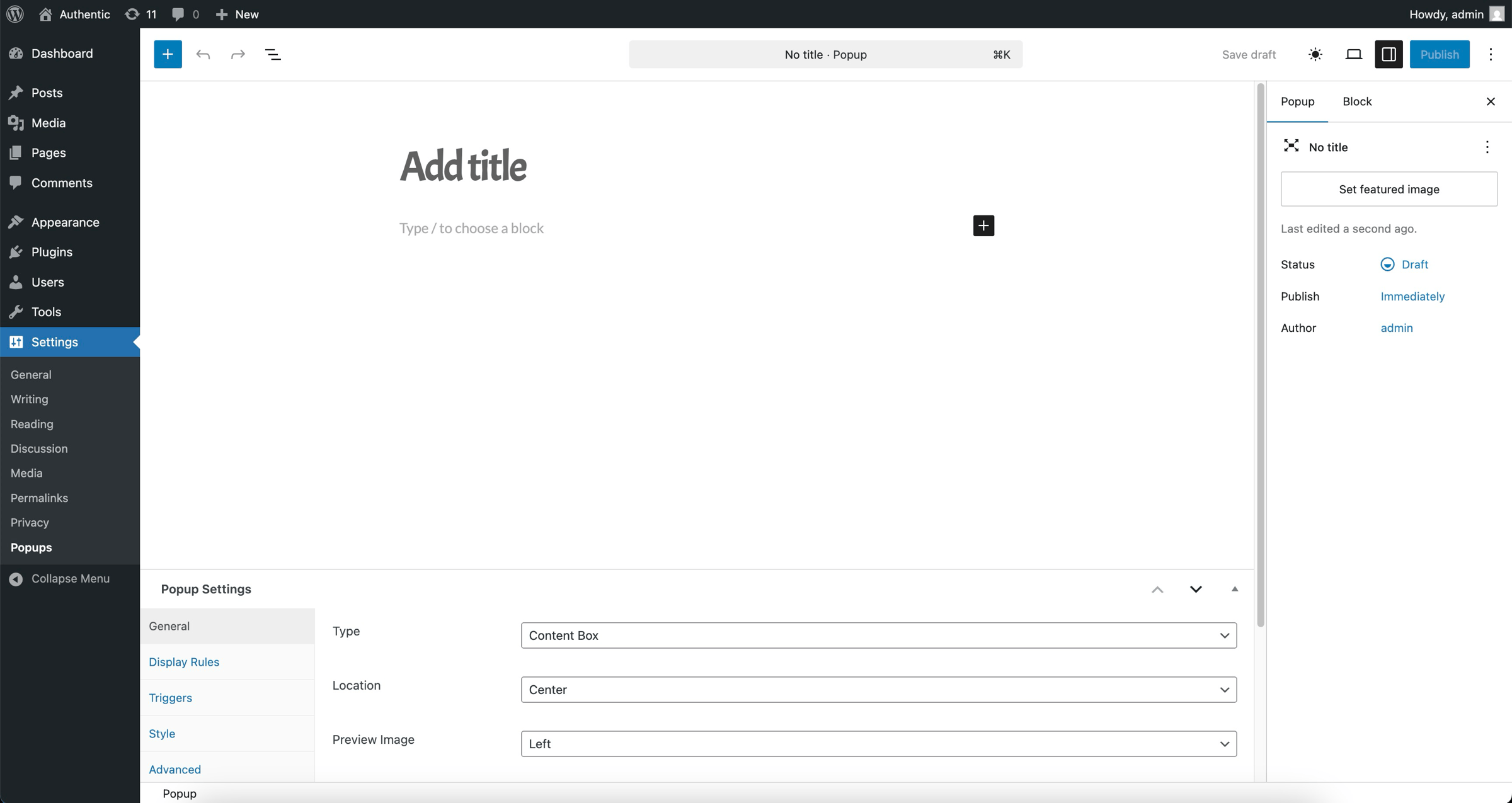
After activating the plugin, you will see a new menu item called ‘Popups’ in your WordPress admin. Click on it and then click ‘Add New’ to create your first popup.
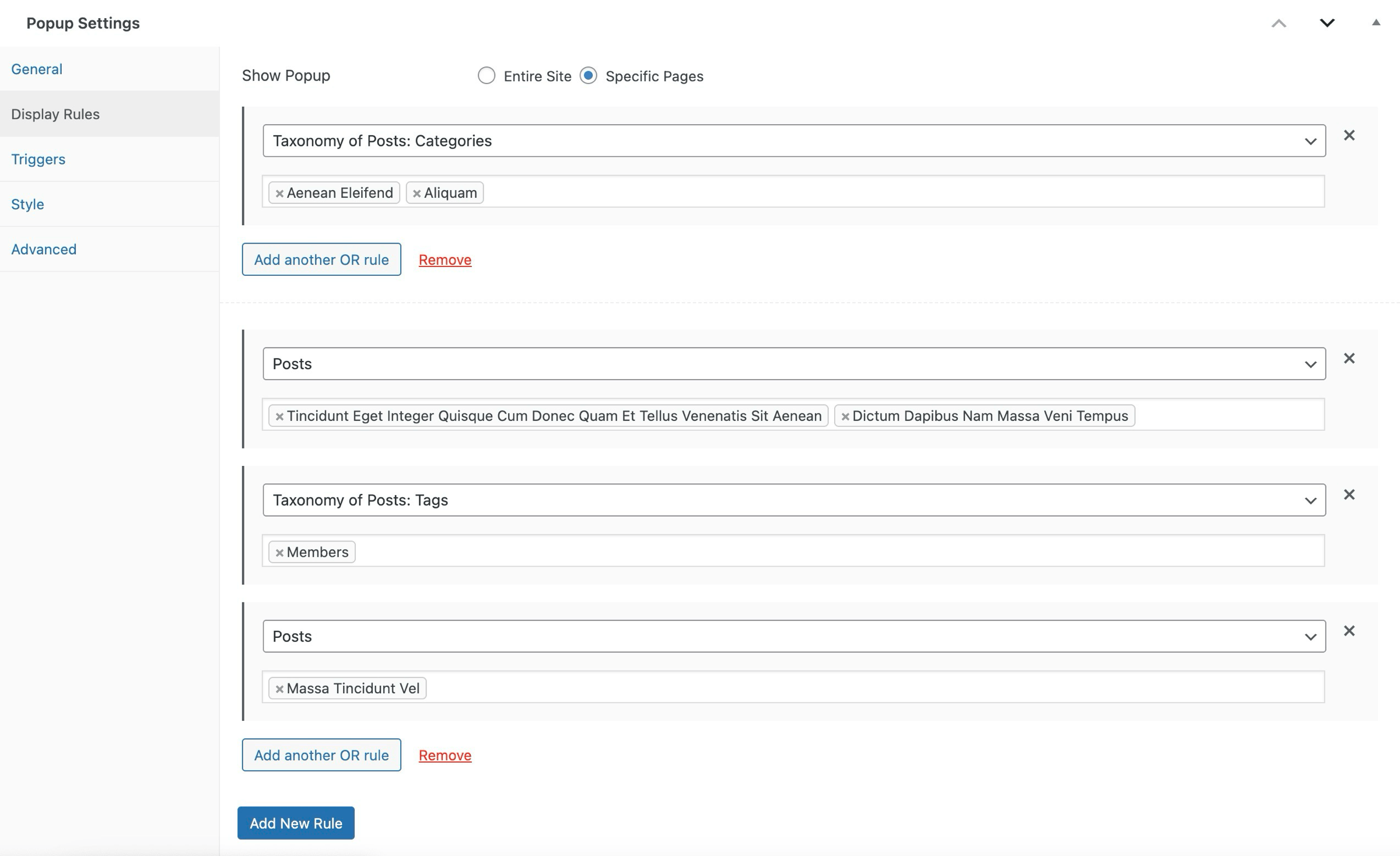
Yes, Advanced Popups offers precise targeting options. You can choose to display popups on specific pages, posts, or custom post types. You can also target taxonomy pages, front page, archives, or search results. Additionally, you can show popups based on the user’s login status.
The plugin provides multiple trigger options including time delay, page viewed, exit intent, scroll position, manual launch via button click, and accept agreement for compliance notices.
Absolutely. Advanced Popups includes frequency limits to help avoid popup fatigue among your visitors.
Yes, the plugin includes mobile-specific settings to ensure that your popups look great and function well on all devices.
You can choose from a variety of animations for both the entrance and exit of the popups, including fade, slide, zoom, or combined effects.
🤩 Make popups & optin forms to get more email newsletter subscribers, leads, and sales - #1 most popular popup builder plugin! 🚀

Want to boost sales & marketing efforts? Use your favorite forms & builder. Unlimited popups & impressions, keep your data, no monthly subscription.

#505 by installs
Setup email optin forms, popups, newsletter forms & subscription forms to generate email leads with the best marketing popup builder

#430 by installs
A quick and easy way to create Popup layers inside the Divi Visual Builder!

#783 by installs
Build flexible popups and modal windows with multiple popup types, triggers, and display controls.

#41 by installs
Launch and grow your email marketing effortlessly with Hostinger Reach. Collect contacts, sync subscribers, and send emails – all in one, AI powered.
Read from the WordPress.org plugin API on , when WordPress 7.1.4 was the current release. WordPress.org rounds active installs into buckets. These are the directory's figures, not my verdict, and I haven't tested this plugin.