
Easily add code snippets in WordPress. Insert header & footer scripts, add PHP code snippets with conditional logic, insert ads pixel code, and more.
- Installs
- 3+ million
- Rating
- 4.9 (1.9K)
- Updated
- 2 days ago

Compiles .scss files to .css and enqueues them.
| Last updated | March 2, 2026Updated in the last year |
|---|---|
| Tested up to | WordPress 6.8.12Older than WordPress 7.1.4, the current release |
| Needs WordPress | 3.0.1 or newer |
| Needs PHP | 7.2 or newer |
| First published | November 25, 2013 |
| Support, last two months | No threads opened |
4.3 / 5 from 61 reviews
| 5 stars | 48 |
|---|---|
| 4 stars | 1 |
| 3 stars | 2 |
| 2 stars | 3 |
| 1 star | 7 |
Compiles .scss files on your wordpress install using ScssPhp. Includes settings page for configuring directories, error reporting, compiling options, and auto enqueuing.
The plugin only compiles when changes have been made to the scss files. Compiles are made to the matching css file, so disabling this plugin will not take down your stylesheets. In the instance where a matching css file does not exist yet, the plugin will create the appropriate css file in the css directory.
Get detailed instructions on github
Looking for a new maintainer
If you are interested in giving back to the open source plugin respond here with your interest
The opening of the plugin's own description. The full text, installation notes and changelog are on its WordPress.org page.
Yes, absolutely. Make sure you define your directories relative to your child theme and that your child theme is active. Otherwise you’ll see an error regarding missing directories.
PHP 7.2 is required to run WP-SCSS
You can import other scss files into parent files and compile them into a single css file. To do this, use @import as normal in your scss file. All imported file names must start with an underscore. Otherwise they will be compiled into their own css file.
When importing in your scss file, you can leave off the underscore.
@import 'subfile';
Currently there isn’t a way to fully support compass with a php compiler. If you want limited support, you can manually import the compass framework. You’ll need both the _compass.scss and compass directory.
compass / frameworks / compass / stylesheets /@import ‘compass’;`
Alternatively, you can include Bourbon in a similar fashion.
This plugin will only work with .scss format.
Do you have errors printing to the front end? If not, check your log file in your scss directory. The css will not be updated if there are errors in your sass file(s).
Make sure your directories are properly defined in the settings. Paths are defined from the root of the theme.
Easily add code snippets in WordPress. Insert header & footer scripts, add PHP code snippets with conditional logic, insert ads pixel code, and more.

#359 by installs
Add Custom CSS to your WordPress site without any hassles.

#471 by installs
Add CSS animations and scroll effects to any Gutenberg block. Choose from fade, slide, zoom & more, with delay and duration controls — no code needed.
#532 by installs
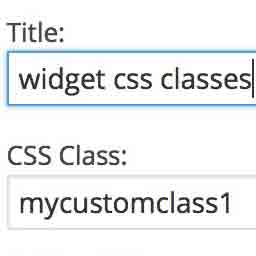
Add custom classes and ids plus first, last, even, odd, and numbered classes to your widgets.

#545 by installs
Add CSS to your website through an admin editor, the Customizer or a metabox for page/post specific CSS.

#673 by installs
Add custom css to the whole website and to specific posts and pages.
Read from the WordPress.org plugin API on , when WordPress 7.1.4 was the current release. WordPress.org rounds active installs into buckets. These are the directory's figures, not my verdict, and I haven't tested this plugin.