
#80 by installs
Breadcrumb NavXT
Adds breadcrumb navigation showing the visitor's path to their current location.
- Installs
- 800,000+
- Rating
- 4.6 (132)
- Updated
- 2 months ago

Adds a more advanced paging navigation interface.
| Last updated | August 28, 2026Updated in the last 3 months |
|---|---|
| Tested up to | WordPress 7.1.4Covers WordPress 7.1.4, the current release |
| Needs WordPress | 6.8 or newer |
| Needs PHP | 8.2 or newer |
| First published | January 3, 2006 |
| Support, last two months | 0 of 1 threads resolved (0%) |
4.7 / 5 from 149 reviews
| 5 stars | 127 |
|---|---|
| 4 stars | 11 |
| 3 stars | 2 |
| 2 stars | 0 |
| 1 star | 9 |
Want to replace the old ← Older posts | Newer posts → links with some page links?
This plugin provides the wp_pagenavi() template tag which generates fancy pagination links.
Much of the 2.x line was the work of scribu, whose write-ups on using it with secondary queries are still the ones the FAQ below points at. The plugin icon is by SimpleIcon from Flaticon.
Donations
I spent most of my free time creating, updating, maintaining and supporting these plugins, if you really love my plugins and could spare me a couple of bucks, I will really appreciate it. If not feel free to use it without any obligations.
Usage
In your theme, you need to find calls to next_posts_link() and previous_posts_link() and replace them.
In the Twentyten theme, it looks like this:
<div class="nav-previous"><?php next_posts_link( __( '<span class="meta-nav">←</span> Older posts', 'twentyten' ) ); ?></div> <div class="nav-next"><?php previous_posts_link( __( 'Newer posts <span class="meta-nav">→</span>', 'twentyten' ) ); ?></div>
You would replace those two lines with this:
<?php wp_pagenavi(); ?>
For multipart pages, you would look for code like this:
<?php wp_link_pages( ... ); ?>
and replace it with this:
<?php wp_pagenavi( array( 'type' => 'multipart' ) ); ?>
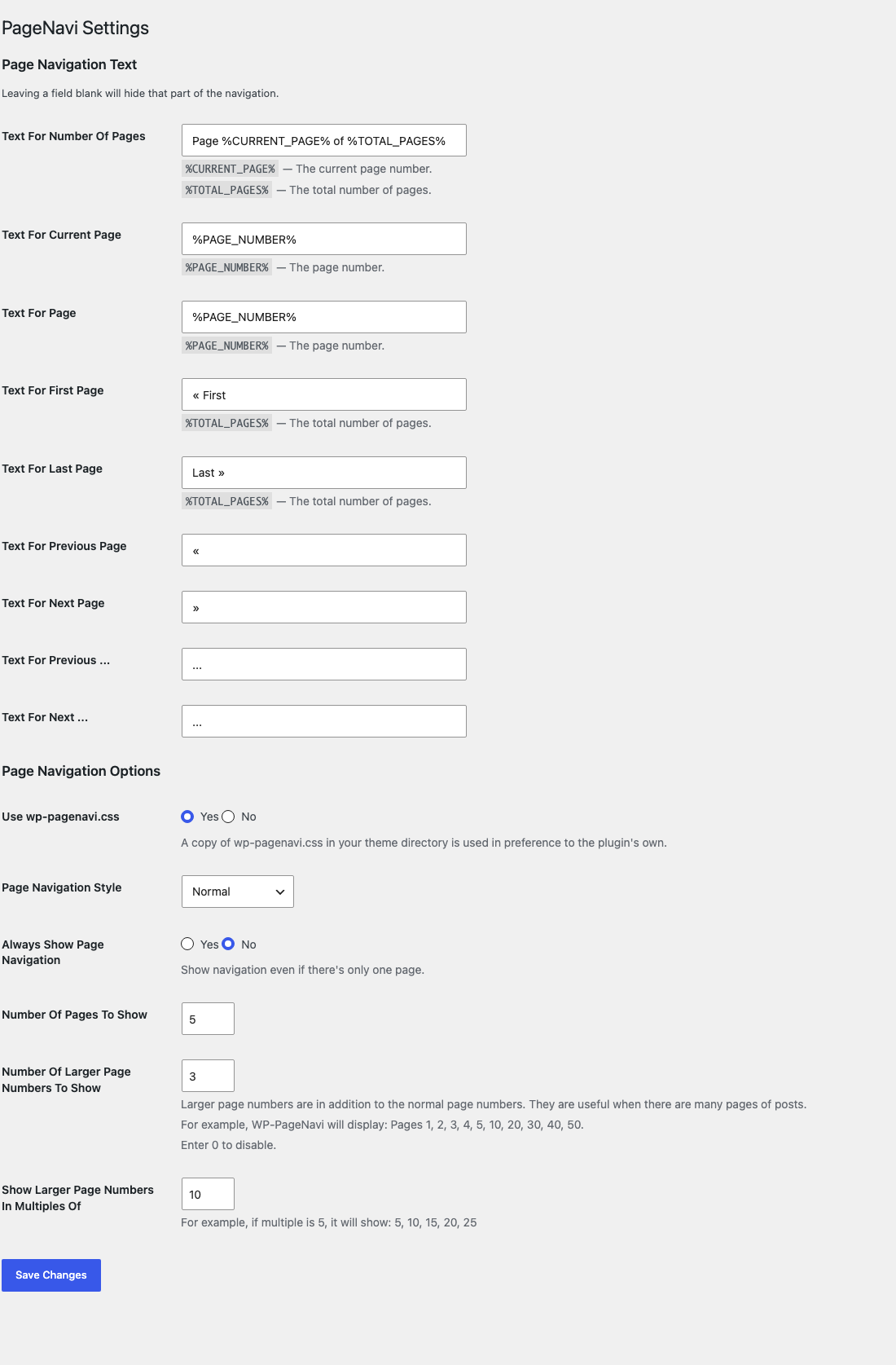
Go to WP-Admin -> Settings -> PageNavi for configuration.
Changing the CSS
The opening of the plugin's own description. The full text, installation notes and changelog are on its WordPress.org page.
You’re using query_posts() wrong. See The Right Way To use query_posts()
Yes; read this tutorial
If you are running a multi-language plugin, you will probably want to ignore the strings in the options page.
You can do that like so:
<?php wp_pagenavi( array( 'options' => WP_PageNavi_Options::defaults() ) ); ?>
Before 3.0.0 this was written as PageNavi_Core::$options->get_defaults(). That property was backed by the bundled SCB framework, which 3.0.0 removes, so the old form no longer works and must be updated.
Yes. The navigation text settings accept the inline SVG elements as well as everything wp_kses_post() allows, so an icon typed into the settings screen survives the save. That allow-list is the wp_pagenavi_allowed_html filter if you need to widen or narrow it.

#80 by installs
Adds breadcrumb navigation showing the visitor's path to their current location.

#166 by installs
An easy to use mega menu plugin. Written the WordPress way.

#358 by installs
Create links that scroll the page smoothly to any id within the document.

#407 by installs
Adds an image or icon in the menu items. You can choose the position of the image (after, before, above, below) or even hide the menu item title.

#469 by installs
Creates SEO-friendly table of contents for your posts/pages. Works automatically or manually (via shortcode, Gutenberg block or widget).

#475 by installs
Nested Pages provides a drag and drop interface for managing pages & posts in the WordPress admin, while maintaining quick edit functionality.
Read from the WordPress.org plugin API on , when WordPress 7.1.4 was the current release. WordPress.org rounds active installs into buckets. These are the directory's figures, not my verdict, and I haven't tested this plugin. The author takes donations at their donate page.